
Important: Before requesting an integration, the licensee must ensure that the shipper account and the associated user have been created.
Step 1:
Step 2:
Create A User in a Shipper Account
Step 3:
Fill out the Webhook Request Form or EDI Form (depending on the integration)
Step 4:
After completing the form, email the Grasshopper Support Team at support@grasshopperlabs.io.
Include:
- Shipper Account Name
- User Account
- Confirmation that the form has been submitted
Step 5:
Gather required information.
To complete an integration, the licensee must gather specific account details and share them for configuration.
For each integration, collect the following:
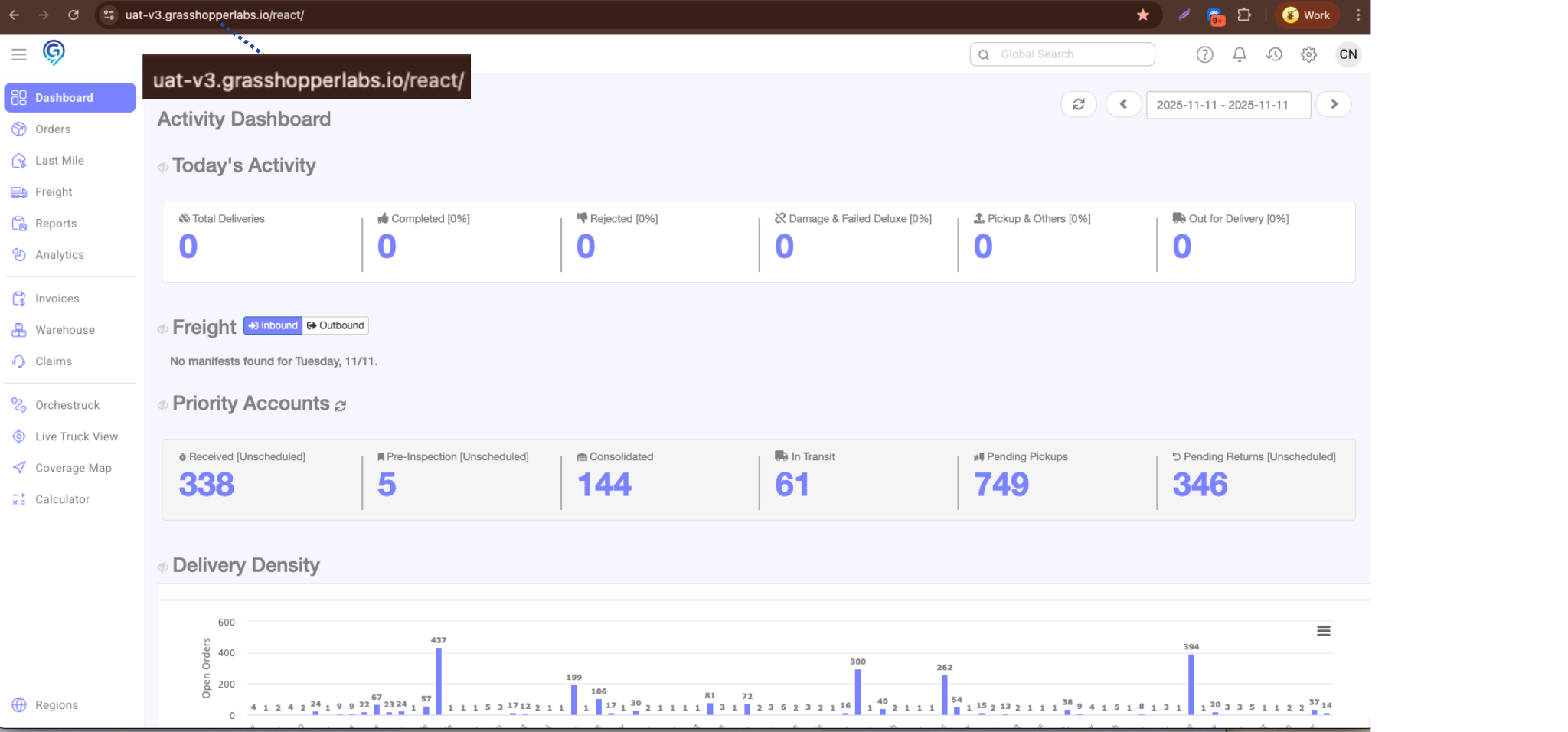
1. Grasshopper URL – Copy the full URL from the browser’s address bar.
2. Shipper Account Information and user (to be created by the licensee):
- Account Name – Name of the Shipper Account
- Identifier – Found in the shipper account details
- Retailer ID – Also listed in the shipper account details
- Username – Create a username for the shipper
How to obtain the Identifier and the Retailer ID, please follow these steps:
Step 1:
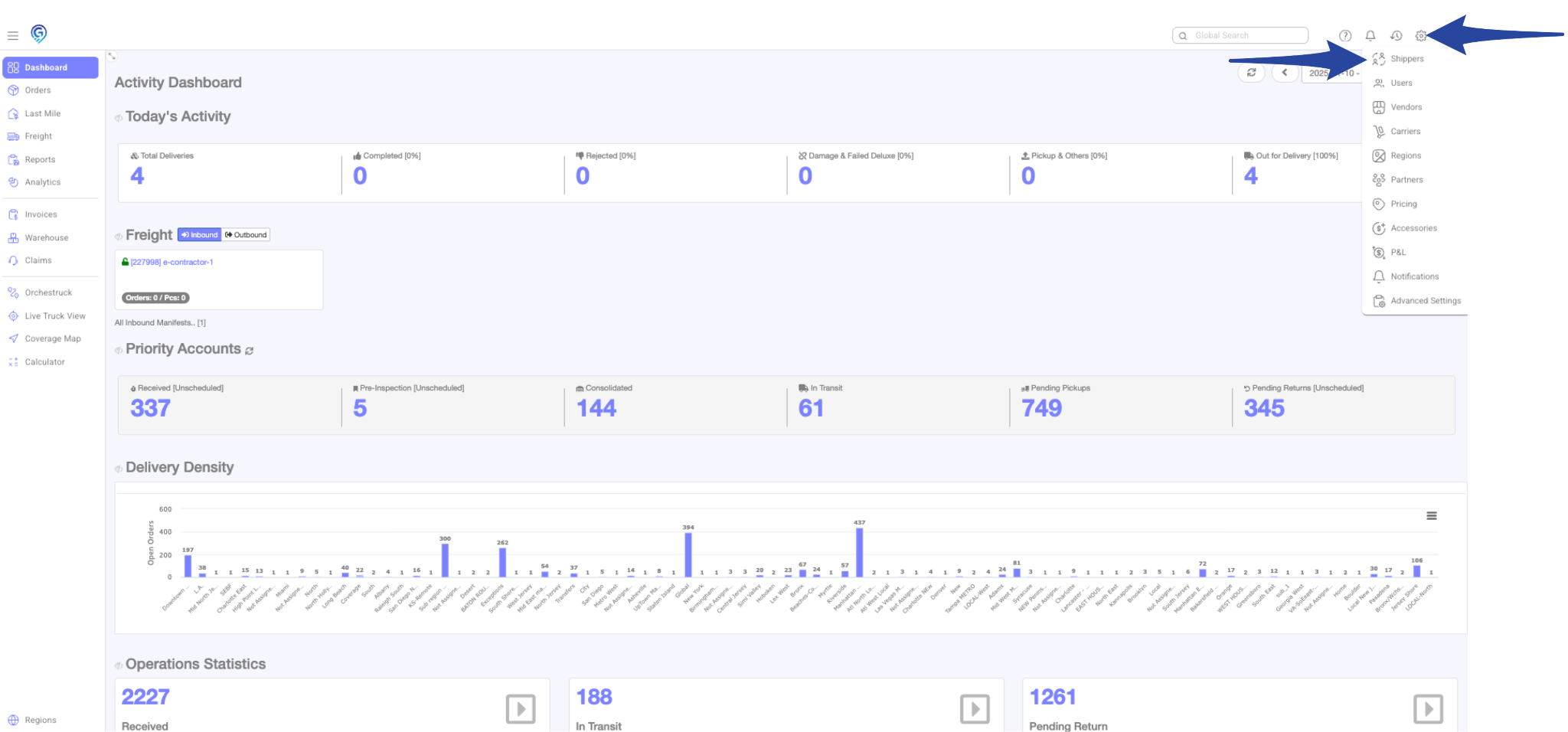
Click the gear icon and select Shippers.
Step 2:
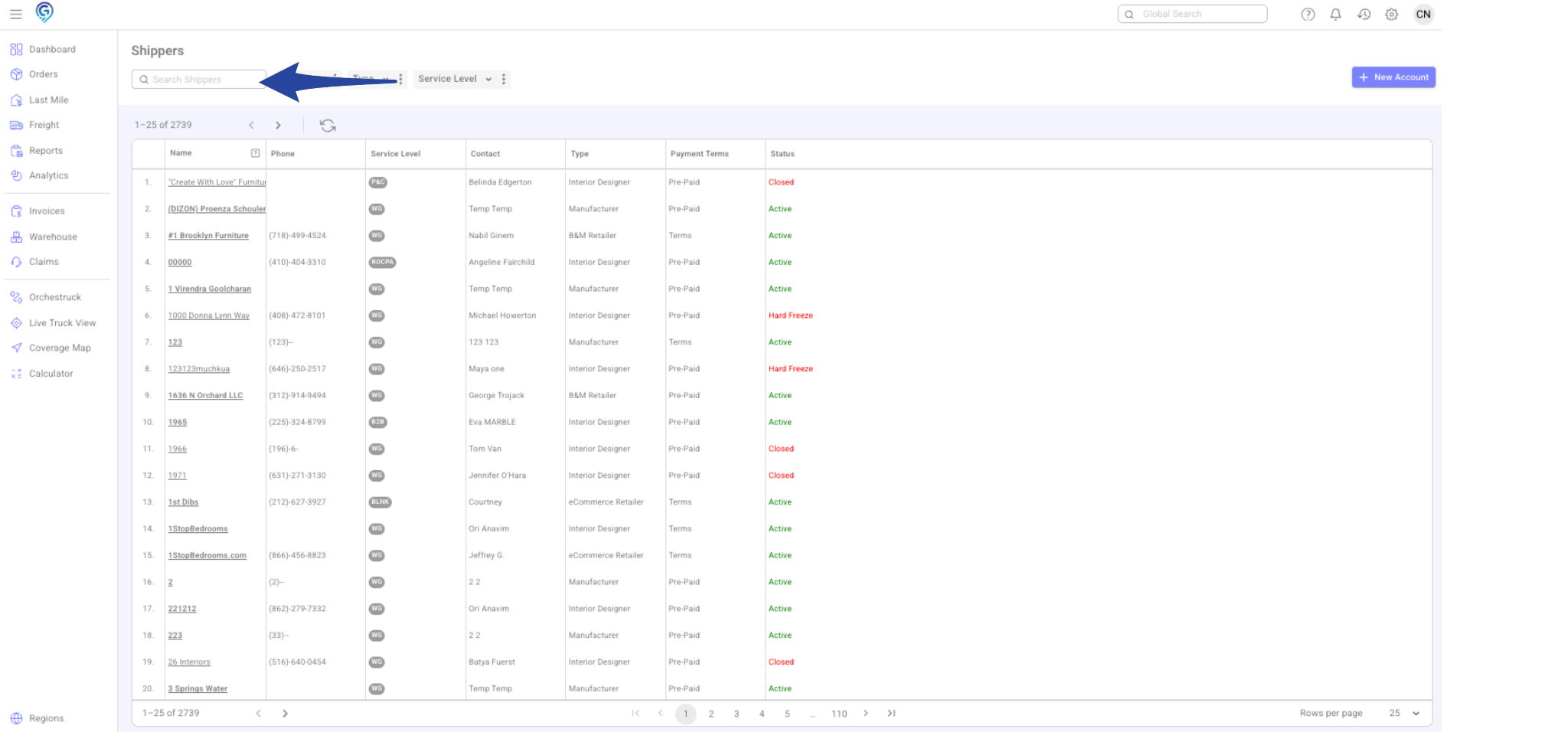
Use the Search Shippers box to look up the account by name, then select the account you are integrating with.
Step 3:
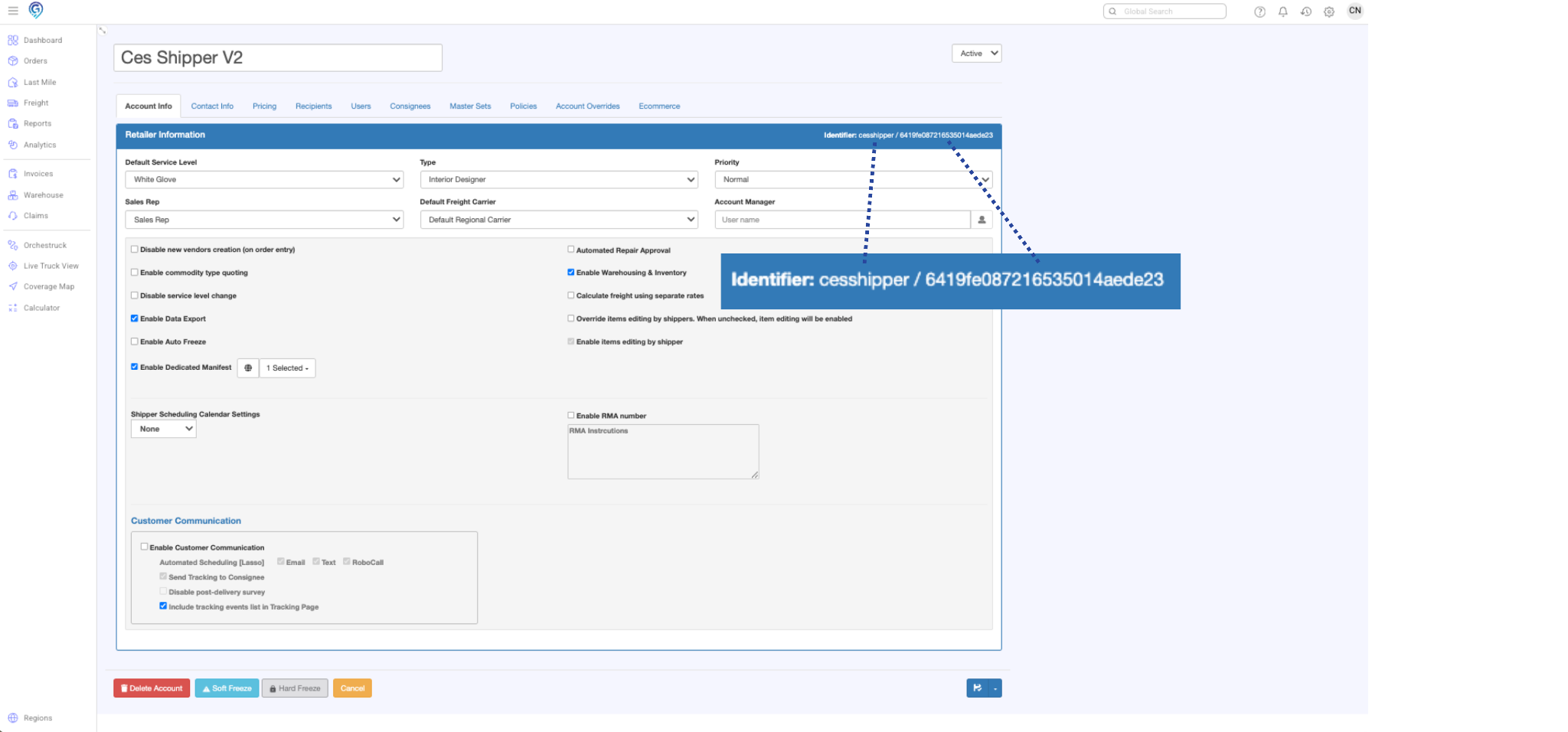
Go to the Account Info tab. The Identifier and Retailer ID can be found here.
Example for the shipper account Ces Shipper V2:
- Identifier: cesshipper
- Retailer ID: 6419fe087216535014aede23
How to retrieve the Region ID:
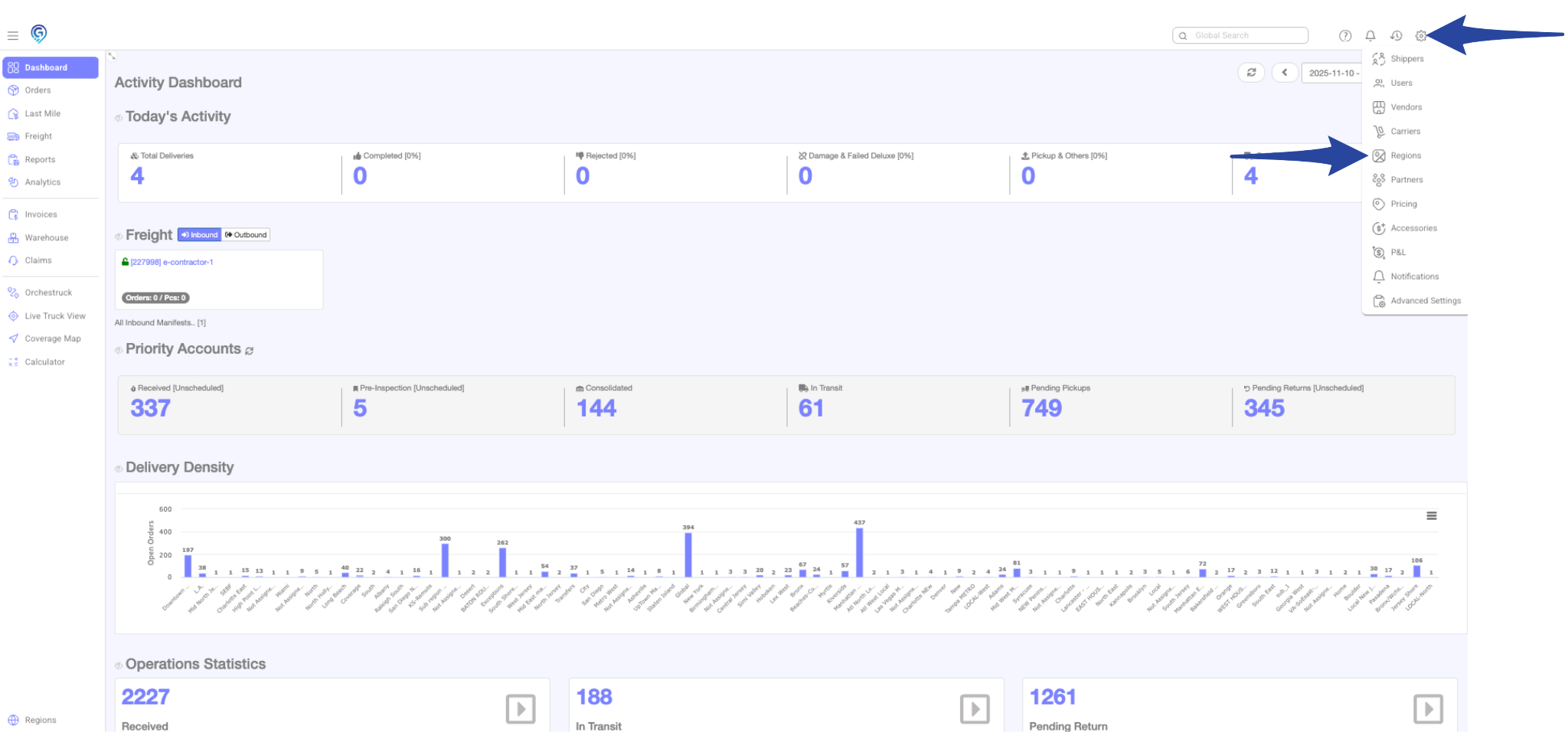
Step 1:
Click the gear icon and select Regions.
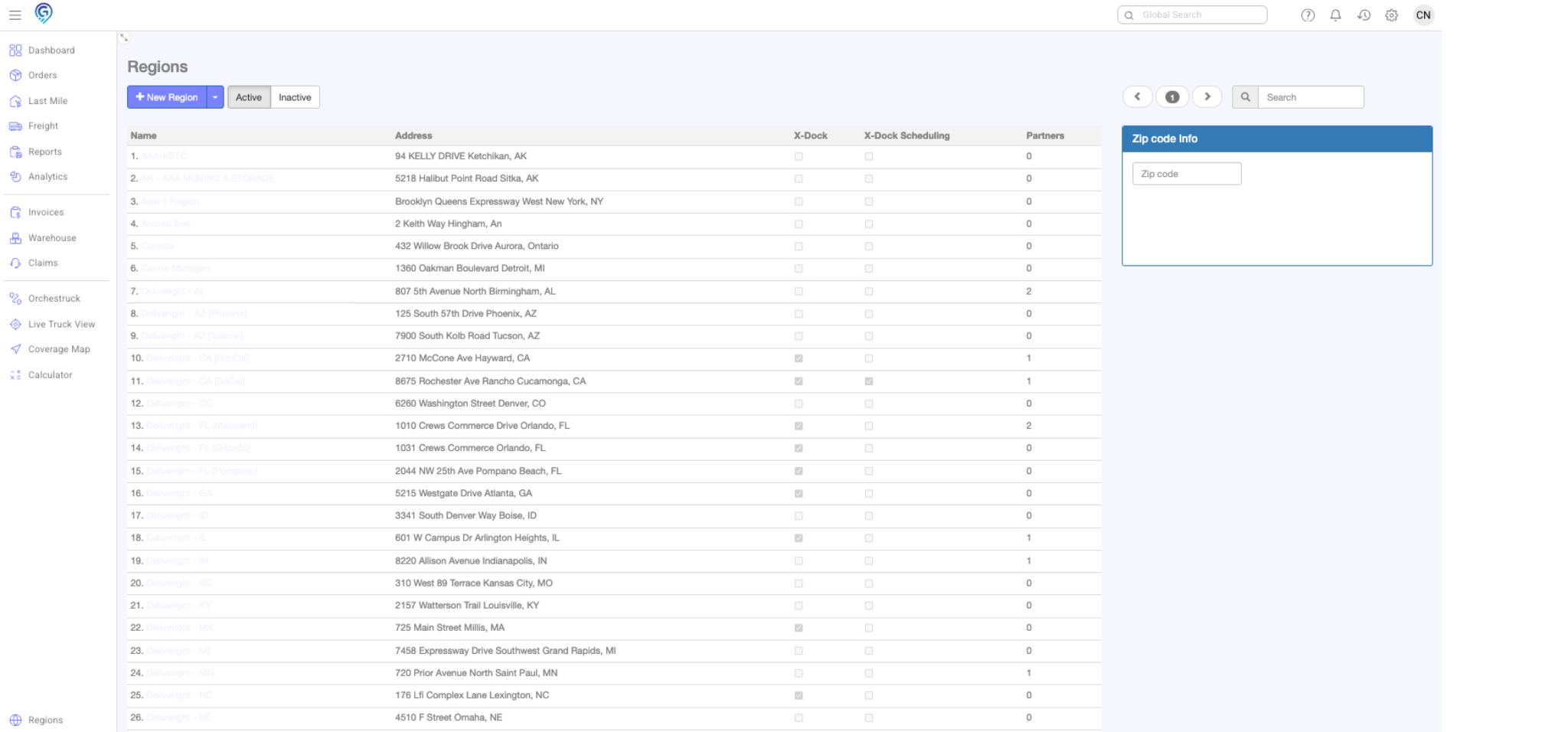
Step 2:
Select the desired region from the list
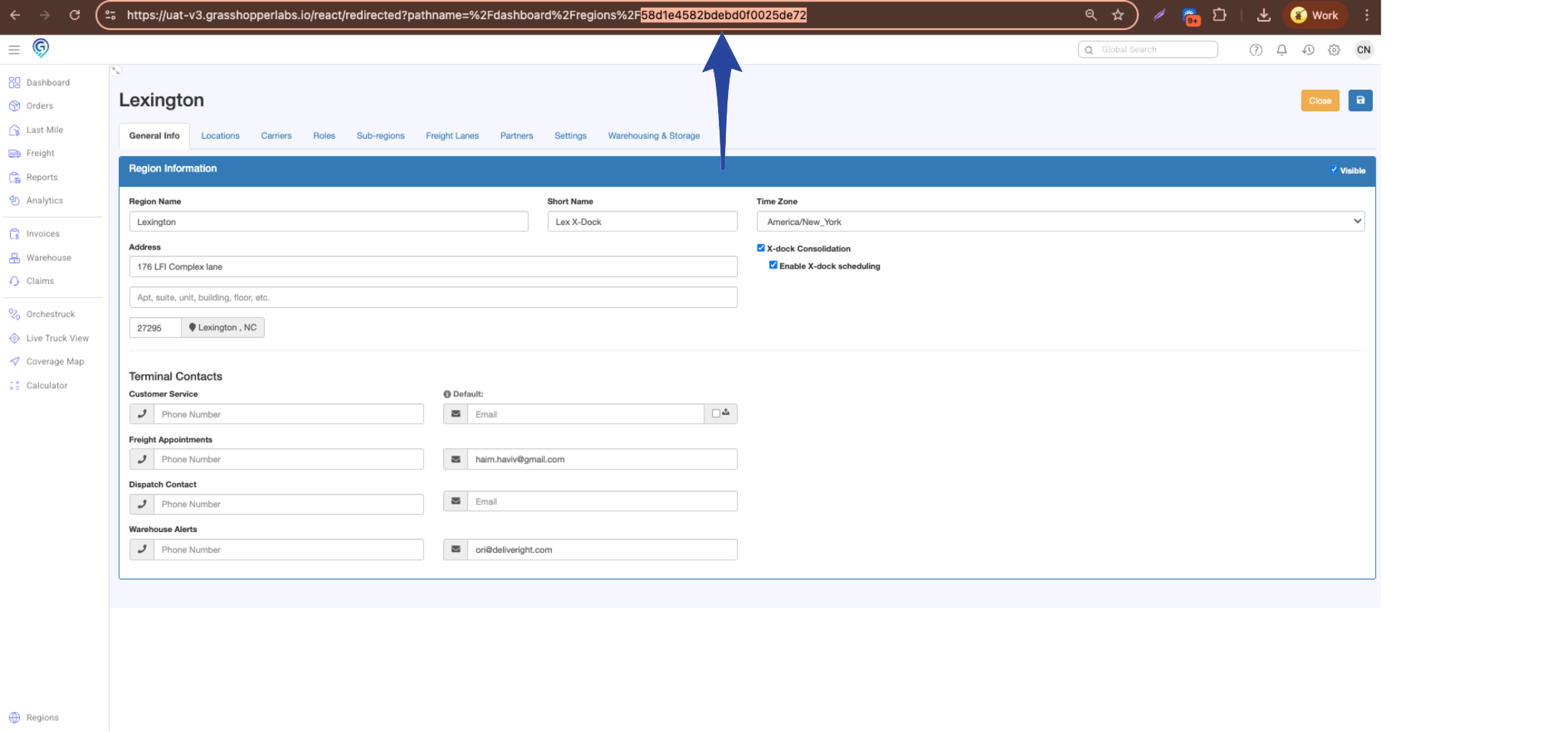
Step 3:
In the URL, copy the portion that appears after %2F.
- Example: If the URL ends with %2F12345, copy 12345.
This number is your Region ID.
Step 4.
Before the integration setup can proceed, fill out the following form(s):
- Webhook Request Form to enable webhook topics: Submit Form
- EDI Request Form for EDI Integration: Submit Form
Once the form(s) are submitted, the Grasshopper Support Team will create a ticket to process the integration requests.