Step 1
Click on the gear icon then select Shippers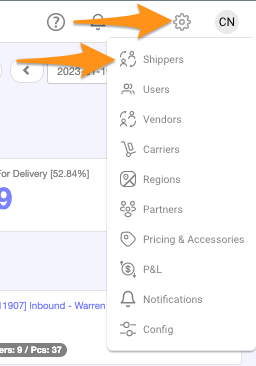
Step 2
Click + New Account
Step 3
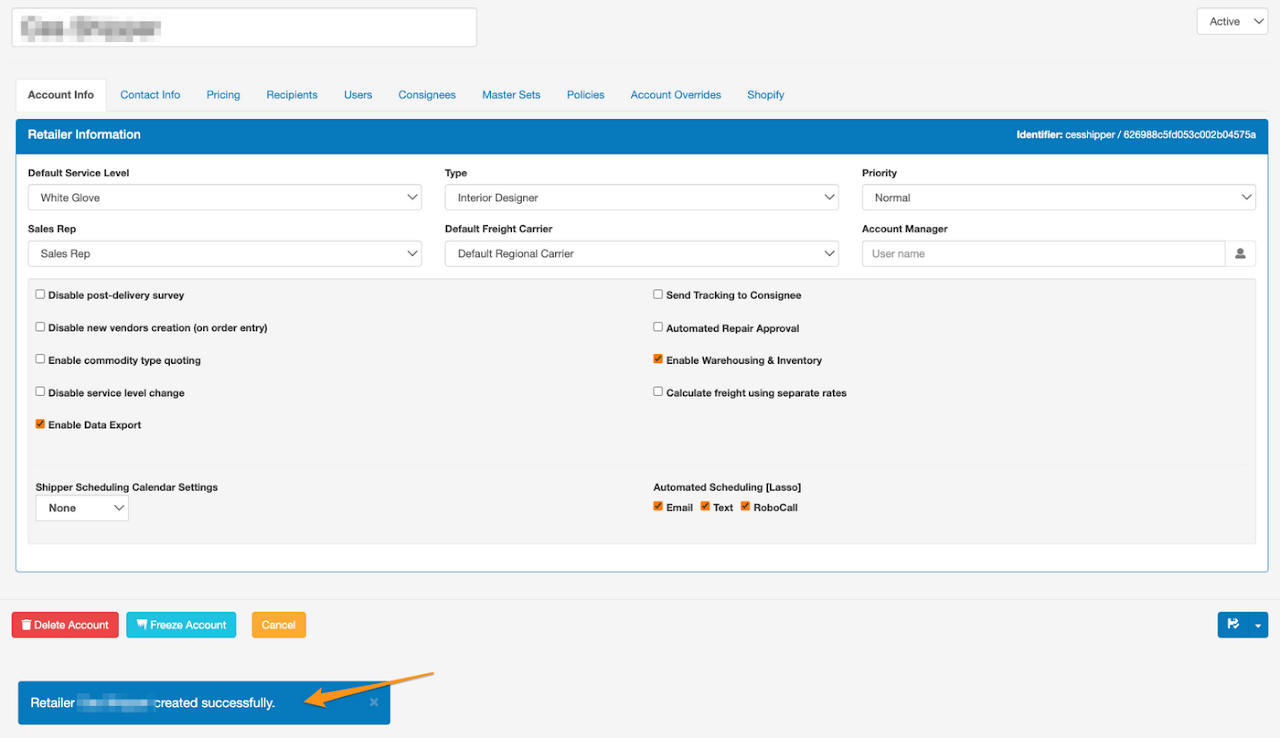
Create a Shipper Name (Account Name) and enter the required information. Select the appropriate boxes – services and features of the account, calendar settings (None, View Only, Scheduling) then click the disk icon to Save.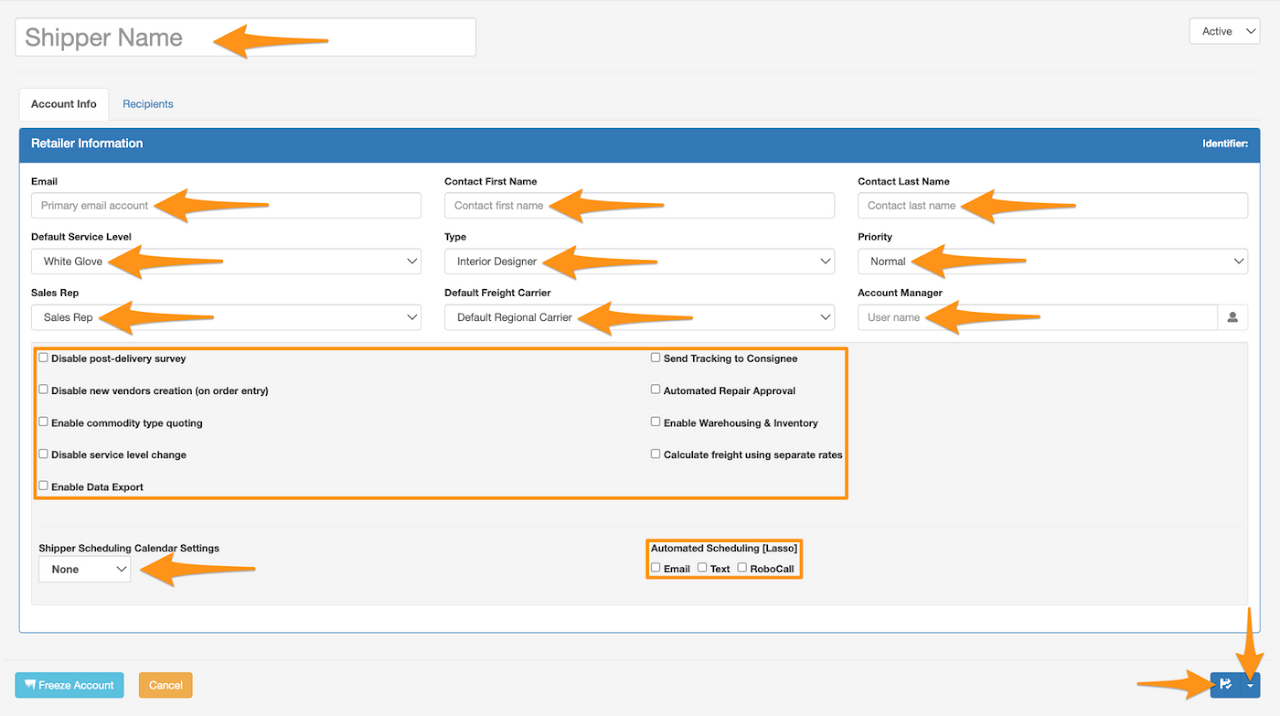 Confirmation that Shipper creation has been completed
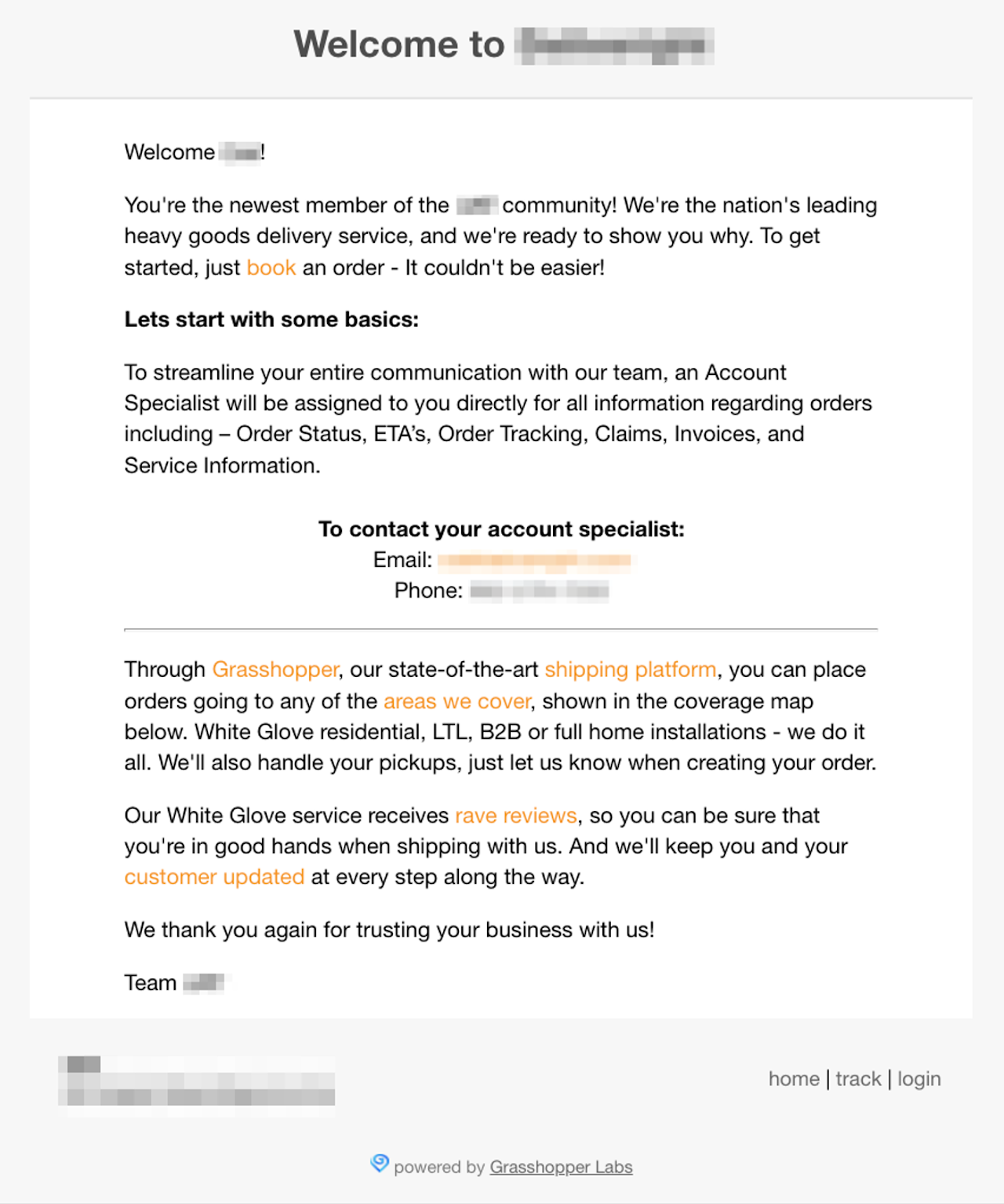
 Welcome Email to the Shipper