Step 1
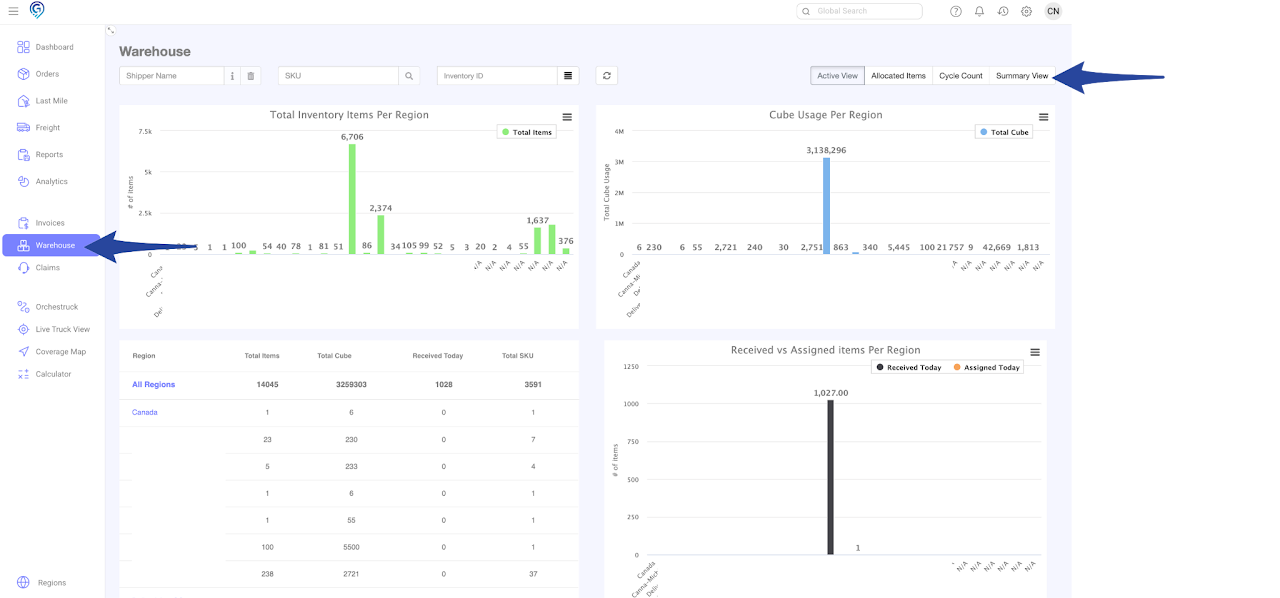
Go to the Warehouse Section and click the Summary View
Step 2
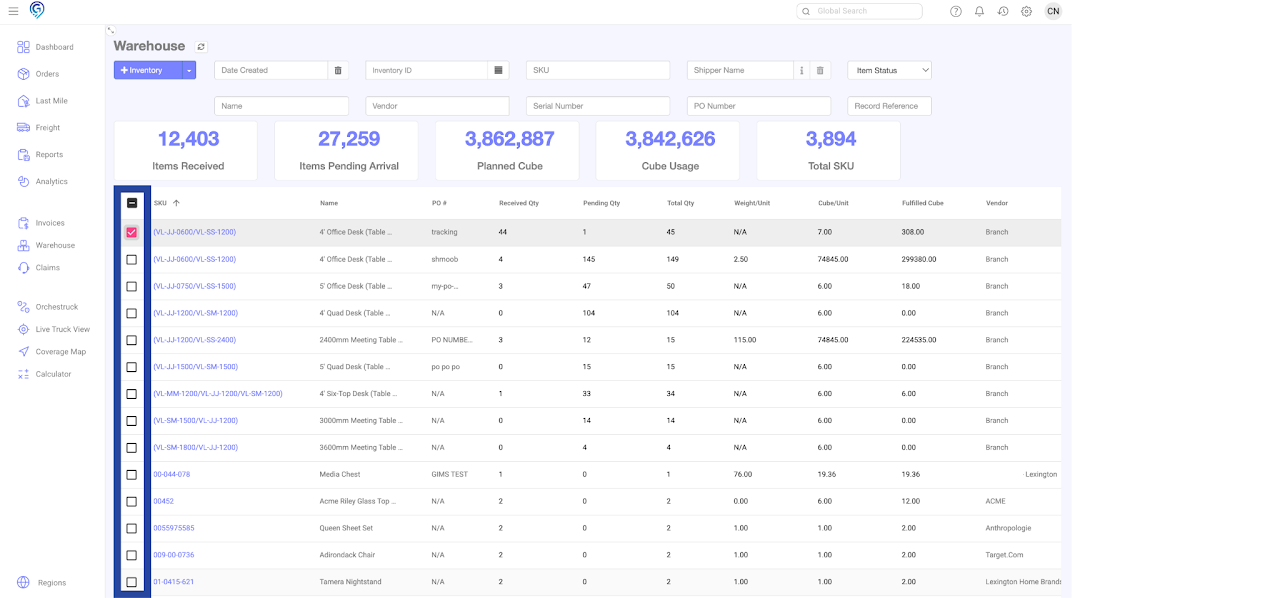
Select the SKU/s you wish to set the condition
Step 3
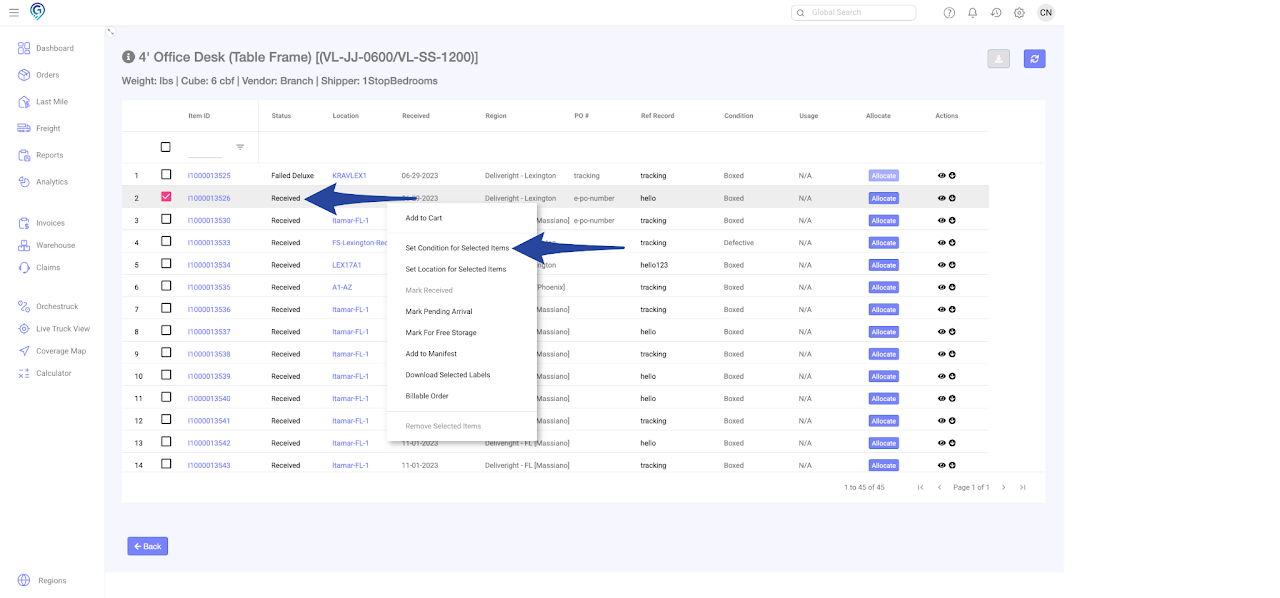
Click the Item ID(s), choose Set Condition for Selected Items. Make sure that the status of the item is on Received before you set the condition.
Step 4
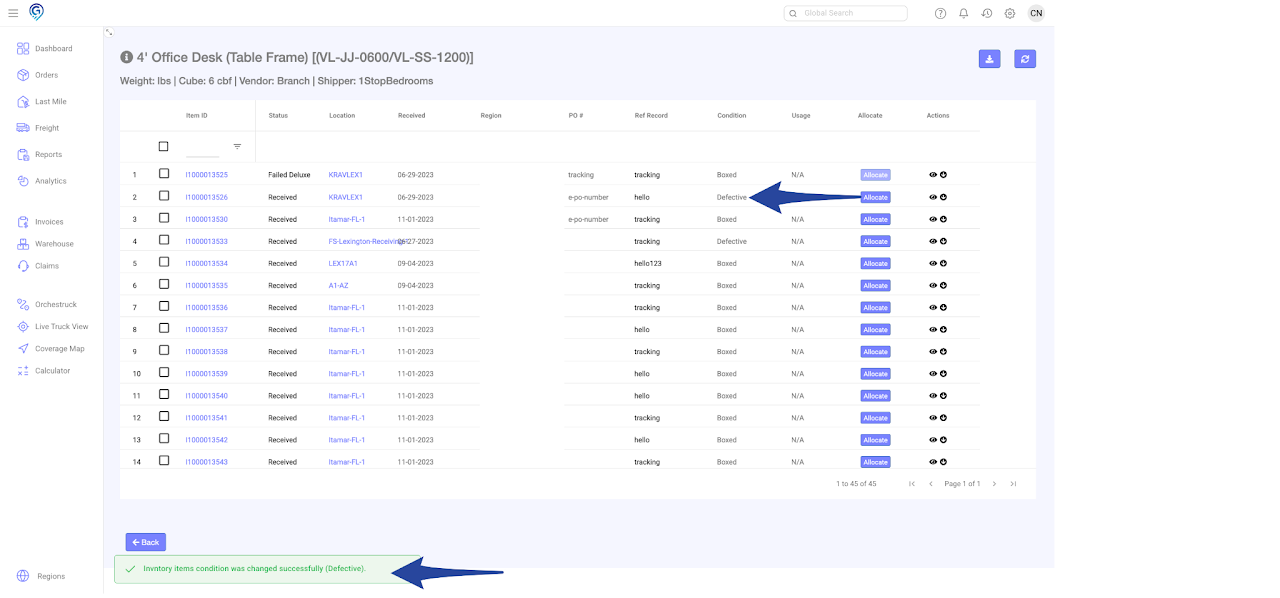
Select from the drop down list to set the item condition to Boxed, Open, Used, Defective, Repack then click Update
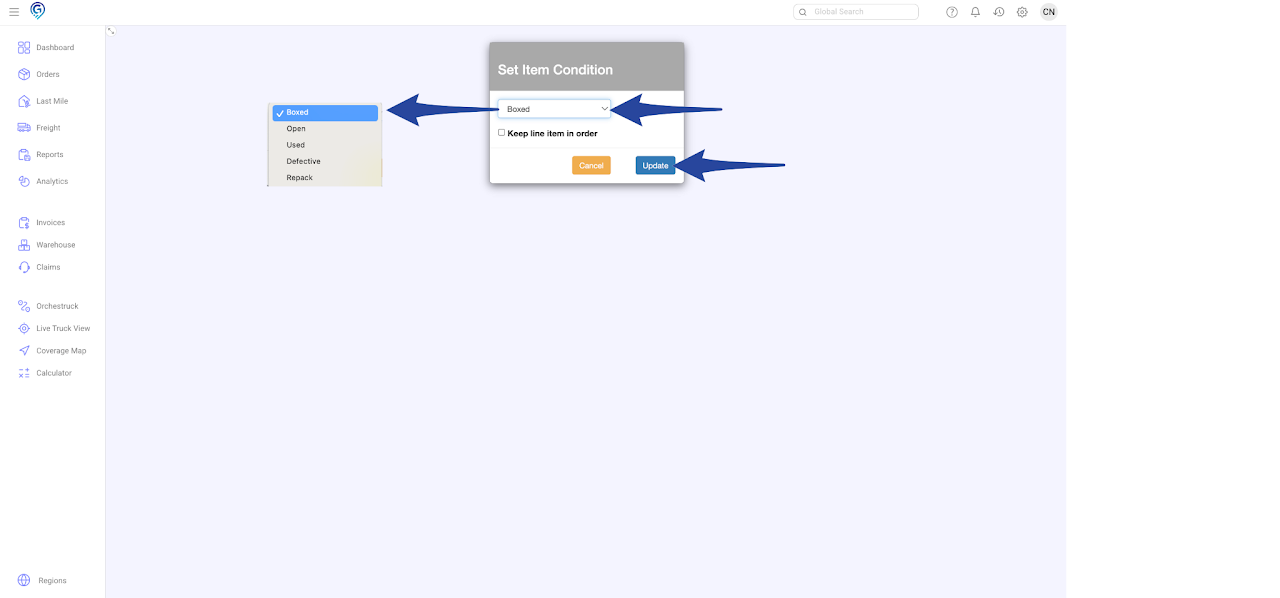
Confirmation that item has been set to the chosen condition