Help Center Menu
Claims - Grasshopper Labs Help Center

CATEGORIES

Wms
Search Inventory
Roles: Wms

Step 1

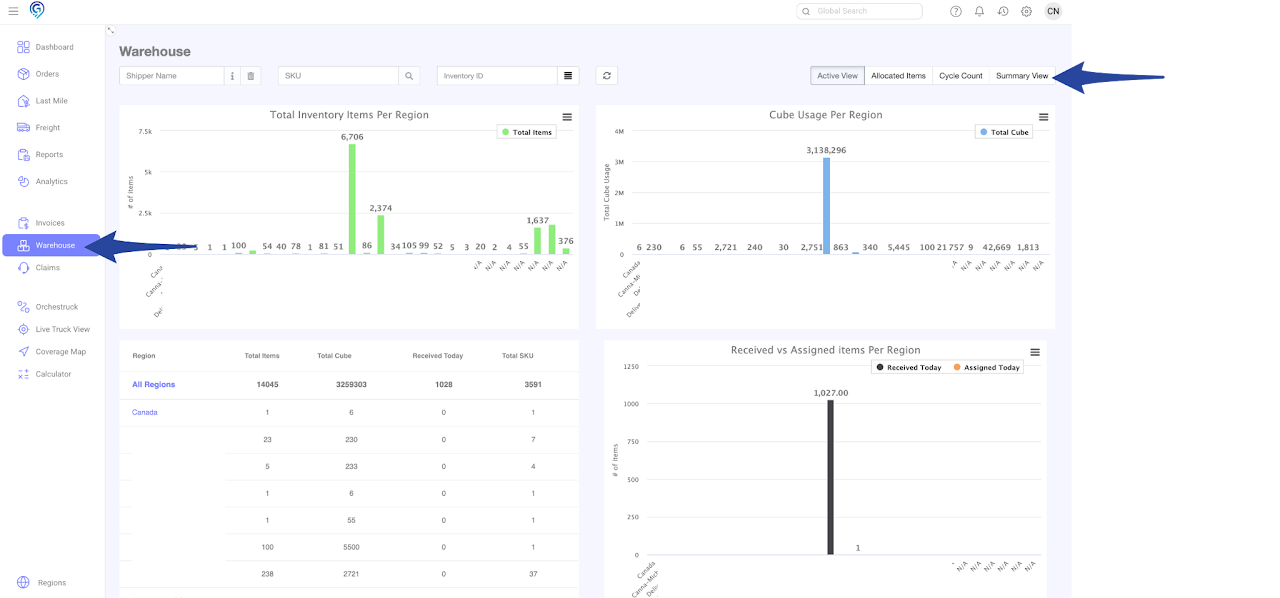
Go to the Warehouse Section and click the Summary View
Search Inventory

Step 2

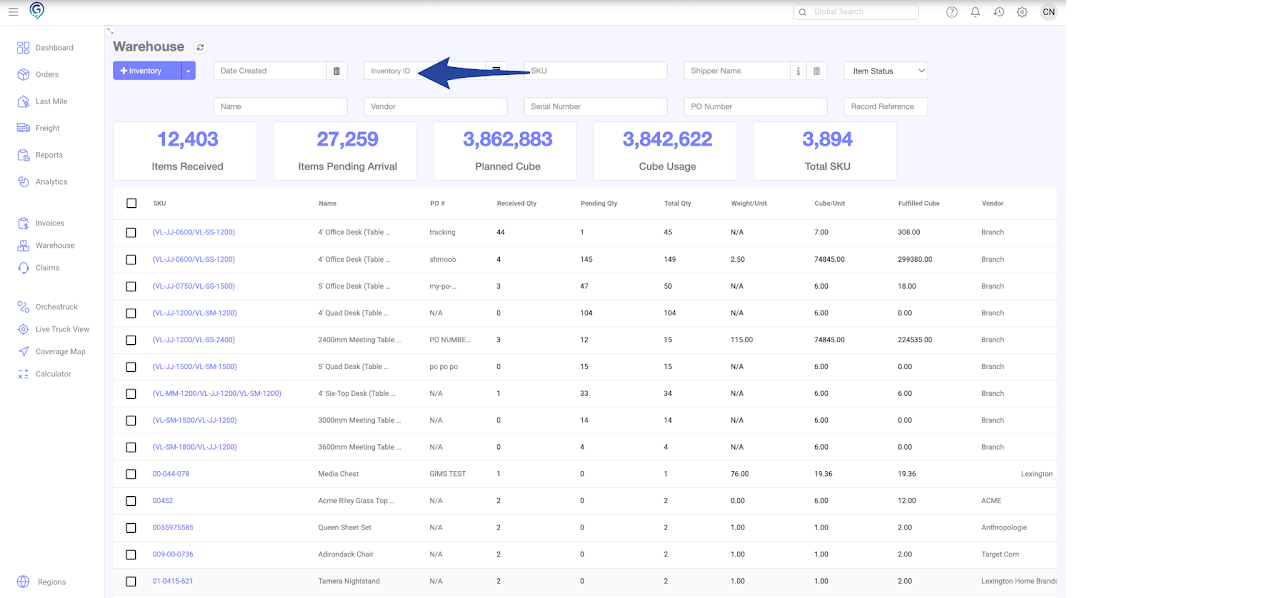
Option 1 – Single Inventory Item

Enter the Inventory ID to search for a single item
Search Inventory

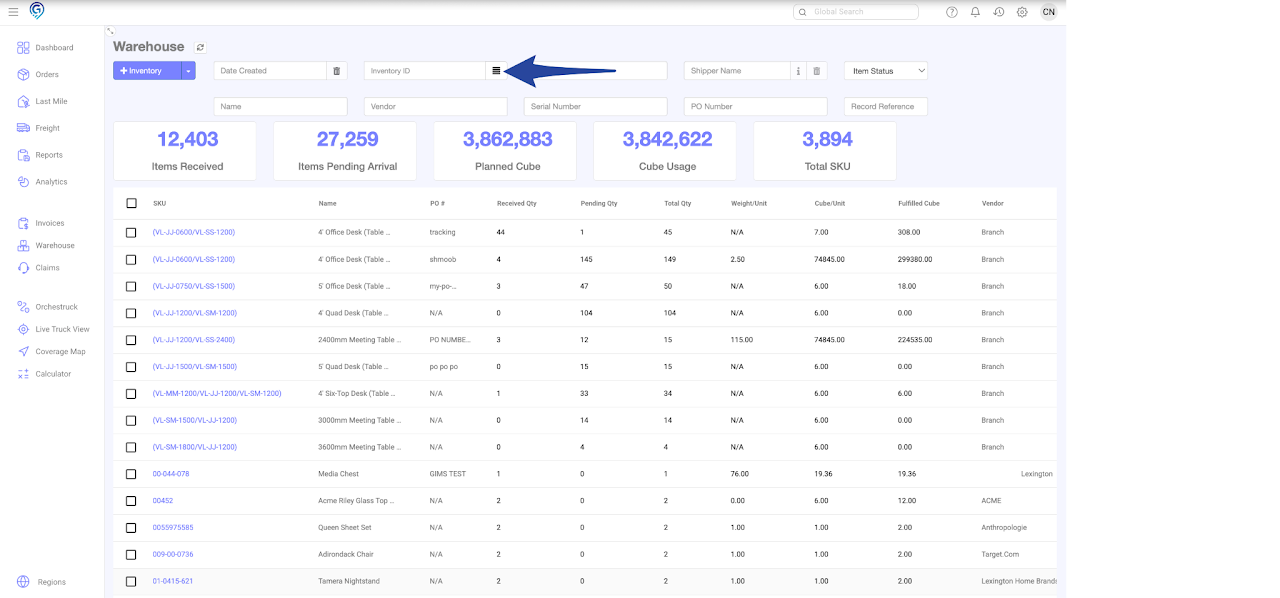
Option 2 – Multiple Inventory Items

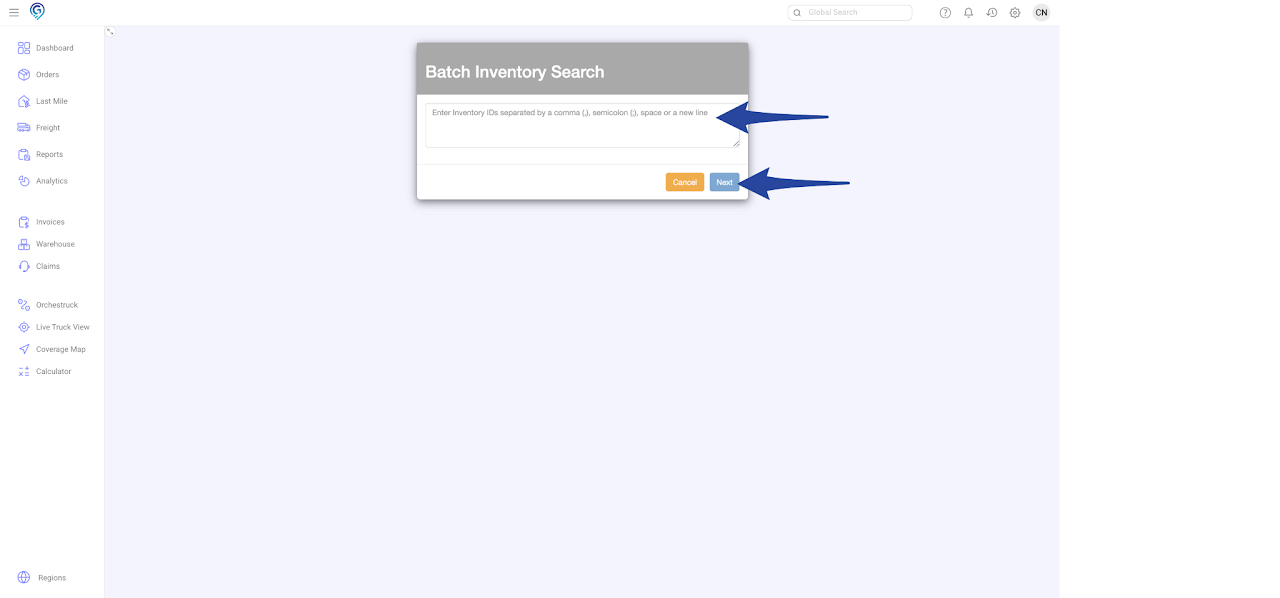
Enter the Inventory IDs separated by comma, semi colon, space or enter a new line 

Then click Next
Search Inventory

Search Inventory

Was this article helpful?

Still stuck? Submit a ticket. and someone on the team will get back to you.

On This Page