
Help Center Menu
Claims - Grasshopper Labs Help Center

CATEGORIES

Wms
Fulfilling from Inventory
Roles: Wms

Step 1

Select the item/s you wish to fulfill from inventory, right click then choose Fulfill from Inventory
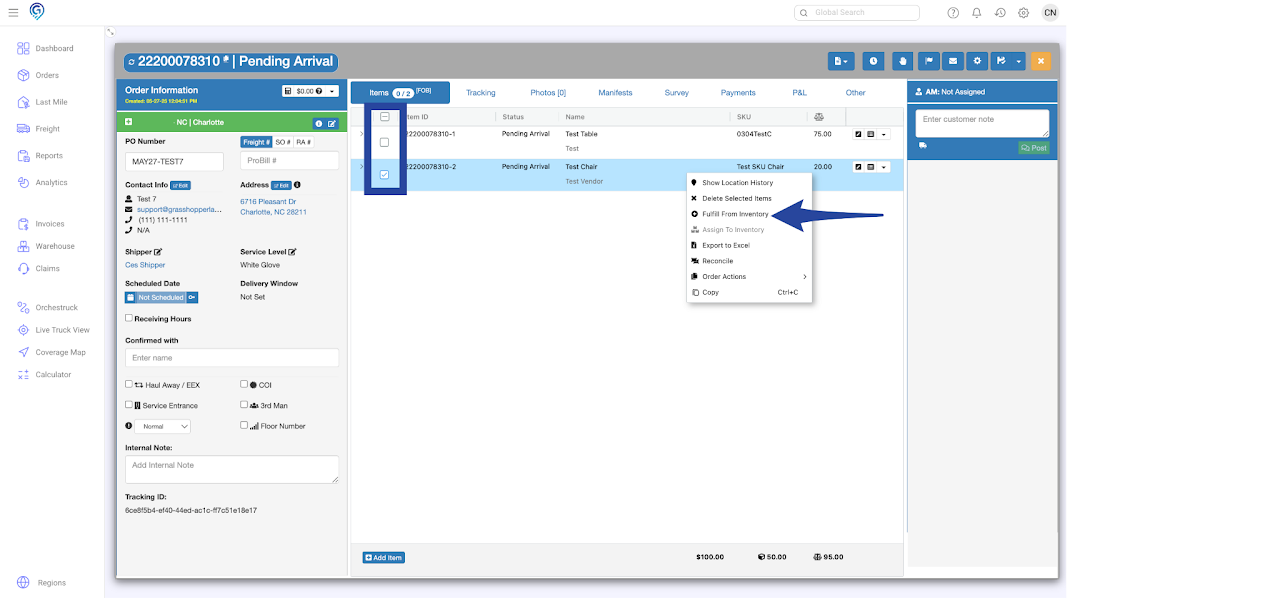
Fulfilling from Inventory

Step 2

Search for SKU then click Assign (individual) or Assign All (multiple items)
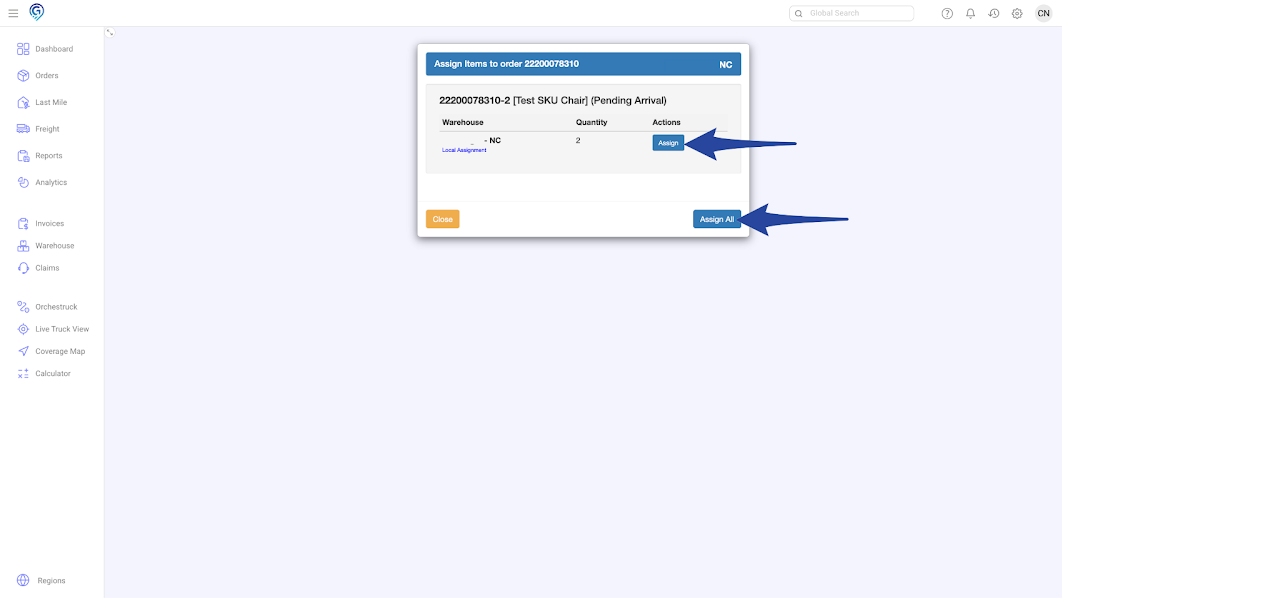
Fulfilling from Inventory

Confirmation that item/s is/are fulfilled successfully
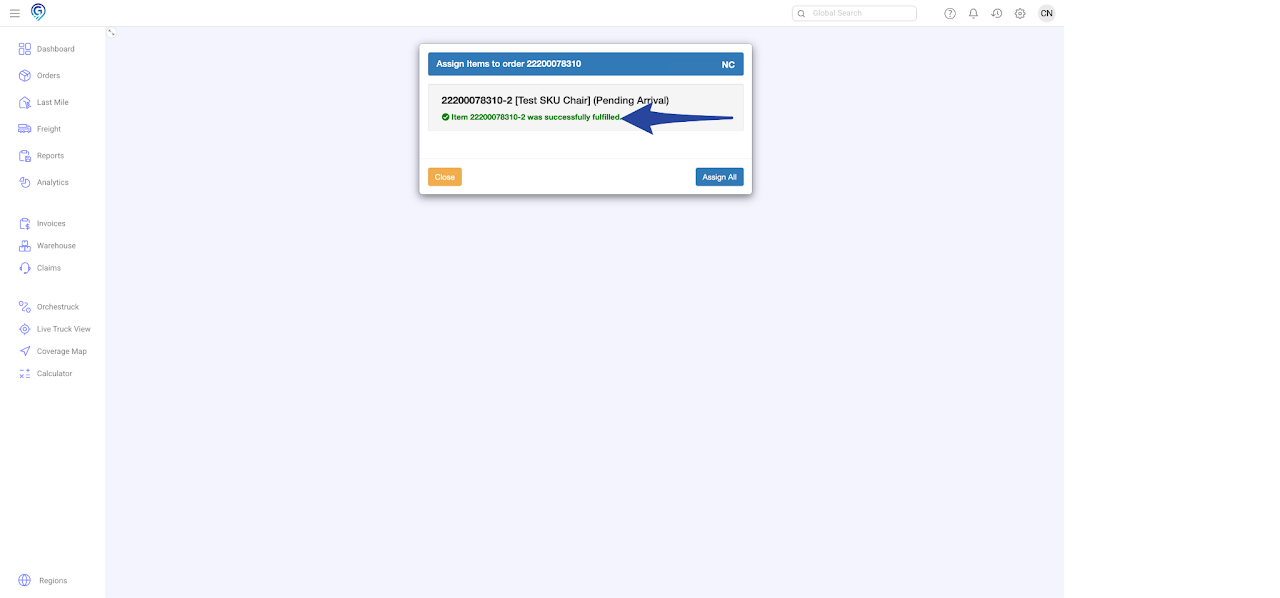
Fulfilling from Inventory

Line item/s is/are changed from Pending Arrival to Consolidated/Received
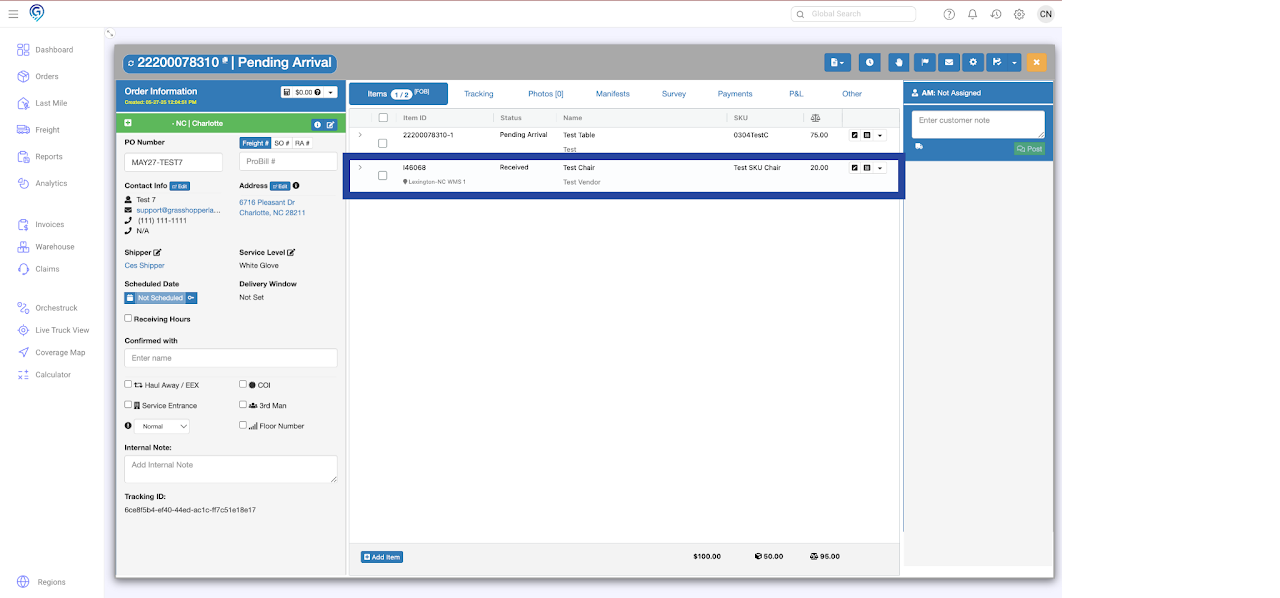
Fulfilling from Inventory

Was this article helpful?

Still stuck? Submit a ticket. and someone on the team will get back to you.

On This Page