
Help Center Menu
Claims - Grasshopper Labs Help Center

CATEGORIES

Wms
Export Inventory Report
Roles: Wms

Step 1

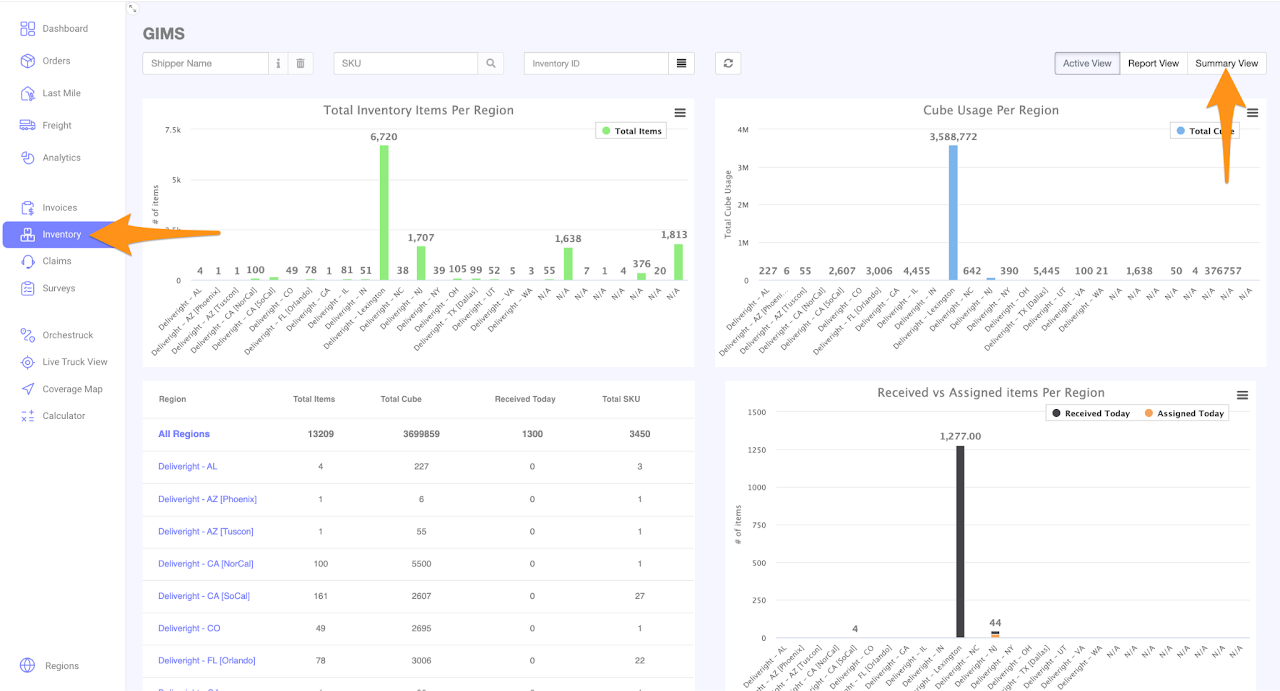
Go to Inventory and select Summary View
 
Export Summary and Detailed Inventory Reports

Step 2

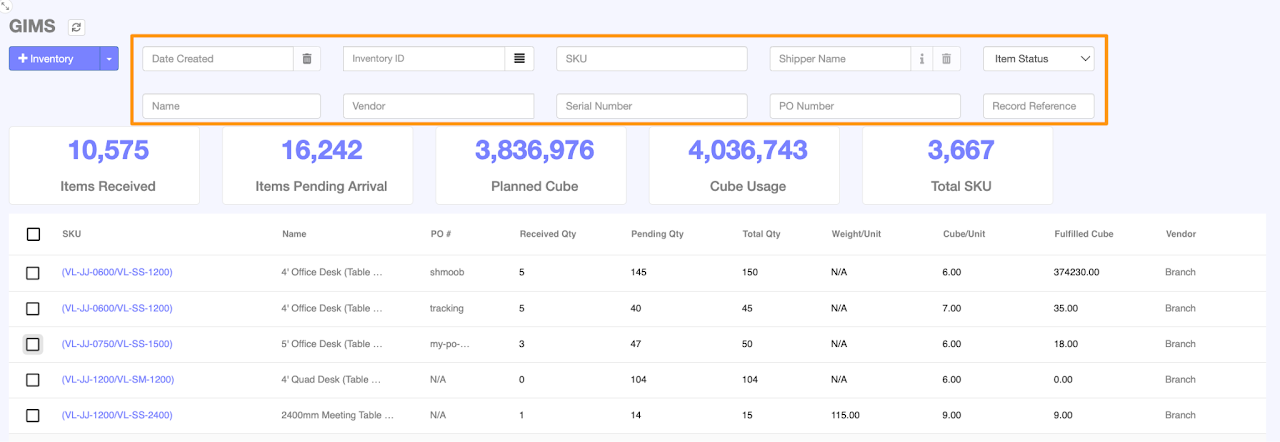
Input the Shipper Name, SKU, Inventory ID or Name as required
 
Export Summary and Detailed Inventory Reports

Step 3

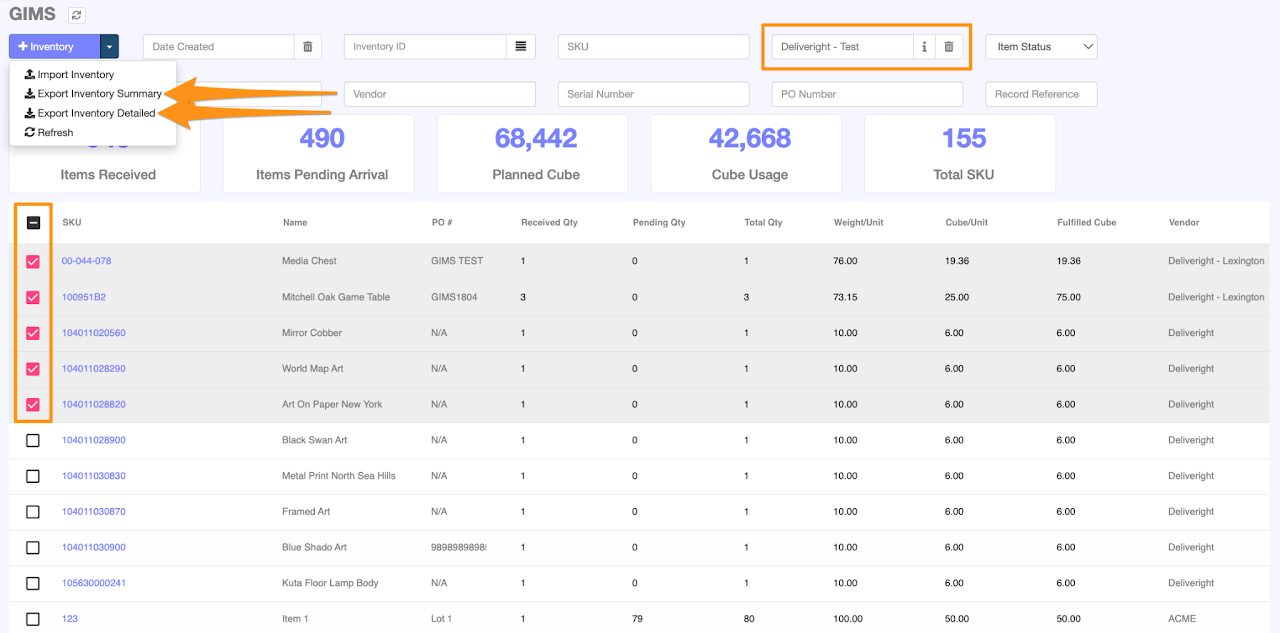
Check the Inventory Items you want to be part of the report, then choose either Export Inventory Summary or Export Inventory Detailed based on your preference.

The file will be downloaded in CSV file format.
 
Export Summary and Detailed Inventory Reports

Was this article helpful?

Still stuck? Submit a ticket. and someone on the team will get back to you.