Step 1
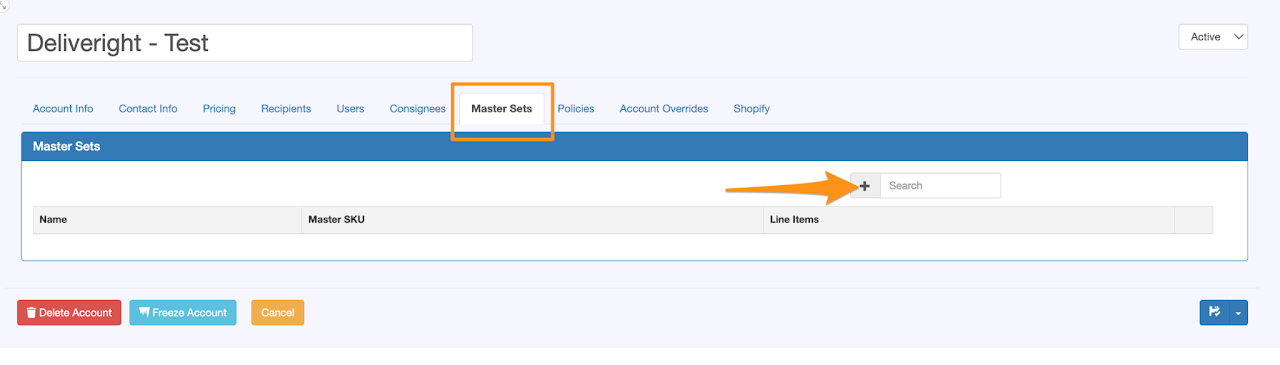
Open the Shipper’s Account and click on the + icon under the Master Sets tab
Step 2
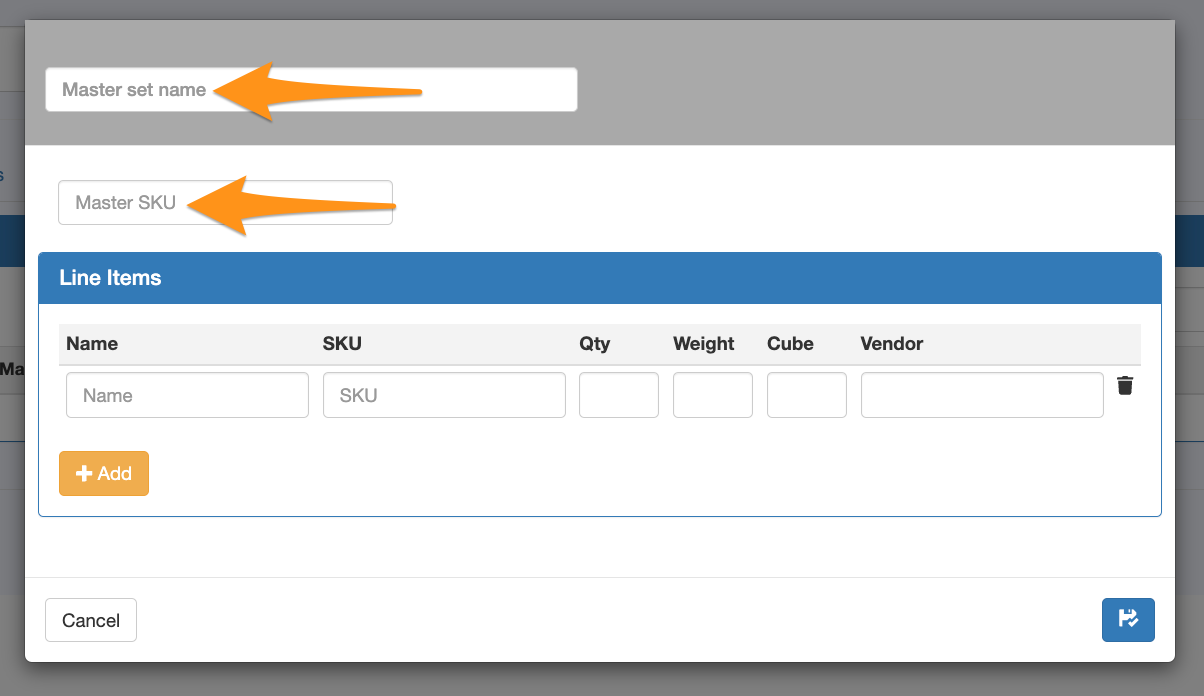
Create the Master set name and input the Master SKU (the information or SKU to be entered by the shipper when creating an order)
Step 3
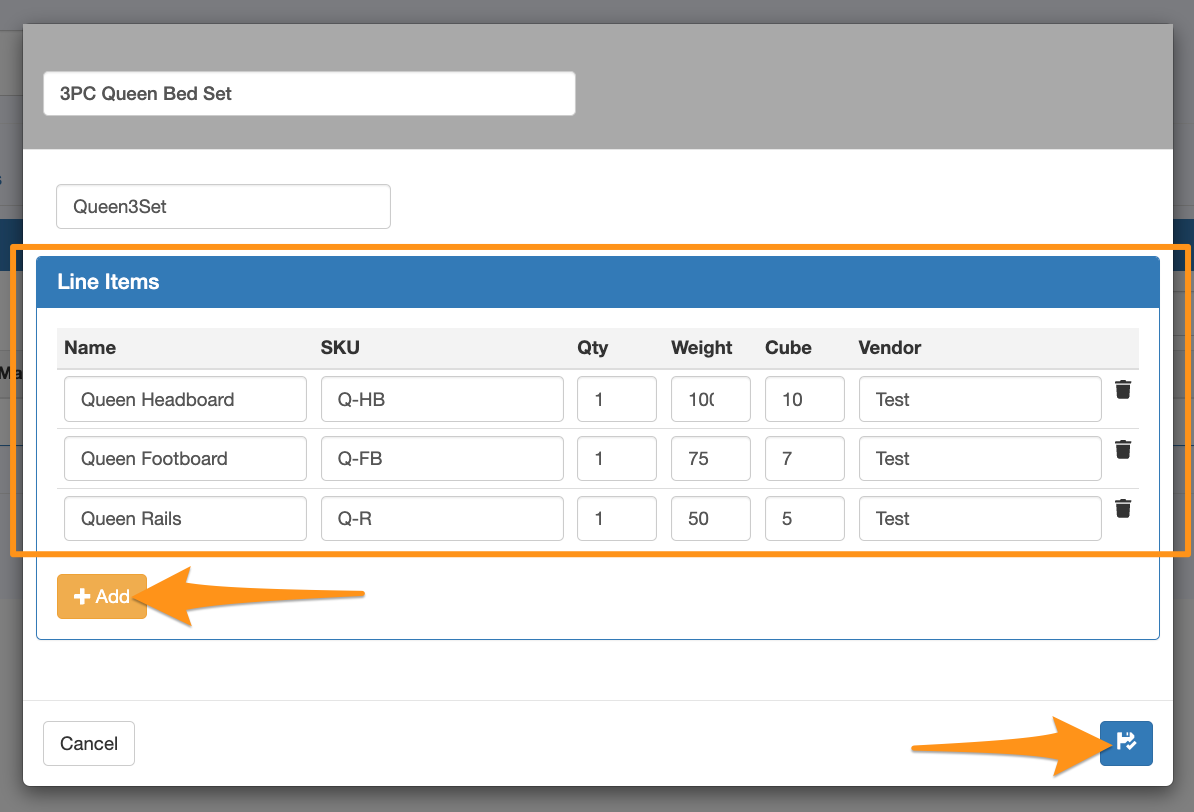
Input the set components by providing the Name, SKU, Quantity, Weight, Cube and Vendor
Select the +Add option for any extra line items related to the set. Upon completion, click on the Save & Close icon
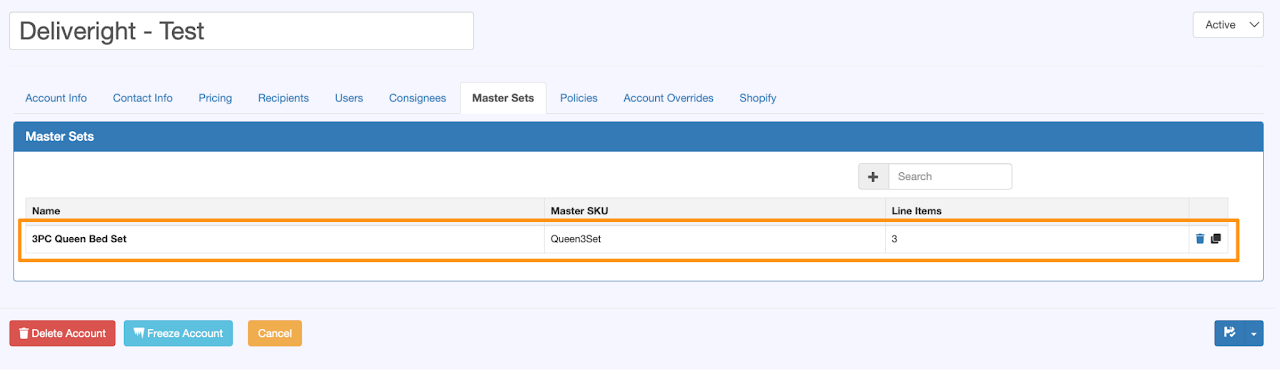
This is the newly added Master Set