Step 1
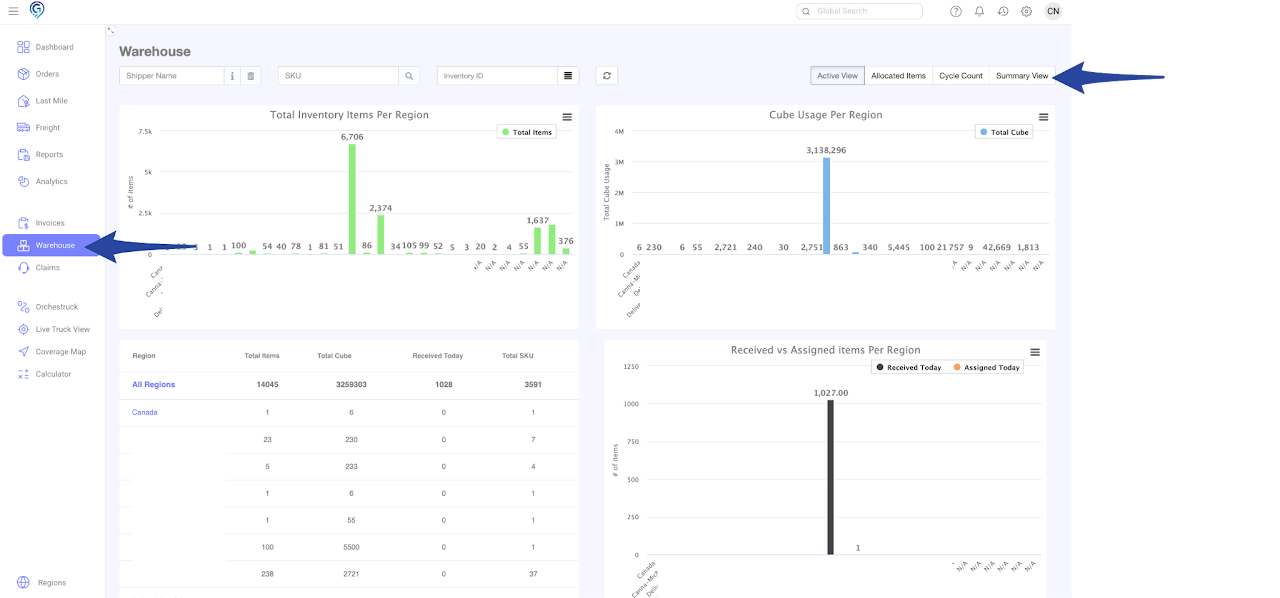
Go to the Warehouse Section and click the Summary View
Step 2
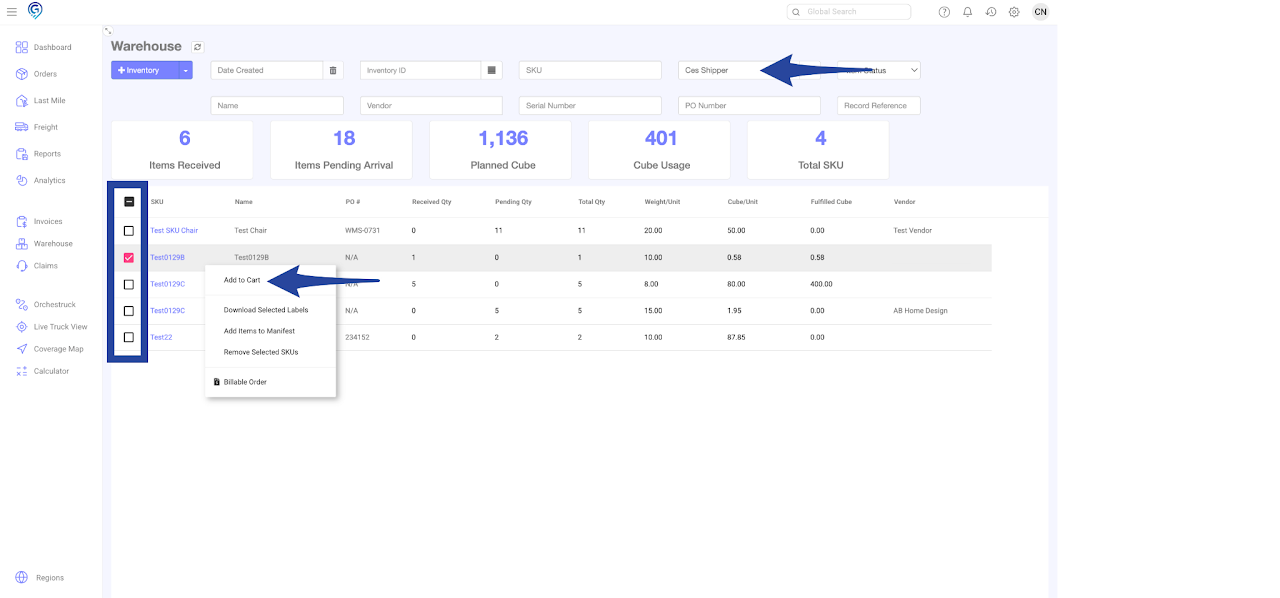
Enter the Shipper Name to show all items in the inventory
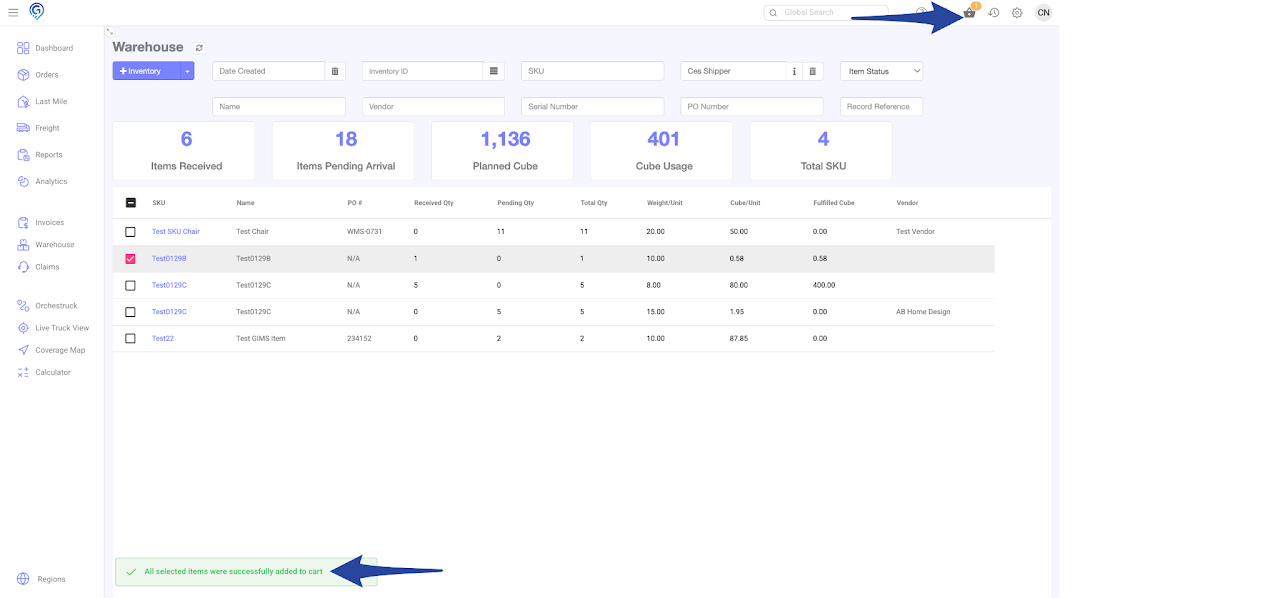
Select the items by ticking the box on the left hand side of each SKU then right click to Add to Cart
Confirmation of item(s) added to Cart
Step 3
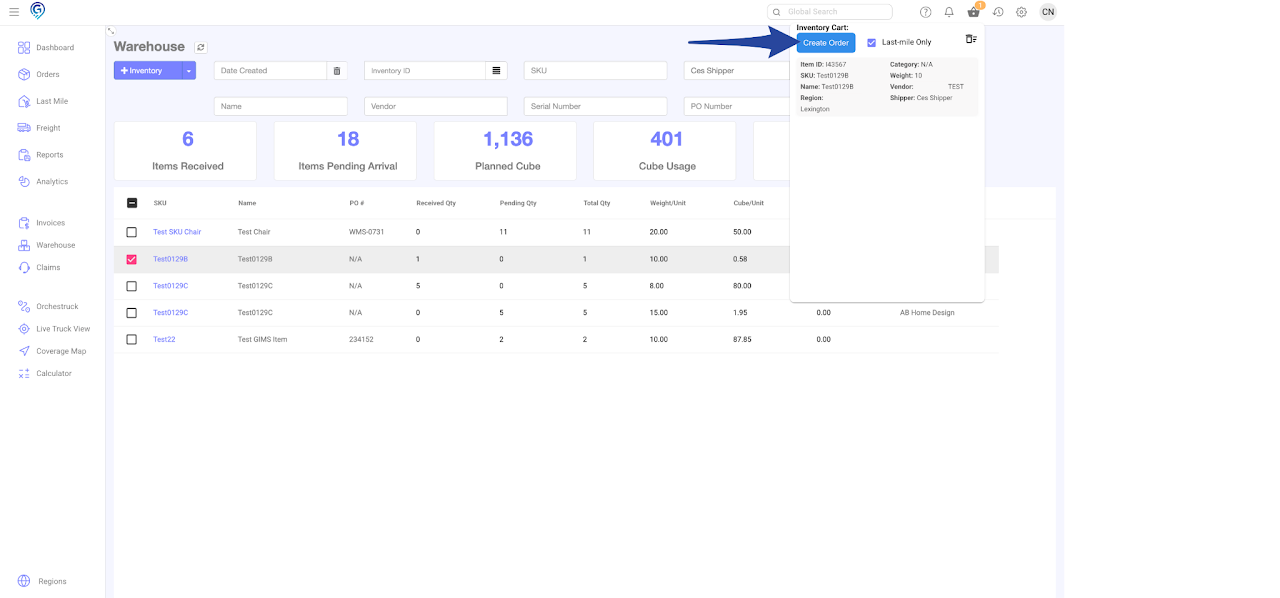
Click on the Cart to view/confirm the items then Create Order
Step 4
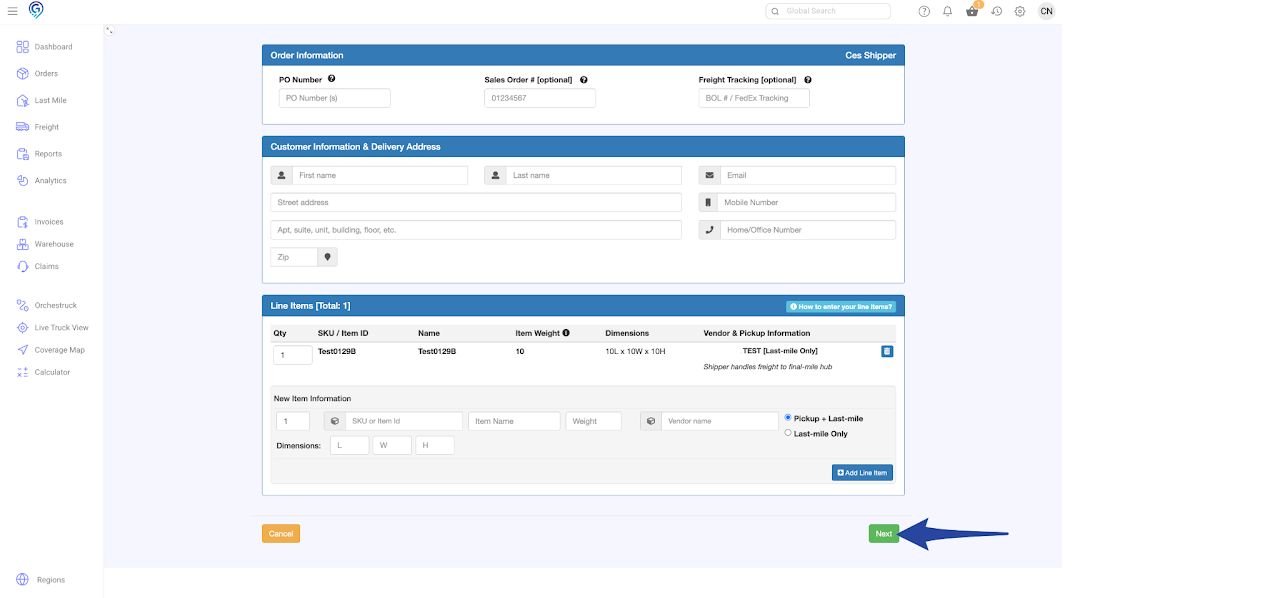
Enter all details in the online form then click on Next
Step 5
Confirm all details in the online form and click on Book Order. You may change the Service Level if necessary.
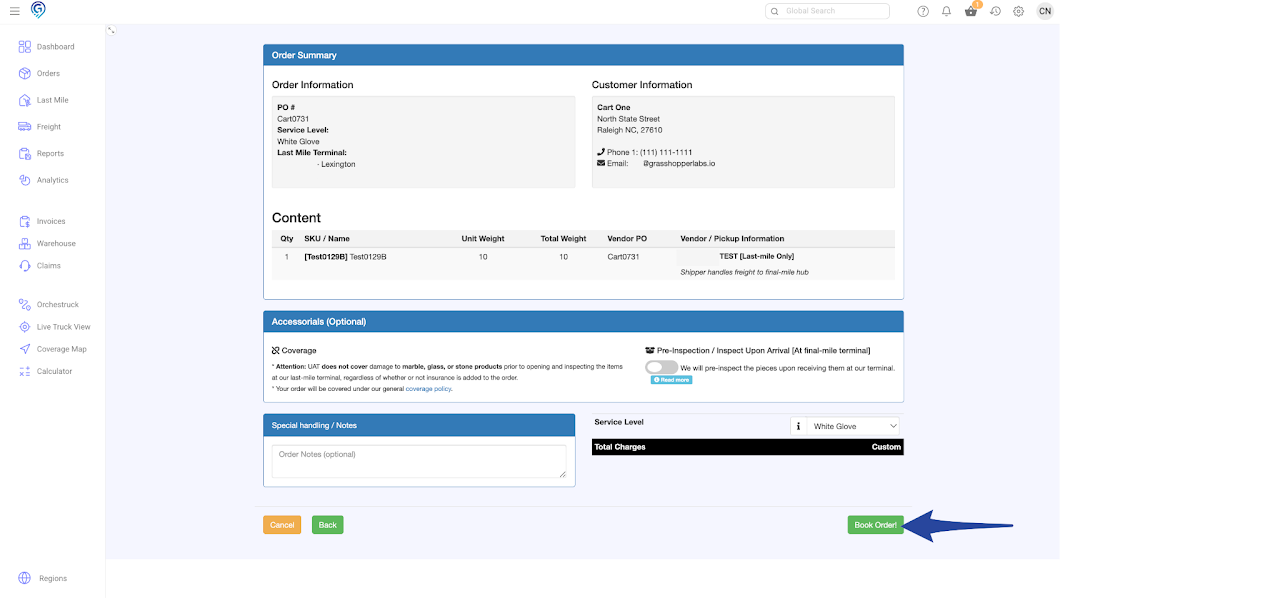
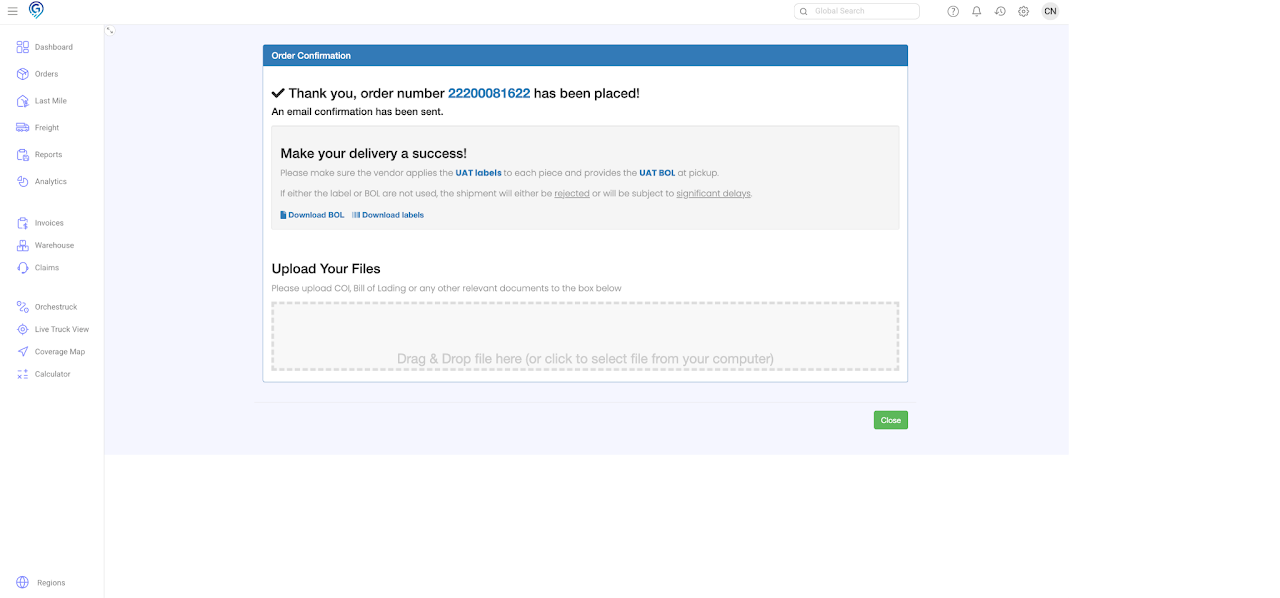
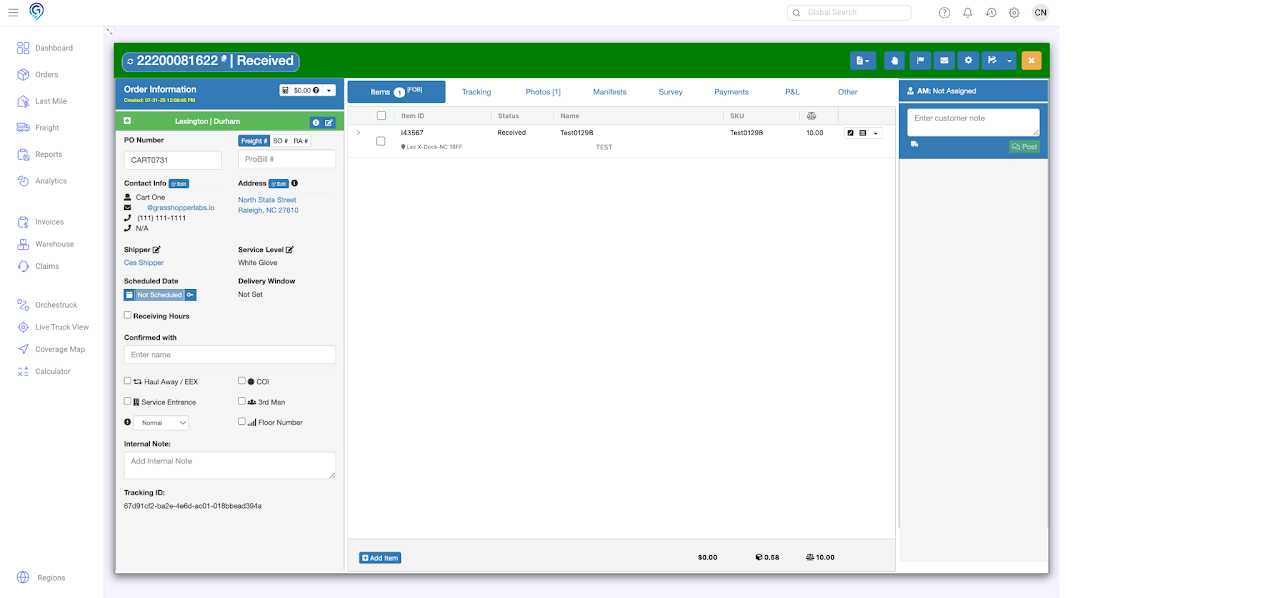
Confirmation of order booked.