Help Center Menu
Settings

Update User’s Access Rights

Modify user roles, permissions, and access privileges.
Roles: Settings

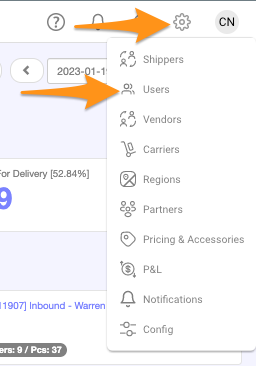
Step 1

Click on the gear icon and selectΒ Users Update User's Access Rights

Step 2

Search for theΒ user nameΒ and select/click Update User's Access Rights

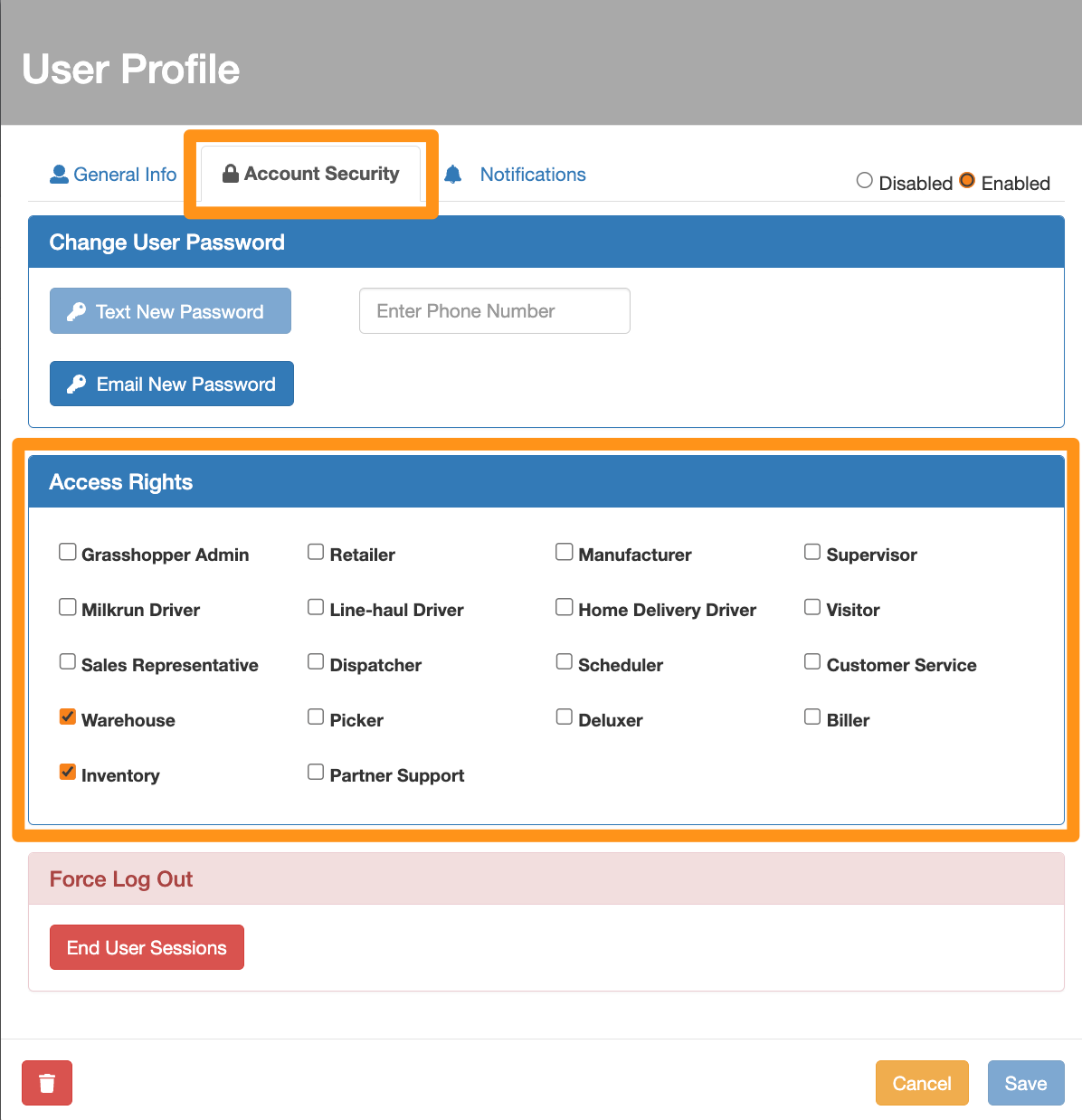
Step 3

Go toΒ Account SecurityΒ tab andΒ check the functions you wish to apply underΒ Access Rights Update User's Access Rights

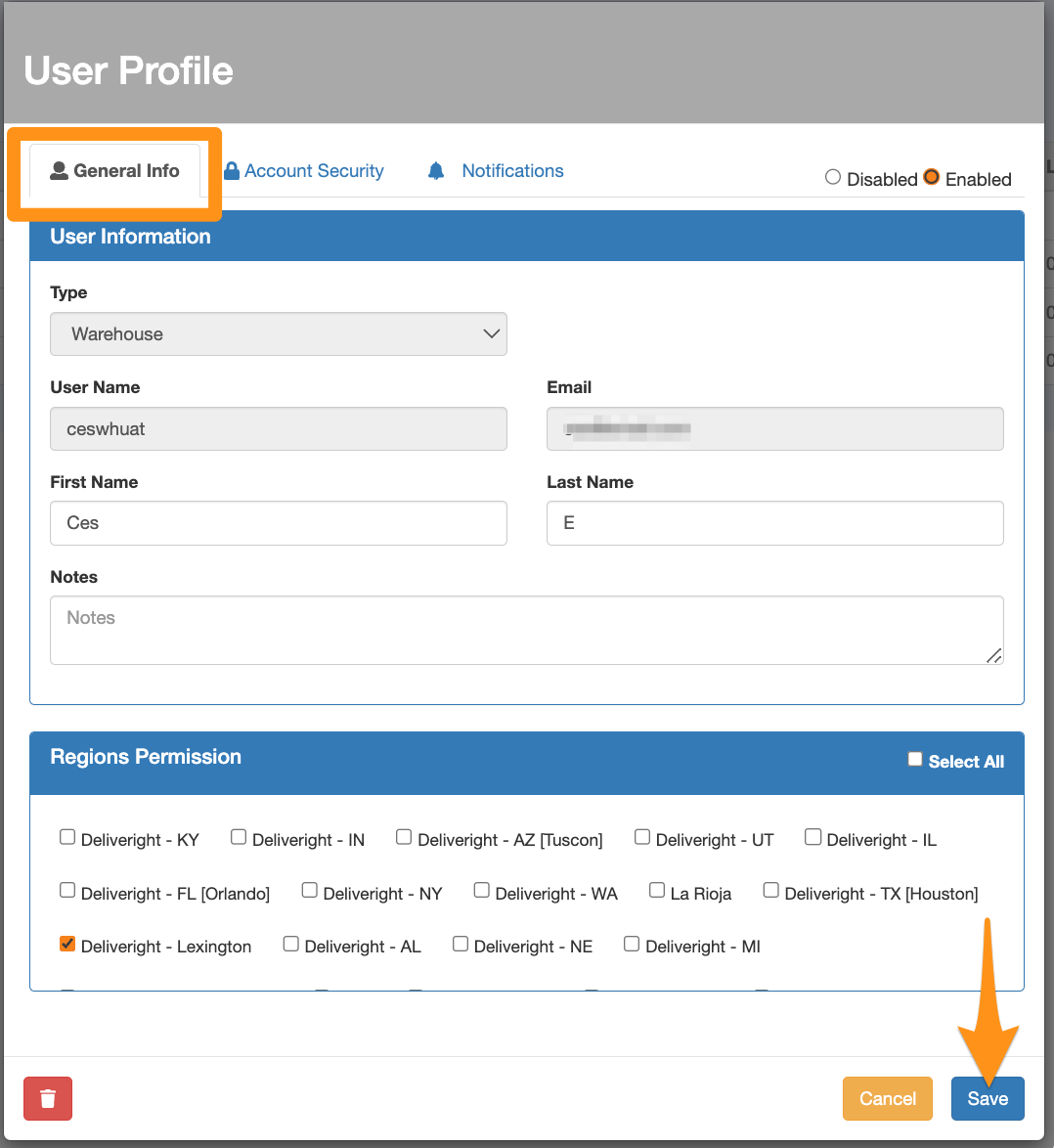
StepΒ 4

GoΒ back toΒ General InfoΒ tab andΒ clickΒ SaveΒ to apply the changes Update User's Access Rights

Was this article helpful?

Still stuck? Submit a ticket. and someone on the team will get back to you.