
Option 1 – All Accounts with the same Fuel Surcharge
 Option 2 – Individual Account / Override Fuel Surcharge
Step 1
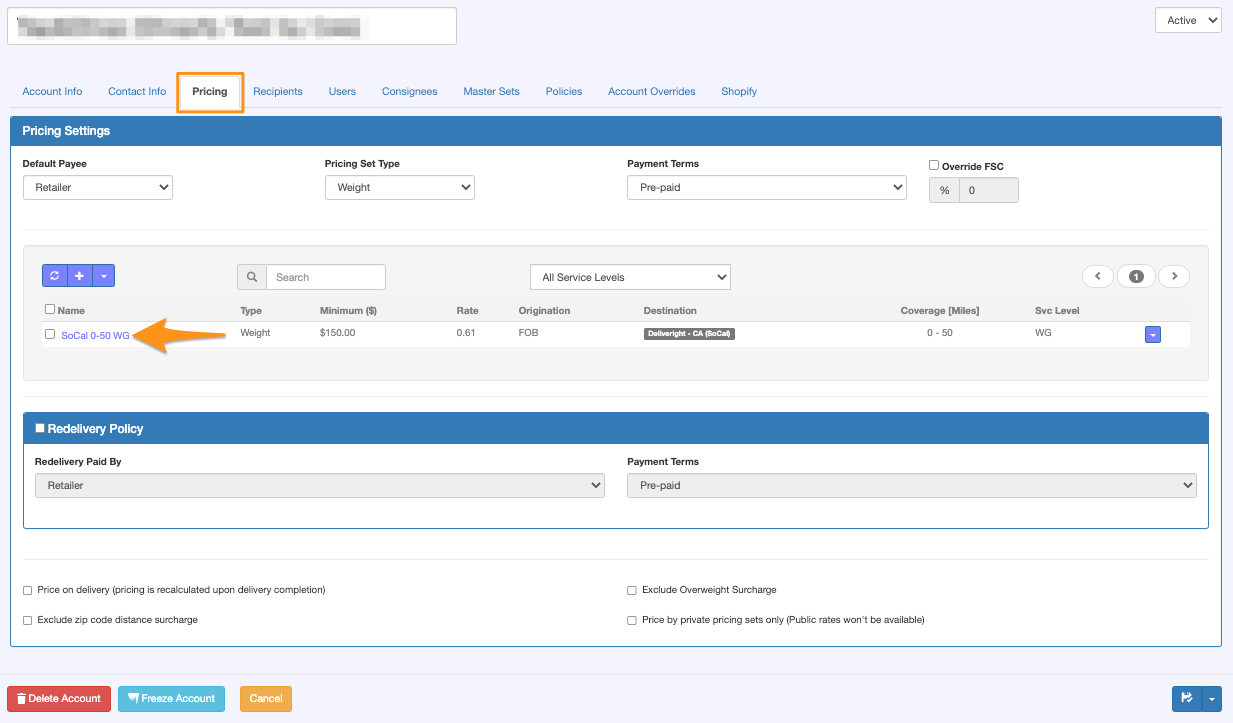
Open the Shipper’s Account and Pricing Set
Step 2
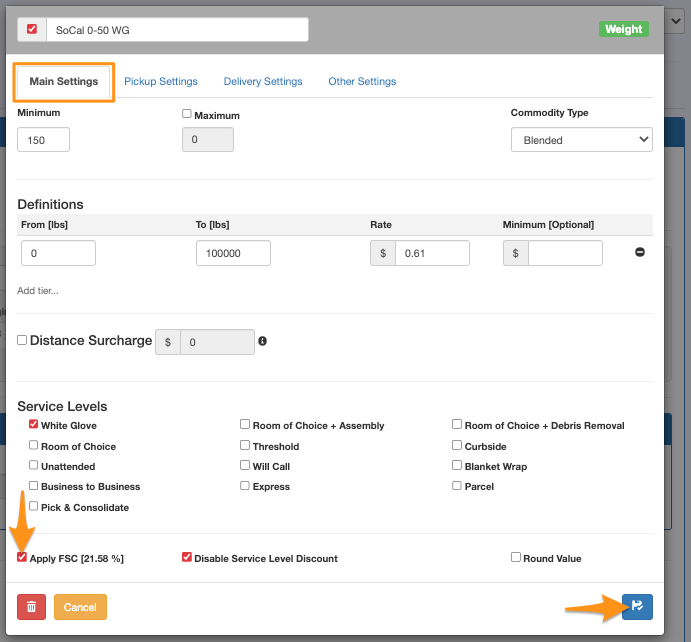
On the Main Settings, tick the Apply Fuel Surcharge then click Save
Option 2 – Individual Account / Override Fuel Surcharge