Step 1
From the Login Page, click Forgot Password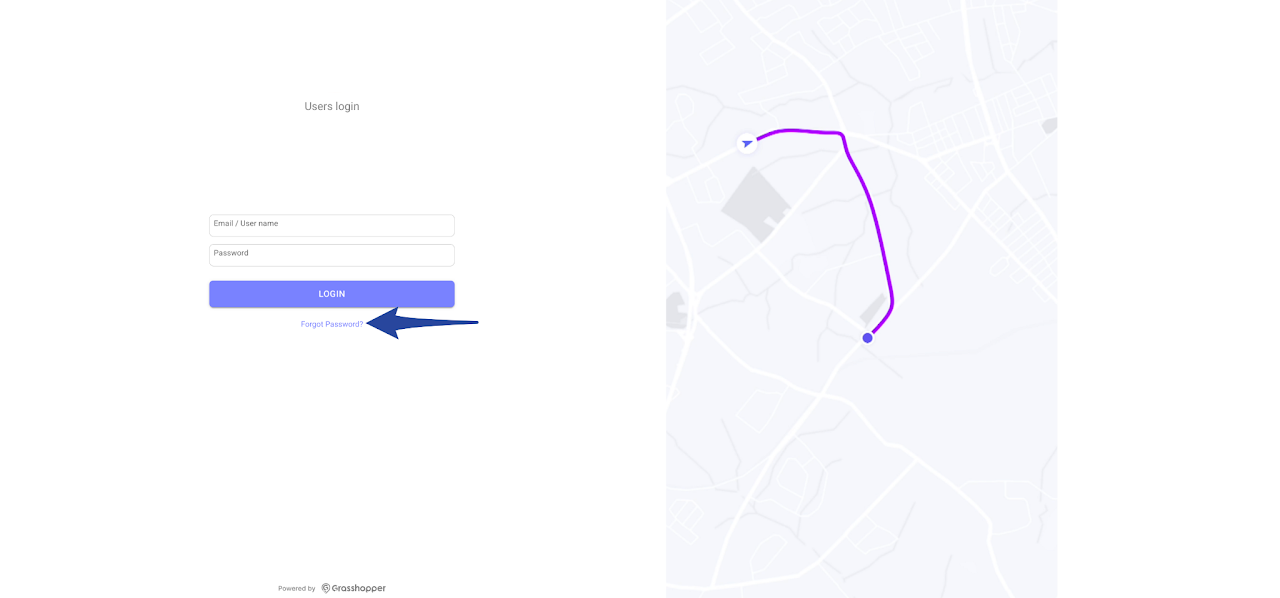
Step 2
Enter your email address then click Reset Password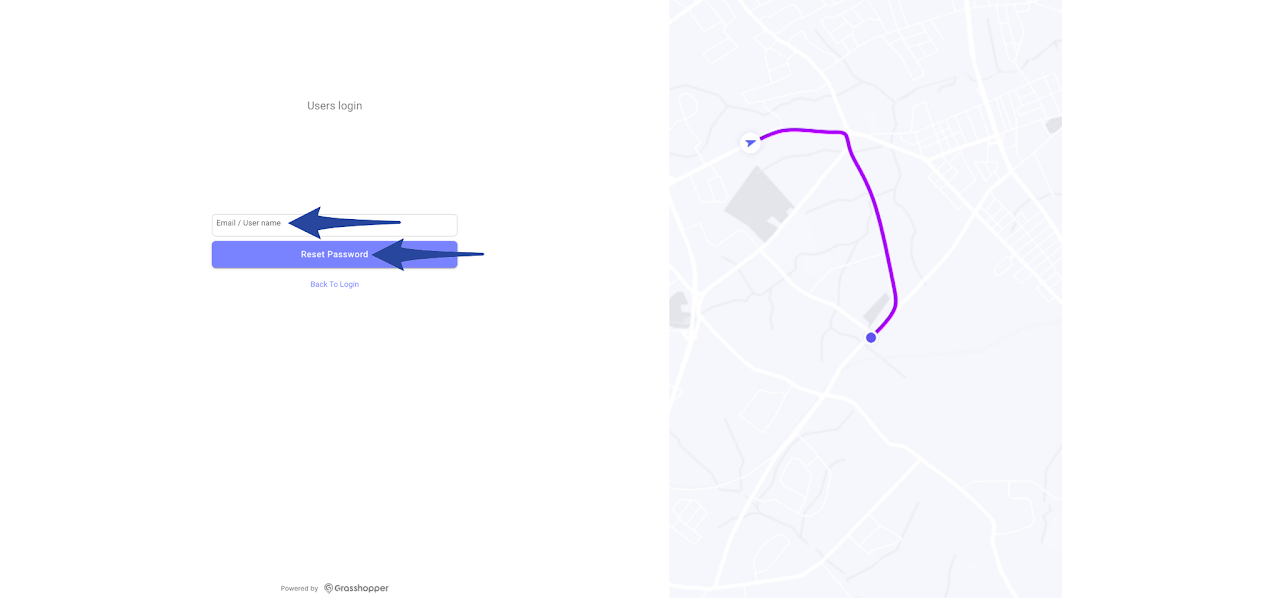
Step 3
A confirmation message will appear stating that a temporary password has been sent to your email. Click Ok then check your inbox for the email from Grasshopper containing the temporary password.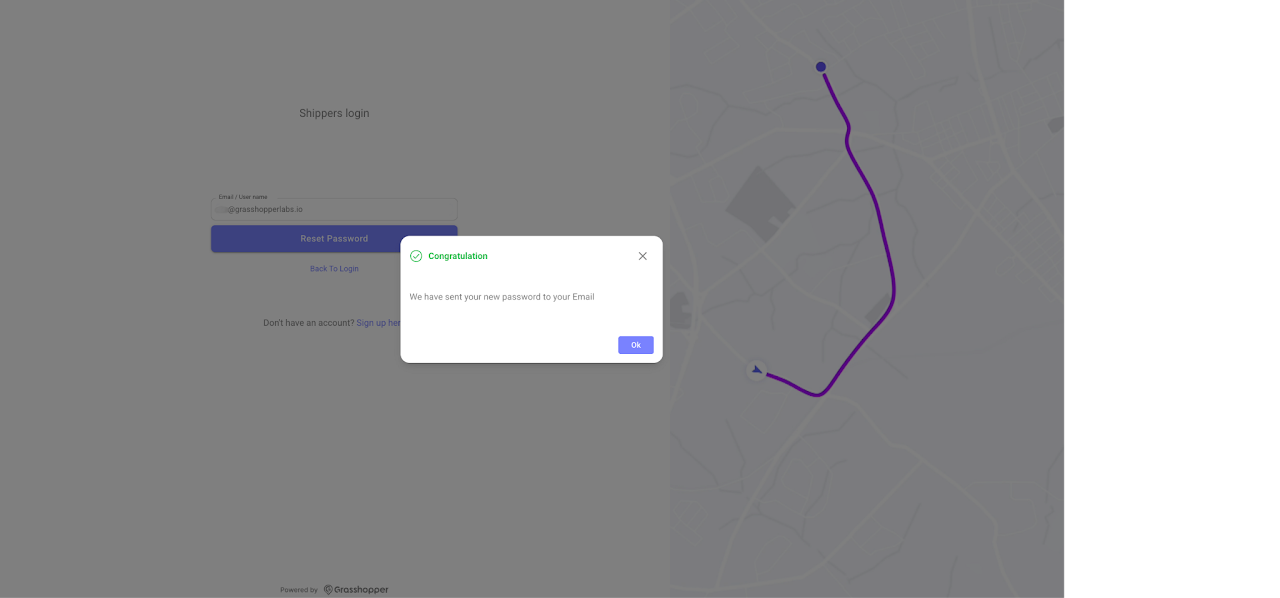
Step 4
Once you have logged in using your temporary password, you can change it to one of your choice. Click in your profile and select My profile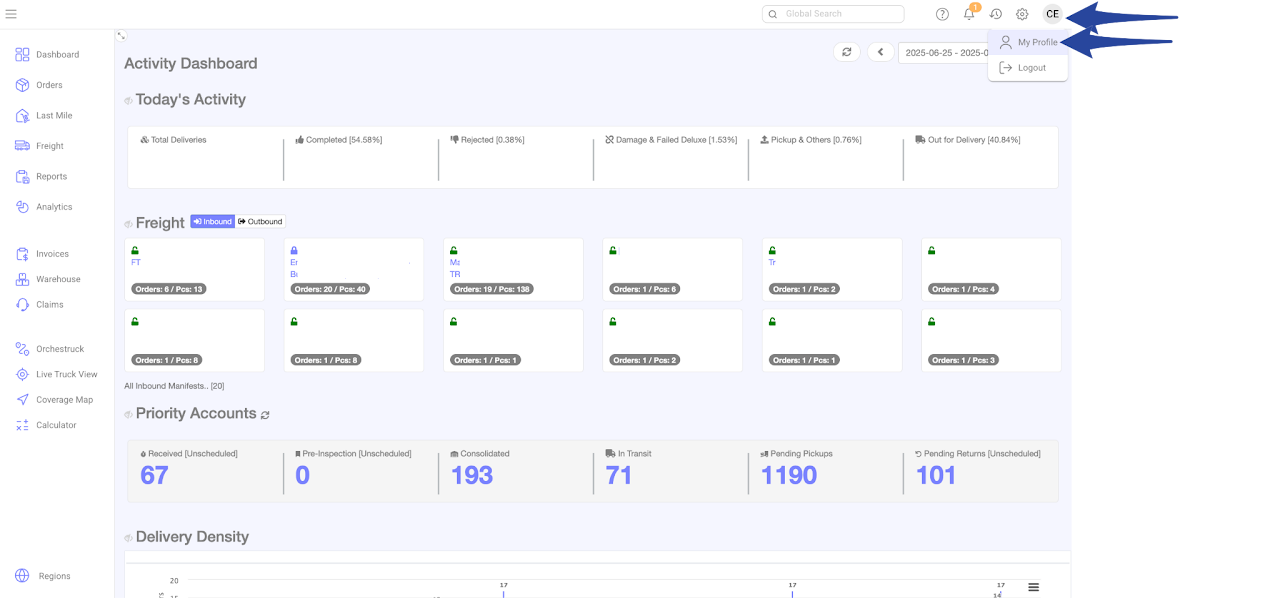
Step 5
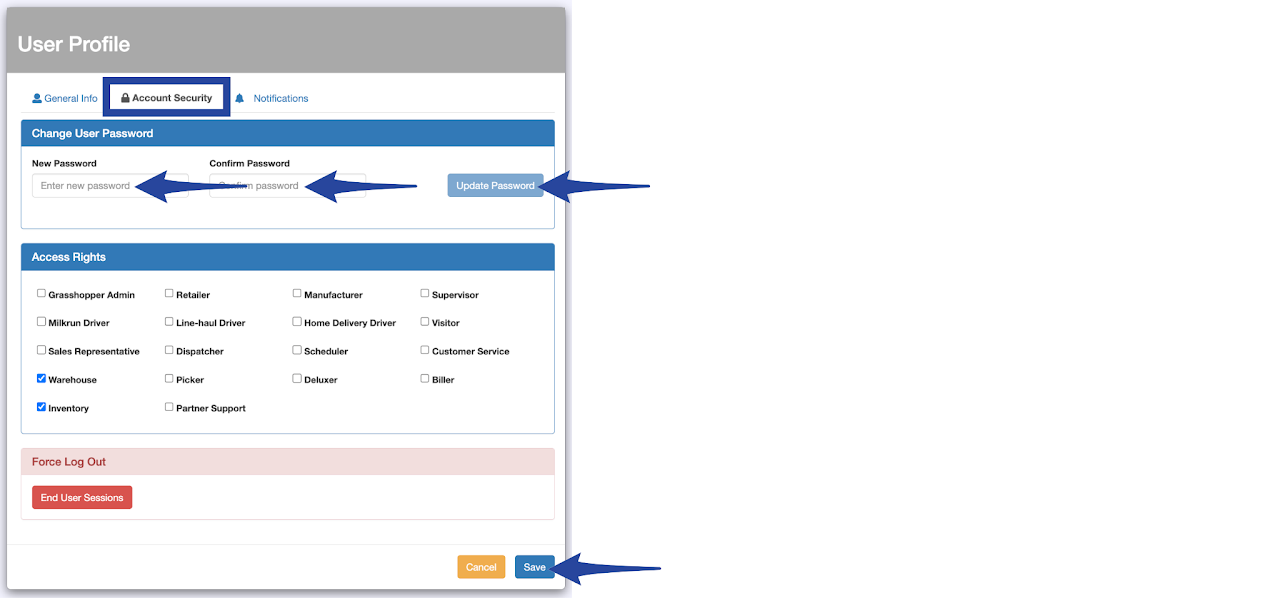
Navigate to the Account Security tab, enter your new password then click Update Password and Save to apply the changes.