Step 1
Click on the gear icon and select Users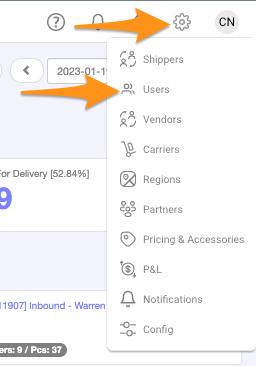
Step 2
Search for the user name and select/click
Step 3
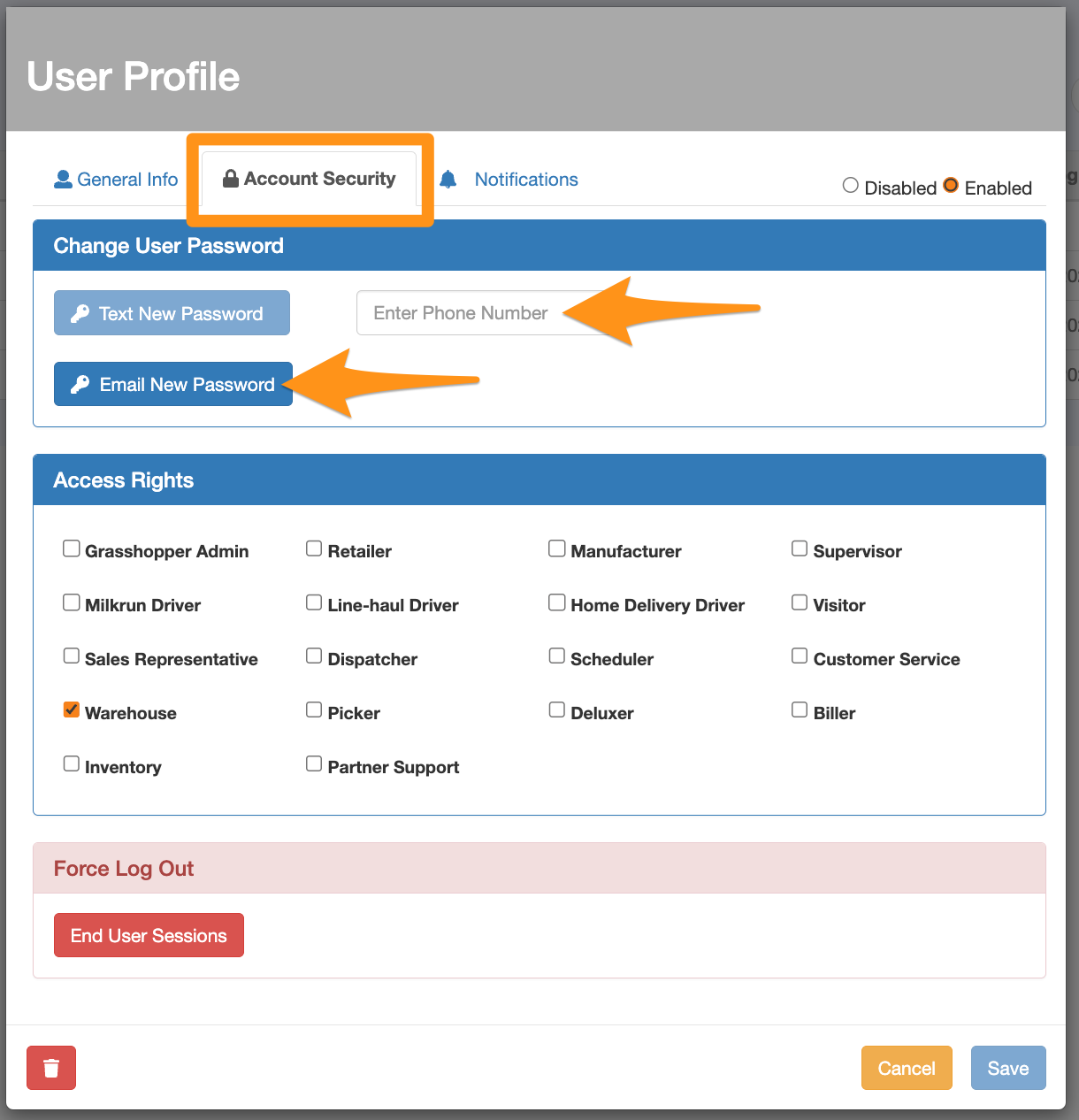
Go to Account Security tab and select which option you want to reset the password – Text New Password or Email New Password *Please note that Grasshopper only accepts a valid US phone number for password resets. The number entered must include the area code, with or without the country code and should consist of numbers only excluding any special characters except for the ‘+’ symbol.