
Step 1
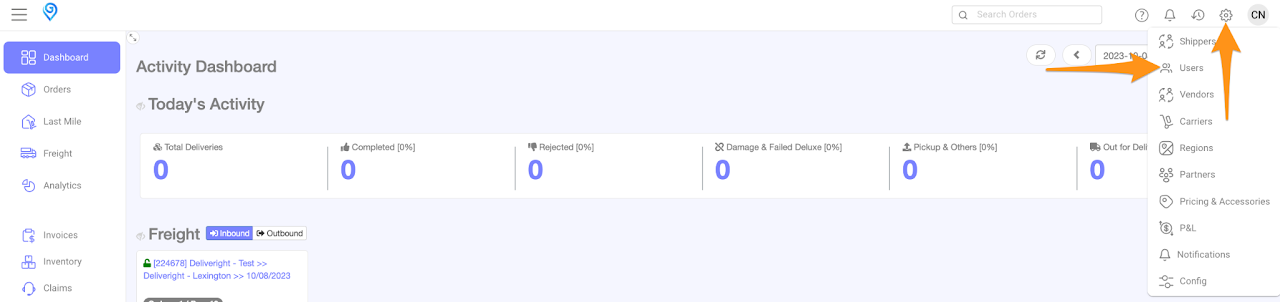
Click on the gear icon and select Users

 Your notifications will appear in the notification bell icon.

Step 2
Search for the user name and select/click
Step 3
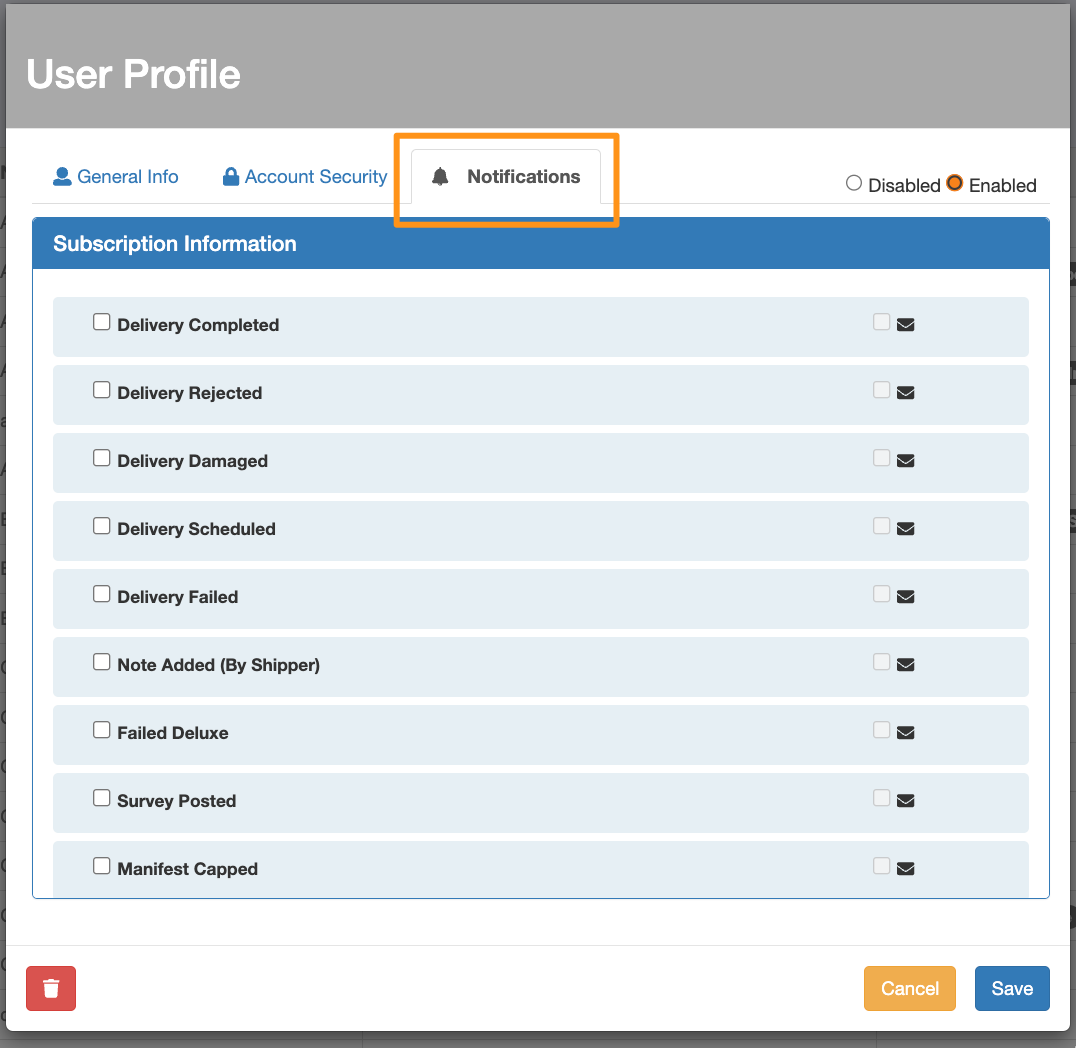
Go to Notifications tab
Step 4
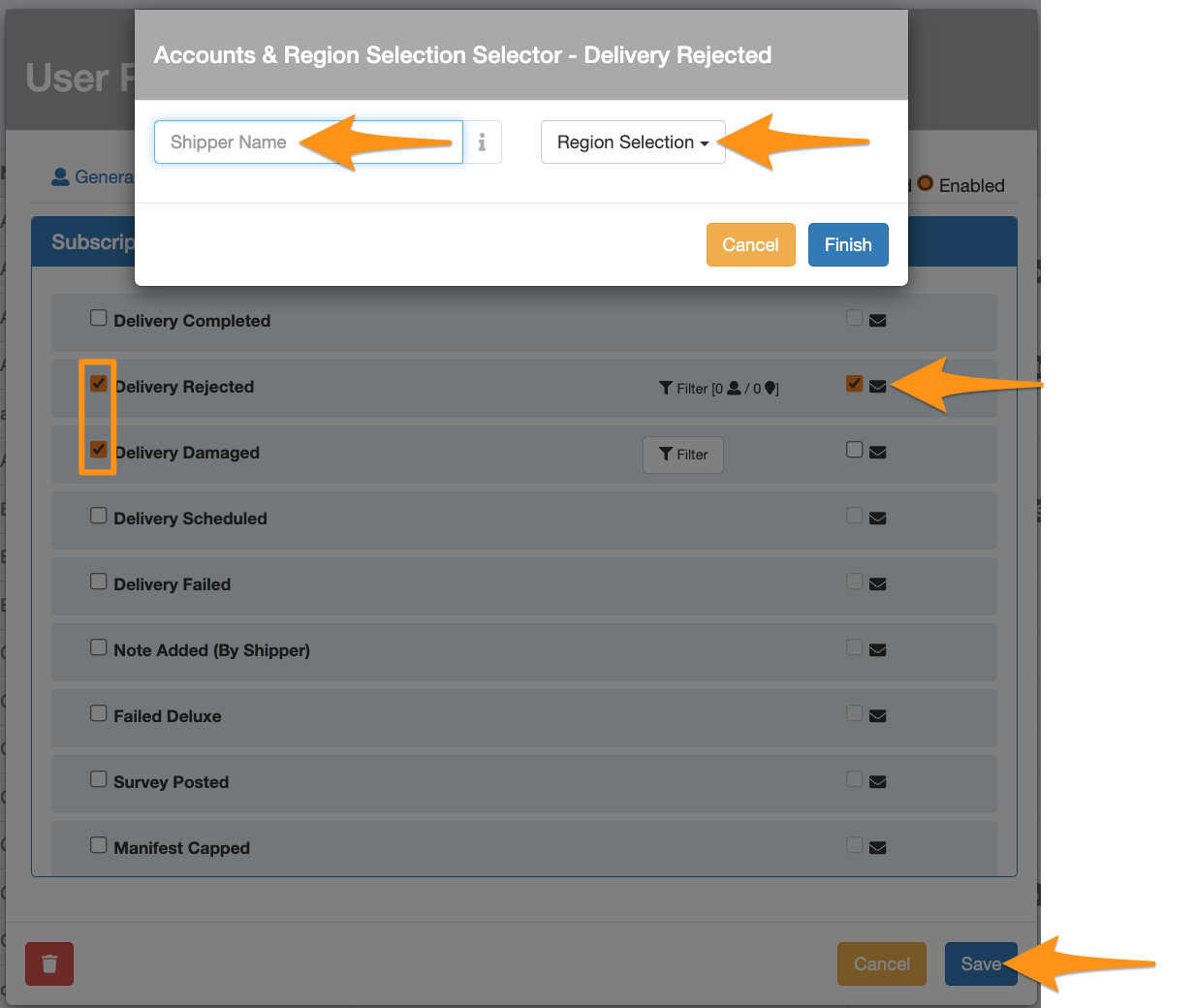
Check the type of subscription or notification preferences you wish to receive via GH. You can also opt to receive notifications via email by ticking the box next to the email icon. Filtering by Shipper Name and Region is also available as an option.
Your notifications will appear in the notification bell icon.