Step 1
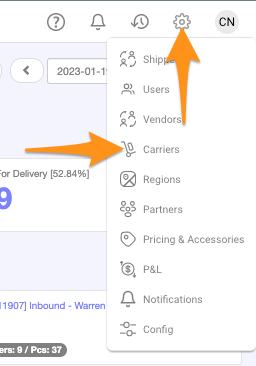
Click the gear icon then select Carriers
Step 2
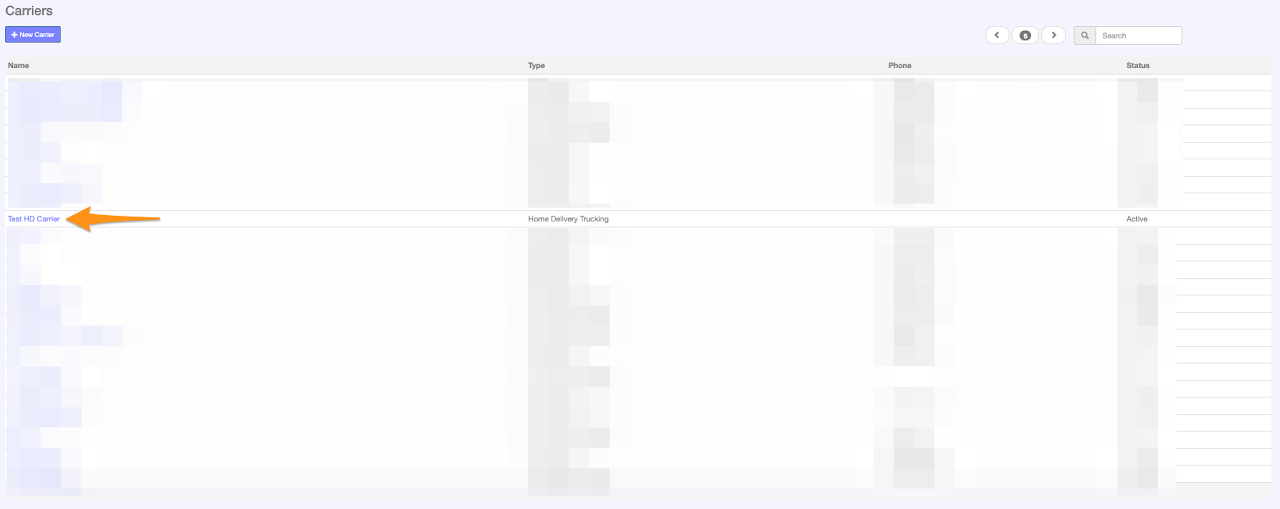
Click on the Carrier Name
Step 3
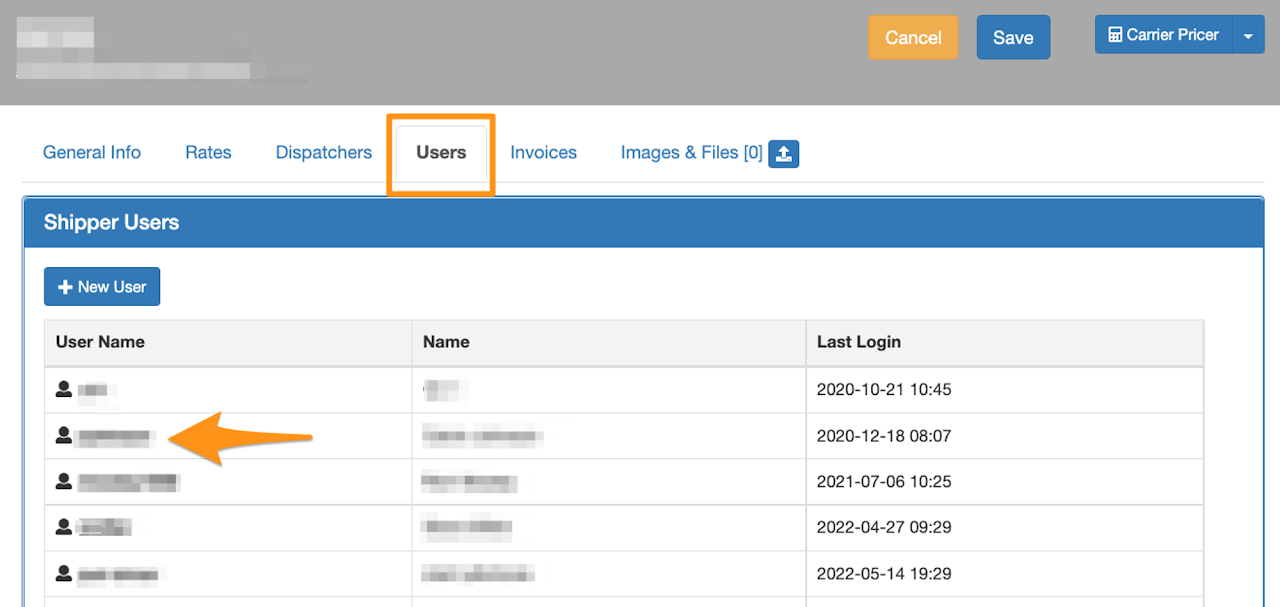
In Users tab, click the User Name
Step 4
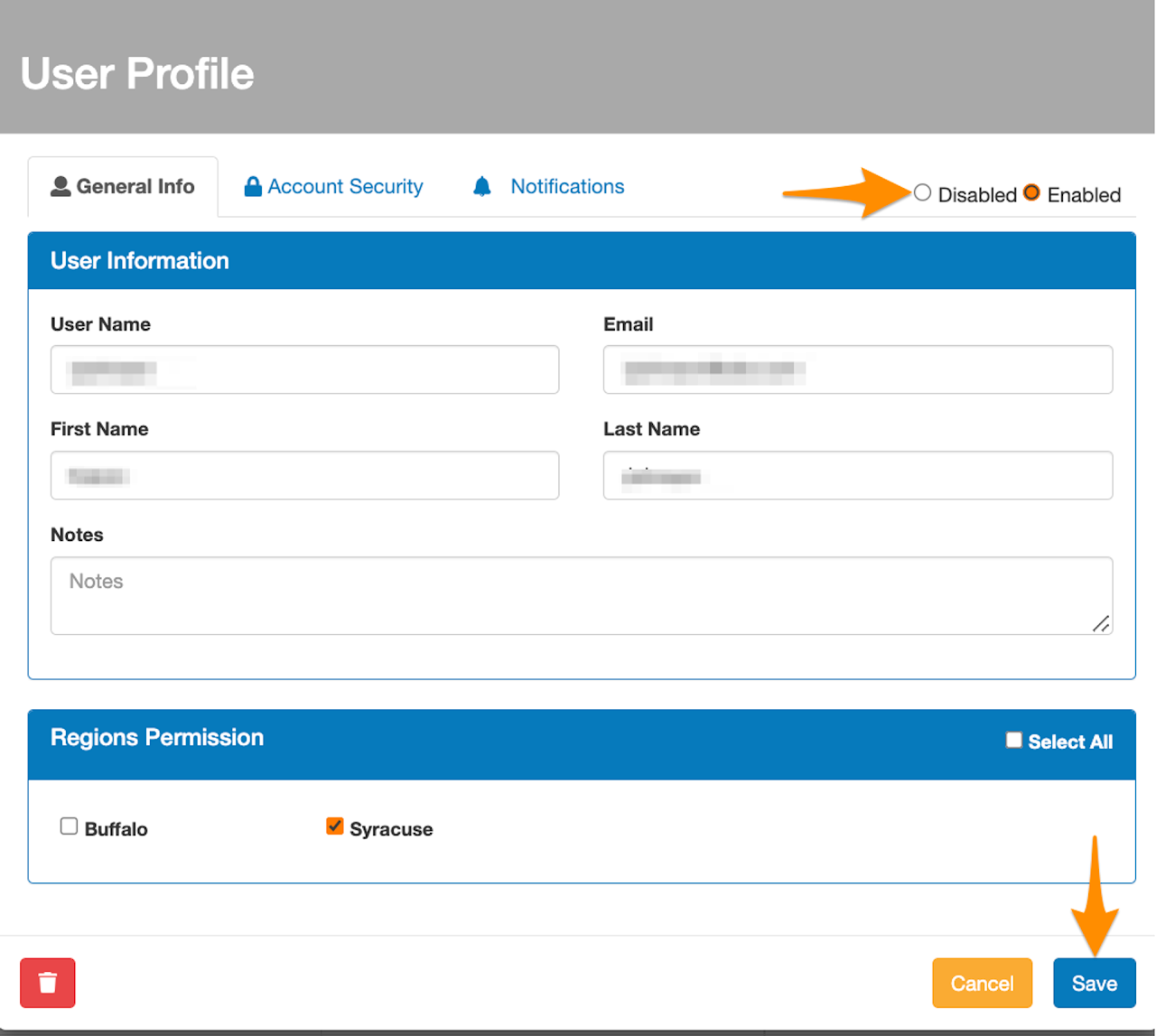
Click on Disabled and Save

Click the gear icon then select Carriers
Click on the Carrier Name
In Users tab, click the User Name
Click on Disabled and Save