
Step 1
Click on the gear icon and select Users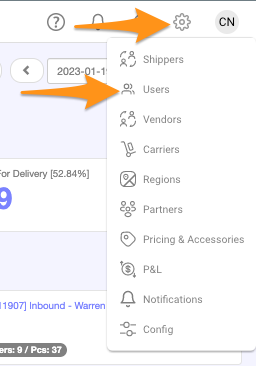
Step 2
Click + New User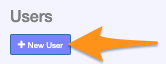
Step 3
Enter details in User Information – Type, User Name, Email, First Name and Last Name Select Regions Permission and click Save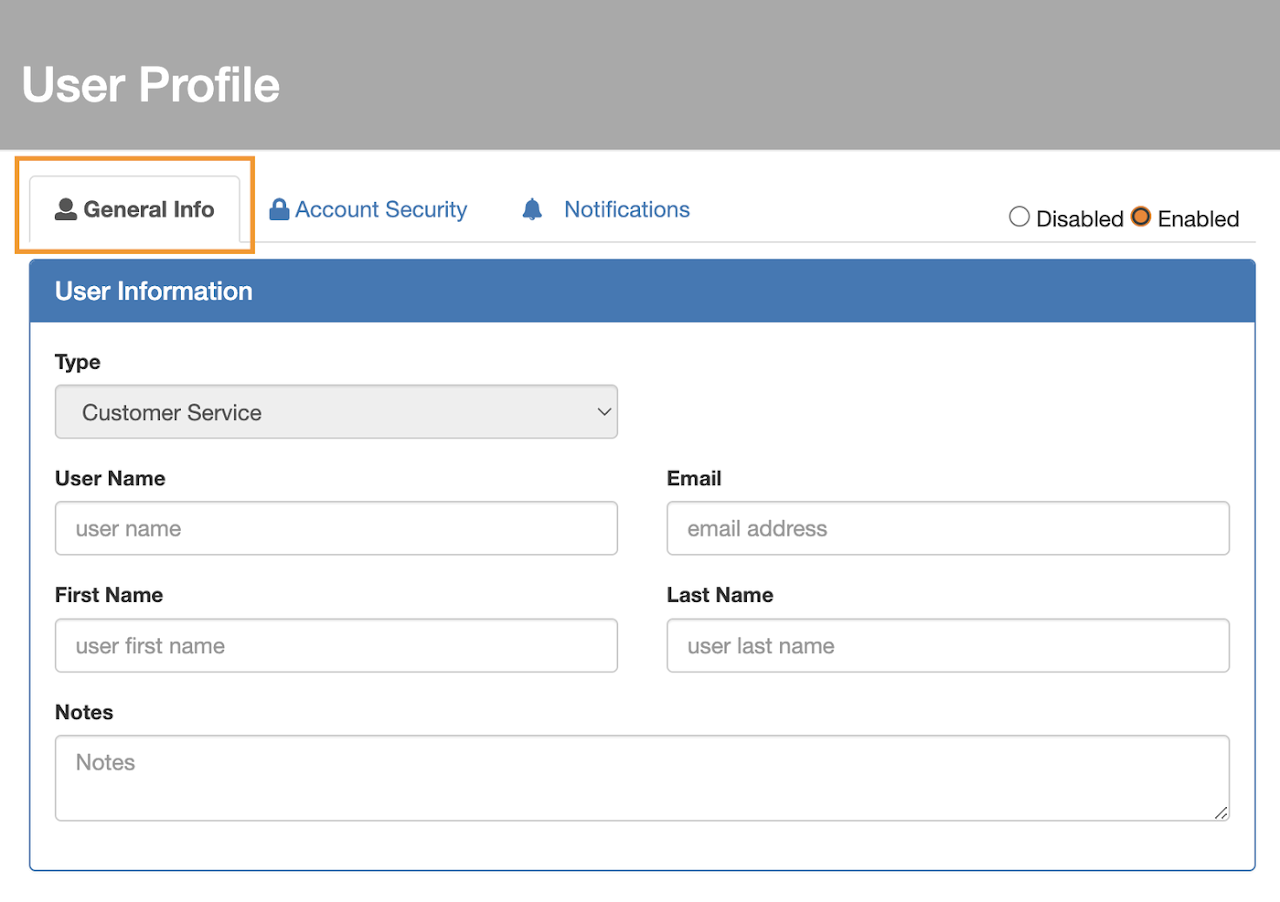
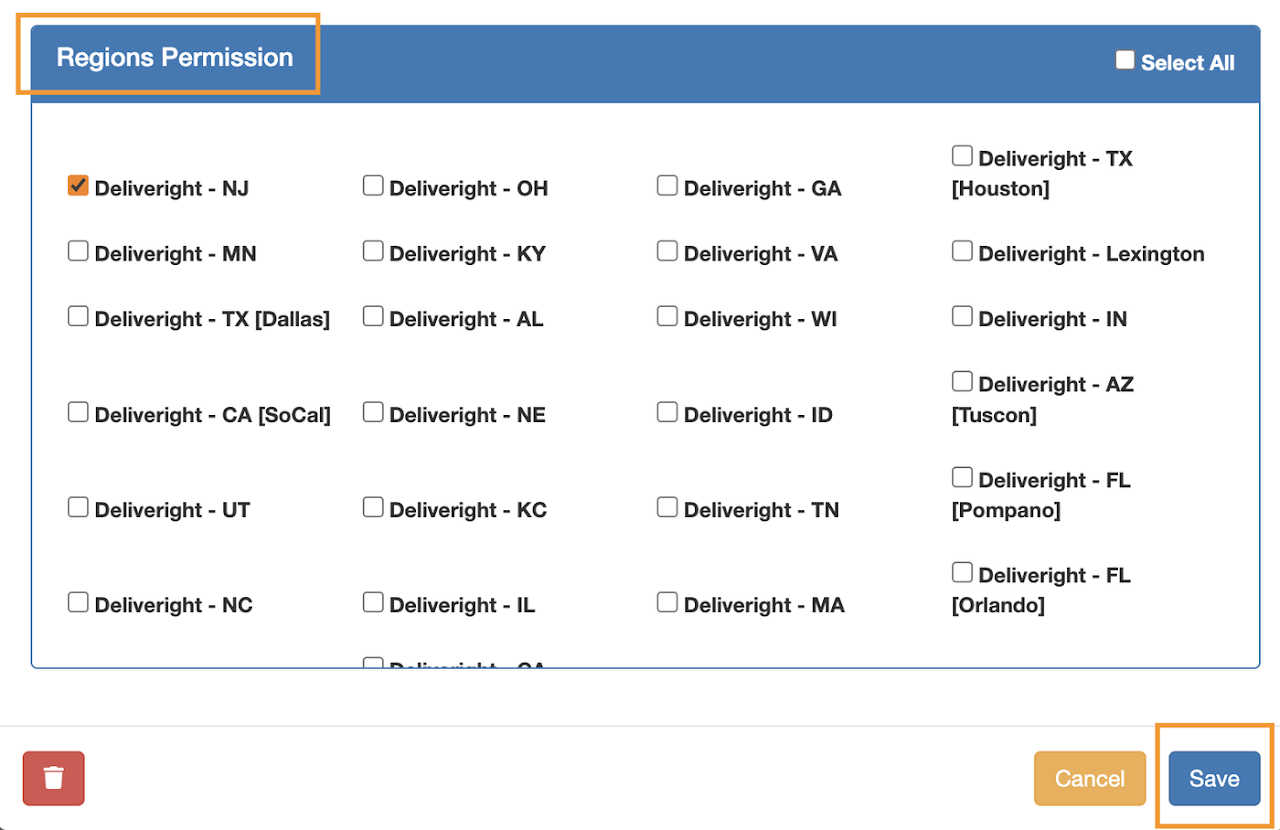 Once the information is saved, a Welcome Letter with the default password will be sent via email to the user’s registered email address