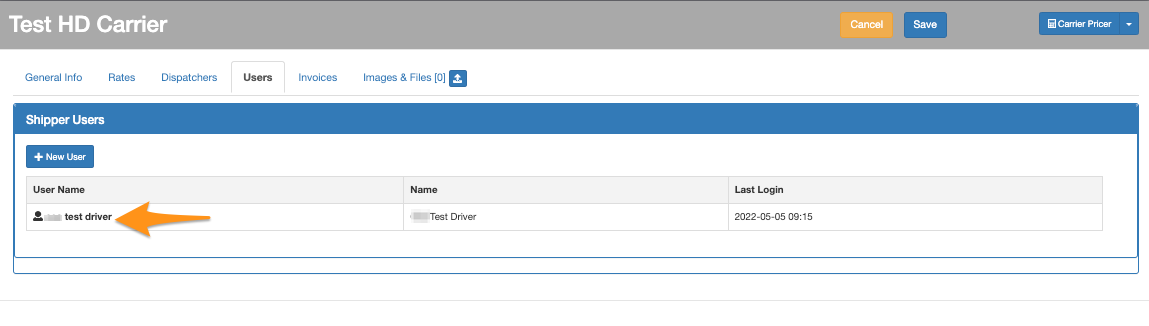
Step 1
Click the gear icon then select Carriers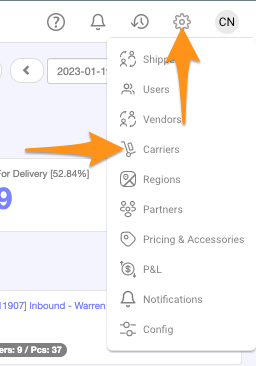
Step 2
Click on the Carrier Name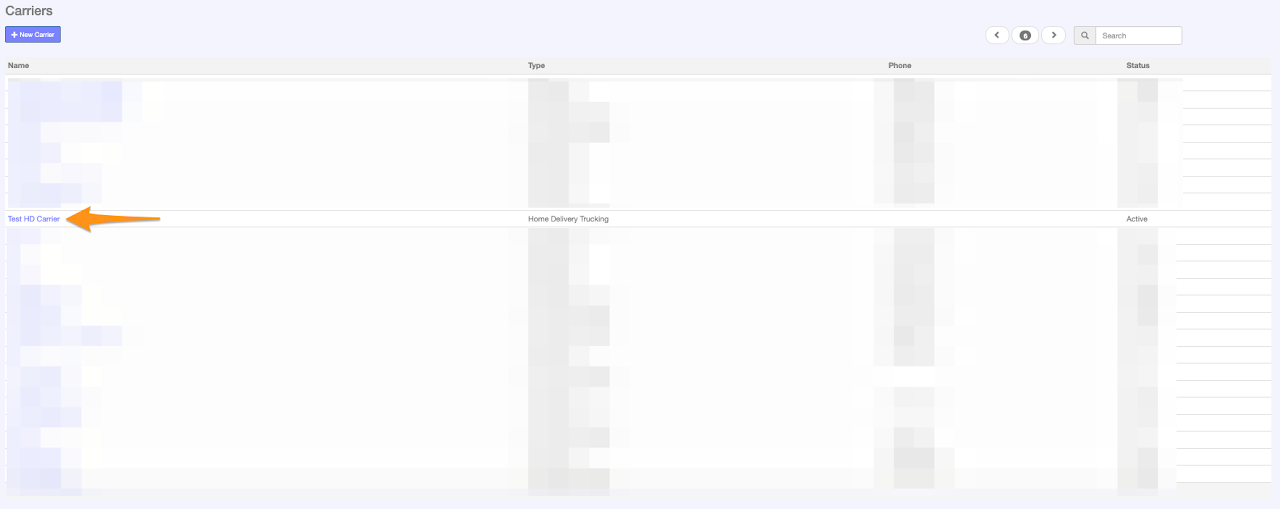
Step 3
In Users tab, click + New User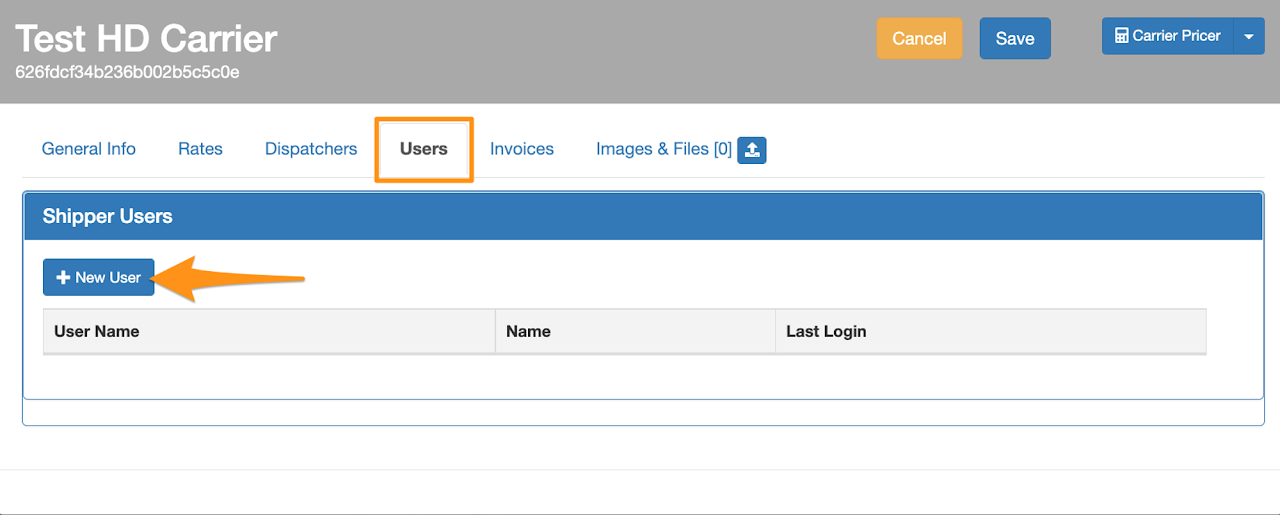
Step 4
Enter the driver’s information, select Regions Permission then Save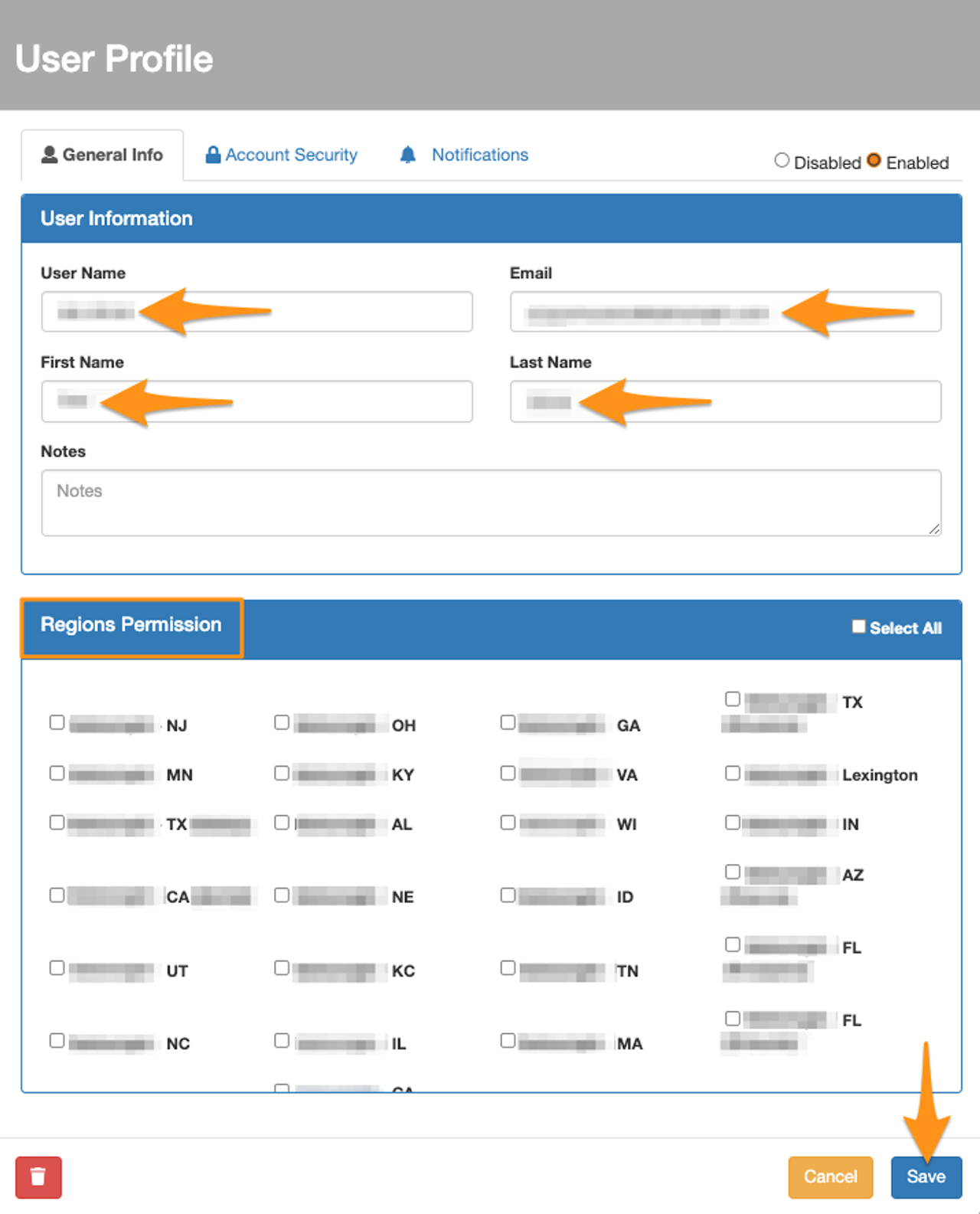 Once the information is saved, a Welcome Letter with the default password will be sent via email to the user’s registered email address
If you need to reset the password,
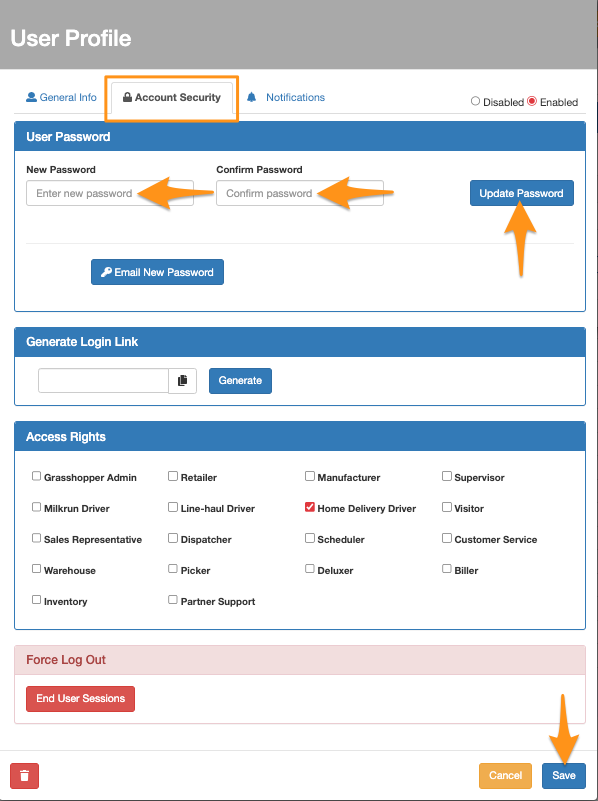
Option 1 – In the Account Security tab, enter the New Password and Confirm Password
Click Save
Once the information is saved, a Welcome Letter with the default password will be sent via email to the user’s registered email address
If you need to reset the password,
Option 1 – In the Account Security tab, enter the New Password and Confirm Password
Click Save
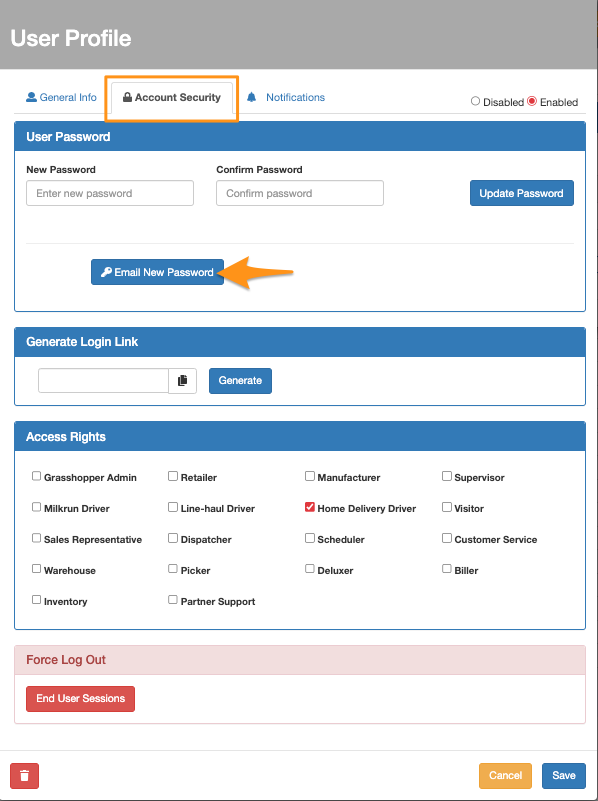
 Option 2 – In the Account Security tab, click the Email New Password
 New driver user access