Step 1
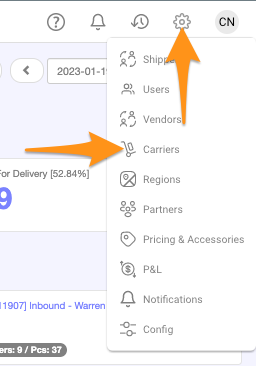
Click the gear icon then select Carriers
Step 2
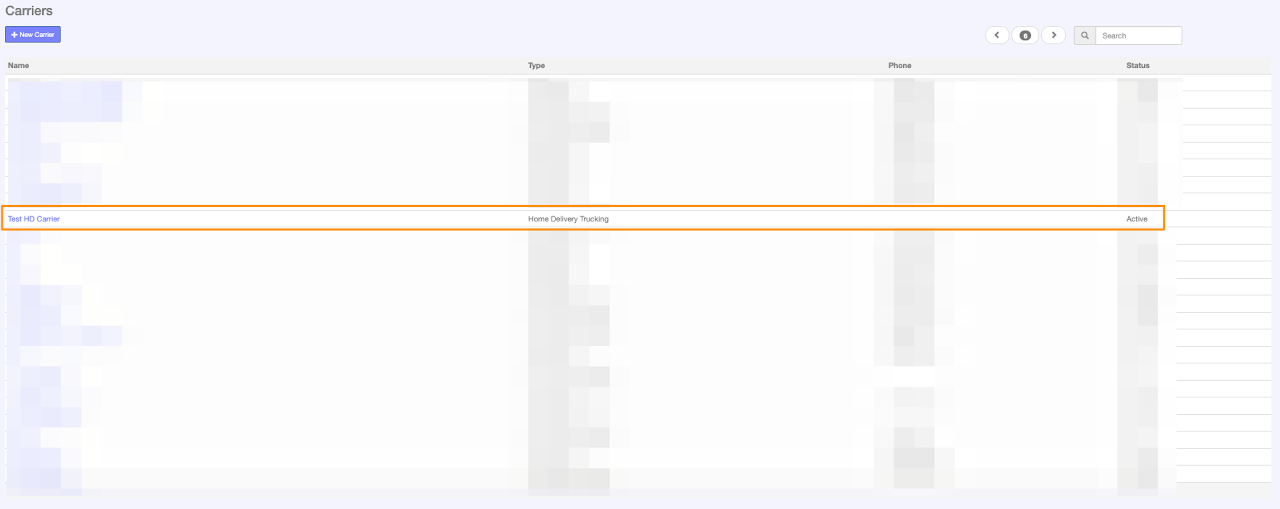
Click + New Carrier

Step 3
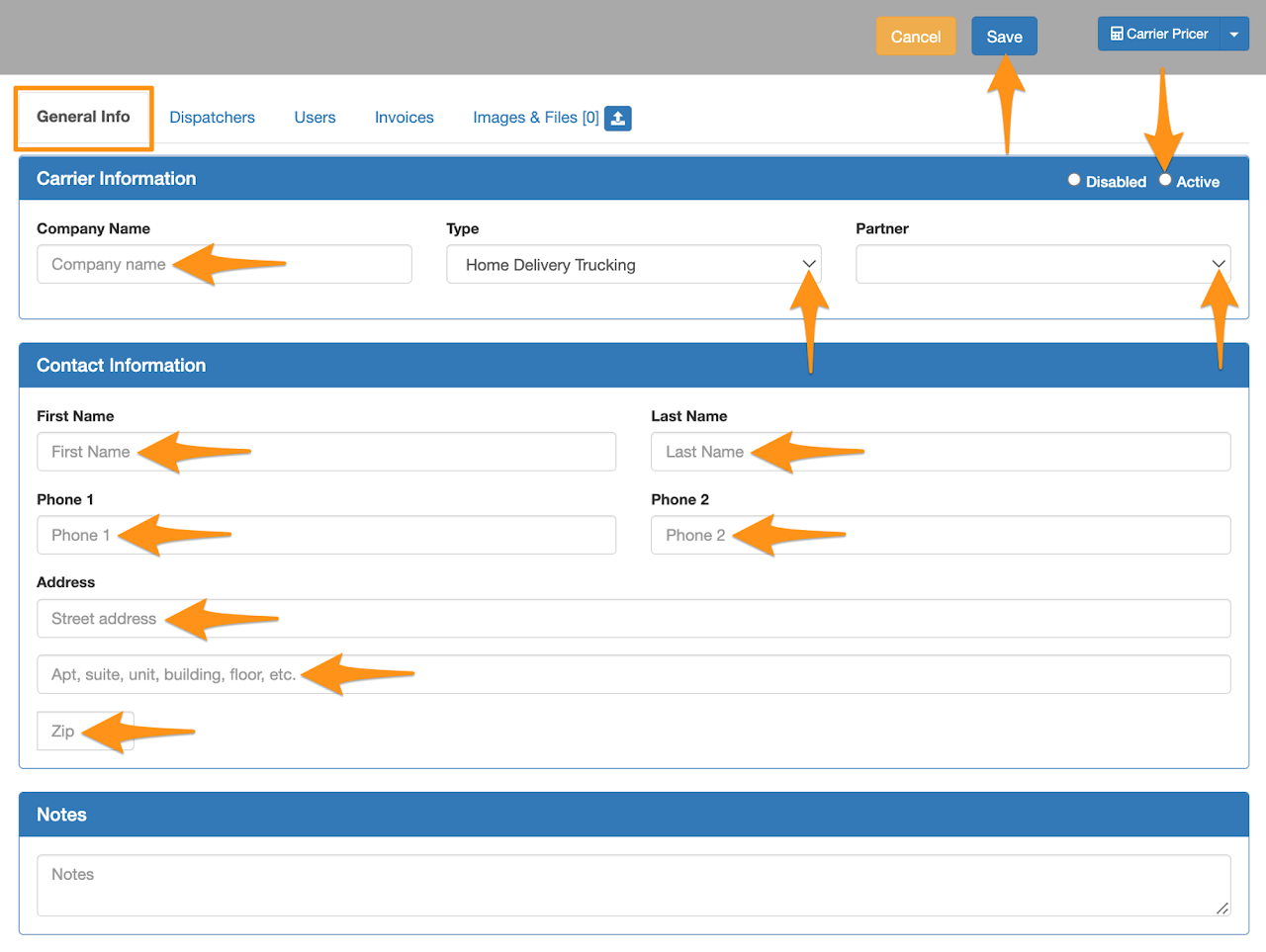
Enter the required information then click on Active and Save

Click the gear icon then select Carriers
Click + New Carrier
Enter the required information then click on Active and Save