
Step 1
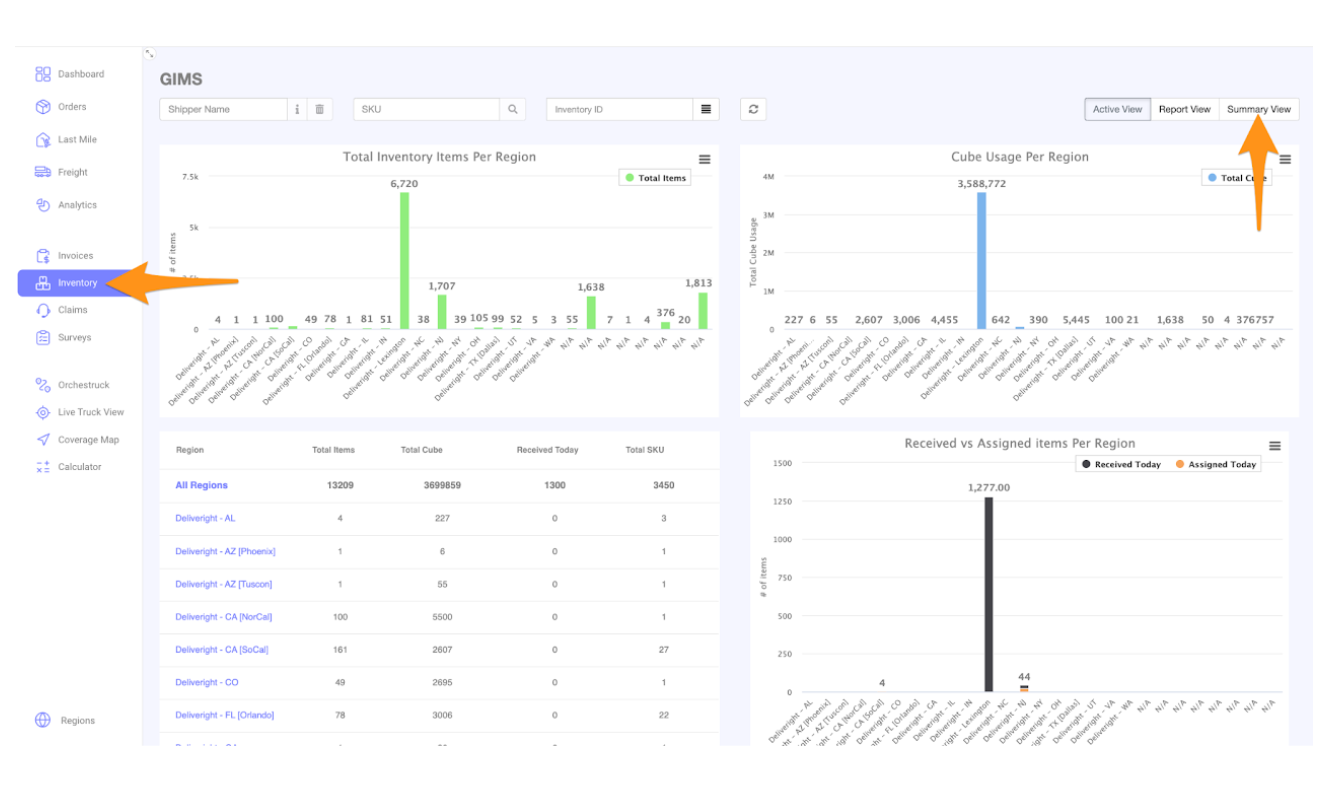
Go to Inventory and select Summary View
Step 2
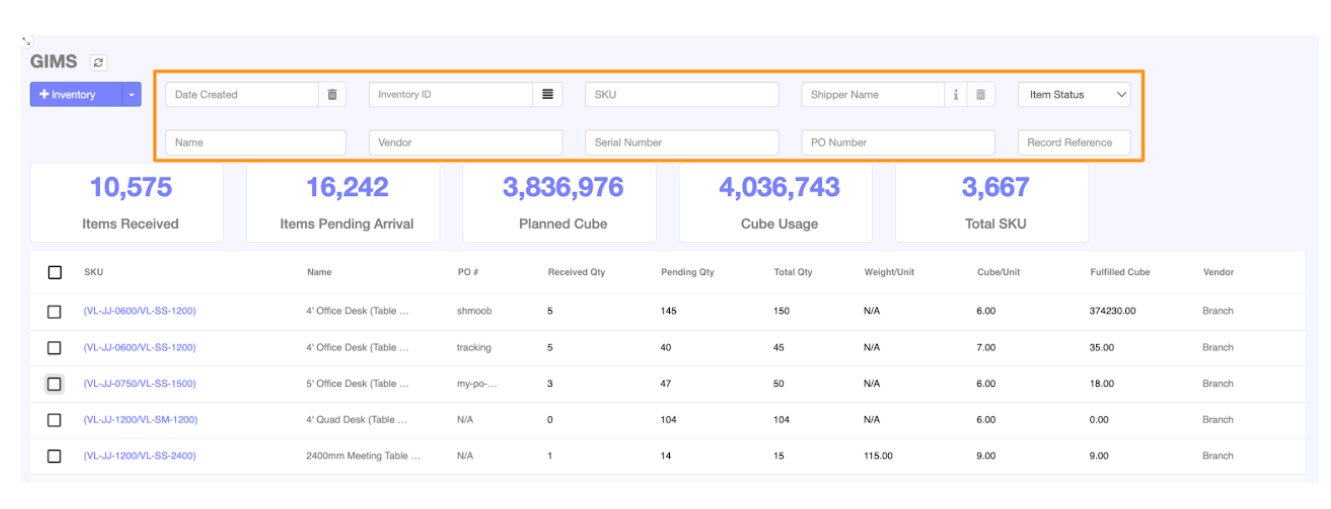
Input the Shipper Name, SKU, Inventory ID or Name as required
Step 3
Check the Inventory Items you want to be part of the report, then choose either Export Inventory Summary or Export Inventory Detailed based on your preference.
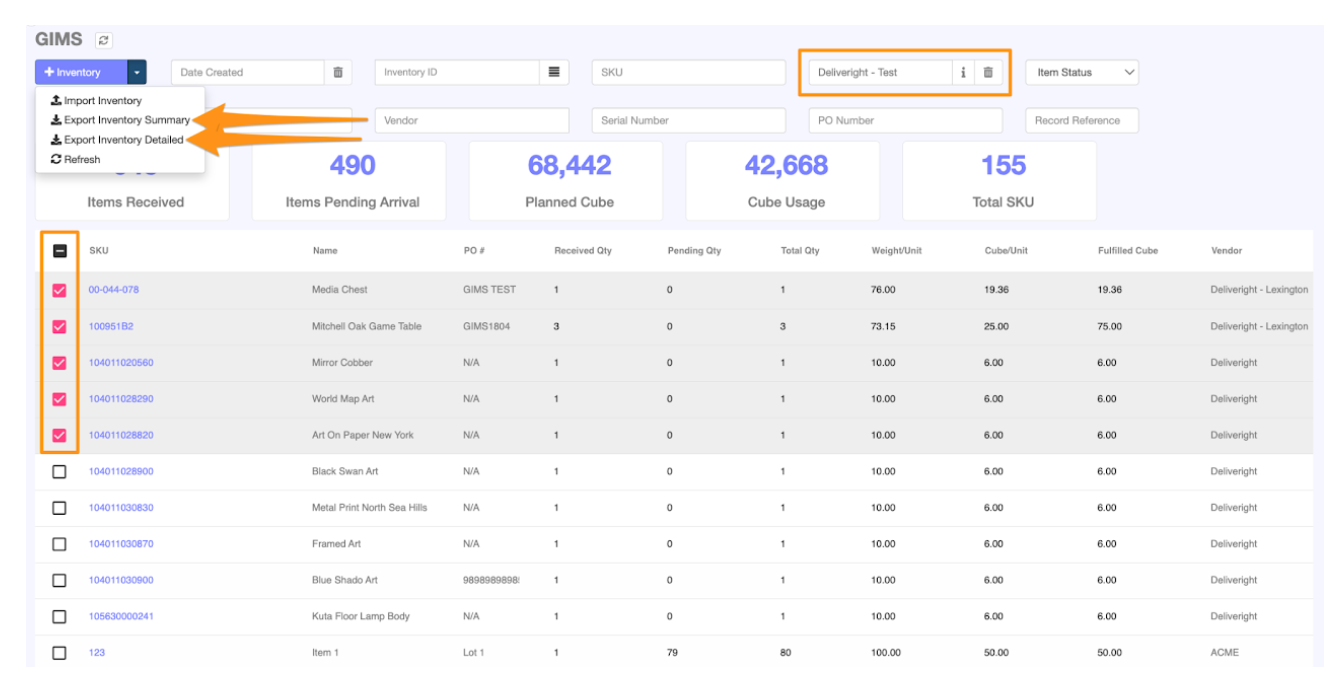
The file will be downloaded in CSV file format.