
Help Center Menu
Claims - Grasshopper Labs Help Center
Reports
Export a Report with Line Item Breakdown
Export reports including detailed line-item level order information.
Roles: Reports

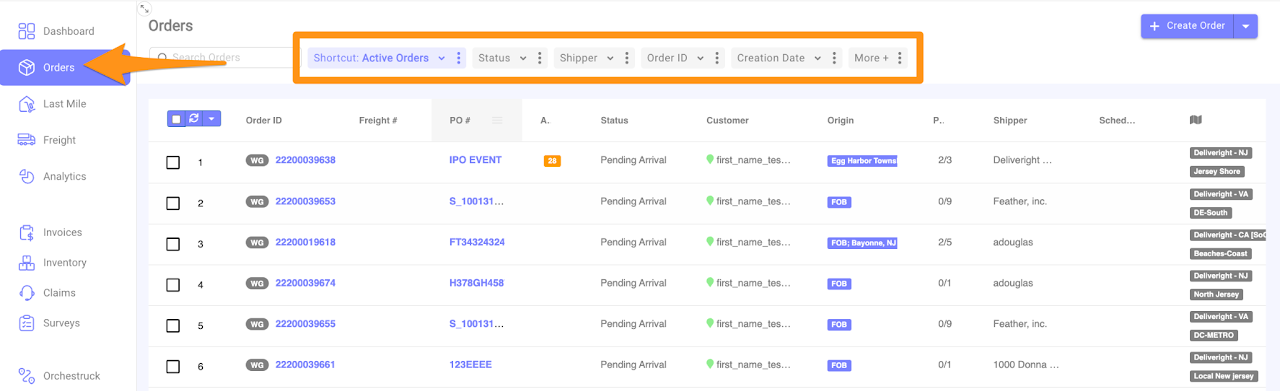
Step 1

Click on Orders, select your filter options and input the details based on your preference.
Export a Report with Line Item Breakdown

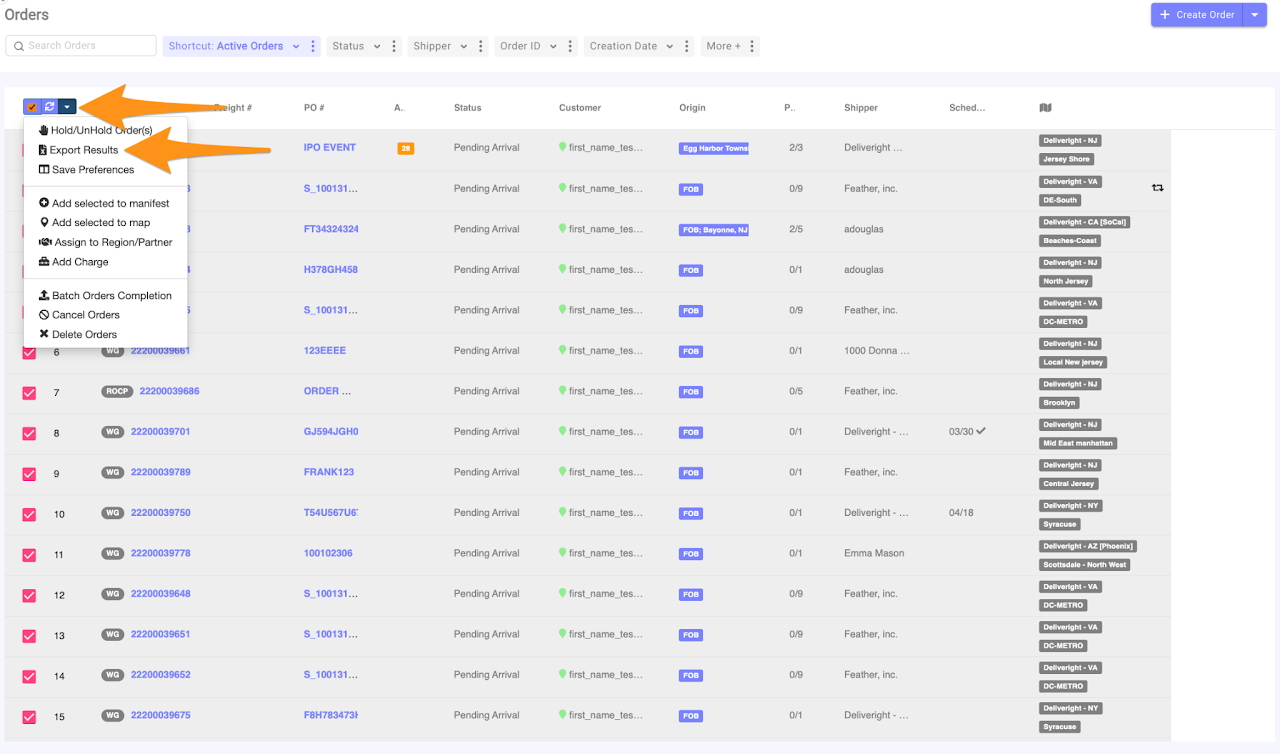
Step 2

Check the orders you want to be part of the report, click the drop-down arrow and select Export Results
Export a Report with Line Item Breakdown

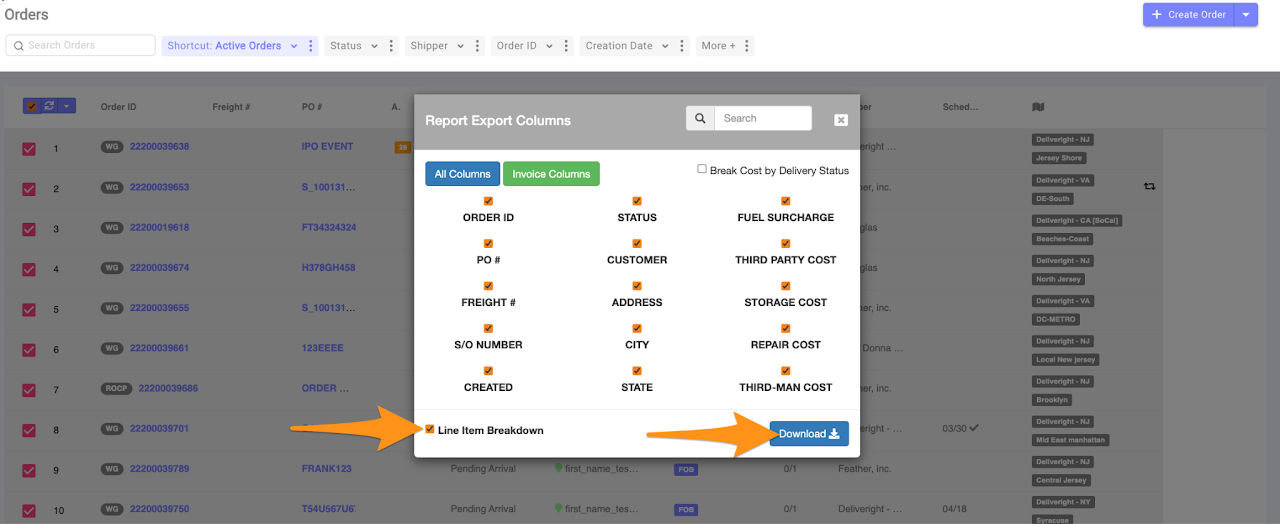
Step 3

Check the Line Item Breakdown then Download.

The report will be sent to the user’s registered email address in GH.
Export a Report with Line Item Breakdown

Was this article helpful?

Still stuck? Submit a ticket. and someone on the team will get back to you.