Step 1
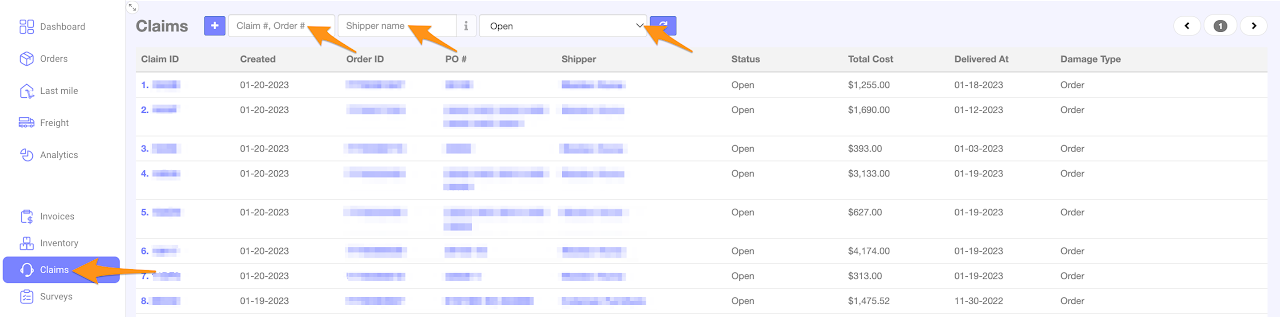
Click on Claims
Search or filter by entering the Claim ID/Order ID, Shipper Name and/or status – All Claims, Approved – Pending Information, In Process, Open, Rejected or Resolved

Click on Claims
Search or filter by entering the Claim ID/Order ID, Shipper Name and/or status – All Claims, Approved – Pending Information, In Process, Open, Rejected or Resolved