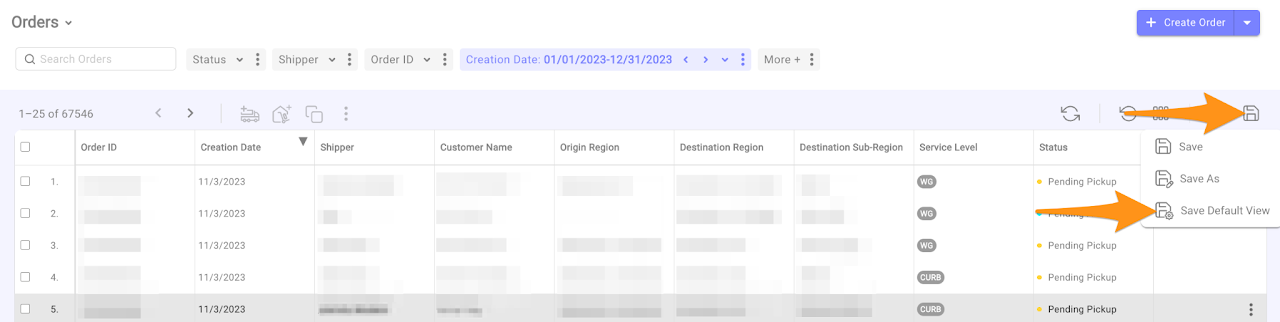
To save the current Orders View as your default, click on the Save icon and select Save Default View
Still stuck? Submit a ticket. and someone on the team will get back to you.