
Help Center Menu
Claims - Grasshopper Labs Help Center

CATEGORIES

Orders
Place an Order on Hold
Roles: Orders

Step 1

Search for the order that you wish to hold then click on the order to open

Place an Order on Hold

Step 2

Click on the hand icon then the empty box to display the calendar.

Select the date and click Activate Hold
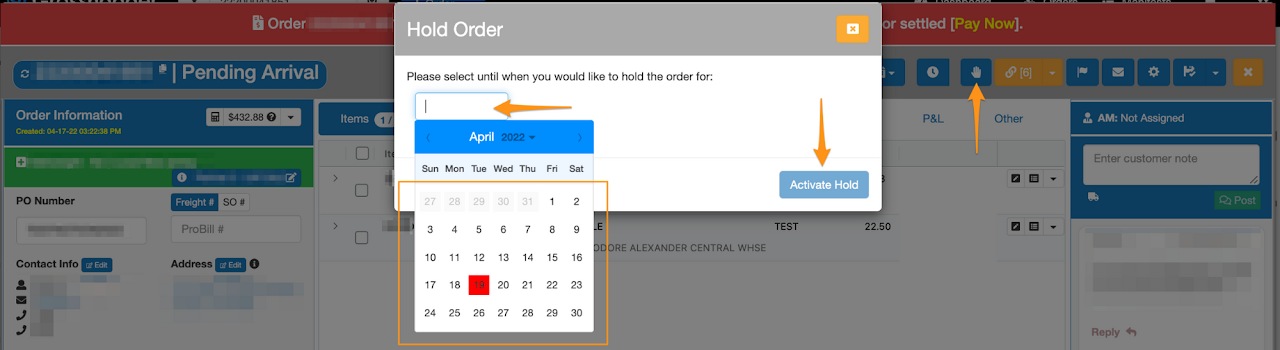
Place an Order on Hold

Order shows that it is on Hold with the date you have selected
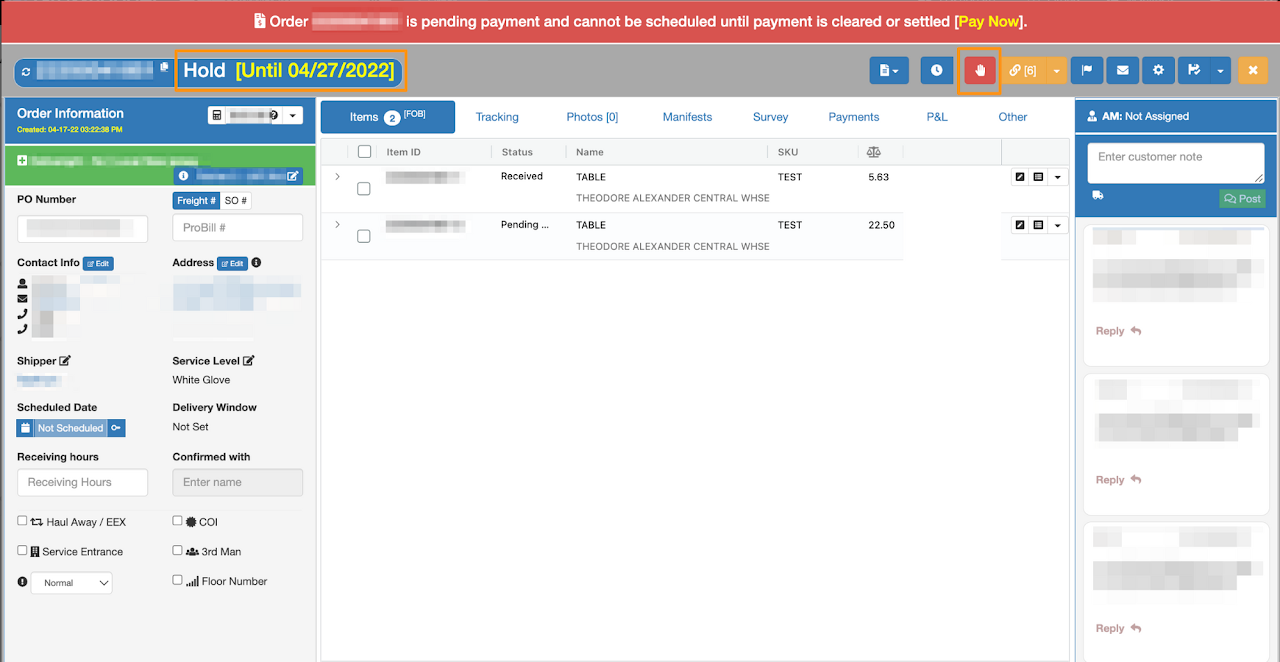
Place an Order on Hold

Was this article helpful?

Still stuck? Submit a ticket. and someone on the team will get back to you.

On This Page