Step 1
Enter the Purchase Order Number or Grasshopper Order ID then click the order number

Step 2
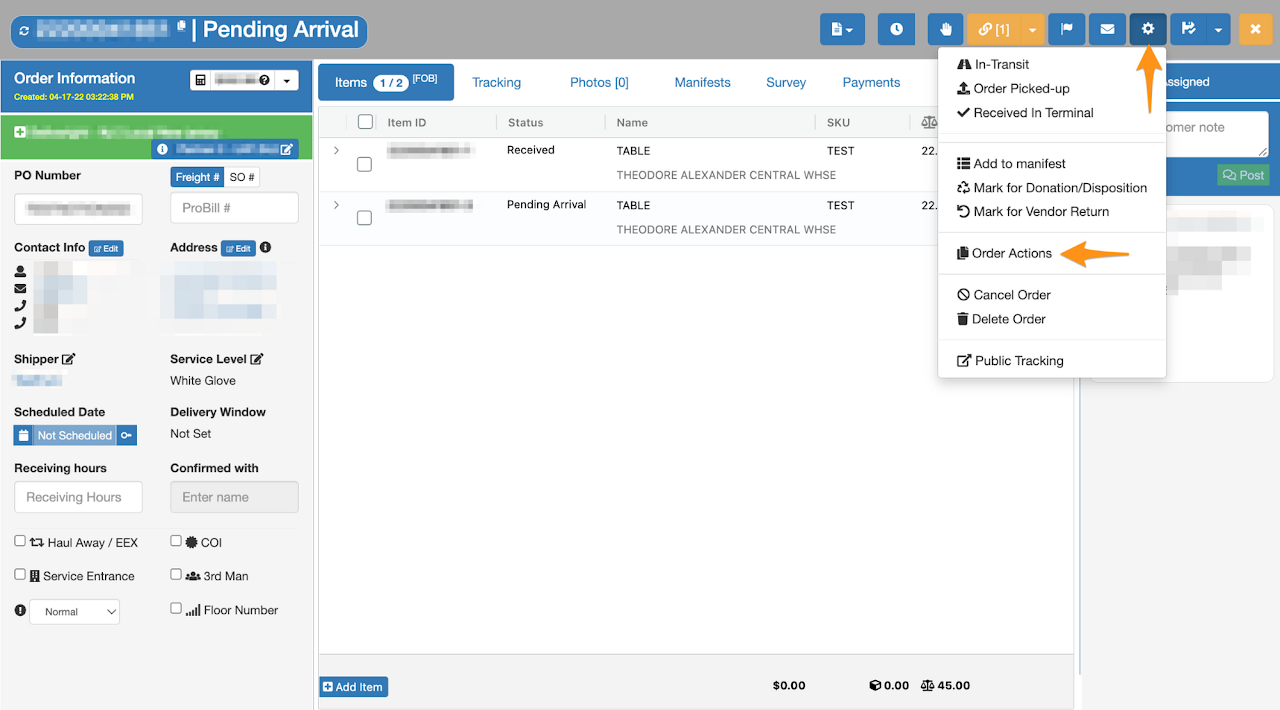
Click the gear icon then select Order Actions
Step 3
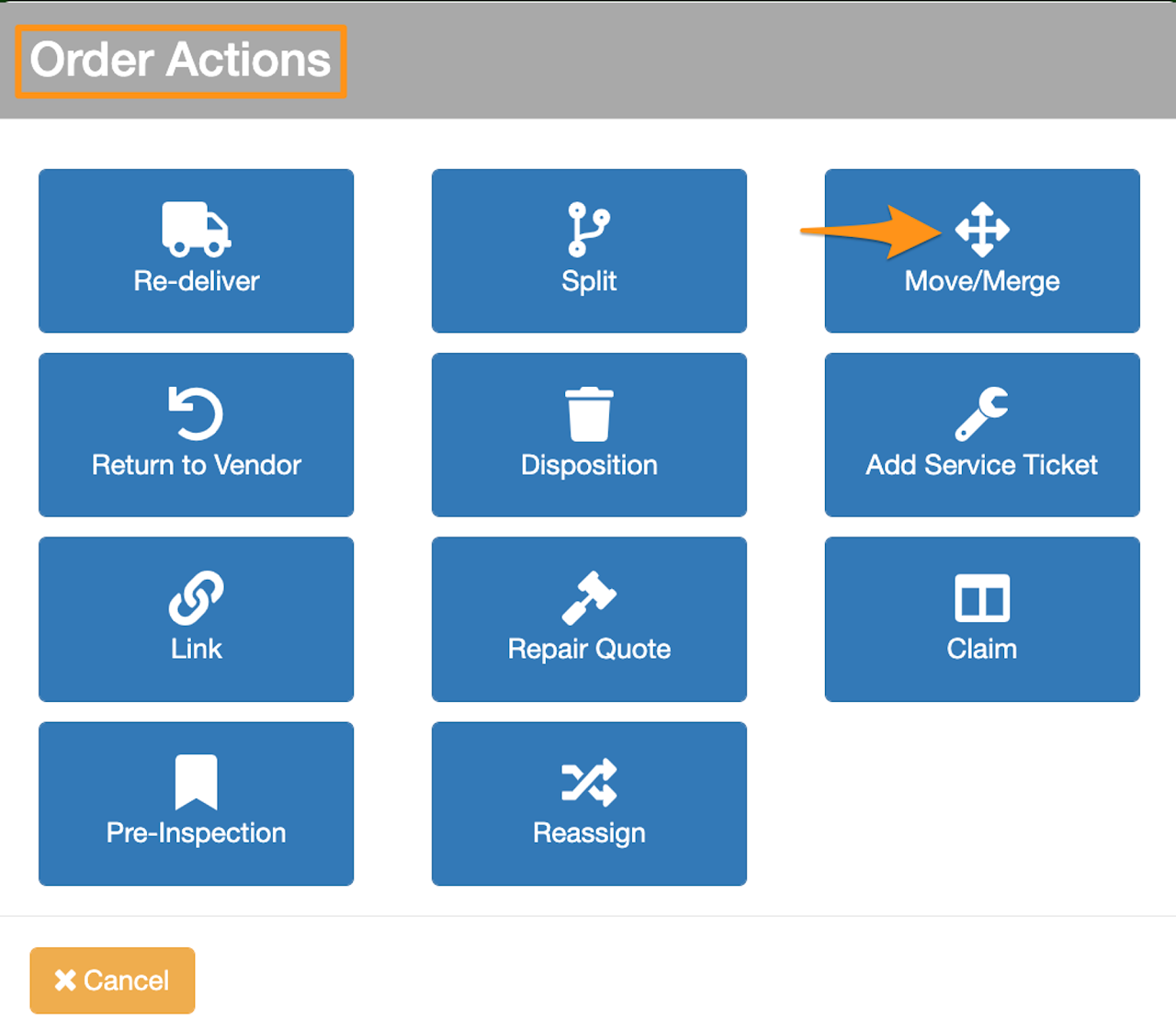
Click Move/Merge
Step 4
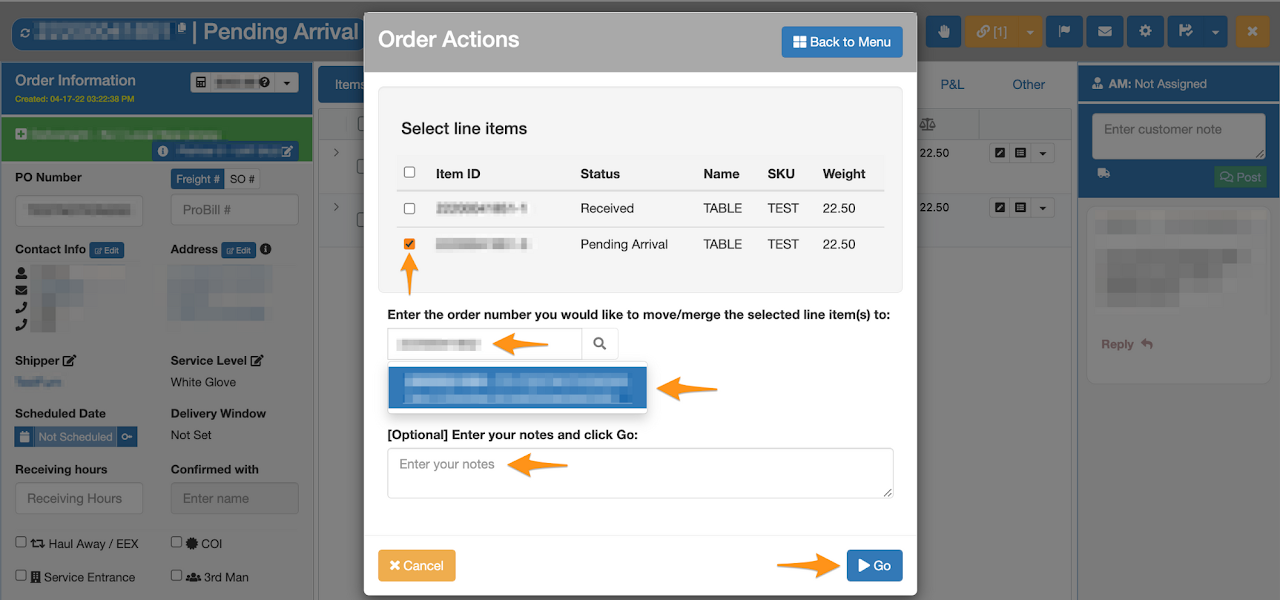
Click on the line item then enter the order number you would like to move/merge the selected line item(s) to.
Enter notes and click Go
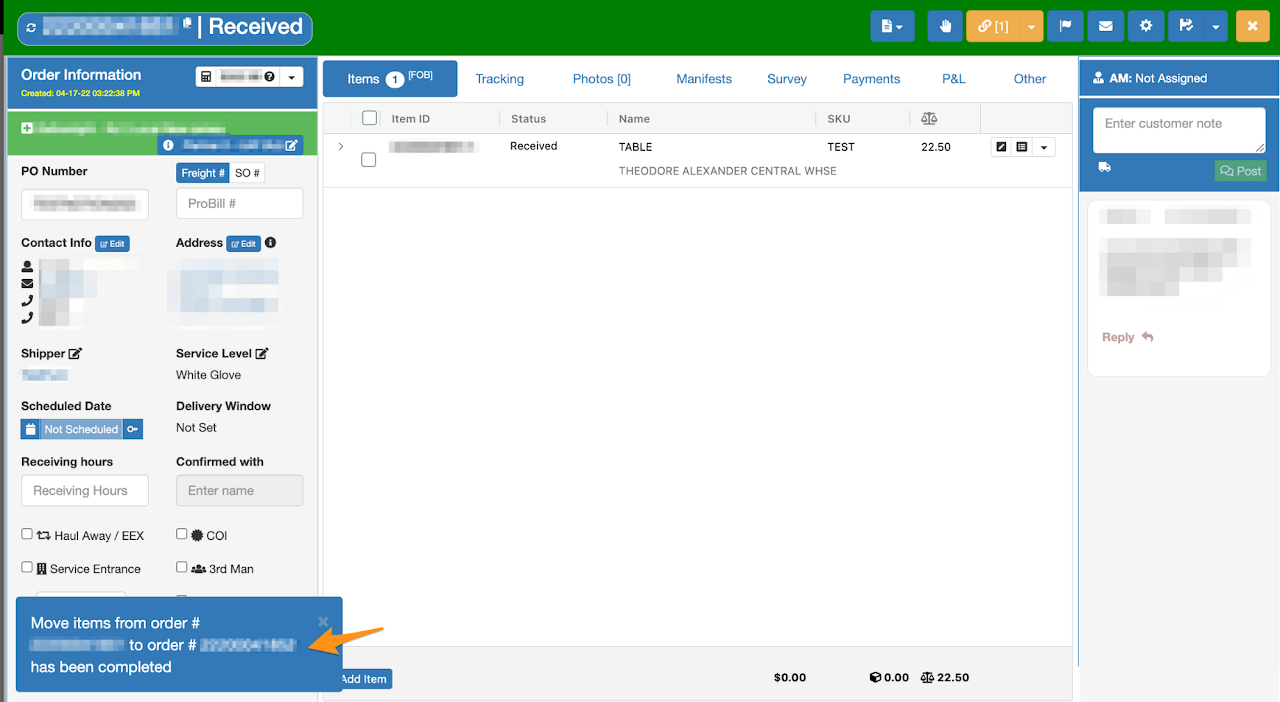
Confirmation that line item is successfully moved