Help Center Menu
Claims - Grasshopper Labs Help Center

CATEGORIES

Orders
Mark the Order as Consolidated Pending Instruction
Roles: Orders

Step 1

Enter the Purchase Order Number or Grasshopper Order ID then click the order number

Mark the Order as Consolidated Pending Instruction

Step 2

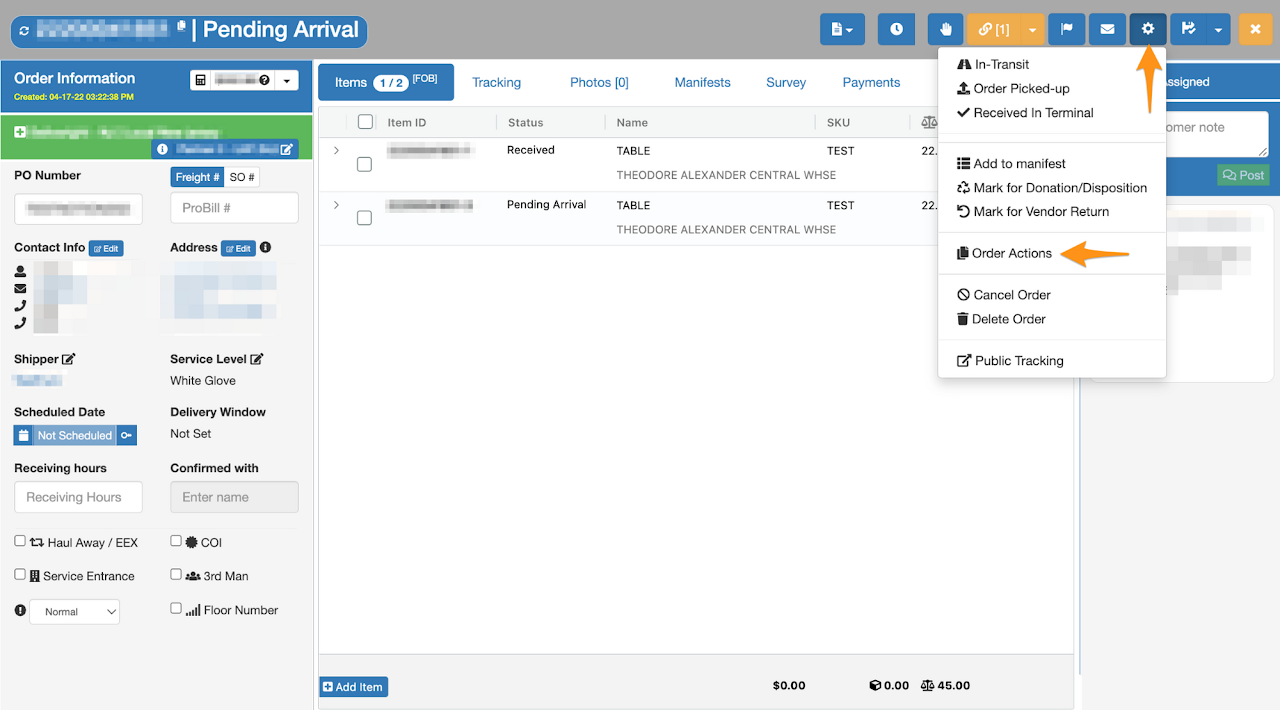
Click the gear icon then select Order Actions
Mark the Order as Consolidated Pending Instruction

Step 3

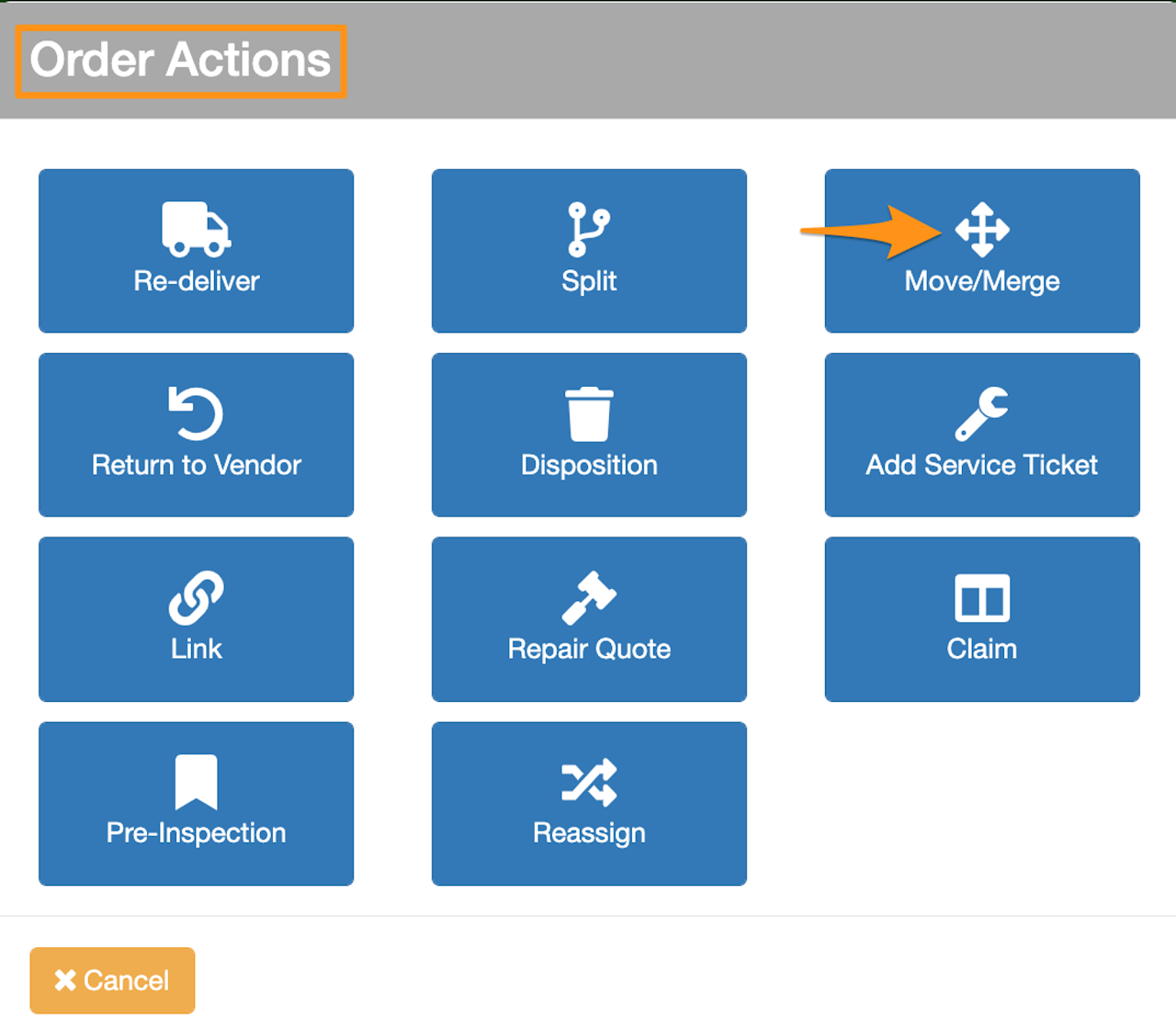
Click Move/Merge

Mark the Order as Consolidated Pending Instruction

Step 4

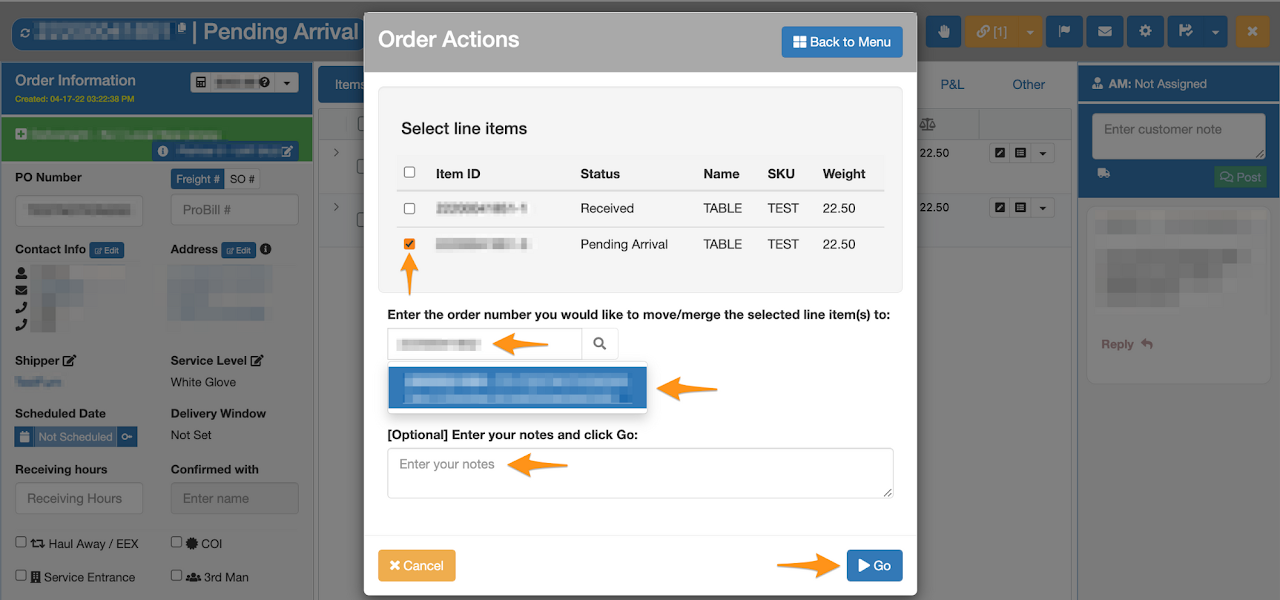
Click on the line item then enter the order number you would like to move/merge the selected line item(s) to.

Enter notes and click Go
Mark the Order as Consolidated Pending Instruction

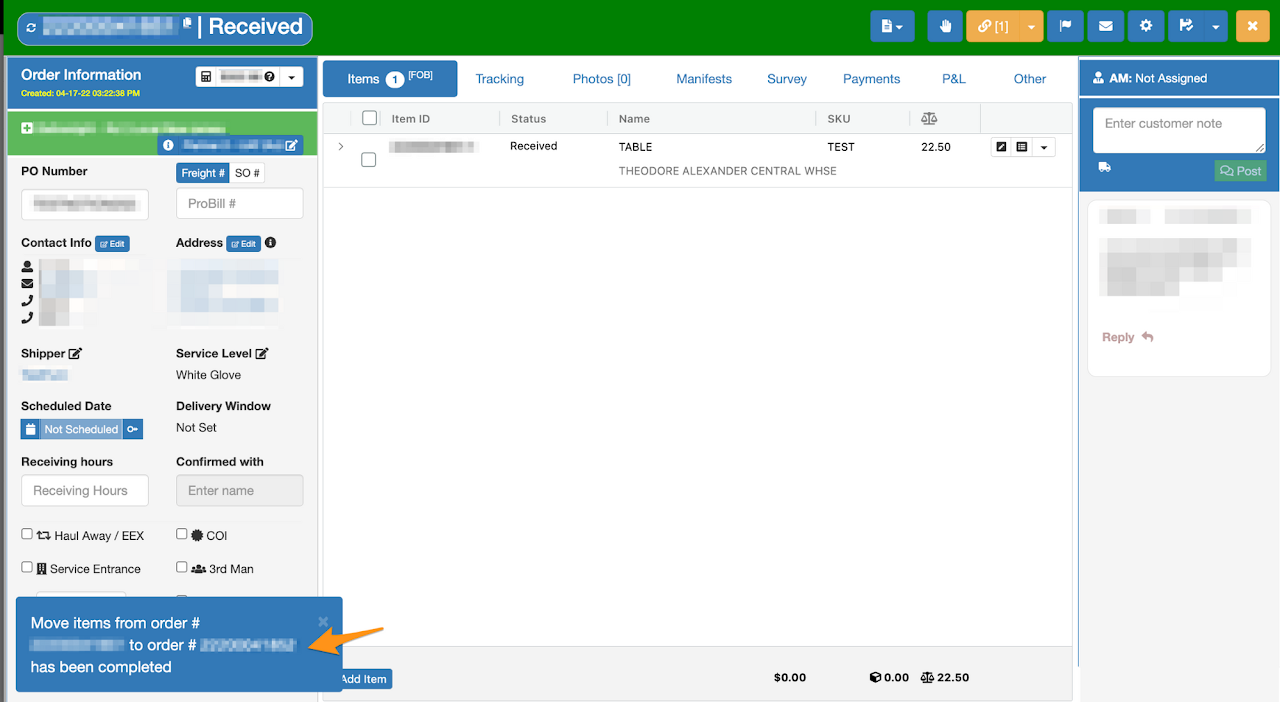
Confirmation that line item is successfully moved
Mark the Order as Consolidated Pending Instruction

Was this article helpful?

Still stuck? Submit a ticket. and someone on the team will get back to you.