Link Orders as Tagalong (Follower)
Step 1
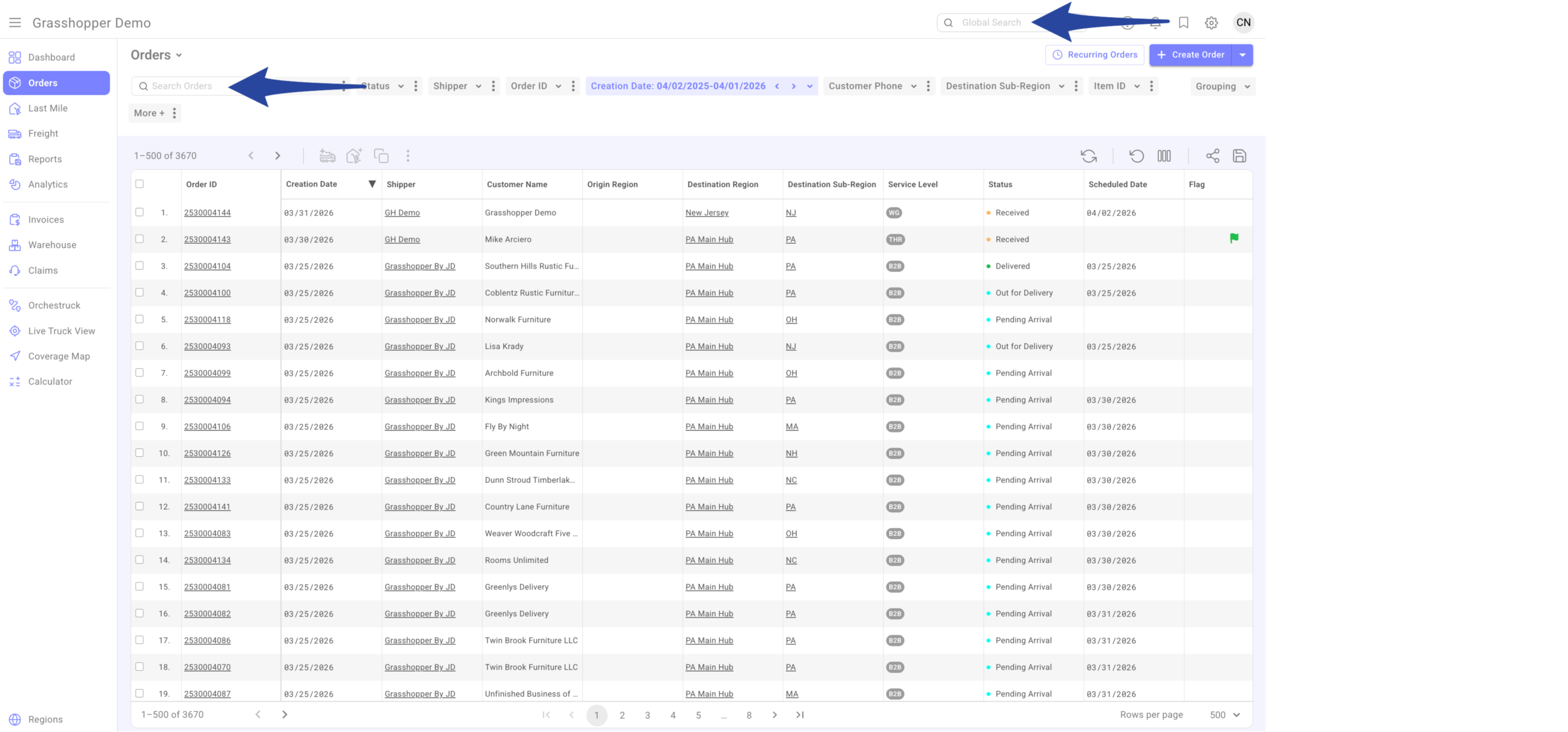
Enter the Purchase Order Number or Grasshopper Order ID in the Global Search bar or the Orders Grid search box. Then click on the order number to open it.
Step 2
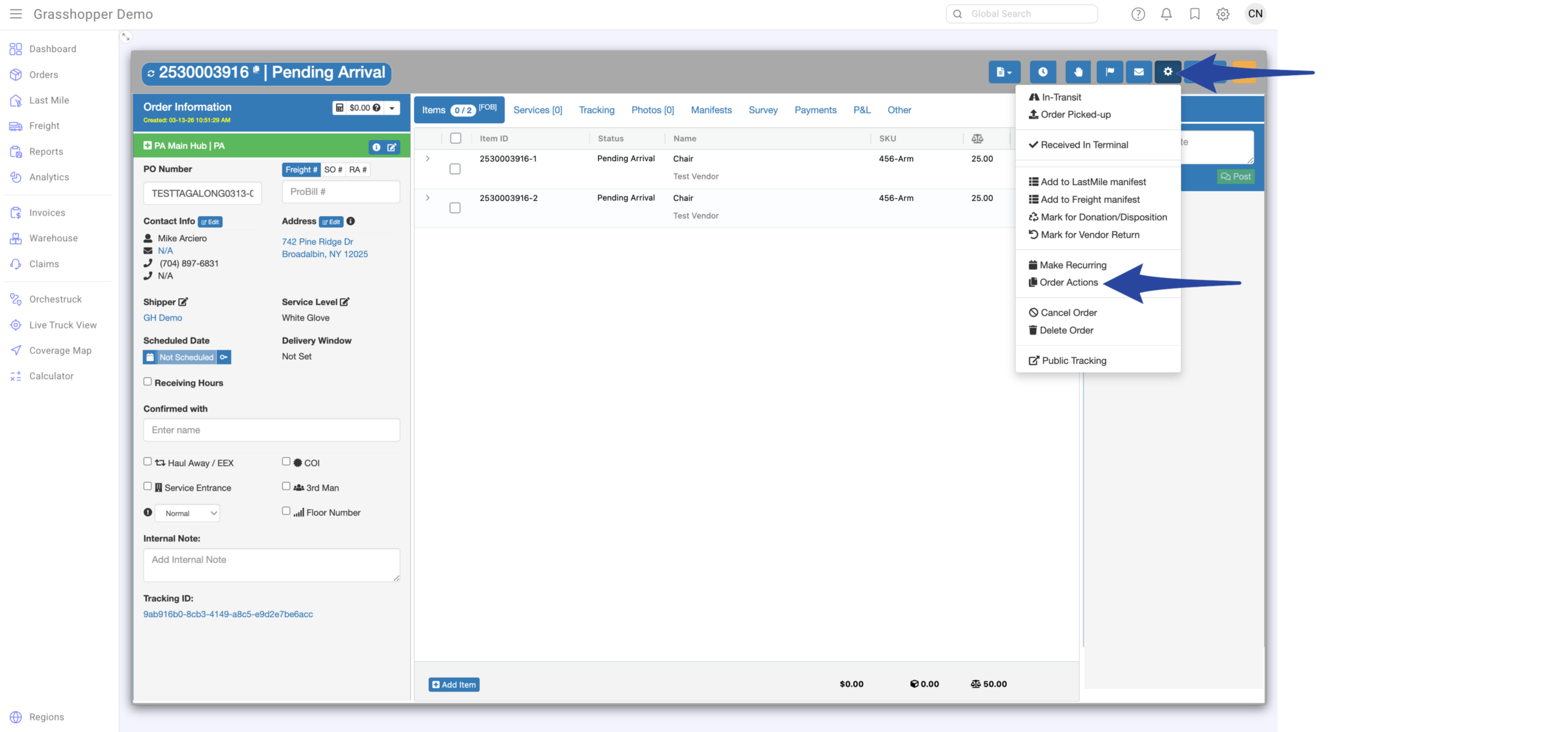
Click the gear icon then select Order Actions
Step 3
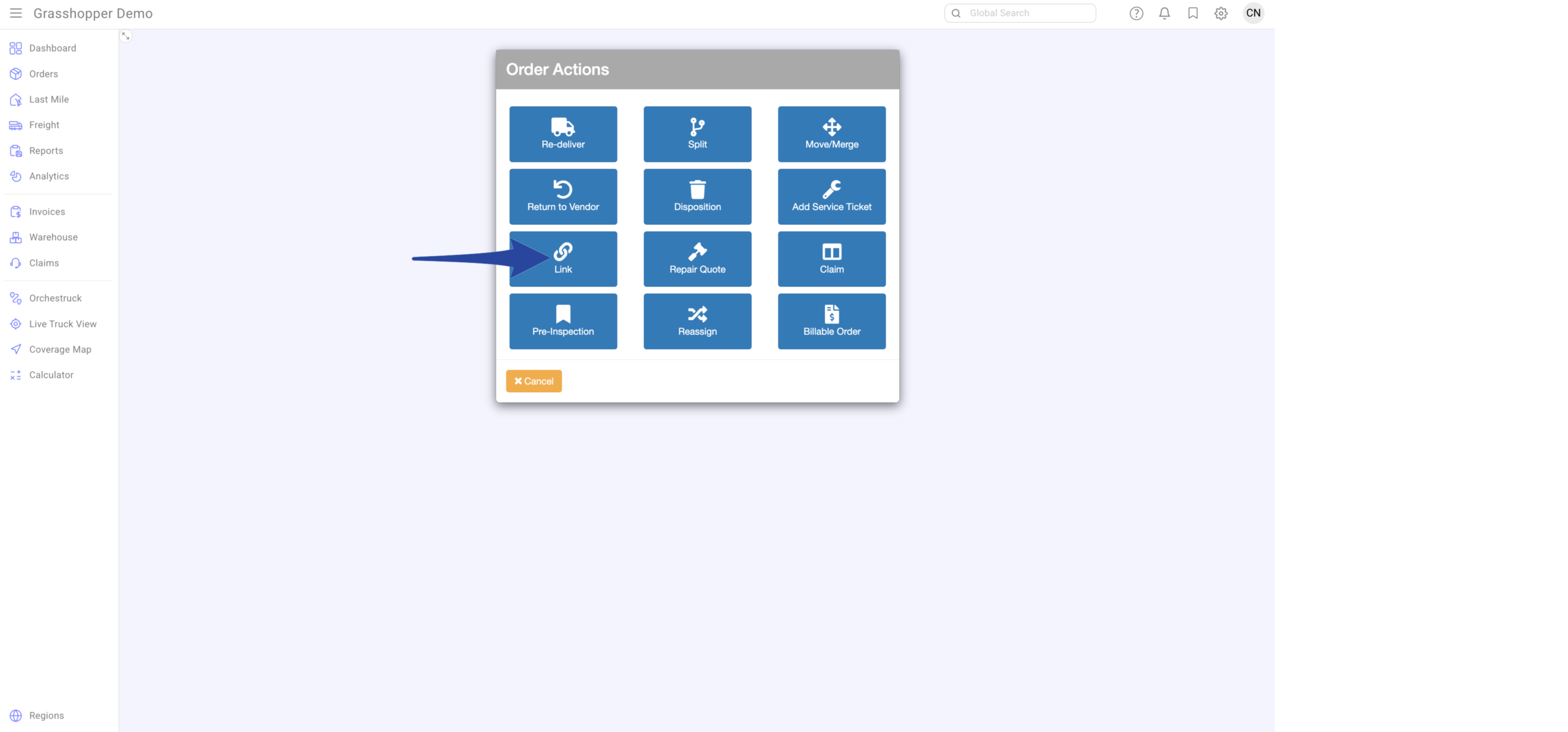
Click Link from the Order Actions menu
Step 4
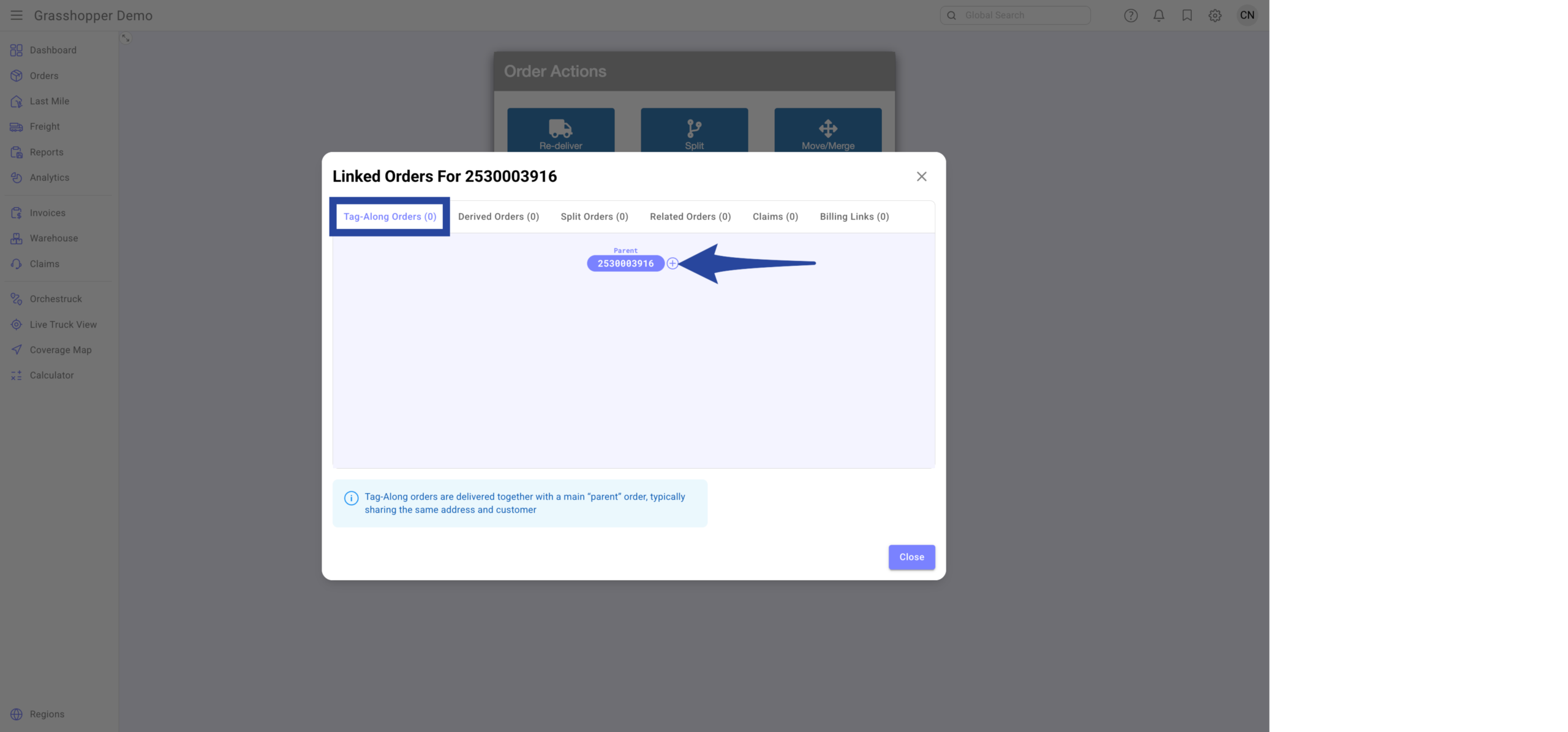
In the Tag-Along Orders tab, click the + icon
Step 5
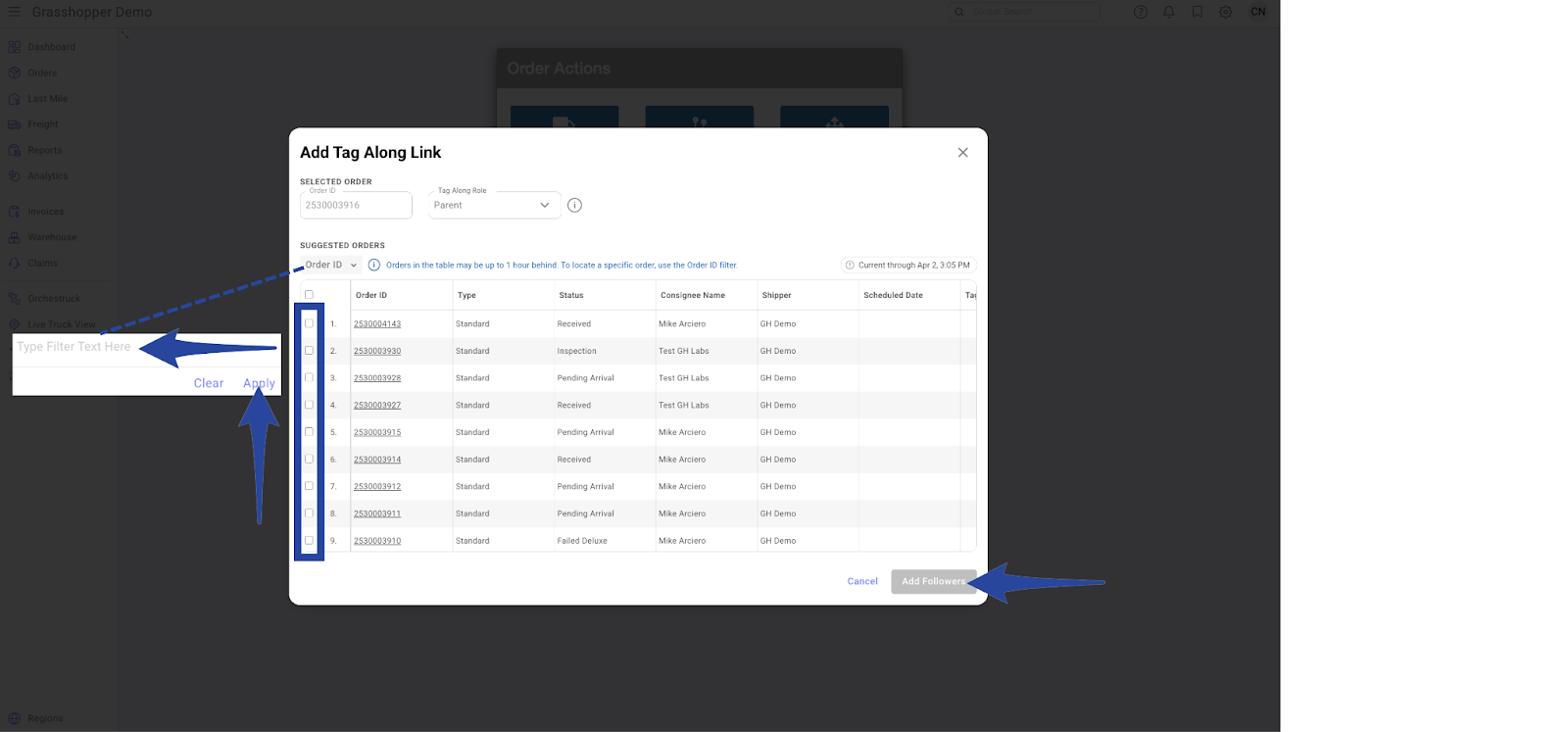
There are two ways to add an order as a follower:
- Enter the Order ID in the Order ID field then click Apply, or
- Select from the list of Suggested Orders
Once finished, click Add Followers.
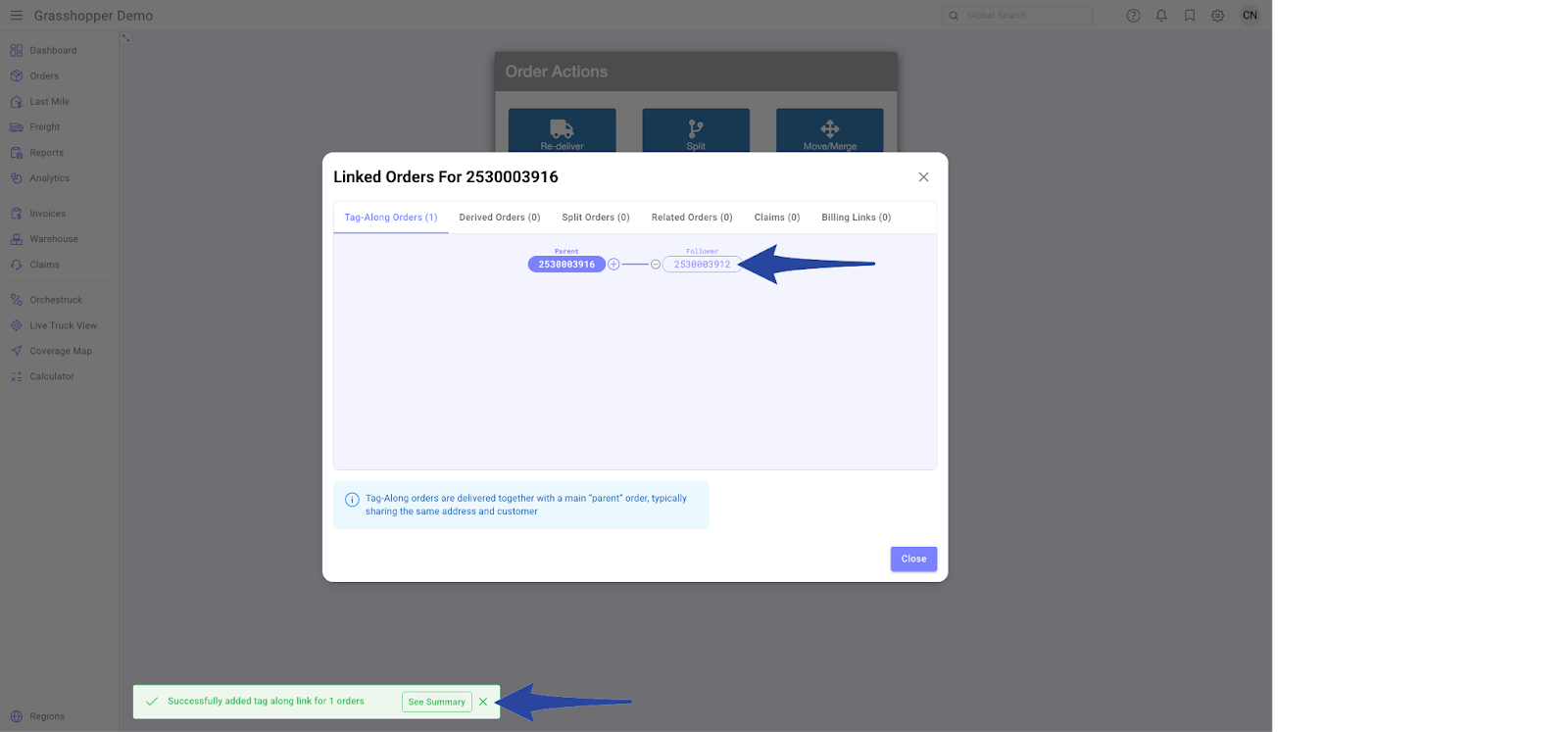
Confirmation that the tag-along order has been successfully linked.
Unlink Orders (Tagalong)
Click the – icon next to the tag-along order
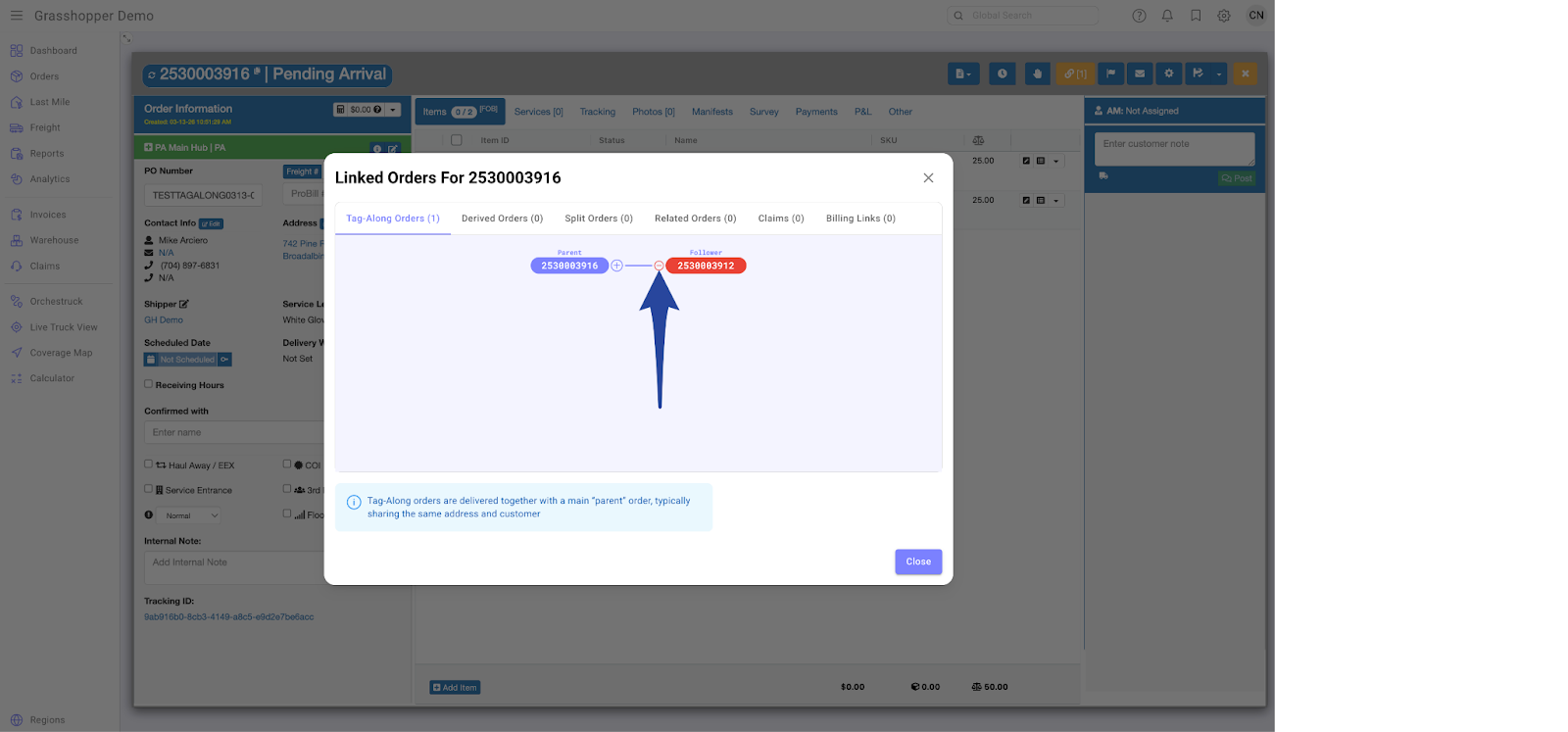
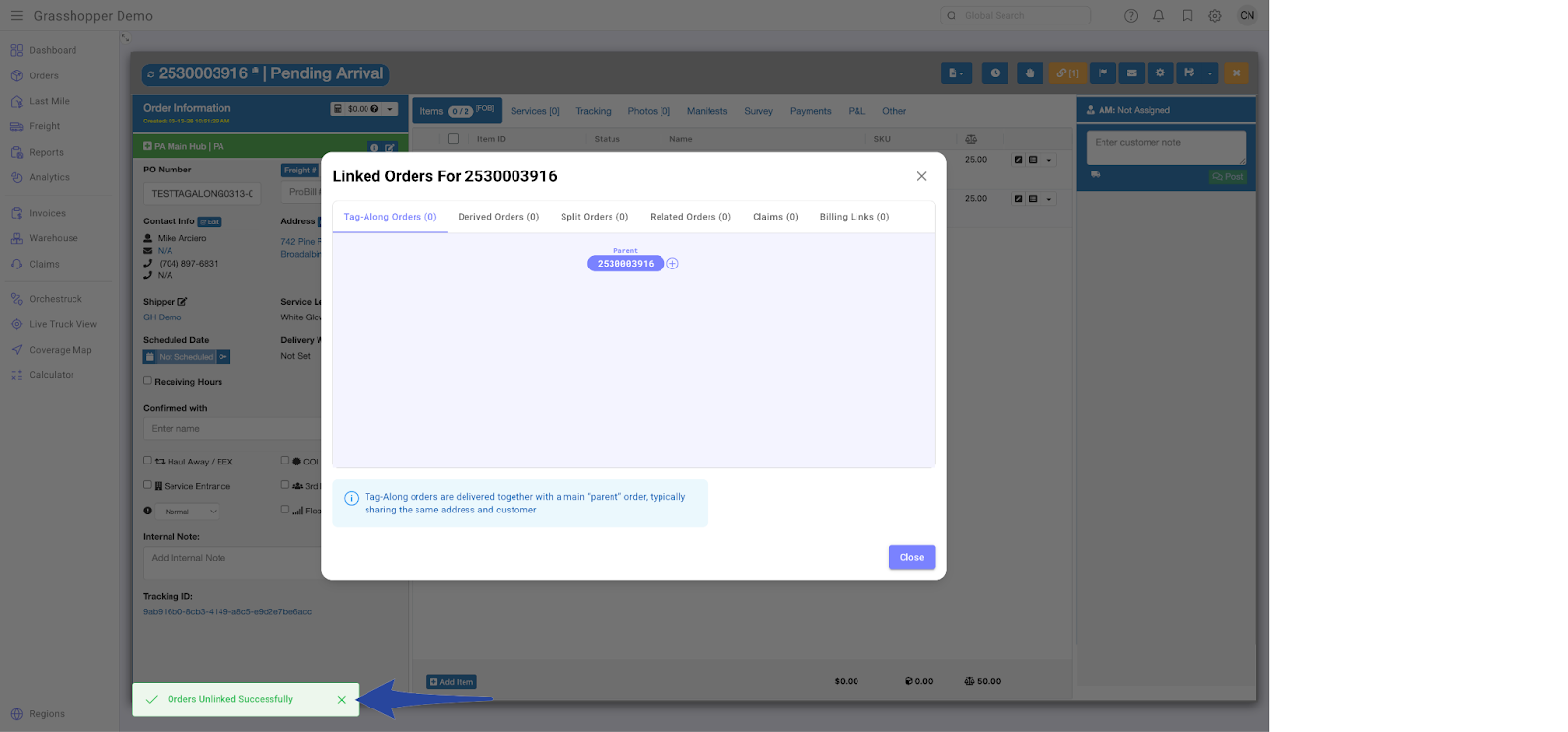
Confirmation that the tag-along order has been successfully unlinked.