Step 1
Enter the Purchase Order Number or Grasshopper Order ID, click the order number

Step 2
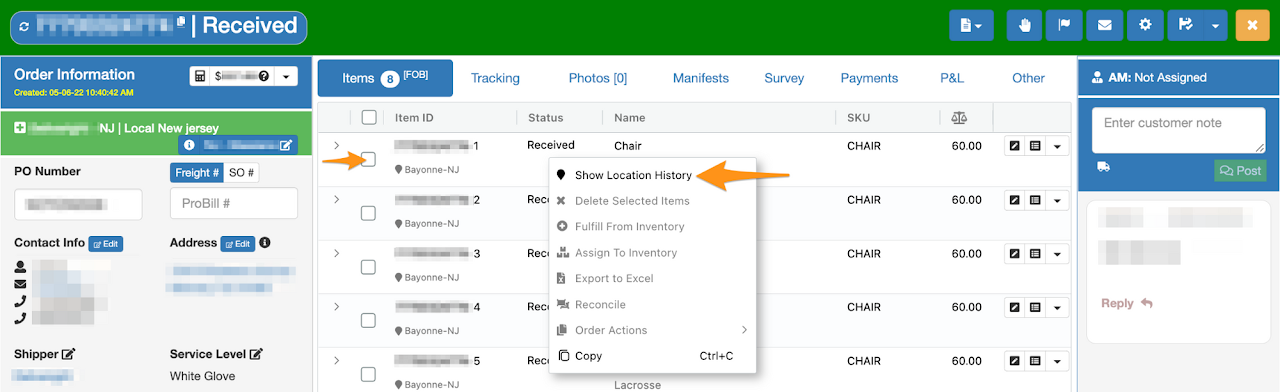
Right click on the line item then select Show Location History
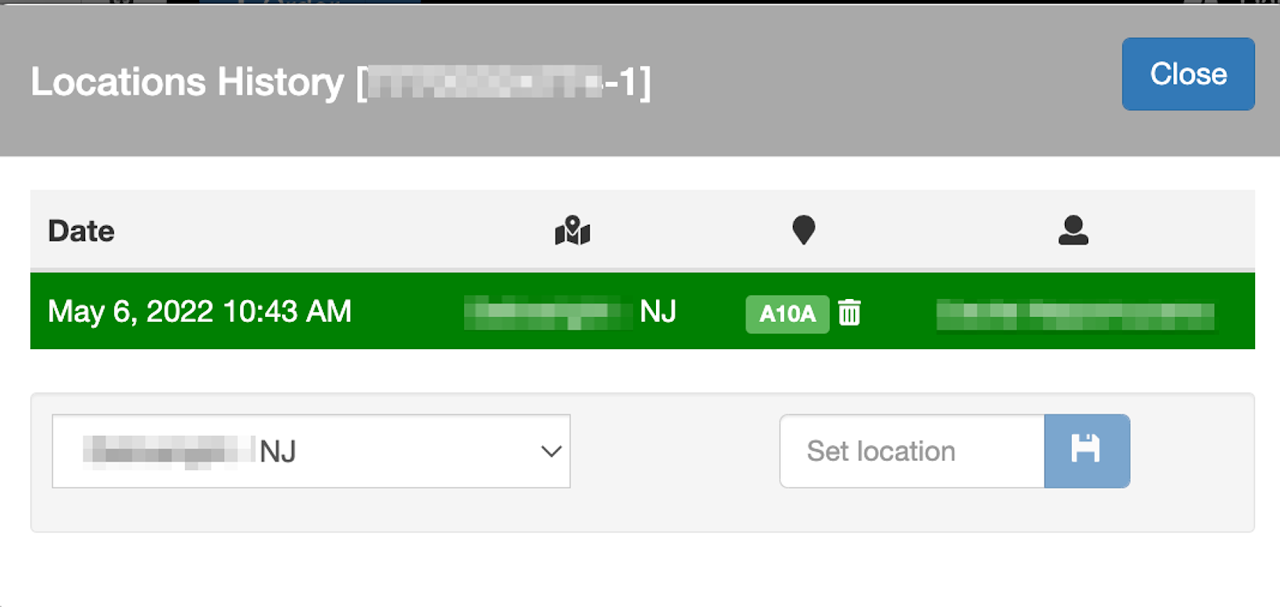
The line item’s location history will display

Enter the Purchase Order Number or Grasshopper Order ID, click the order number
Right click on the line item then select Show Location History
The line item’s location history will display