
Enter A Claim
Option 1 – Through Claims Section
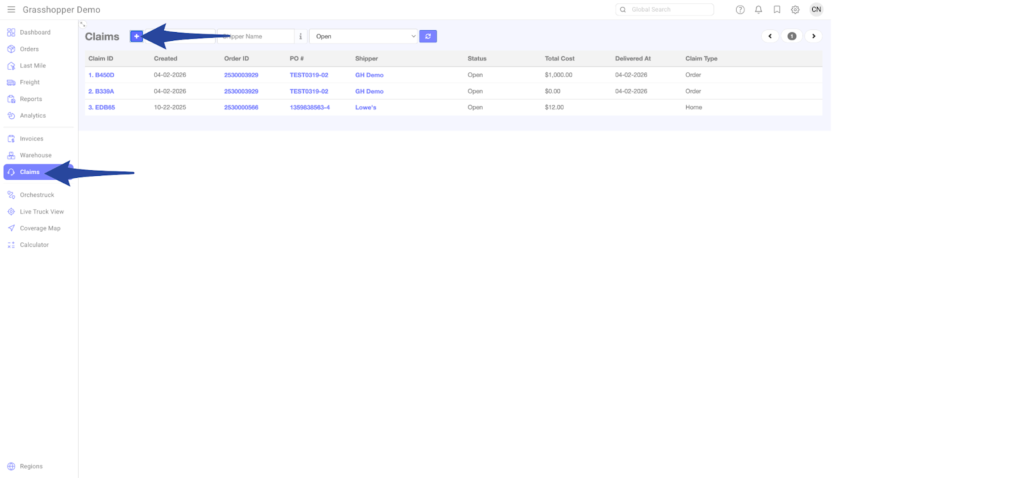
Step 1
Go to Claims section and click the + icon
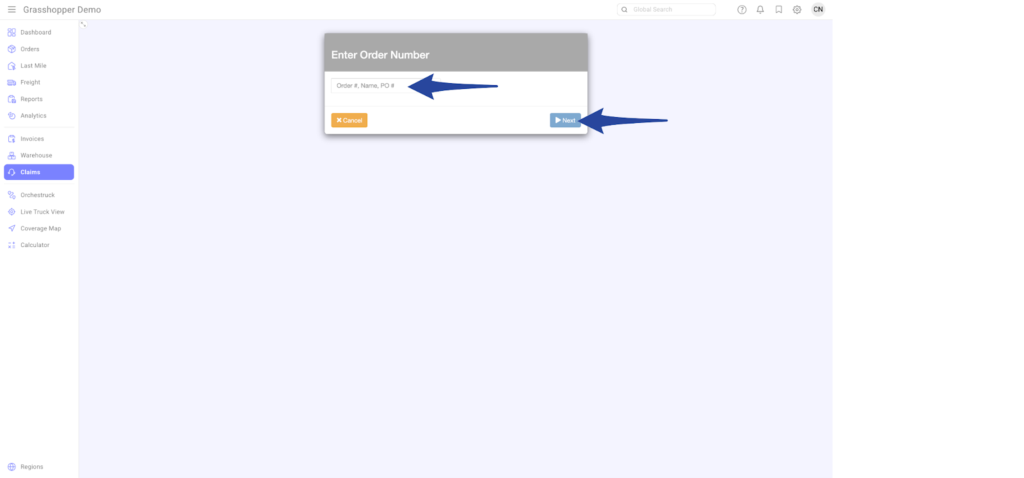
Step 2
Search for the Order ID / PO # then click Next
Step 3
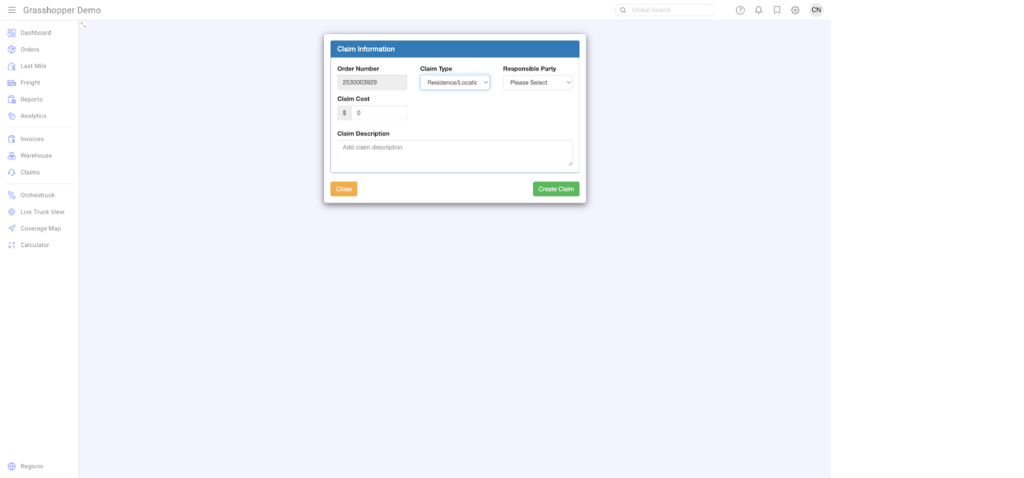
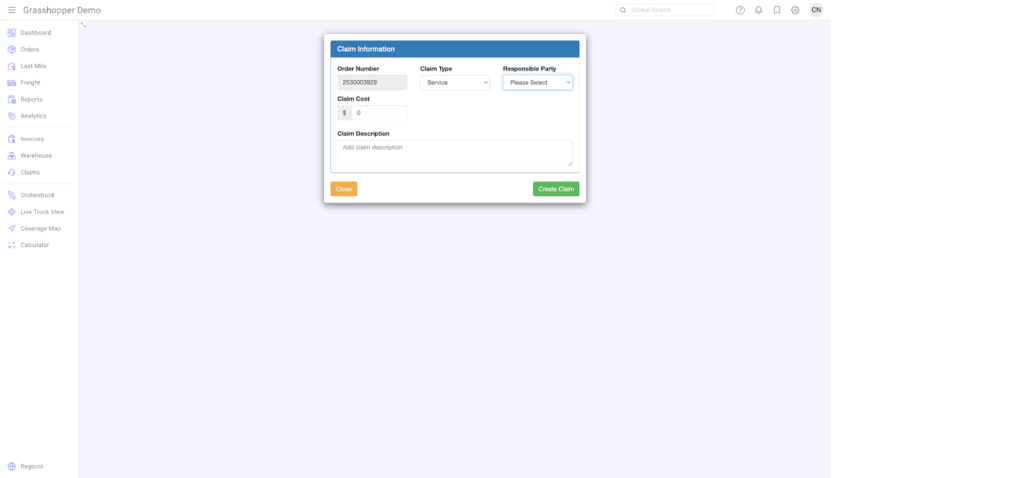
Select the appropriate options below:
Claim Type
- Order
- Residence/Location
- Service
Responsible Party
- Manufacturer Defect
- Contractor
- Self (Shipper/Licensee)
- Carrier
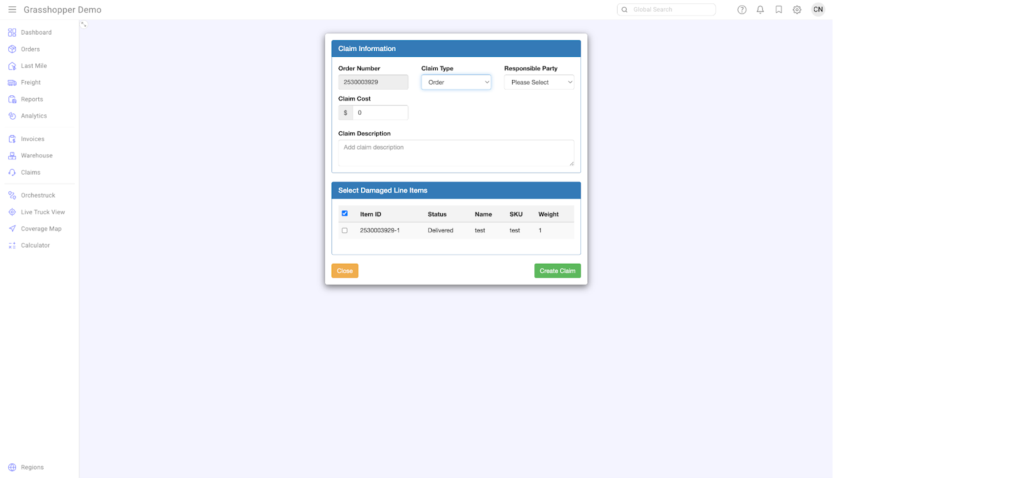
Claim Type – Order View
Claim Type – Residence/Location
Claim Type – Service
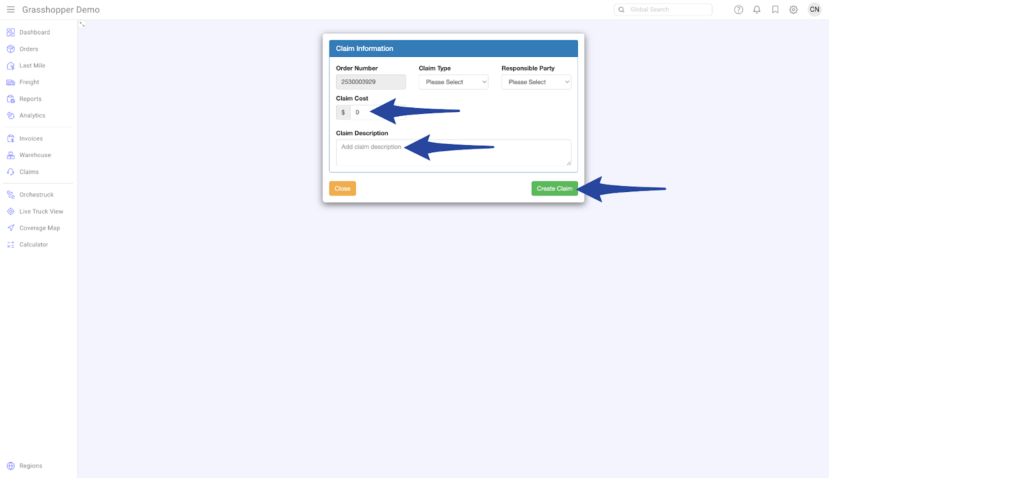
Step 4
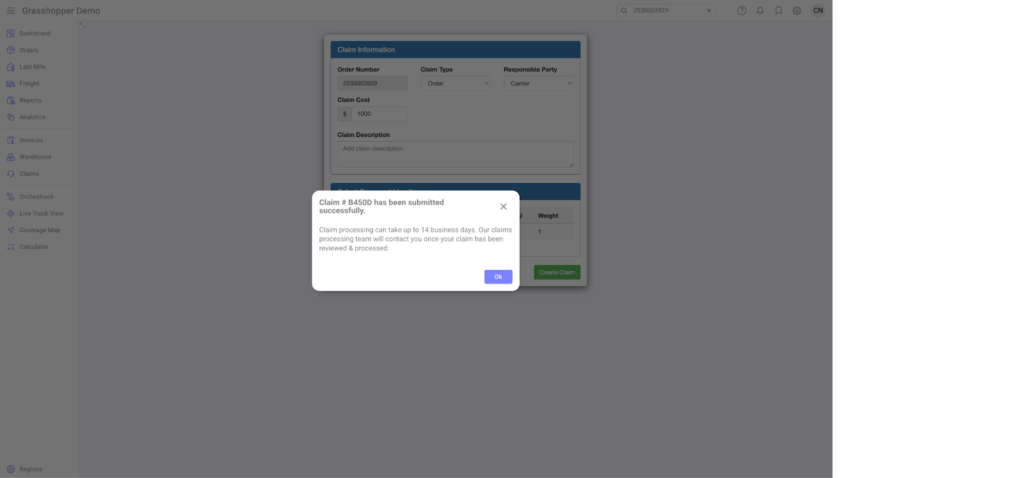
Enter the Claim Cost and Claim Description. Once done, click Create Claim.
This is a confirmation that the Claim has been submitted successfully.
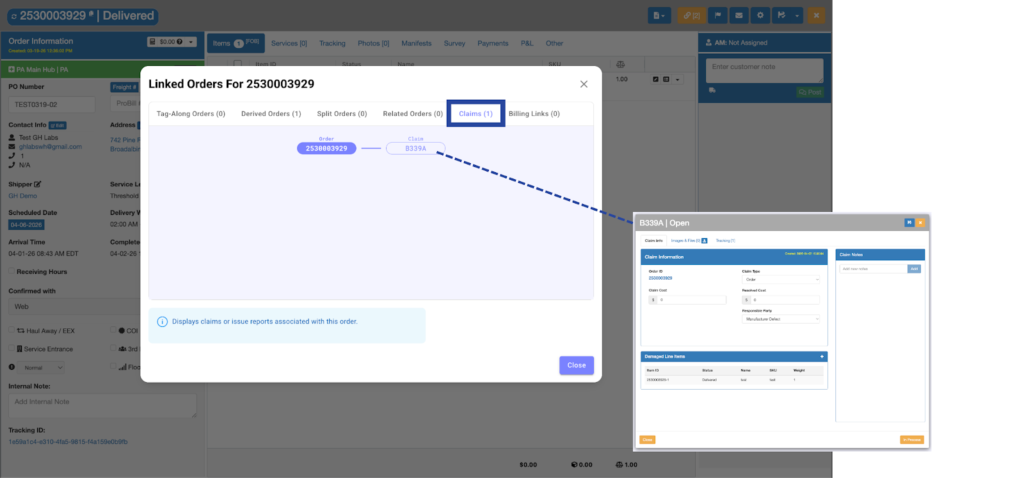
Any Claims created will be automatically associated with an order.
Option 2 – Through Orders Section / Global Search
Step 1
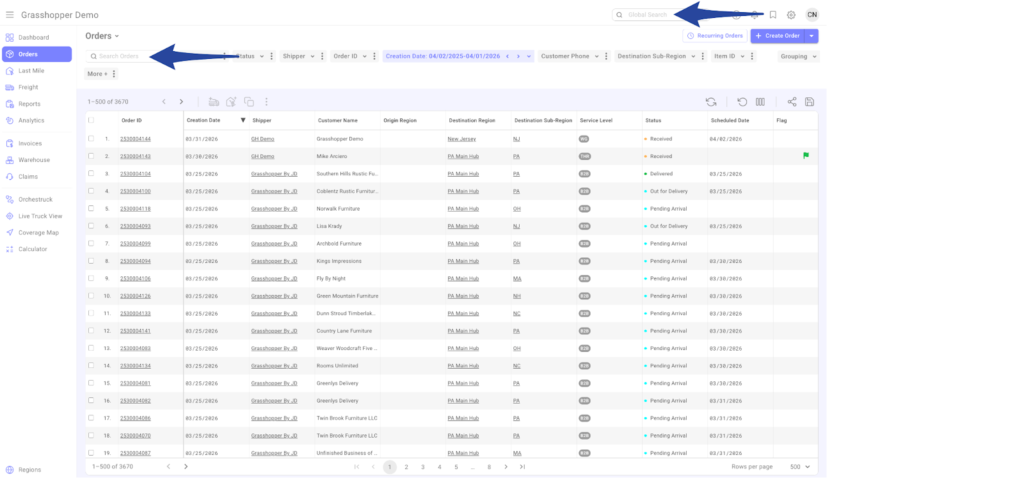
Enter the Purchase Order Number or Grasshopper Order ID in the Global Search bar or the Orders Grid search box. Then click on the order number to open it.
Step 2
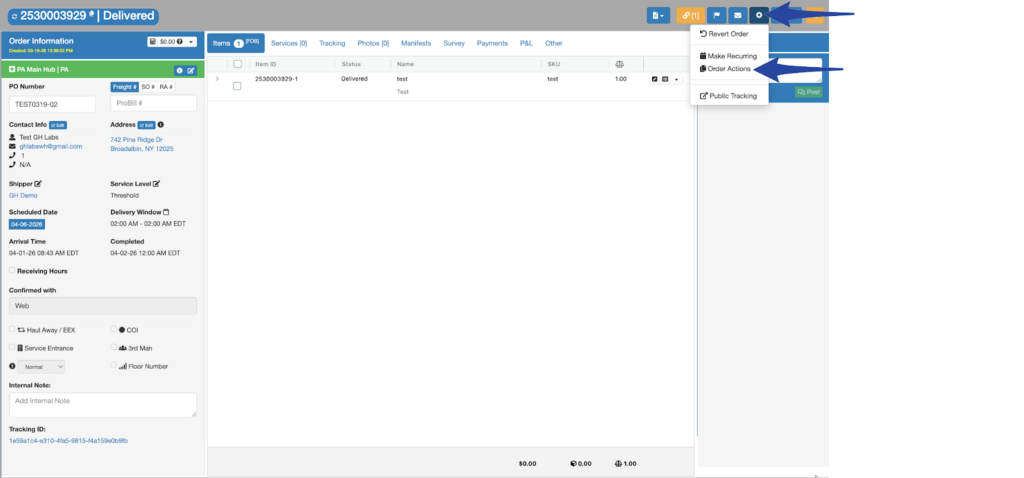
Click the gear icon then select Order Actions
Step 3
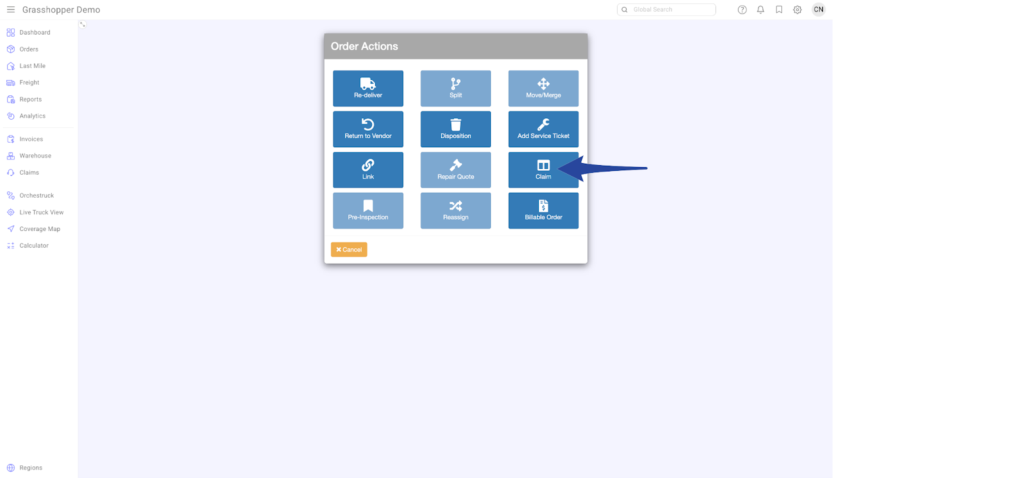
Click Claim from the Order Actions menu
Step 4
Follow Step 3 onward from Option 1 to complete the claim.