Help Center Menu
Claims - Grasshopper Labs Help Center

CATEGORIES

Orders
Enable and Add the Schedule Date on Shipping Labels
Roles: Orders

Step 1

Click the gear icon and select Advanced Settings.

Step 2

In the Orders tab, go to the Documents section and open the Shipping Label settings. Toggle on the Enable last mile scheduled delivery date on labels.
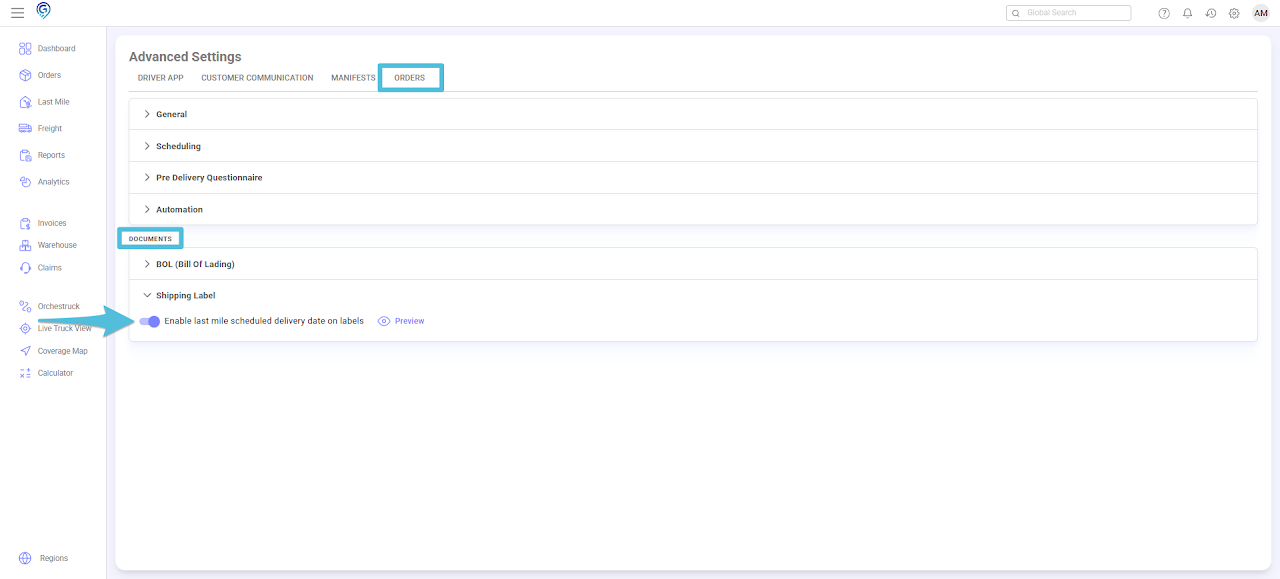
Enable and Add the Schedule Date on Shipping Labels

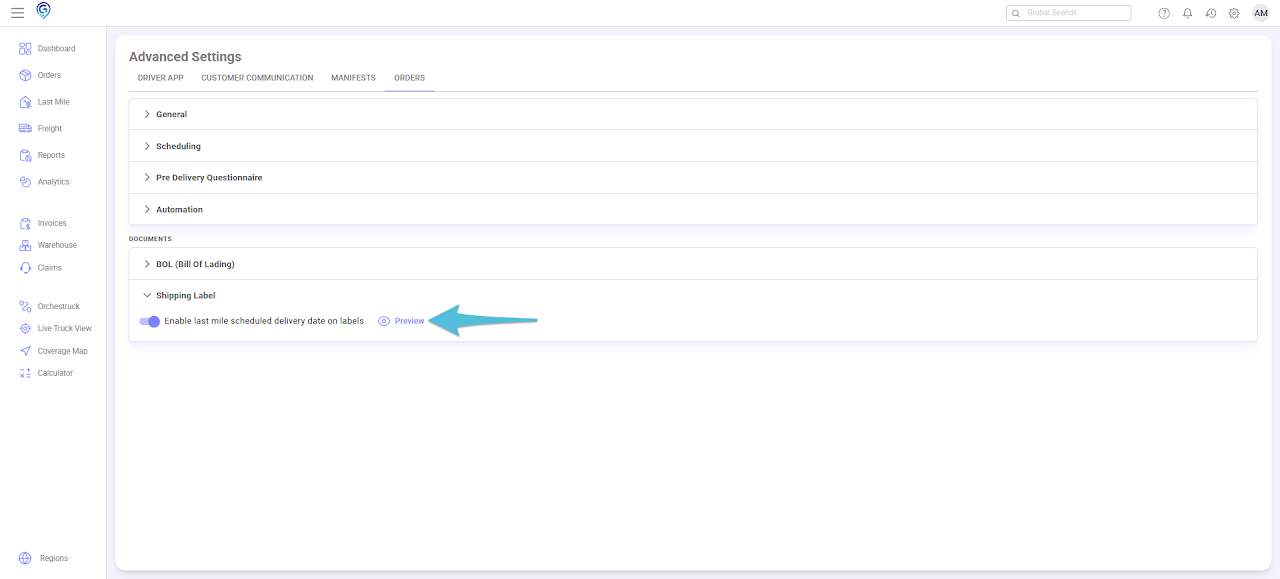
Click Preview to see an example.

Enable and Add the Schedule Date on Shipping Labels

Step 3

Open an order that is already assigned to a Last Mile Manifest. Preview the label – the new Scheduled Date field will be displayed.
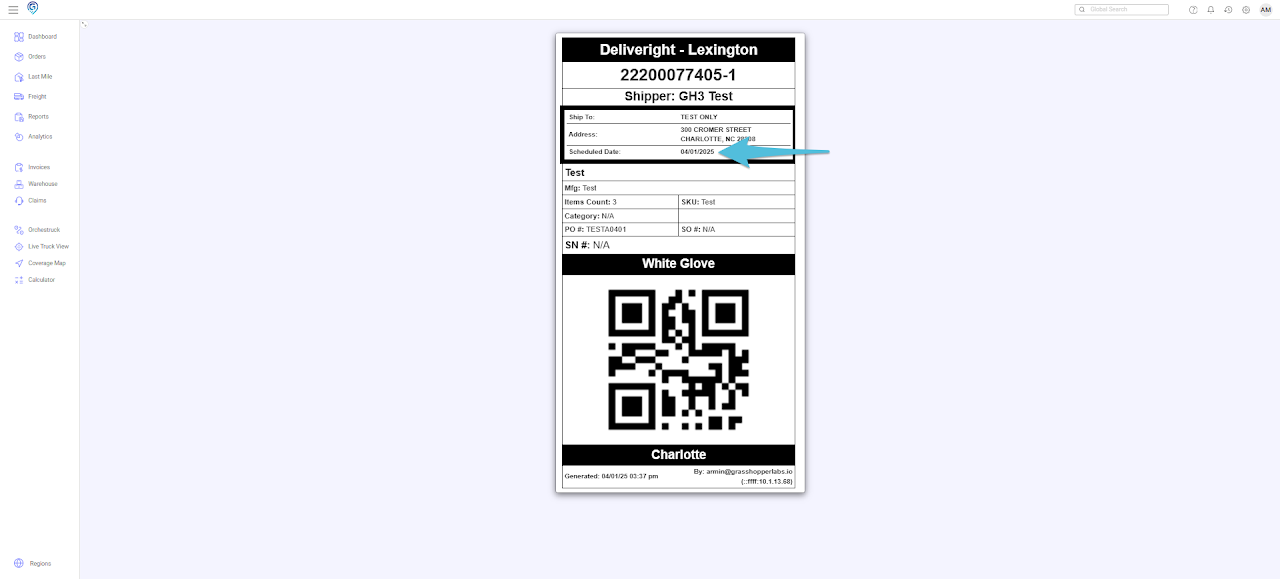
Enable and Add the Schedule Date on Shipping Labels

Was this article helpful?

Still stuck? Submit a ticket. and someone on the team will get back to you.