
Step 1
Enter the Purchase Order Number or Grasshopper Order ID then click the order number

Step 2
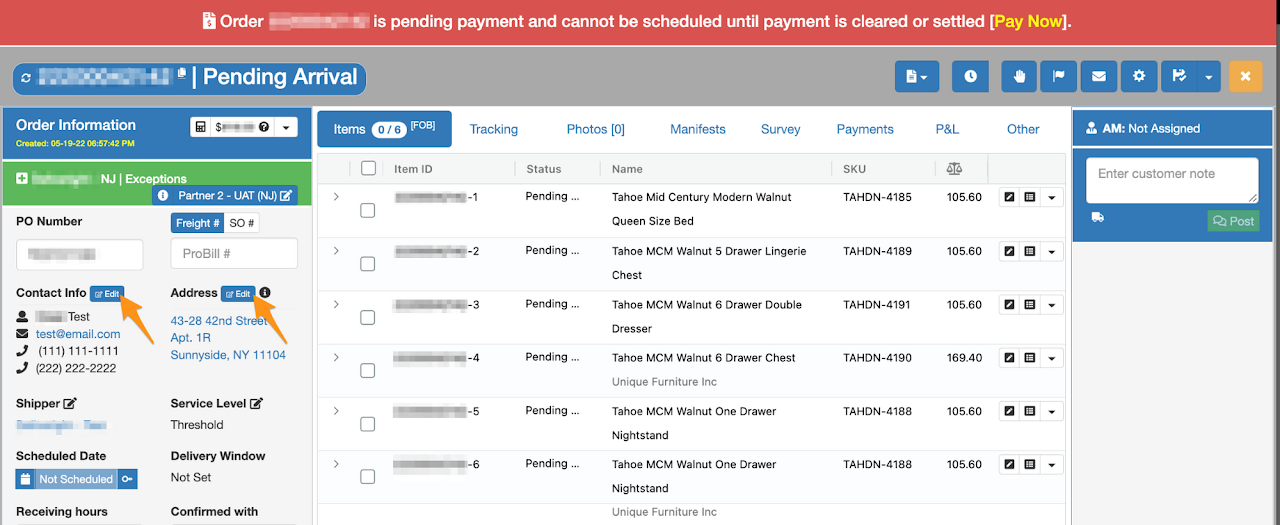
Click the Edit button/s
Step 3
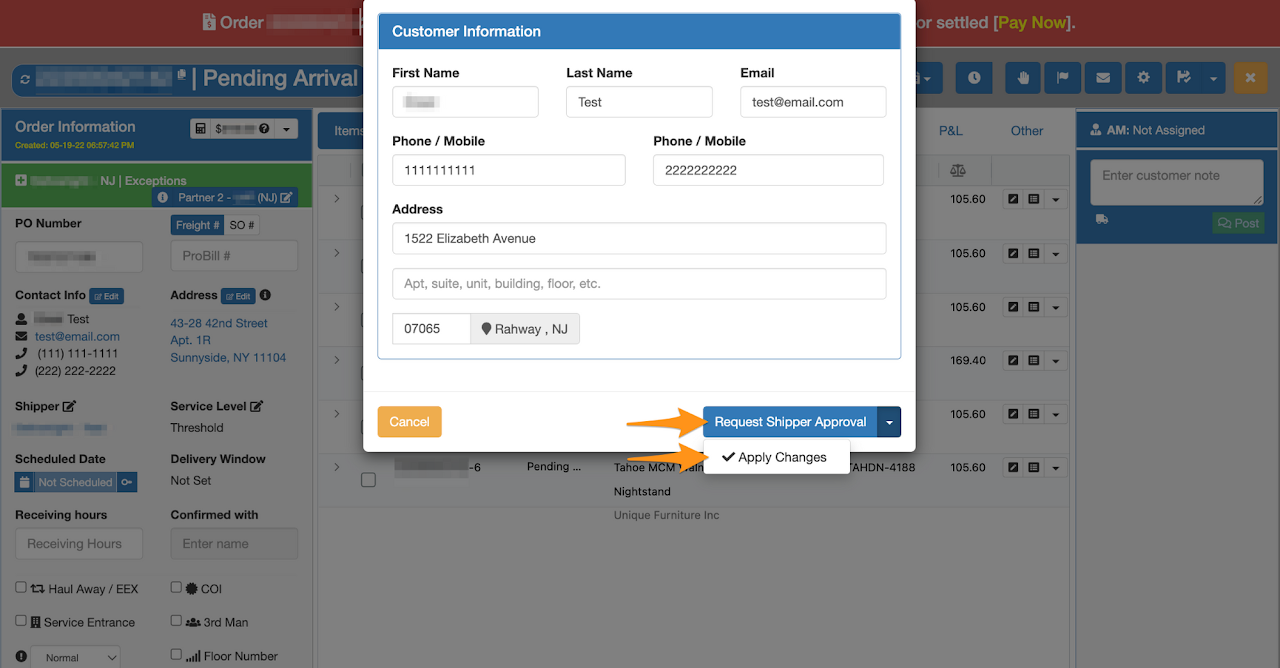
Edit the information and select:
Request Shipper Approval – if the update needs an approval from the shipper (shipping address). Choosing this option will automatically keep the order on Hold until it is approved by the shipper.
Apply Changes – if the update is for contact number and/or shipping address is approved by the shipper
Step 4
Click Continue
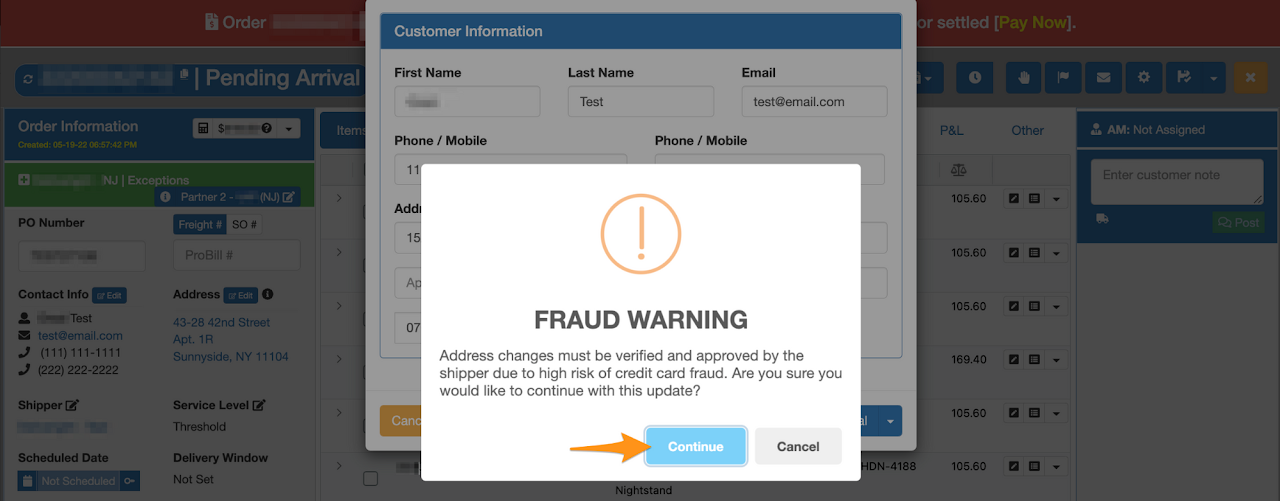
New information will be updated in the order if you select Apply Changes; however if the update requires an approval from the shipper, the order will automatically be kept on Hold until the changes is approved by the shipper.