Step 1
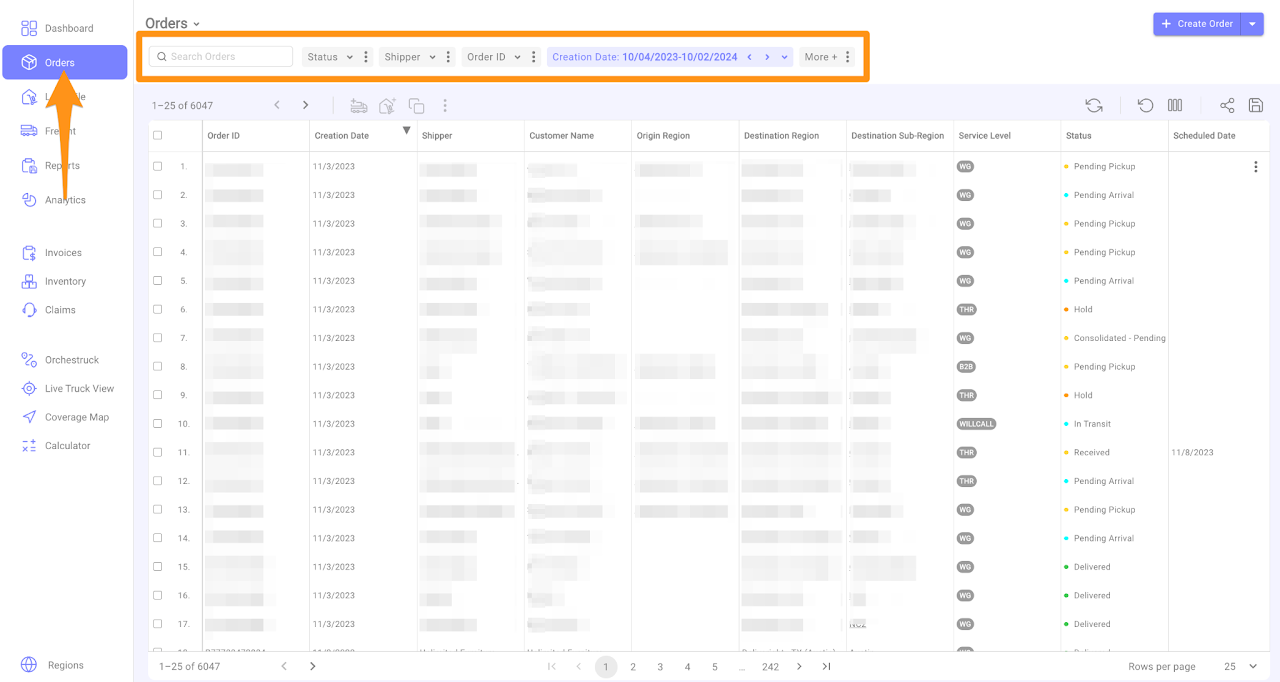
To see the most important information, you can customize your orders view by using the filter option.
Step 2
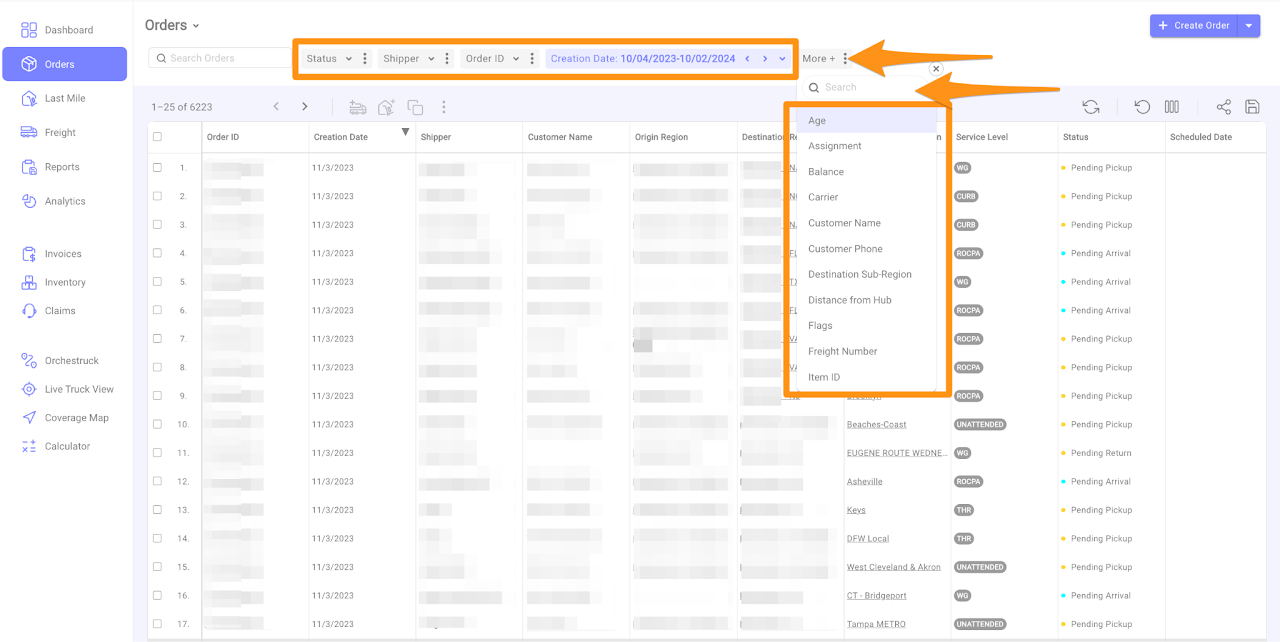
For example you want to filter by Shipper. Click on the Shipper and type in the Shipper Account’s Name or if you want to view by Vendor, click on More and select the Vendor or type in the Vendor’s Name you want to see
Step 3
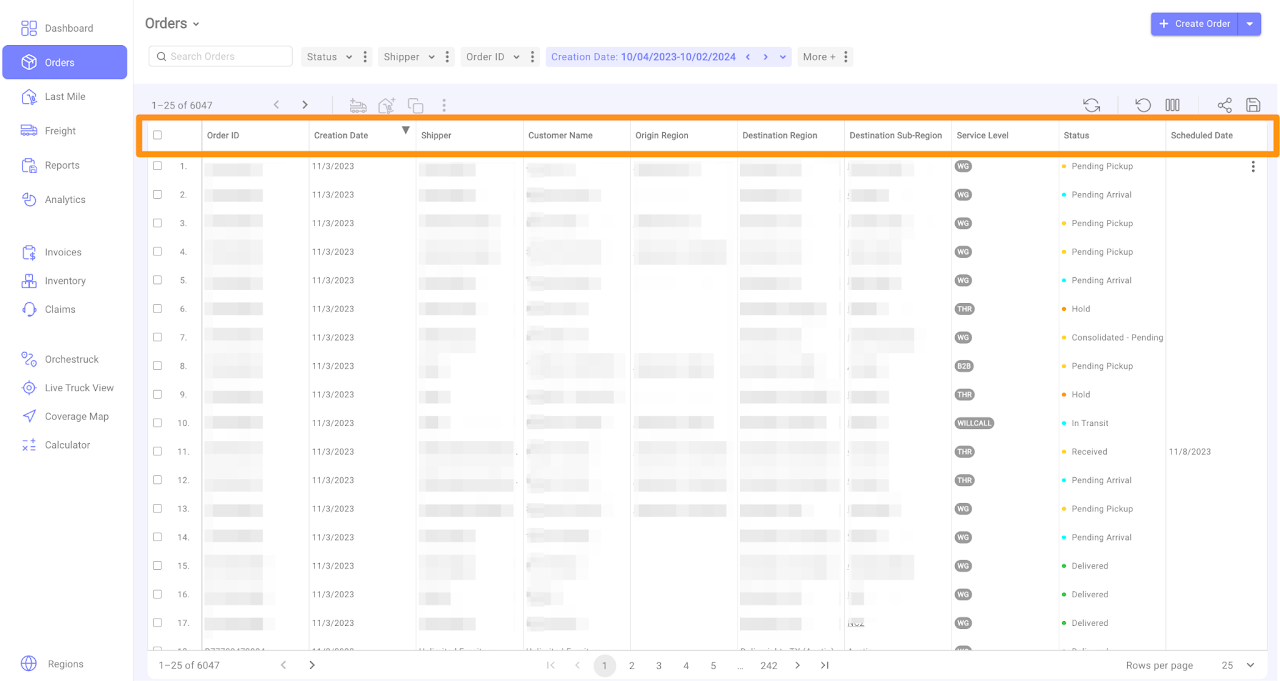
You can also change the order of the columns, sort by any column and make the columns wider or narrower by pointing to the separator of the column that you want to adjust.