
Step 1
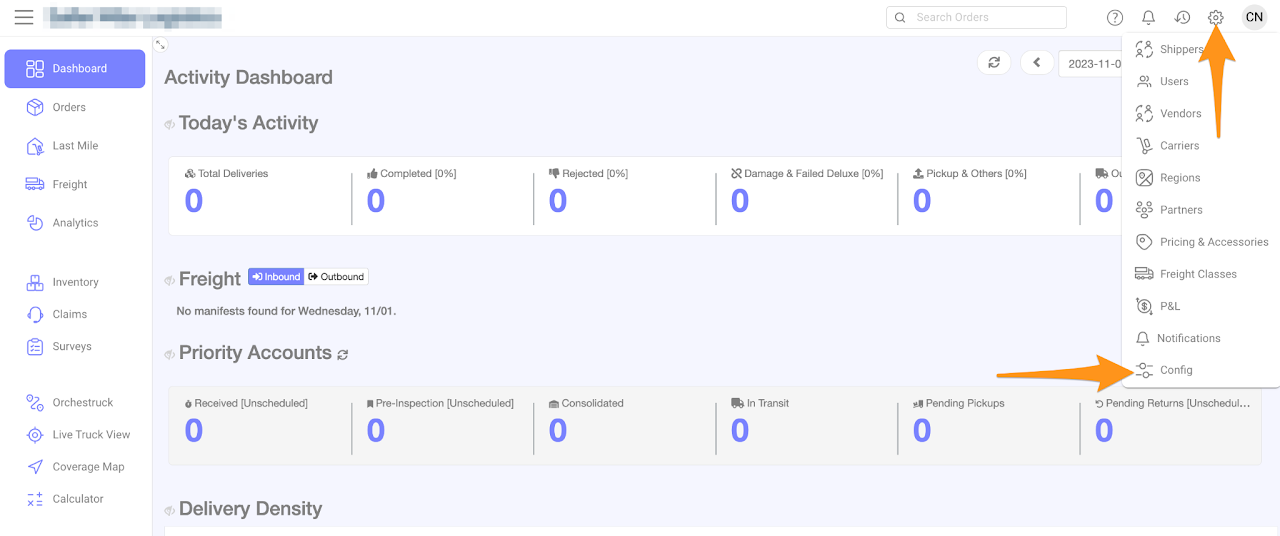
Click on the gear icon and select Config
Step 2
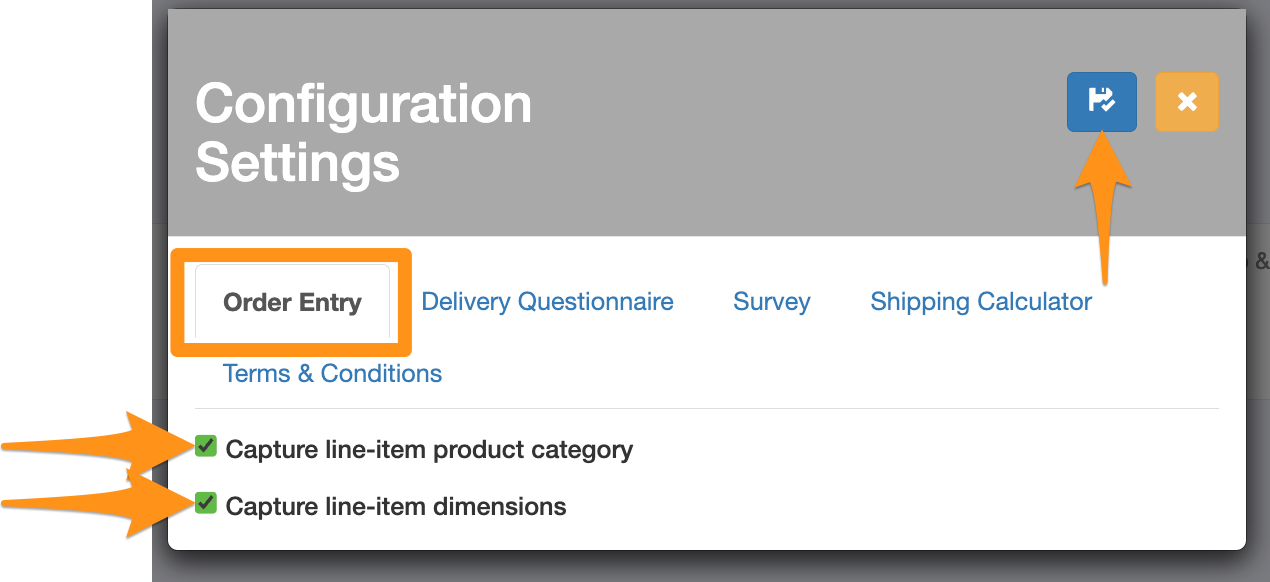
In Order Entry tab, select the requirement/s when creating an order and click Save
- Capture line-item product category
- Capture line-item dimensions
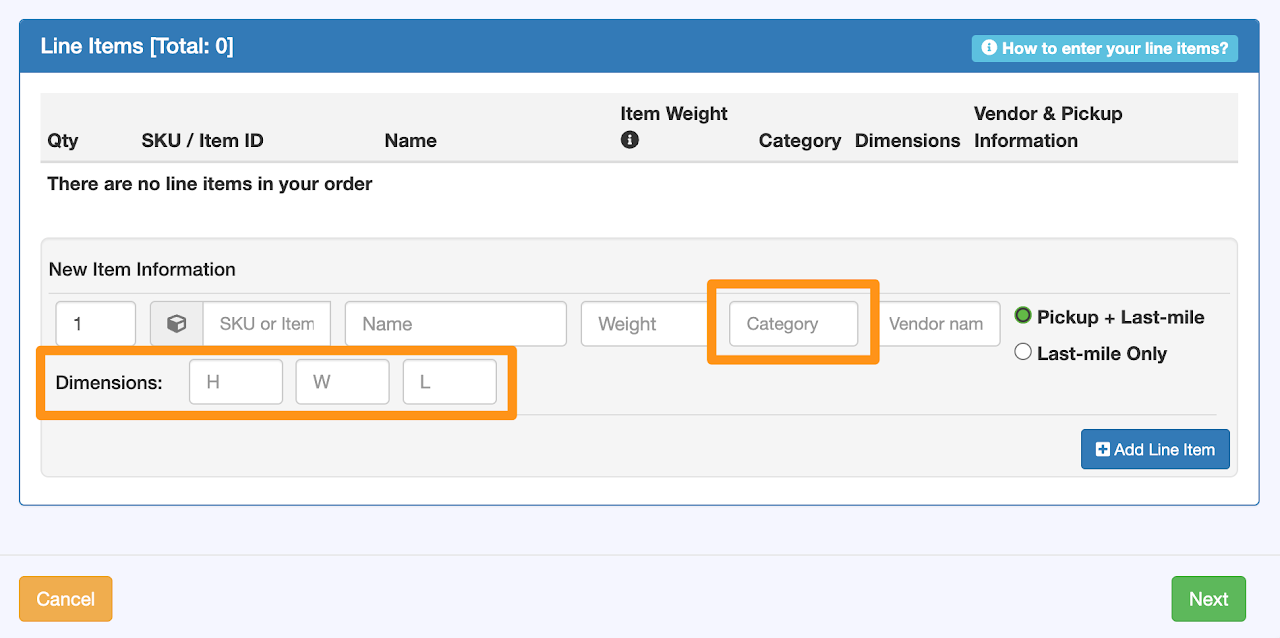
If you wish to disable the capturing of either the Category or Dimensions or both, simply go back to Step 2, deselect your choices and then click Save