Step 1
Enter the Purchase Order Number or Grasshopper Order ID then click on it

Step 2
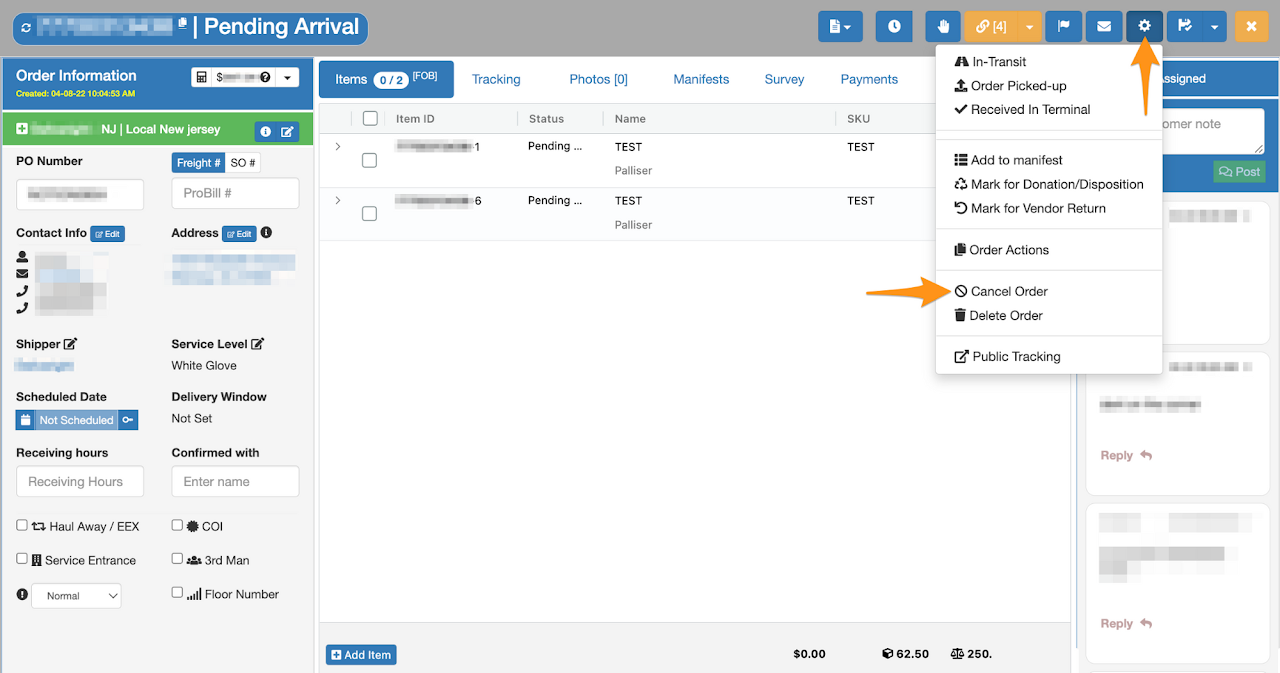
Click on the gear icon then select Cancel Order
Step 3
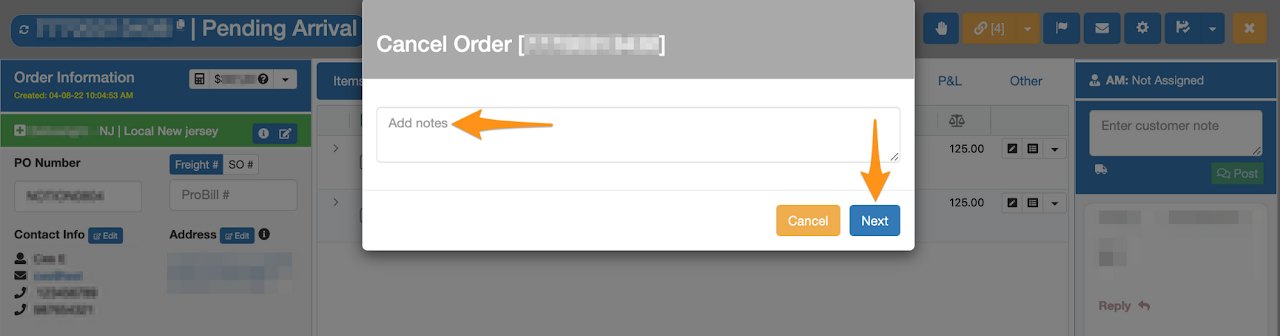
Enter the reason of the cancellation then click Next
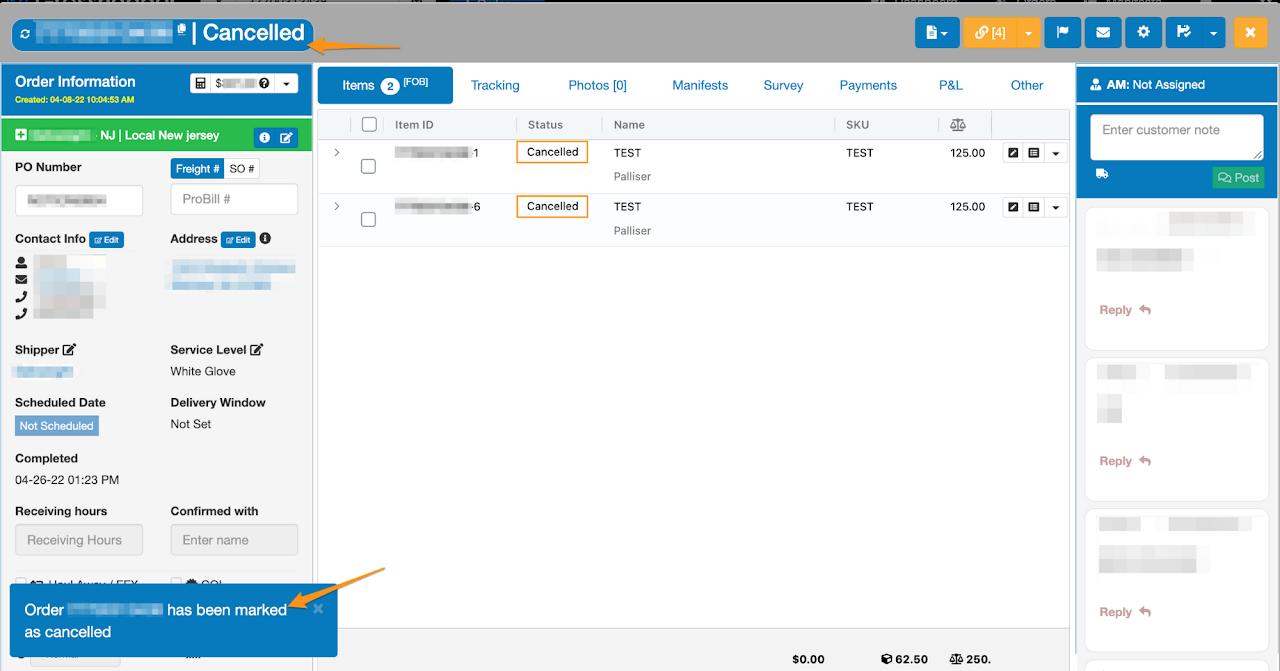
Confirmation that order has been cancelled

Enter the Purchase Order Number or Grasshopper Order ID then click on it
Click on the gear icon then select Cancel Order
Enter the reason of the cancellation then click Next
Confirmation that order has been cancelled