Step 1
Go to Orders menu to sort/filter the orders you need and click Apply

Step 2
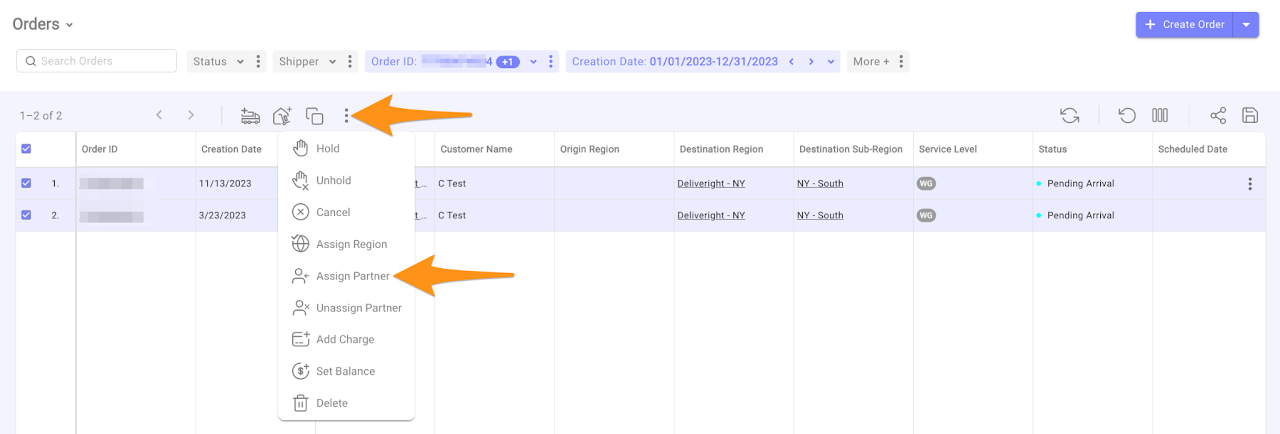
Click the meatball menu and choose Assign Partner
Step 3
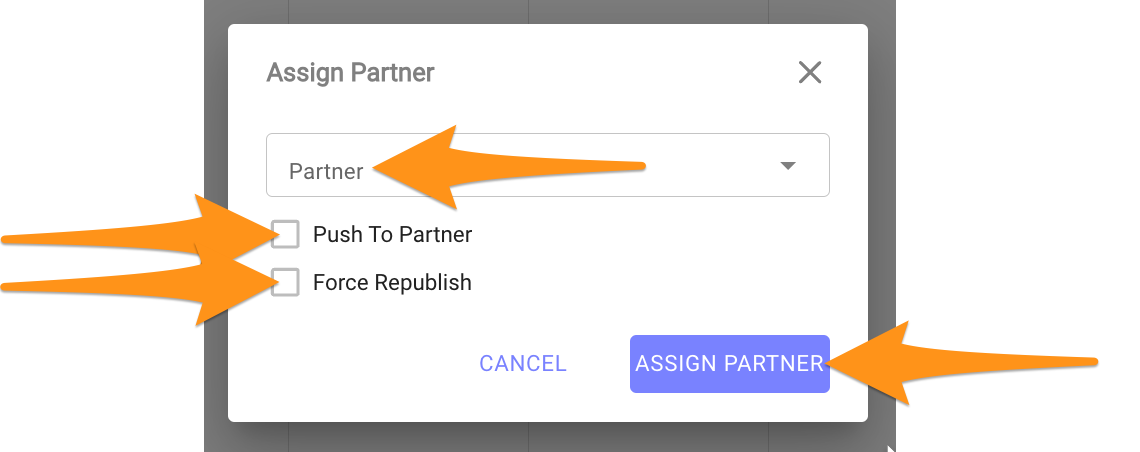
Select the applicable Partner and check Push to Partner & Force Republish and Assign Partner

Go to Orders menu to sort/filter the orders you need and click Apply
Click the meatball menu and choose Assign Partner
Select the applicable Partner and check Push to Partner & Force Republish and Assign Partner