Help Center Menu
Claims - Grasshopper Labs Help Center

CATEGORIES

Orders
Batch Orders Completion
Roles: Orders

Step 1

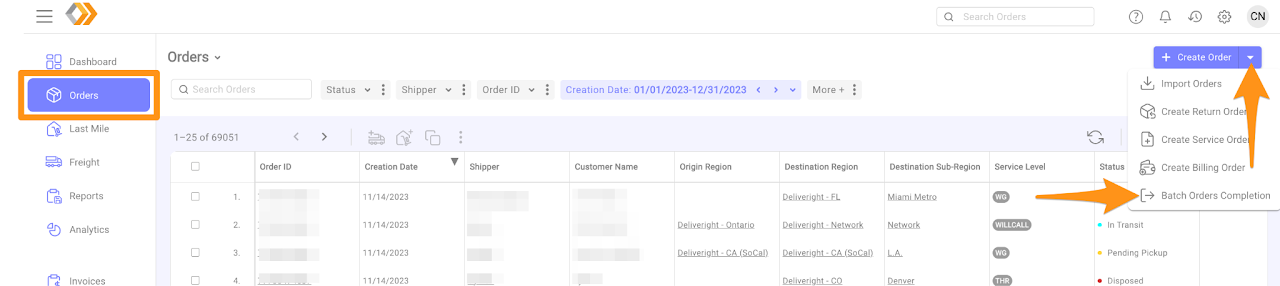
From the Orders Menu, click on the drop down arrow and select Batch Orders Completion
Batch Orders Completion Batch Orders Completion

Step 2

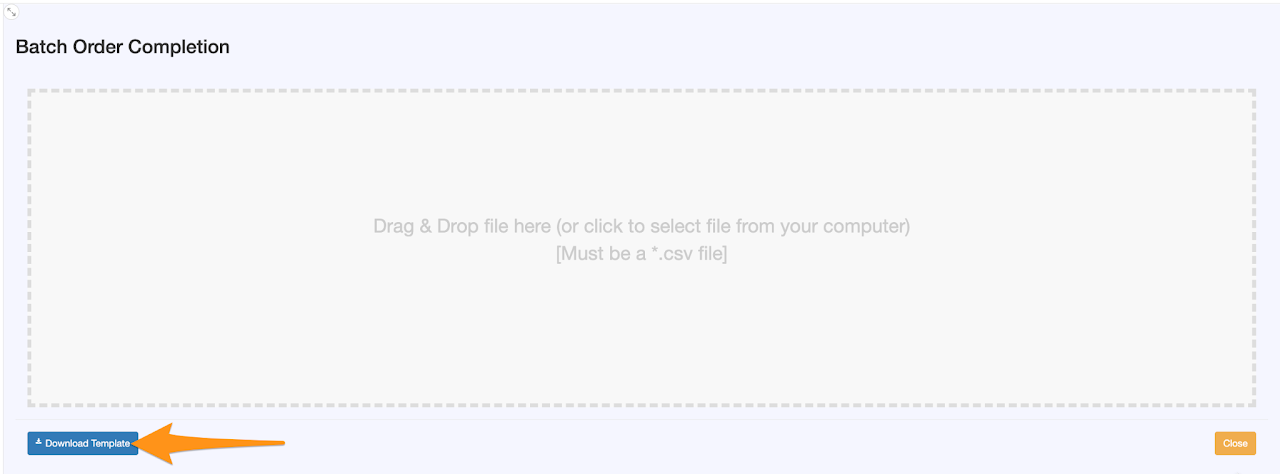
Click Download Template
Batch Orders Completion Batch Orders Completion

Step 3

Fill out all fields from Row 2
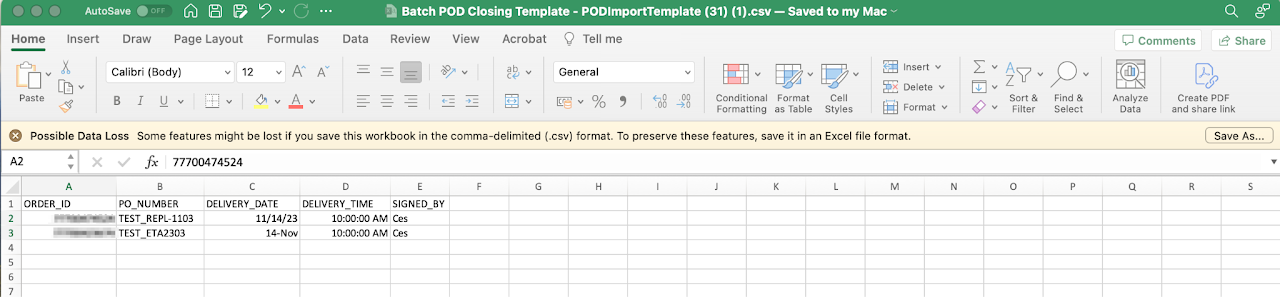
Batch Orders Completion Batch Orders Completion

Step 4

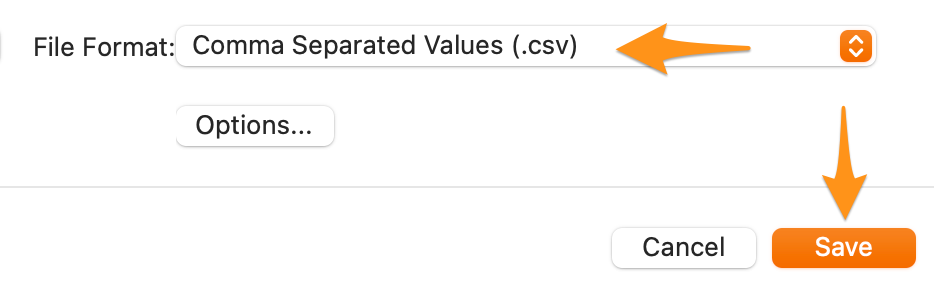
Save the file in CSV Format

Batch Orders Completion Batch Orders Completion

Step 5

Drag and drop the file or click the Batch Order Completion box to select the file from your computer. Please note that the file must be in CSV format.
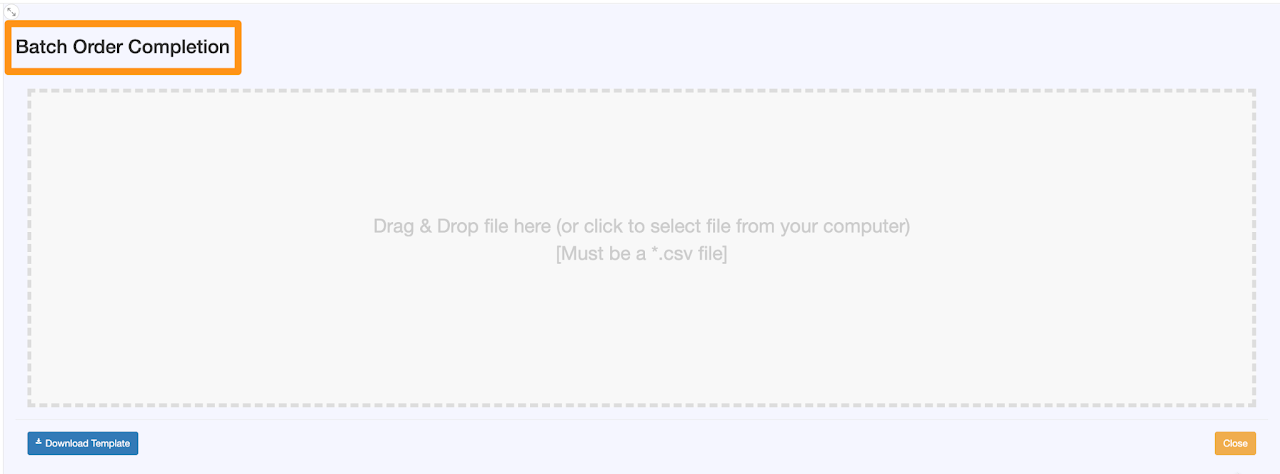
Batch Orders Completion Batch Orders Completion

Step 6

Verify all the information if correct then click Process
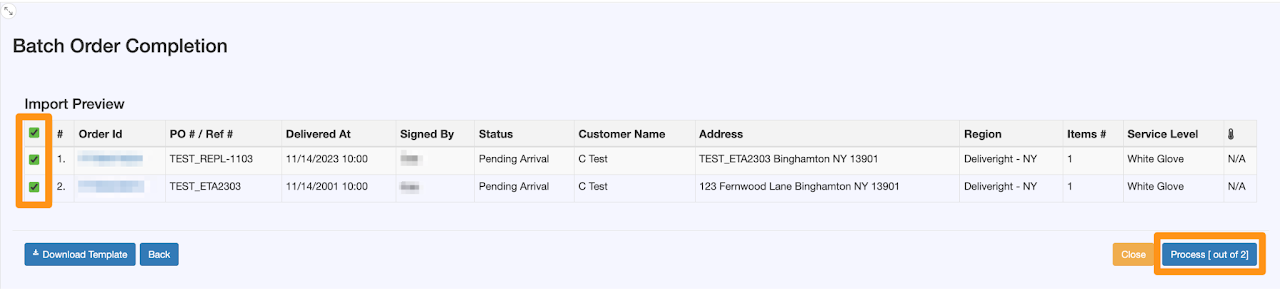
Batch Orders Completion

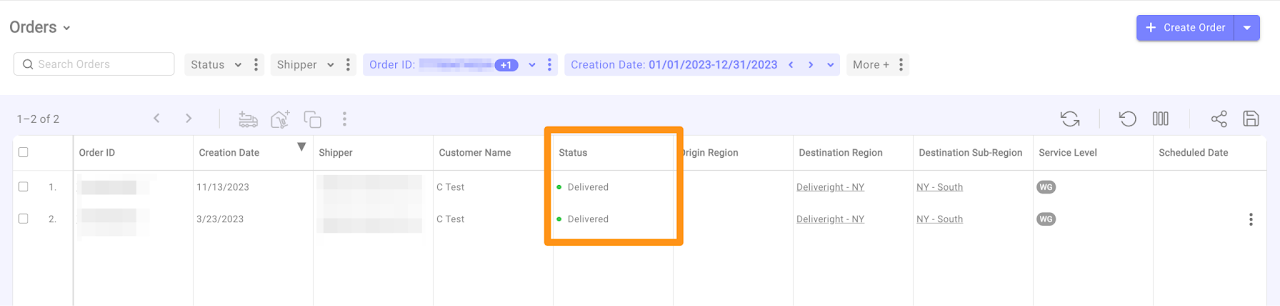
Status is now closed as Delivered

Batch Orders Completion

Was this article helpful?

Still stuck? Submit a ticket. and someone on the team will get back to you.