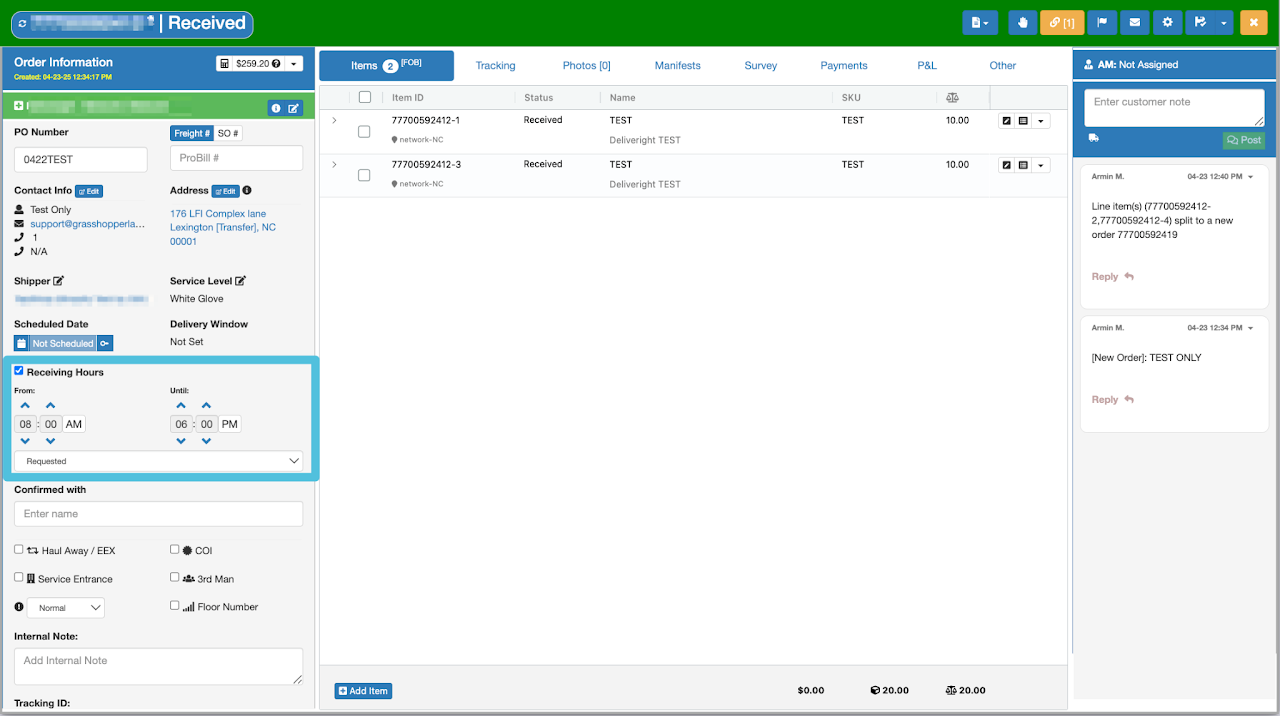
If the consignee has indicated specific receiving time restrictions, you may enter them by ticking the box next to Receiving Hours and inputting the designated time. Then choose either Requested or Required from the drop-down menu.
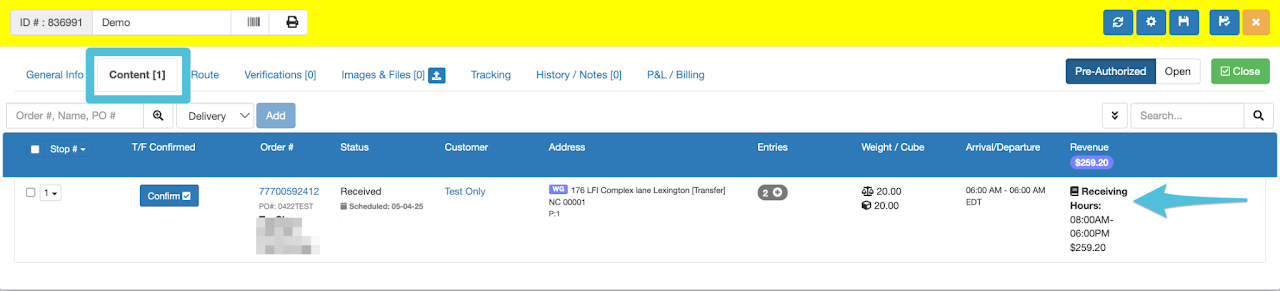
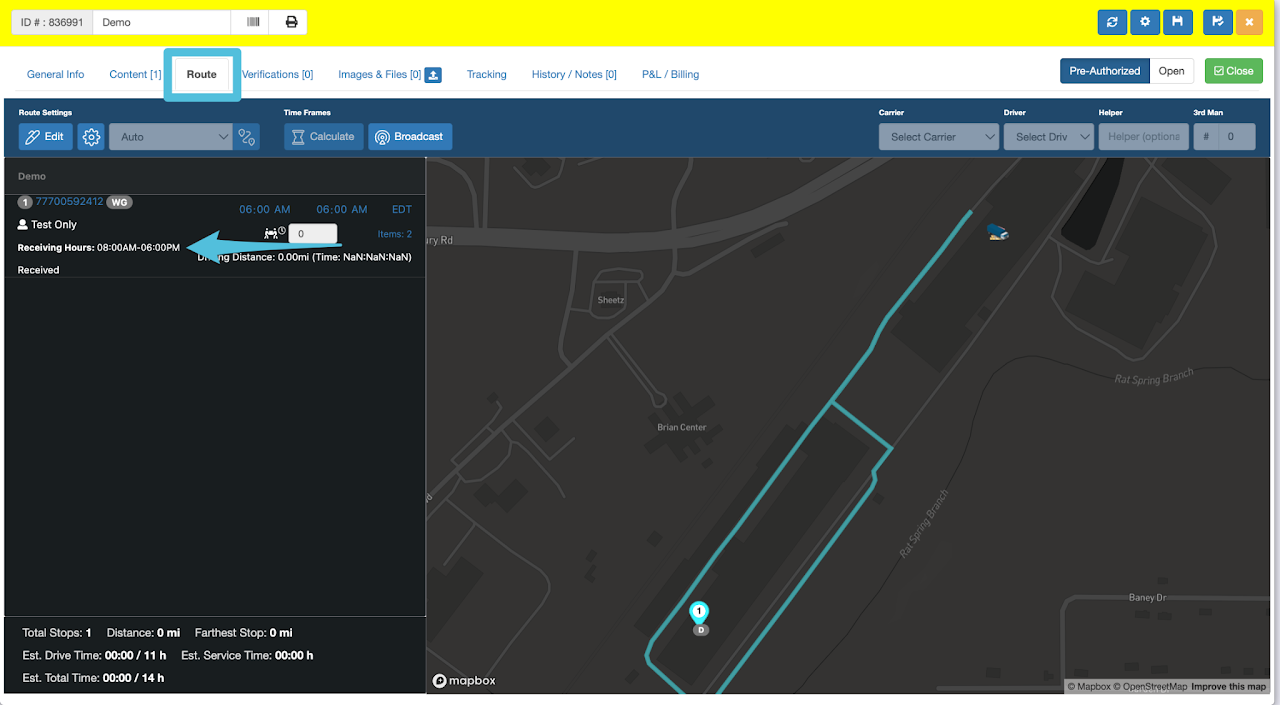
The Receiving Hours can be viewed through the Last Mile Manifest’s Content tab and the Route tab.