
Help Center Menu
Claims - Grasshopper Labs Help Center

CATEGORIES

Orders
Add Charge to Existing Order
Roles: Orders

Step 1

Enter the Purchase Order Number or Grasshopper Order ID then click on it to open

Add Charge to Existing Order

Step 2

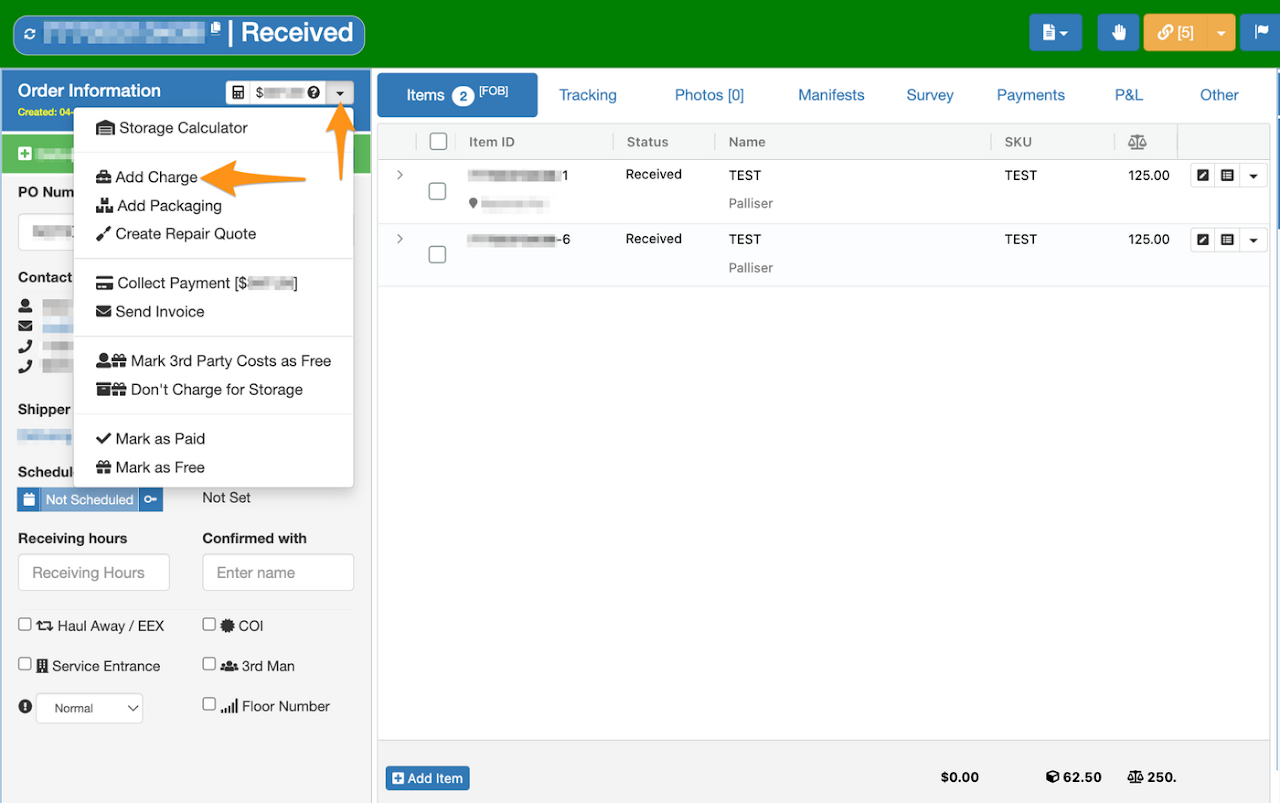
Click on the dropdown menu and select Add Charge
Add Charge to Existing Order

Step 3

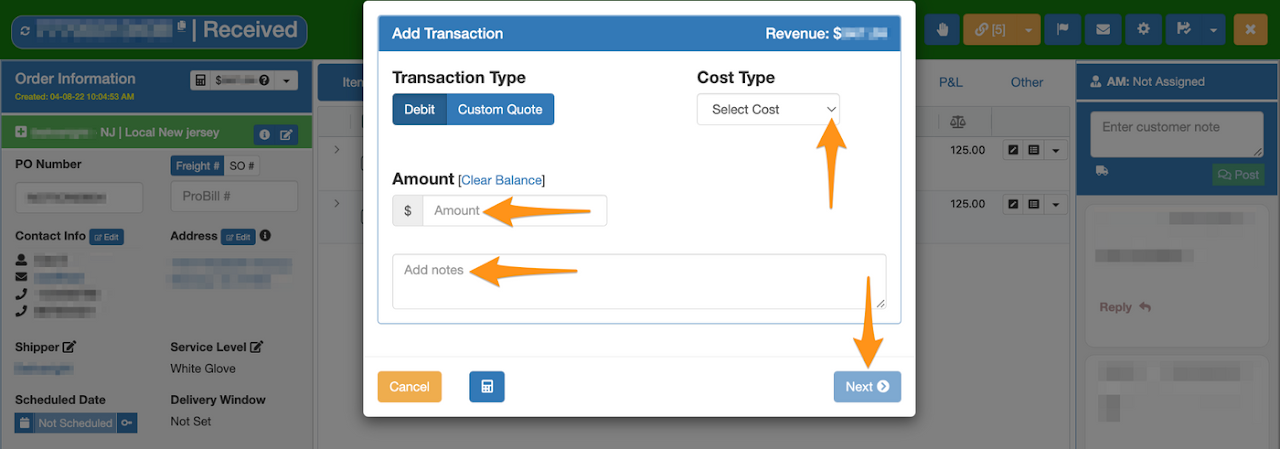
Select the Cost Type, enter the Amount, Add Notes and click Next
Add Charge to Existing Order

Step 4

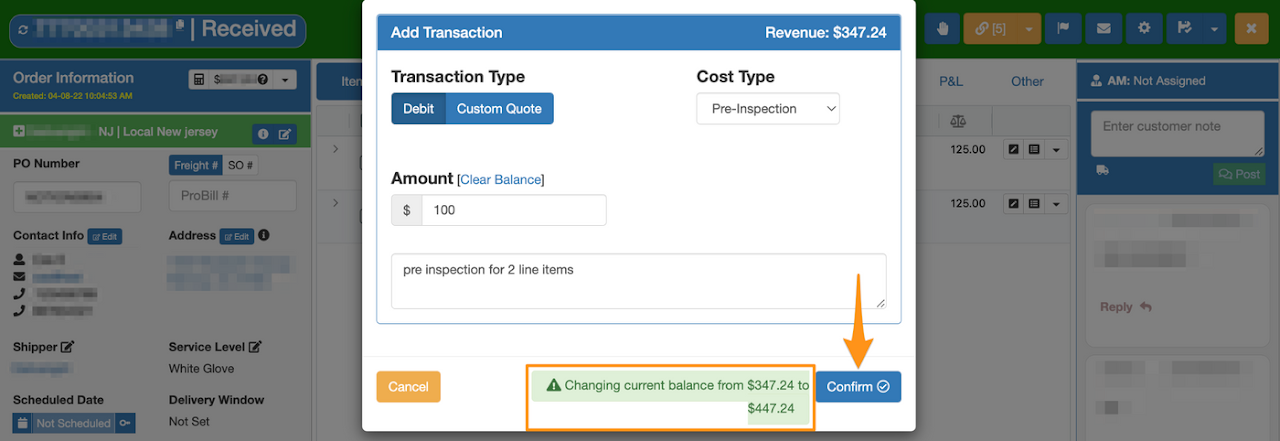
Review the amount and click Confirm
Add Charge to Existing Order

On Payments tab is the confirmation that charges you have entered has been added

Add Charge to Existing Order

Was this article helpful?

Still stuck? Submit a ticket. and someone on the team will get back to you.