Step 1
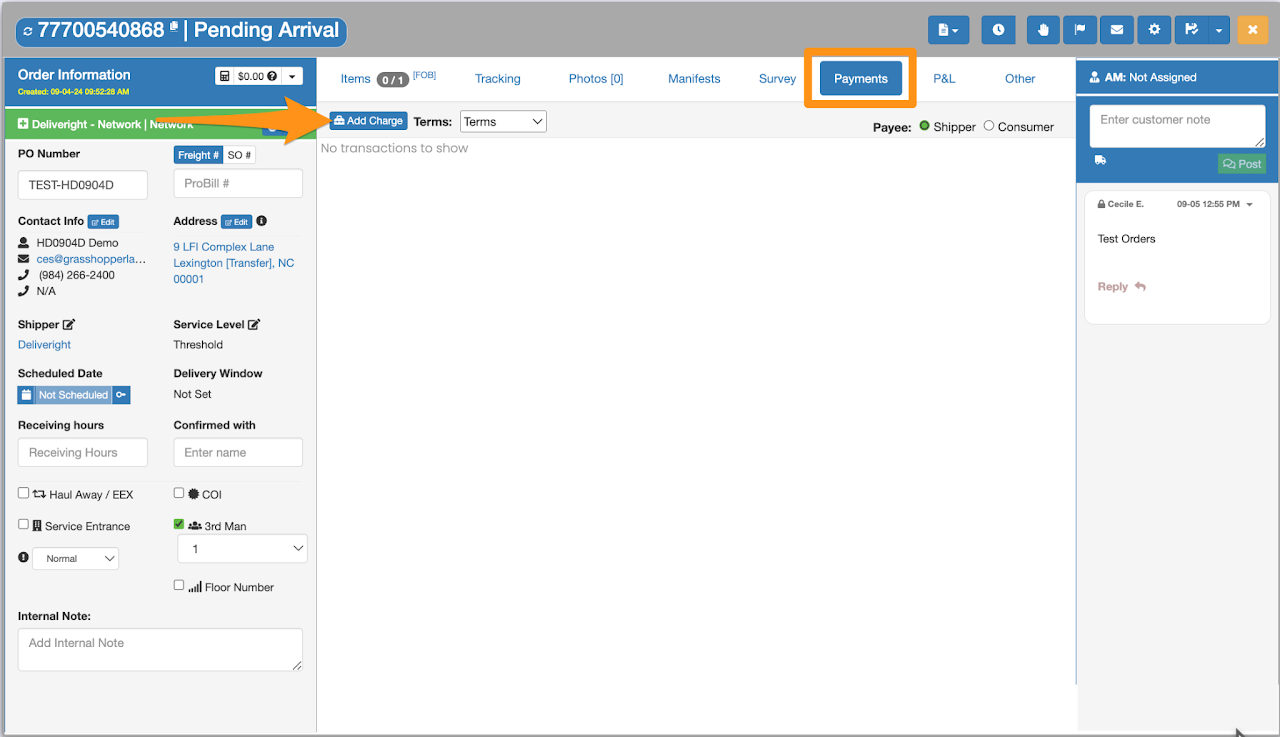
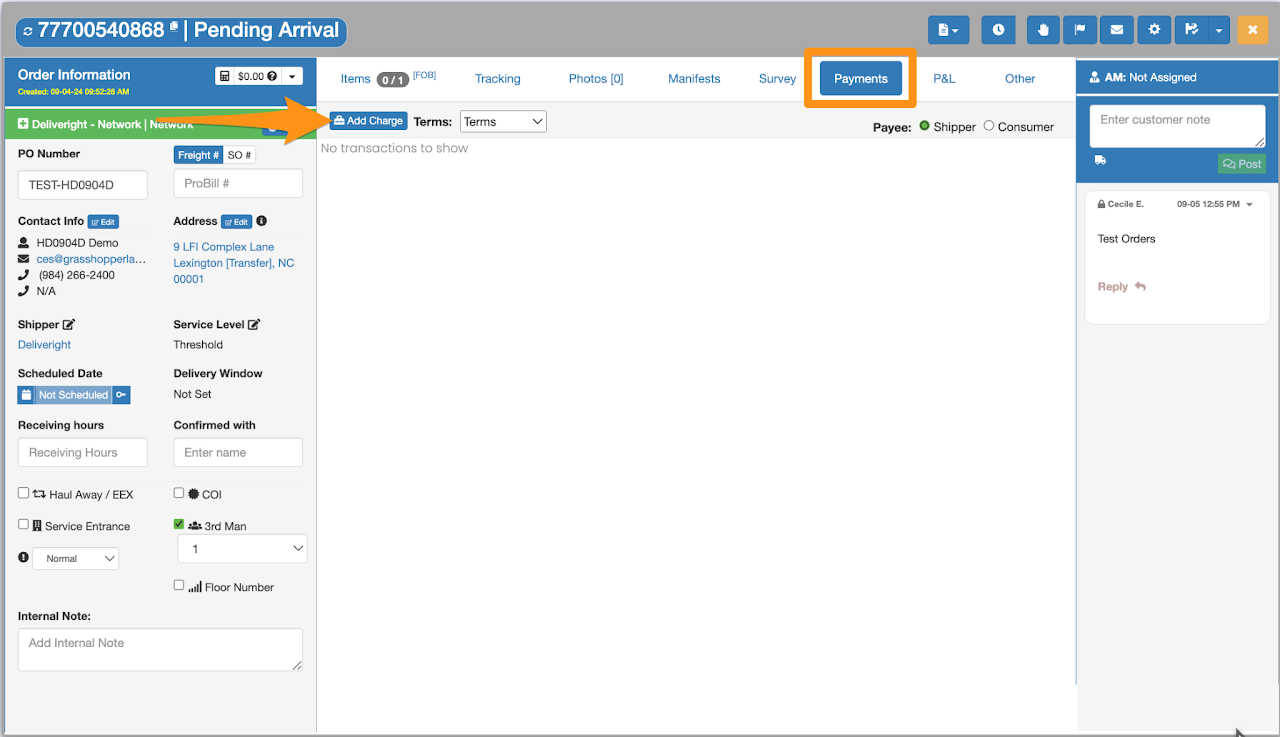
Open the Order and navigate to the Payments tab. Click Add Charge.
Step 2
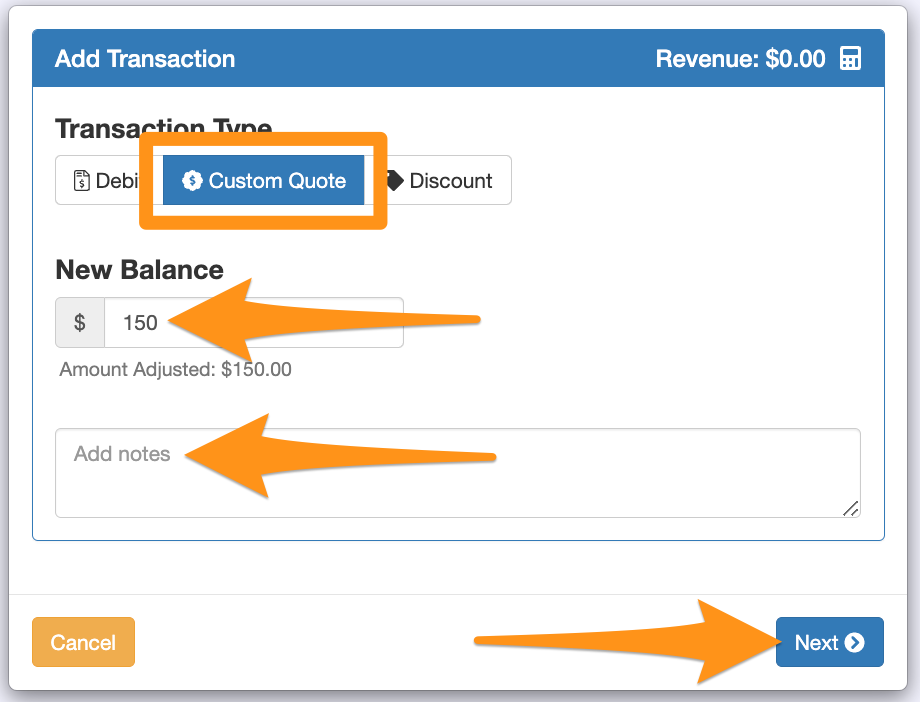
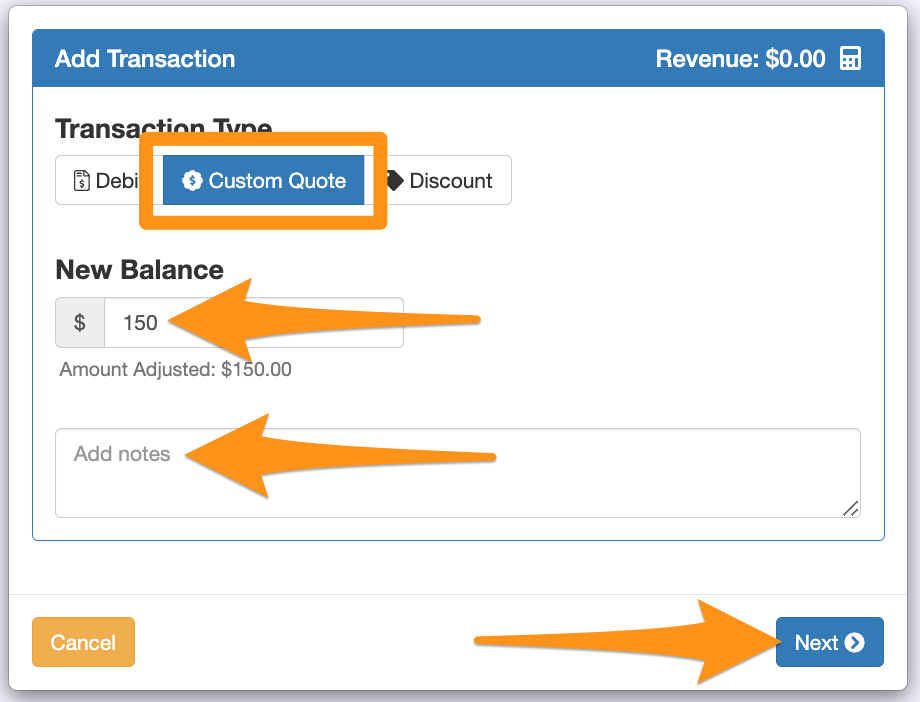
Select Custom Quote as the transaction type. Enter the charge amount, add notes and click Next.
Step 3
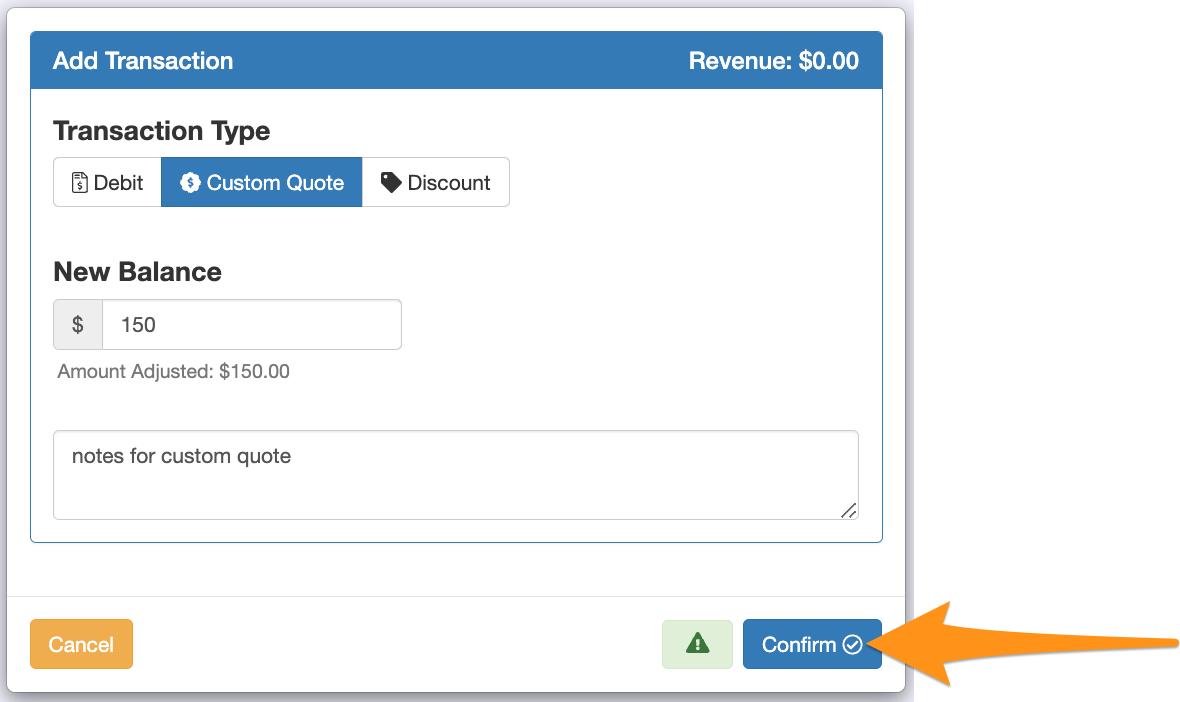
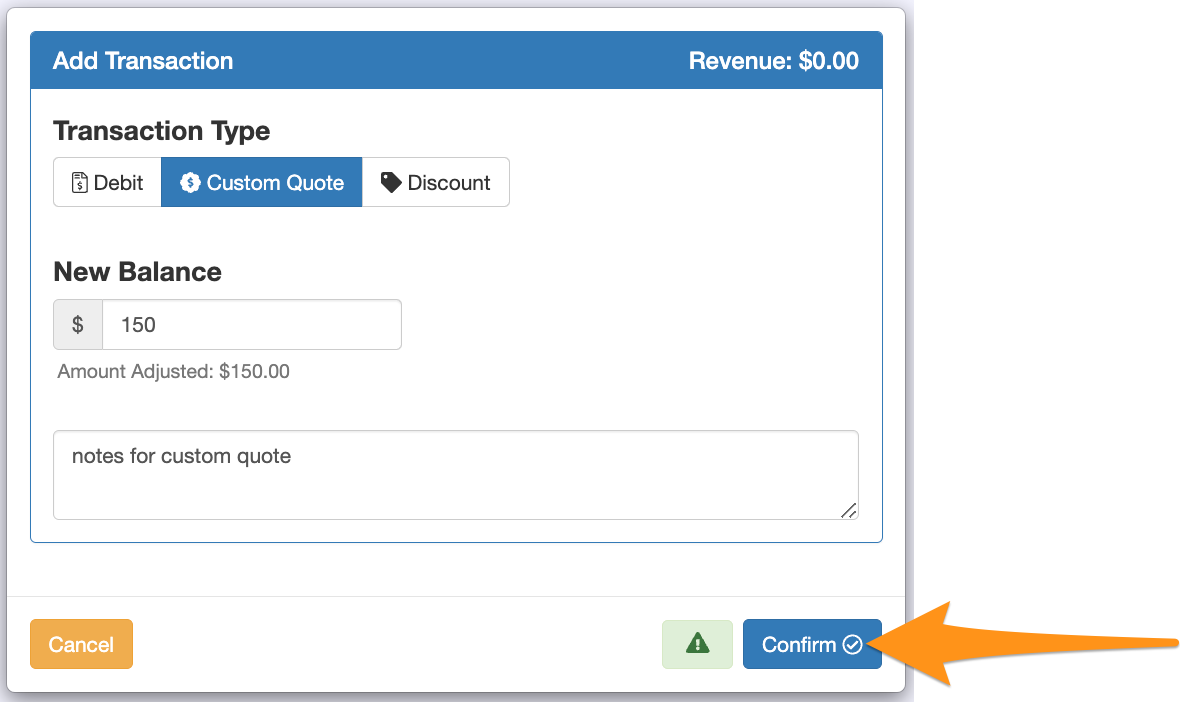
After entering all information, click Confirm.
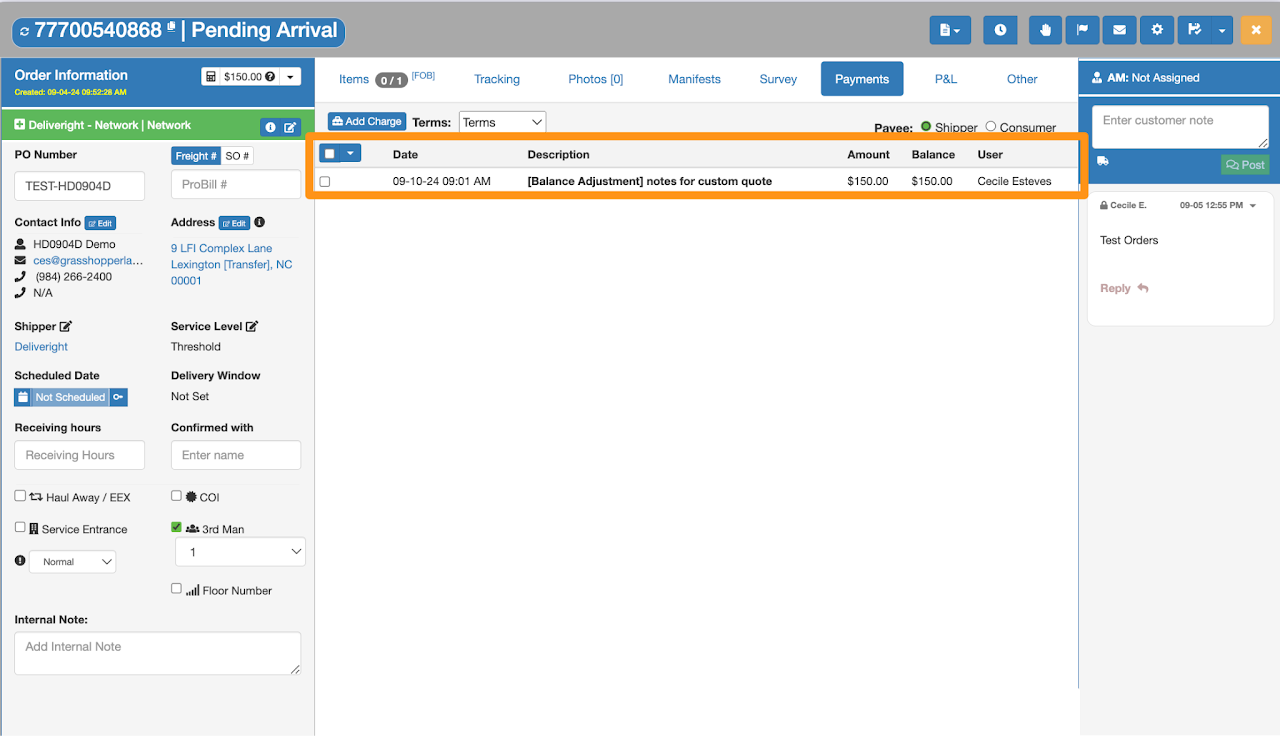
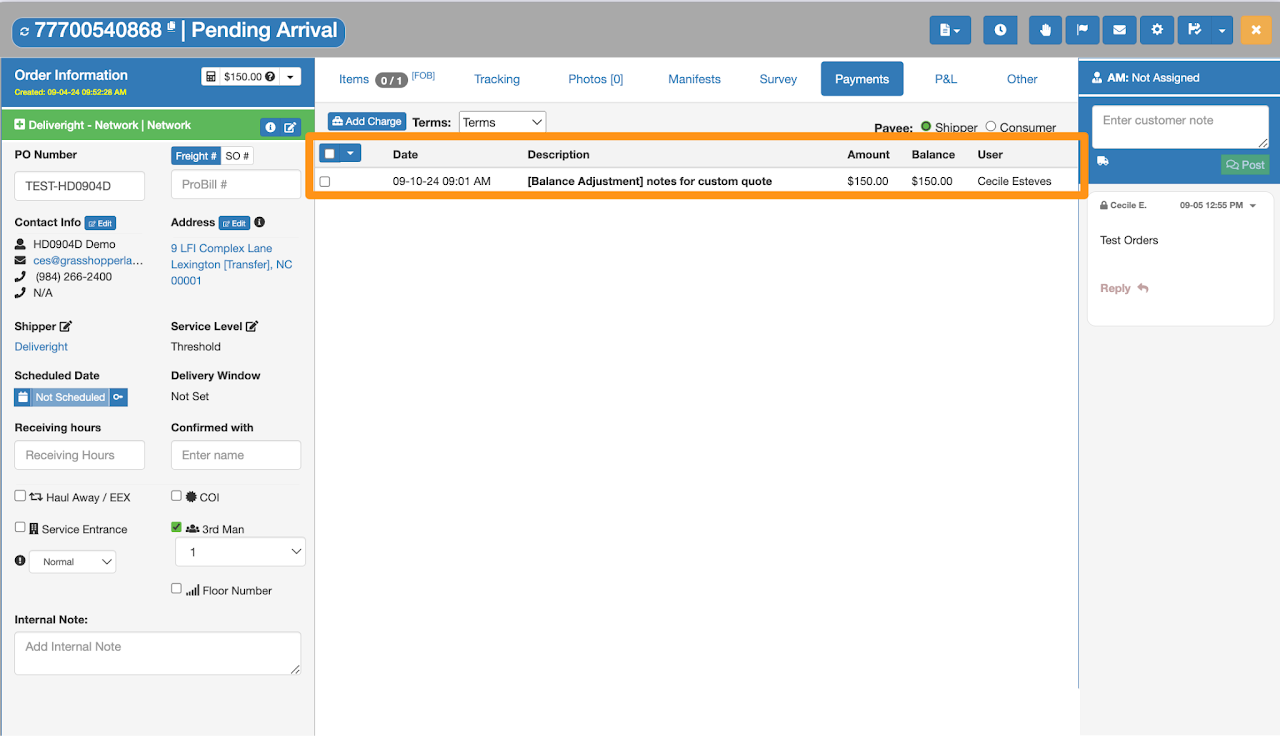
Confirmation displaying the added Custom Charge
Step 1
Open the Order and navigate to the Payments tab. Click Add Charge.
Step 2
Select Custom Quote as the transaction type. Enter the charge amount, add notes and click Next.
Step 3
After entering all information, click Confirm.
Confirmation displaying the added Custom Charge