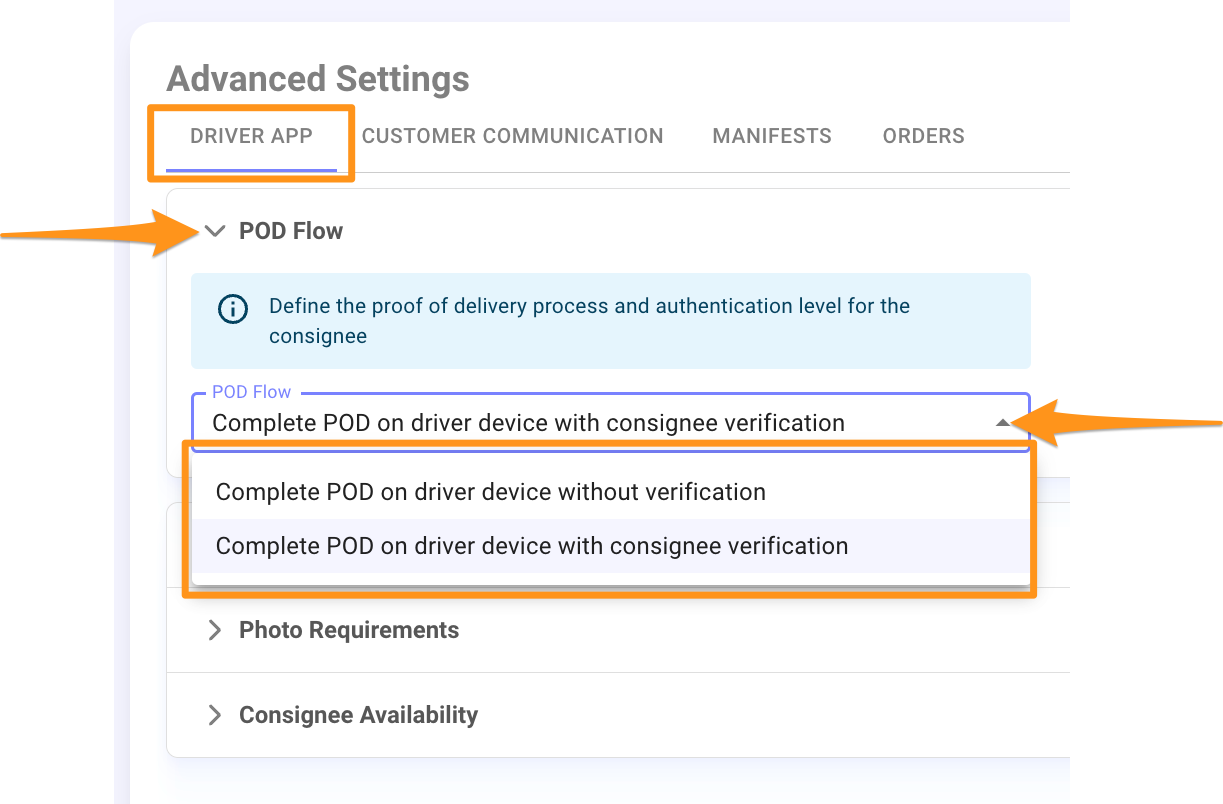
To define the Proof of Delivery (POD) process and the authentication level for the consignee, select one of the following options:
- Complete POD on the driver’s device without the consignee’s verification: No authentication code is required.
- Complete POD on the driver’s device with the consignee’s verification: An authentication code will be sent to the consignee’s registered mobile number on the order. This code can also be obtained by contacting the Dispatcher and viewed from the Order’s Tracking Tab.
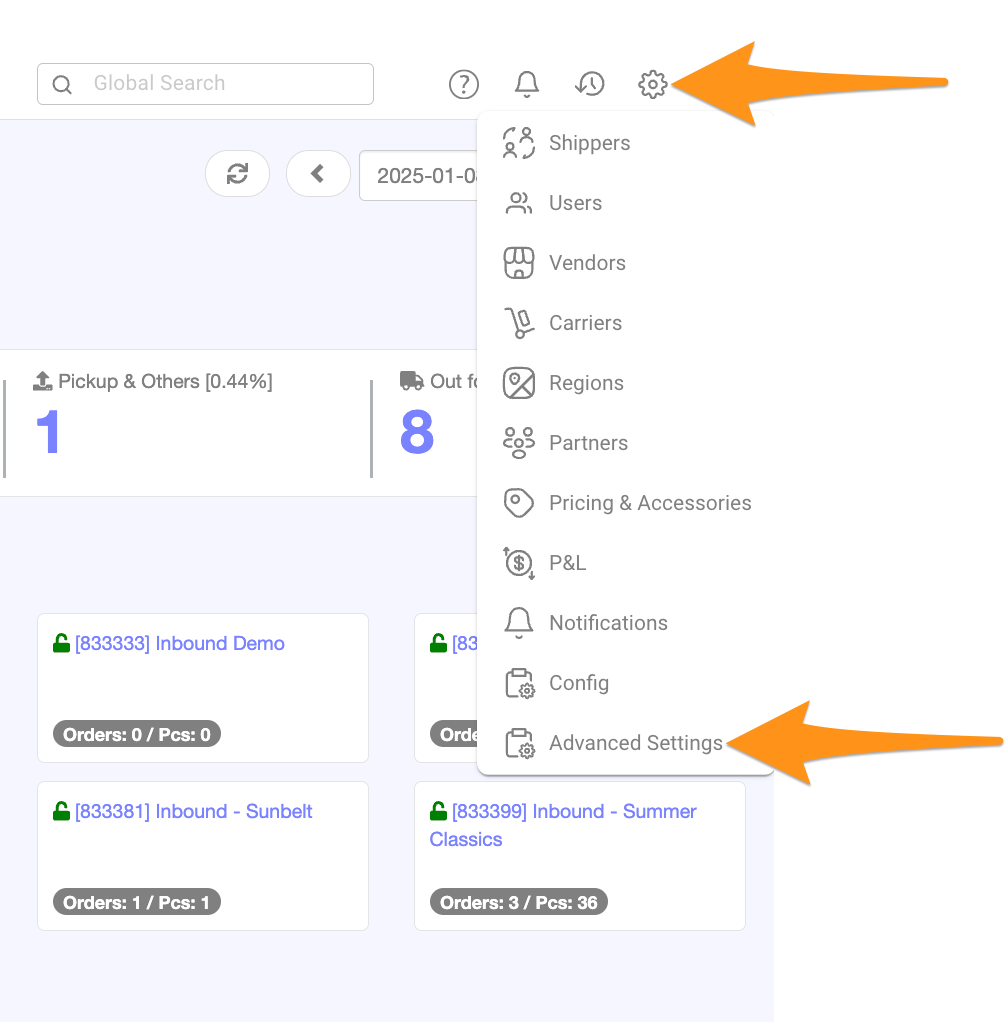
Step 1
Click the gear icon and choose Advanced Settings
Step 2
Navigate to the Driver App Tab and click the arrow to expand the POD Flow Menu. Choose your preferred option.