
Help Center Menu
Claims - Grasshopper Labs Help Center
Mobile Apps
How to Failed Deluxe an Inventory Item
Record failed delivery status for inventory-based items accurately.
Roles: Mobile Apps

Step 1

Open the Warehouse Mobile App and tap on the QR / Search Button
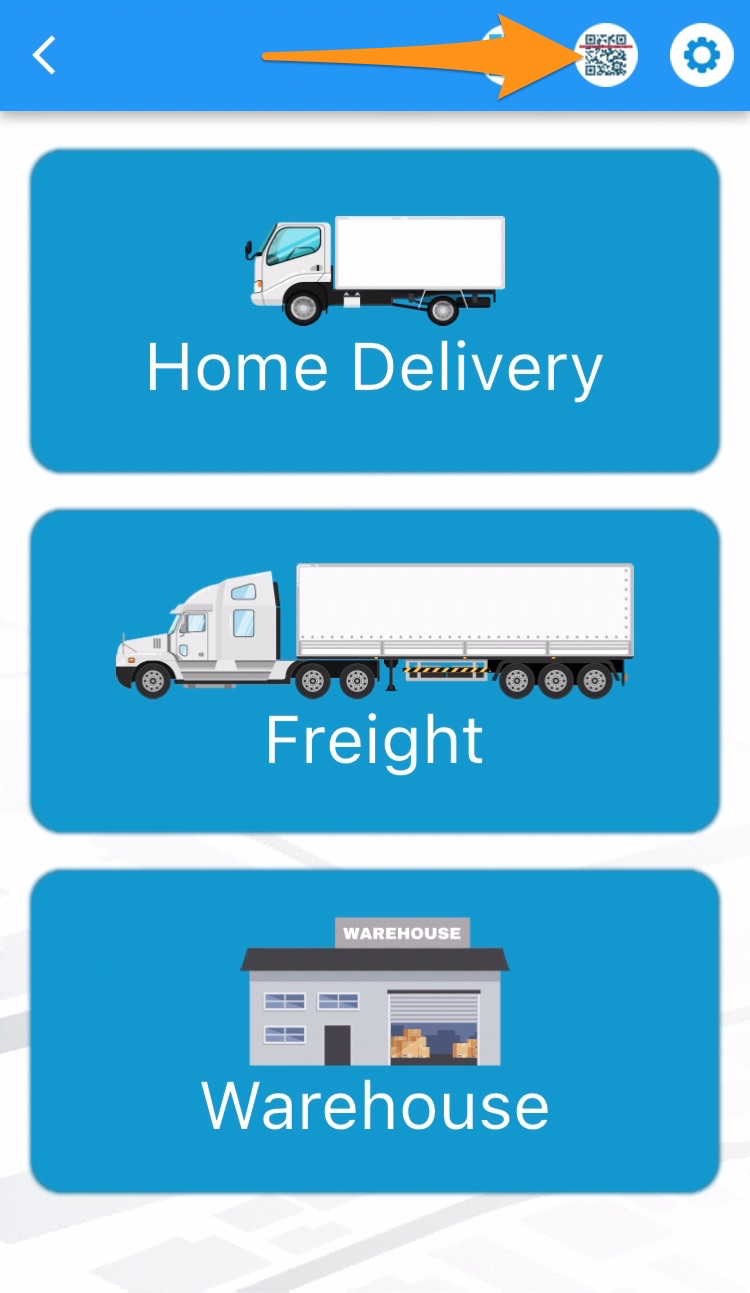
How to Failed Deluxe an Inventory Item

Step 2

Scan the label/s of the item/s or order
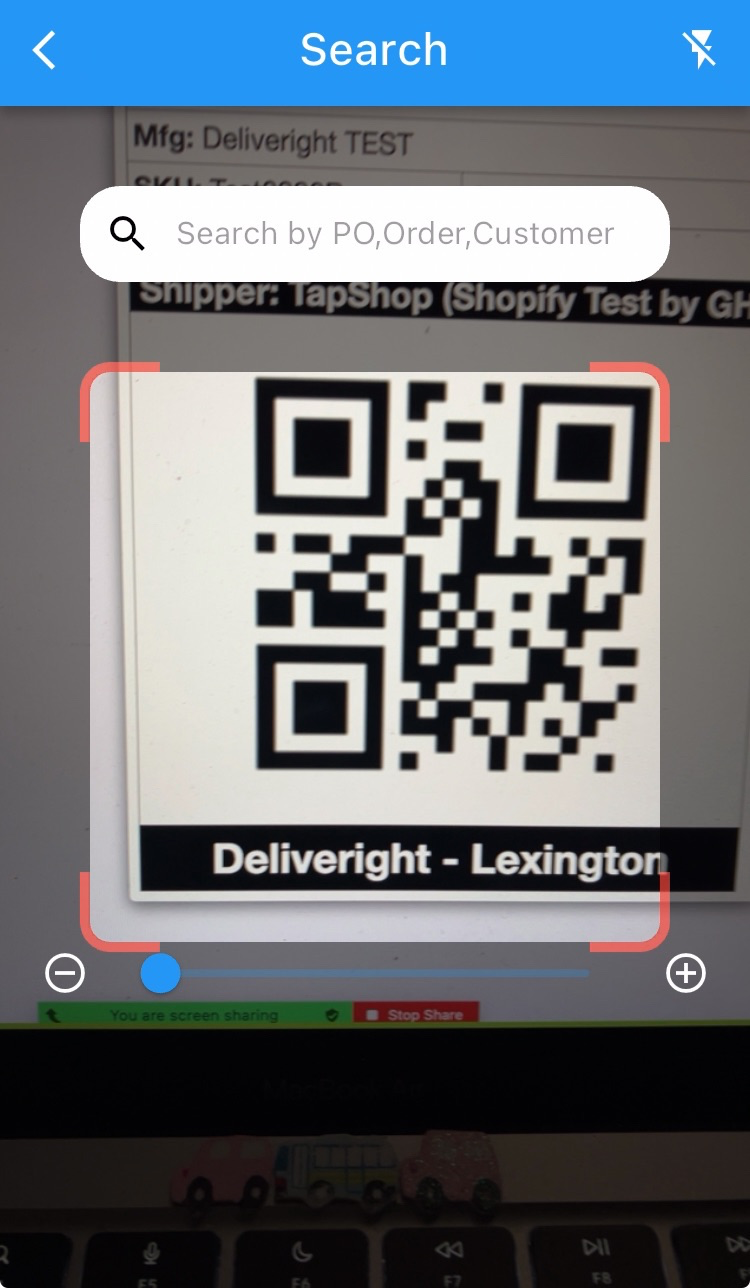
How to Failed Deluxe an Inventory Item

Step 3

Tap on Take Action and Failed Deluxe
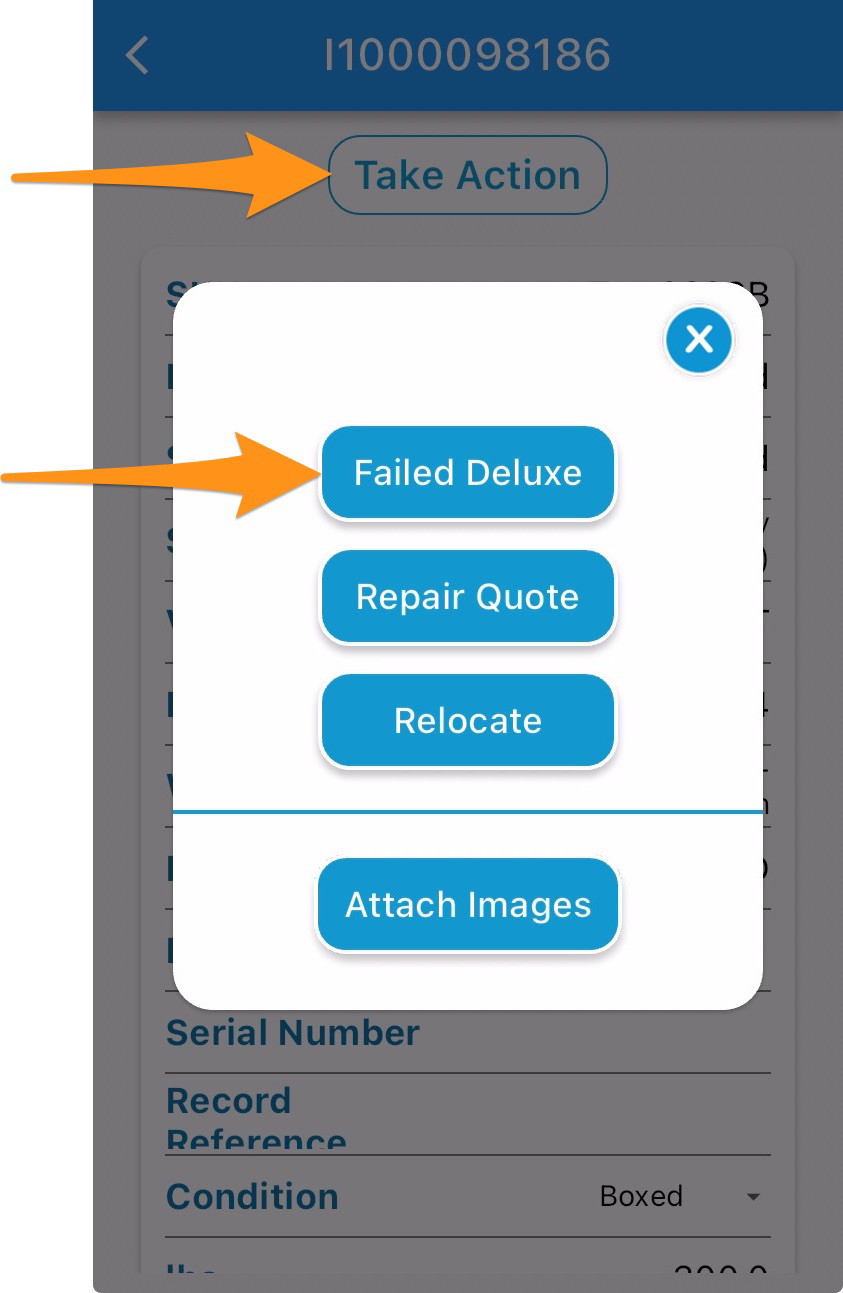
How to Failed Deluxe an Inventory Item

Step 4

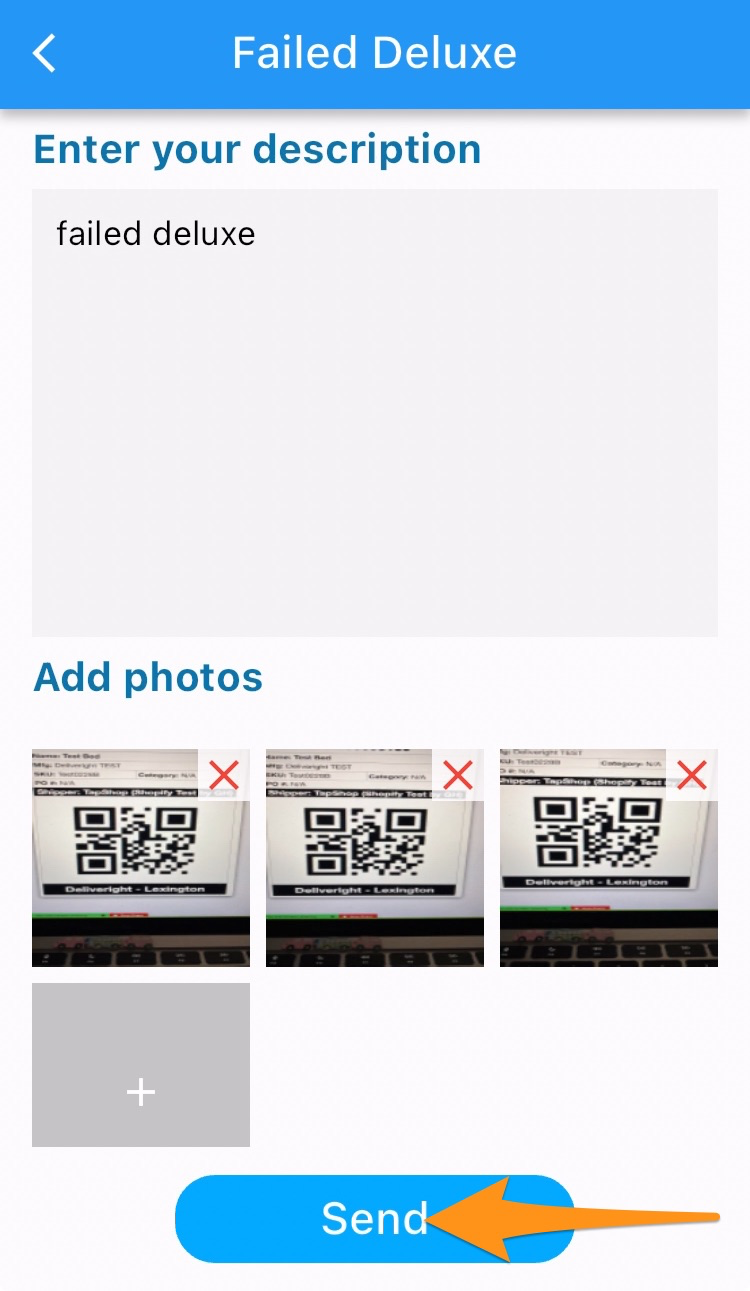
Enter specific description of the damage, upload photos (at least 3) then tap on Done and Send

Photos must include the damaged products (zoomed in and out), original packaging and manufacturer labels
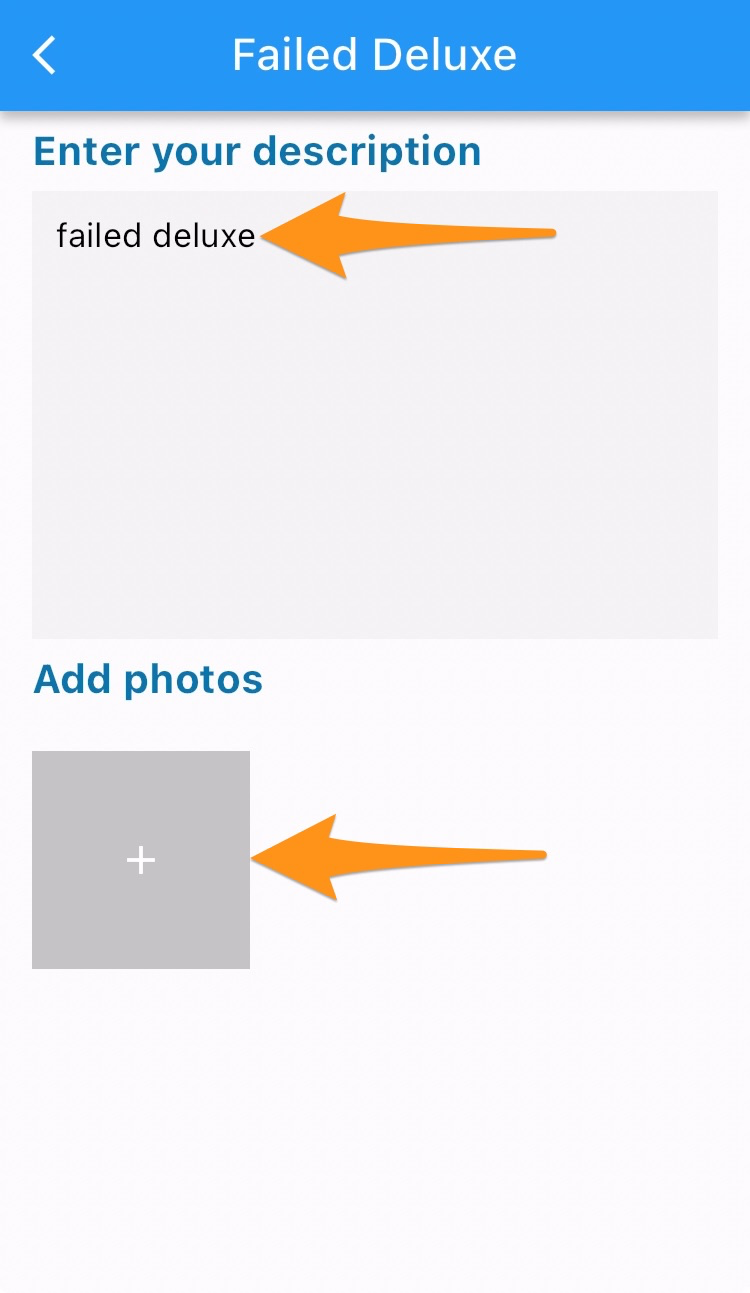
How to Failed Deluxe an Inventory Item

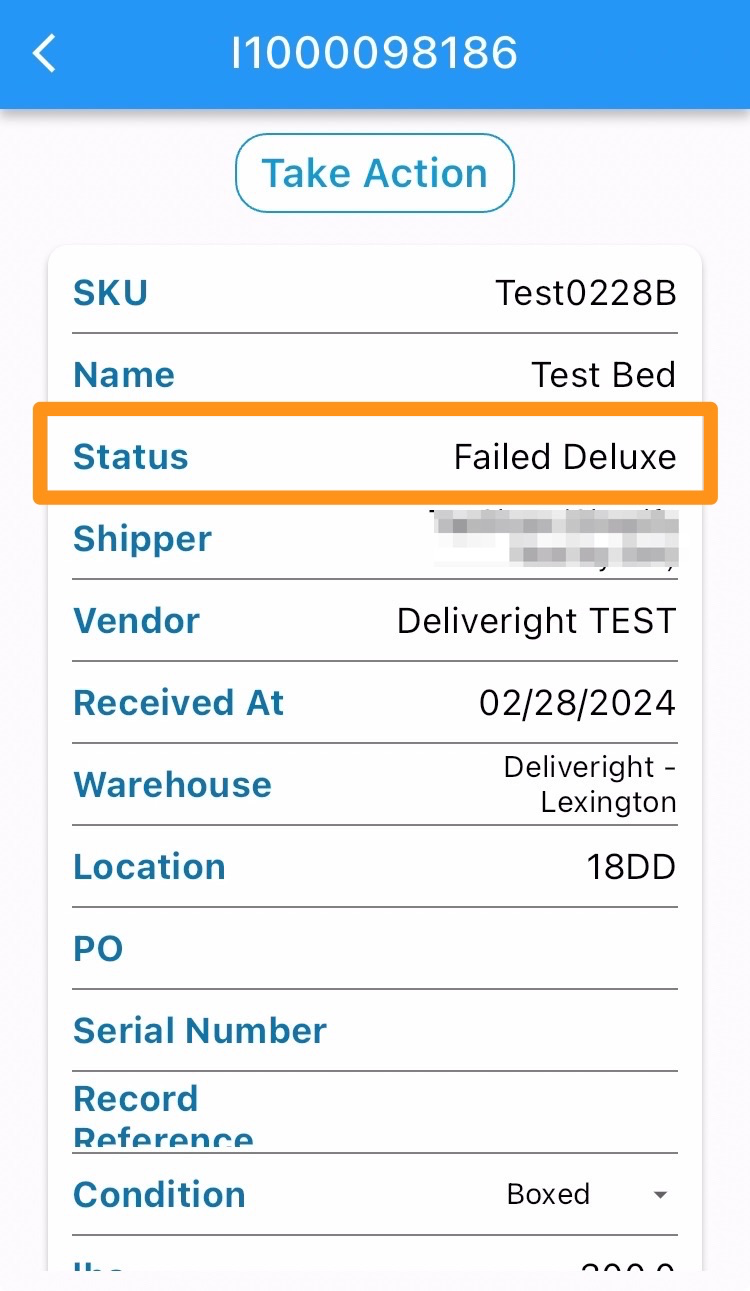
Inventory Item status has been updated to Failed Deluxe
How to Failed Deluxe an Inventory Item

Was this article helpful?

Still stuck? Submit a ticket. and someone on the team will get back to you.