Step 1
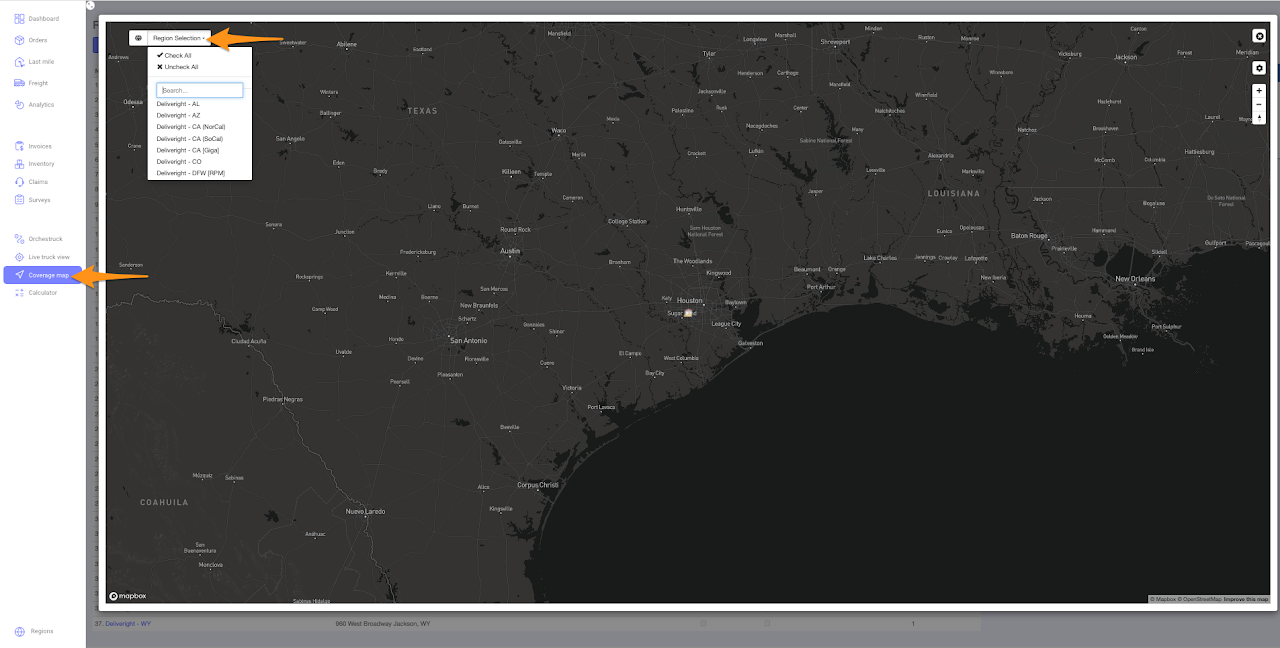
Click on Coverage map and select the Region from the drop down list
Step 2
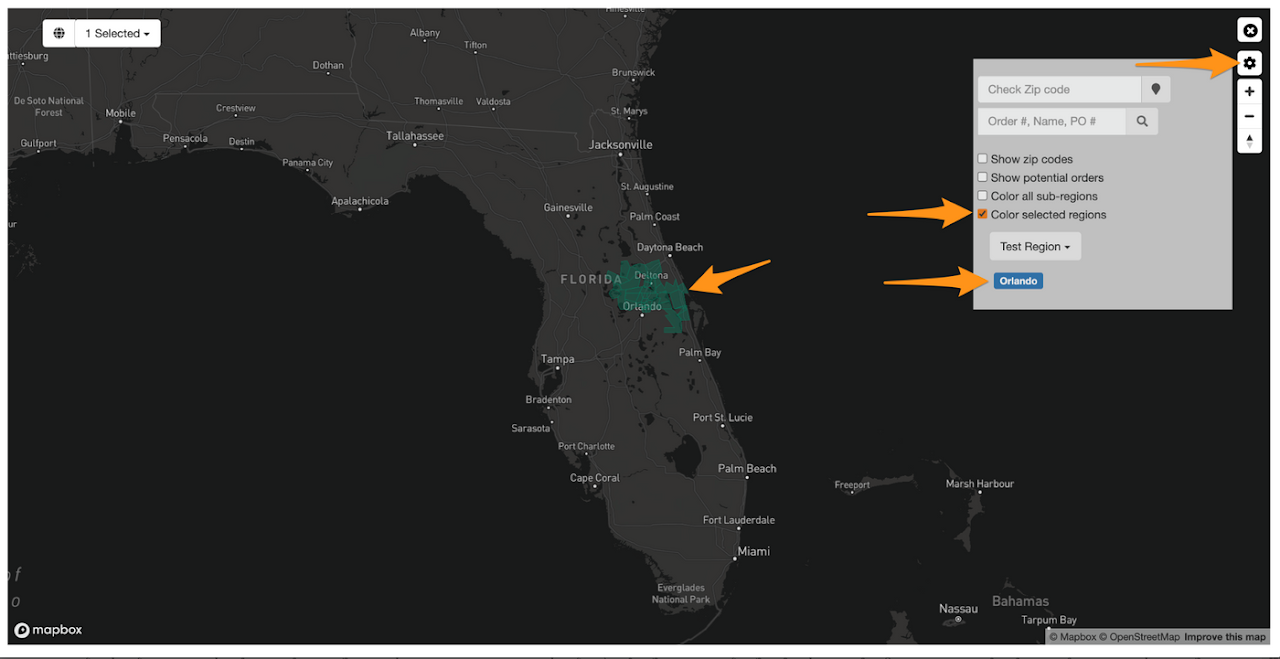
Click on the gear icon and select Color selected regions and choose the sub-region

Click on Coverage map and select the Region from the drop down list
Click on the gear icon and select Color selected regions and choose the sub-region