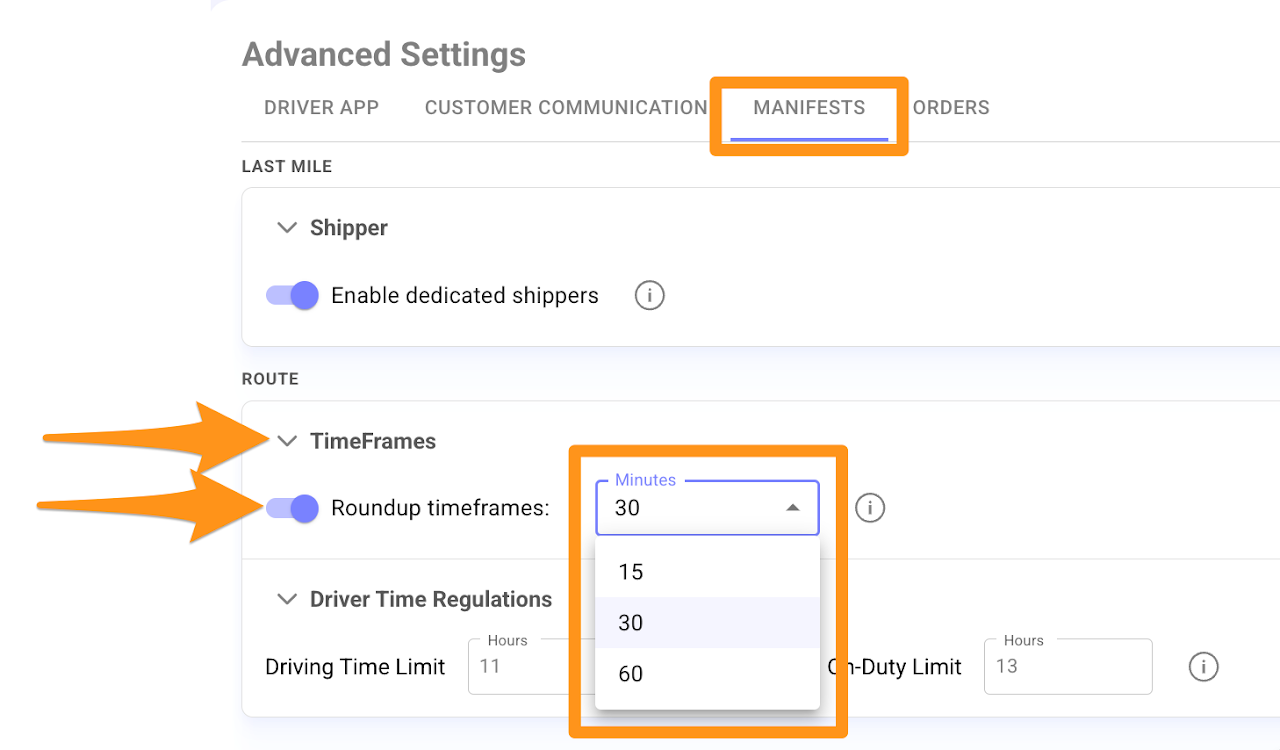
The Roundup Timeframes setting will automatically adjust all planned arrival timeframes to the selected intervals.
Step 1
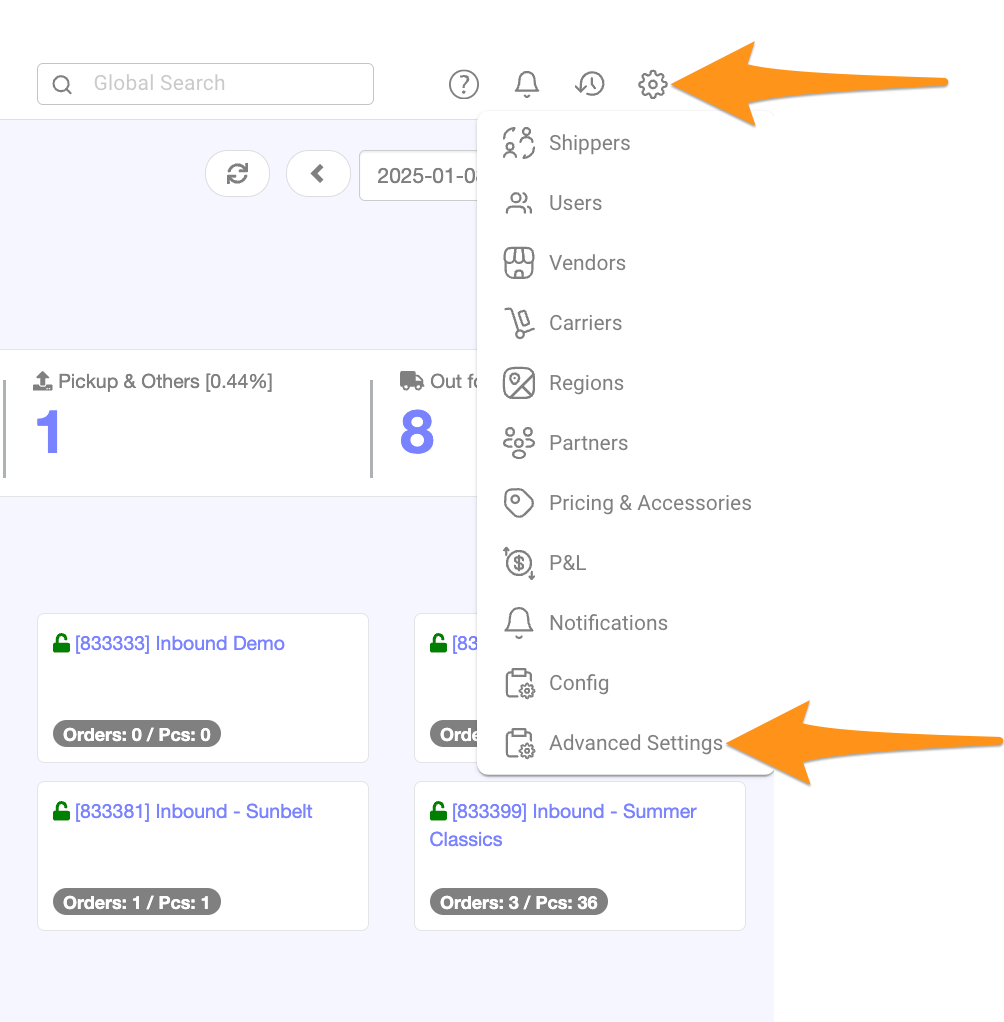
Click the gear icon and choose Advanced Settings
Step 2
Go to the Manifests Tab and expand the Route section by clicking the arrow. Then toggle Enable Roundtrip Timeframes to activate the feature.
Choose your preferred interval from the dropdown list.