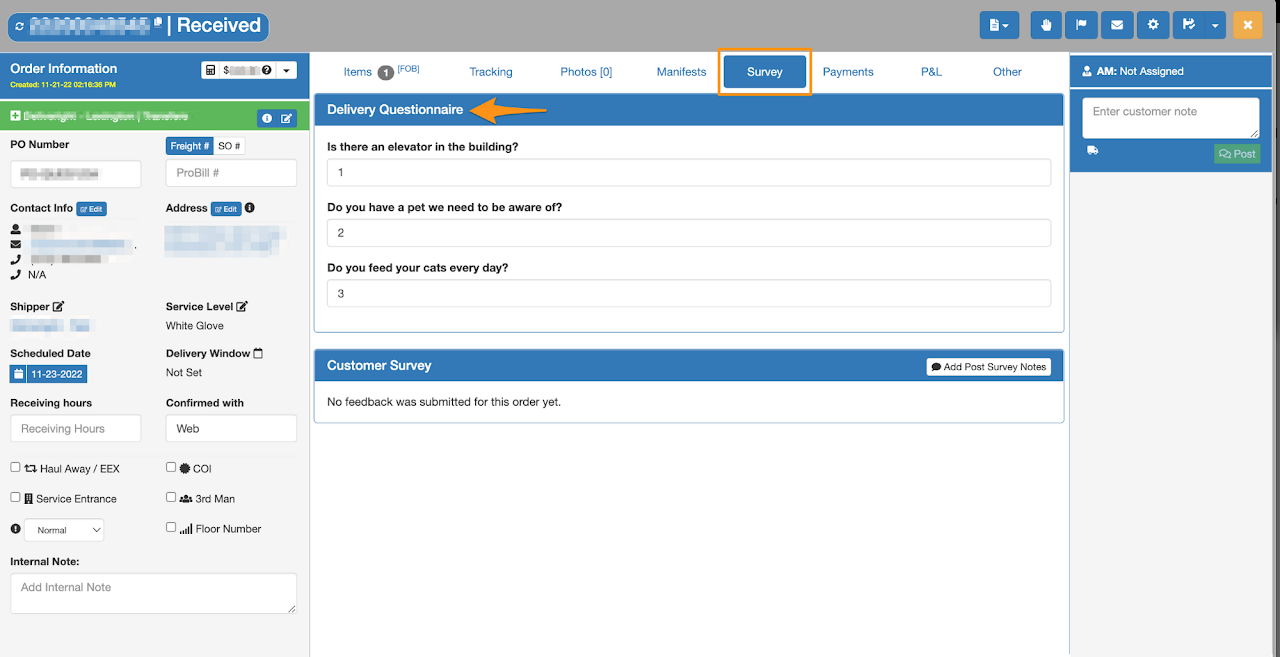
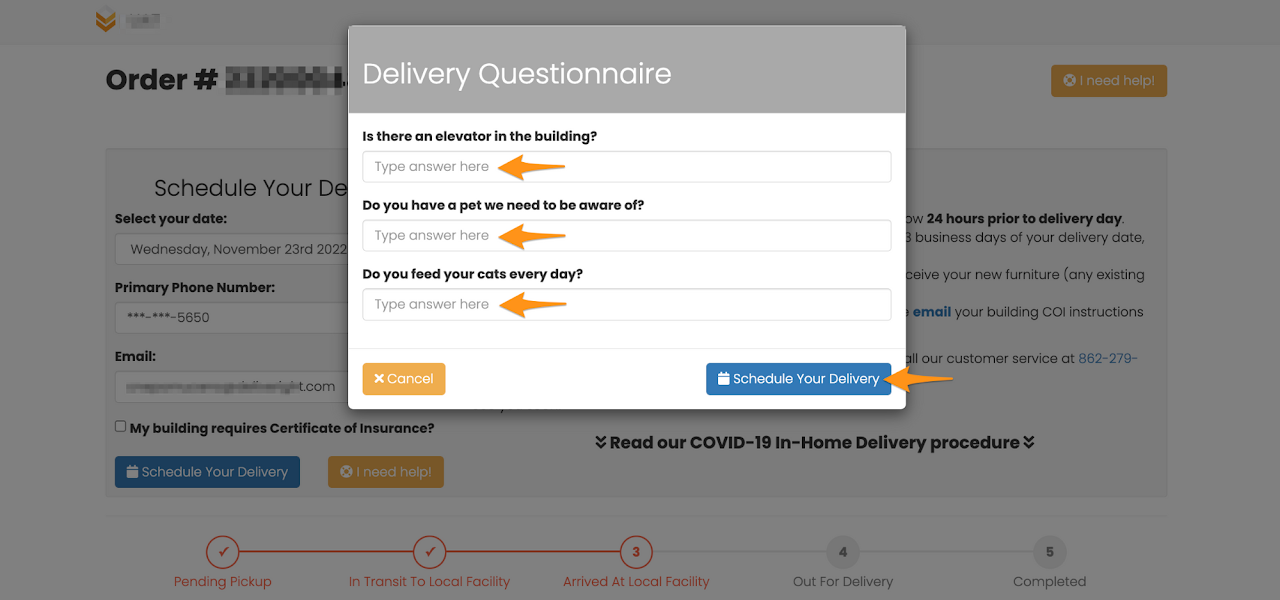
All questions in the Delivery Questionnaire must be answered before an order can be added in a Home Delivery Manifest.
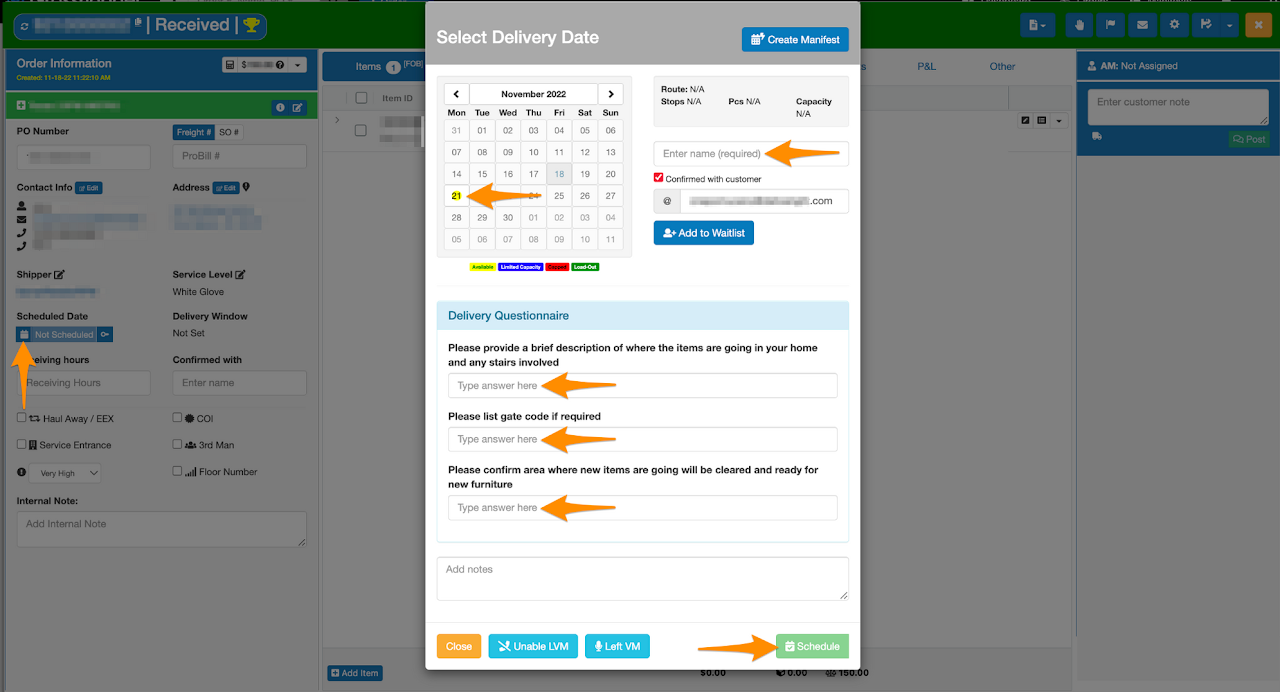
Option 1 – Scheduling Calendar
- Click on the Calendar for scheduling
- Select the Home Delivery Manifest
- Enter the name of the consignee
- Answer all questions
- Click Schedule
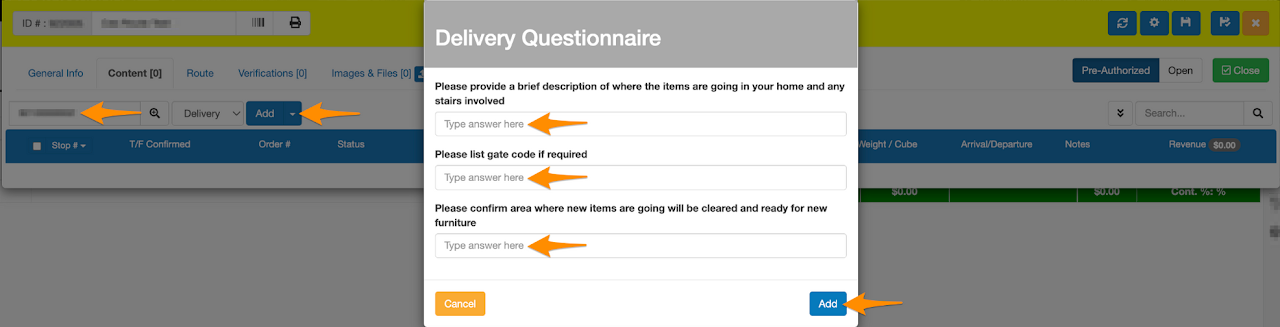
Option 2 – Add manually in the Home Delivery Manifest
- Open a Home Delivery Manifest
- Go to Content tab
- Enter the Order ID
- Click Add
- Answer all questions
- Then click Add
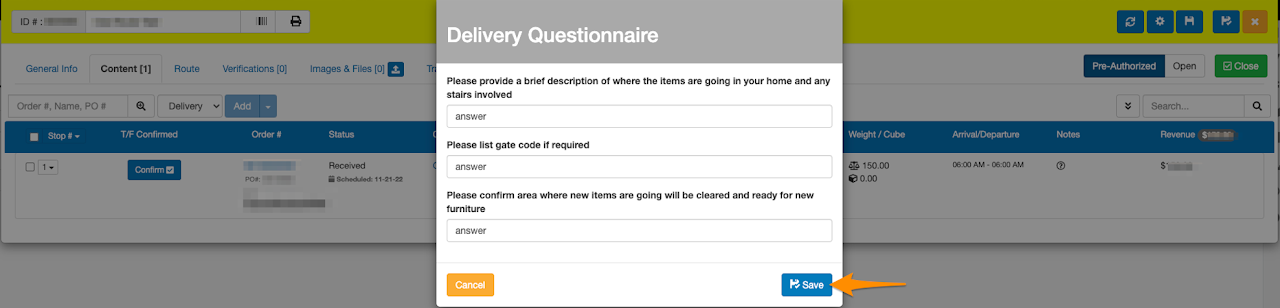
In the Home Delivery Manifest, answers on the Delivery Questionnaire can be viewed if you click on the ? under Notes
Answers can also be updated by clicking on the ? then click Save

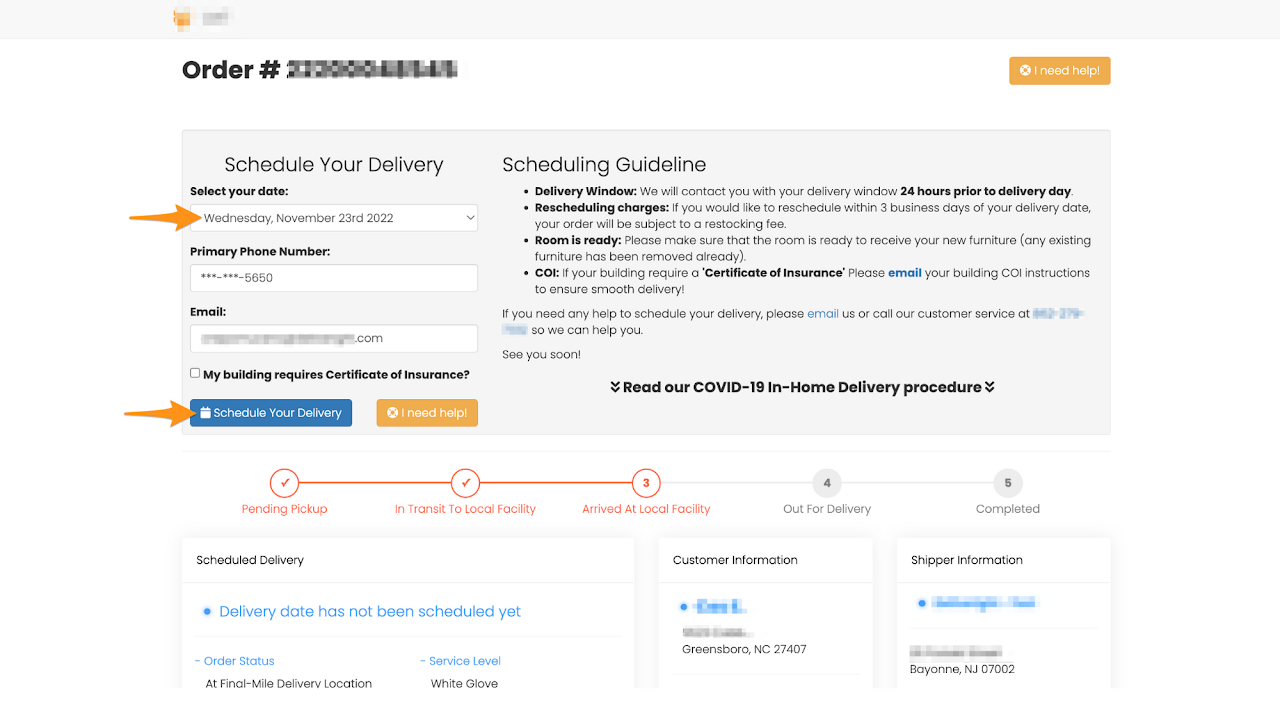
Option 3 – When customer is booking the delivery date
- Select the schedule date
- Click the Schedule Your Delivery
- Answer all questions
- Then click Schedule Your Delivery
Open the order and go to the Survey tab to view the answers