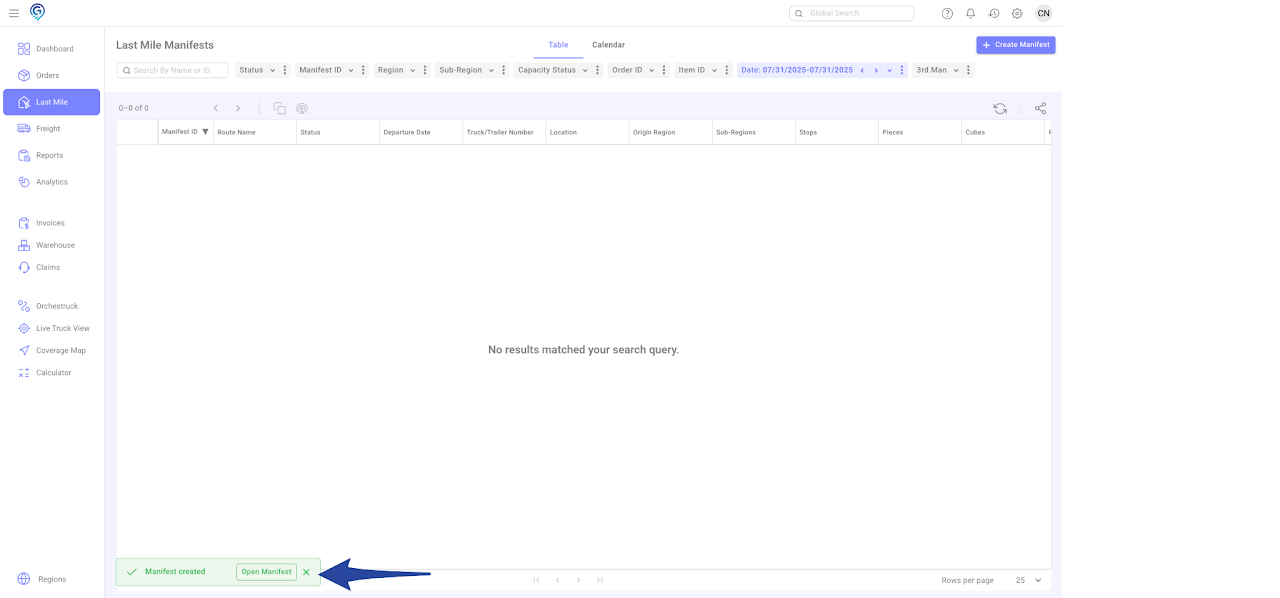
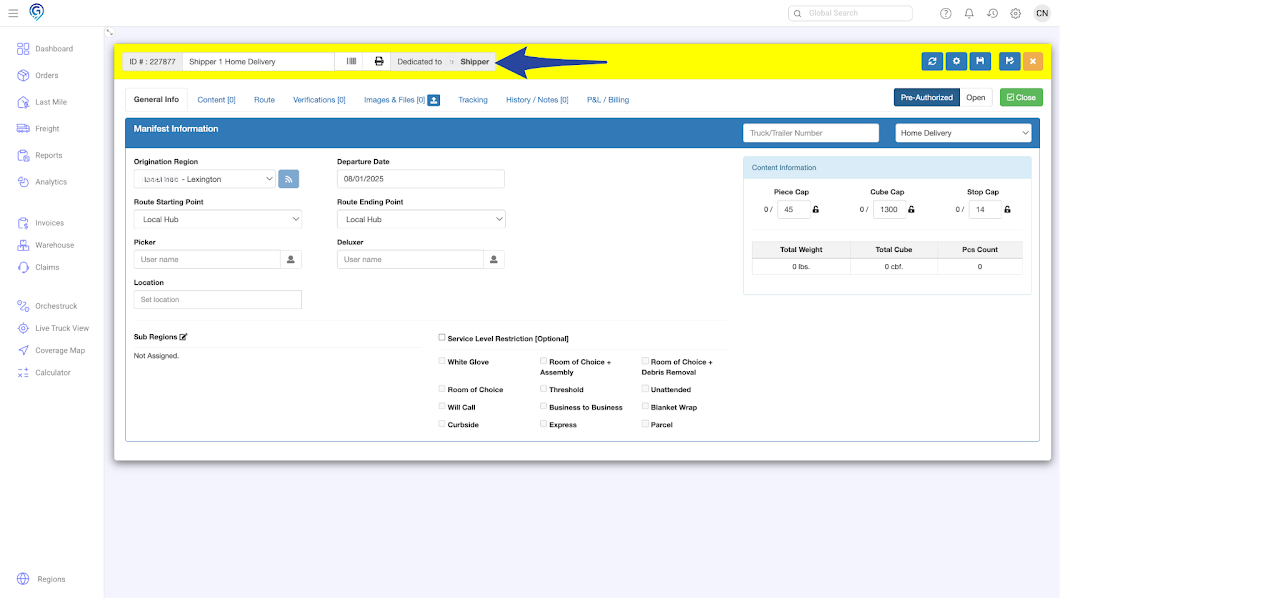
The Dedicated Shipper feature allows orders from a specific shipper to be automatically assigned to a dedicated Last Mile Manifest. This helps streamline routing and ensures that specific shippers’ deliveries are grouped and managed efficiently.
Step 1
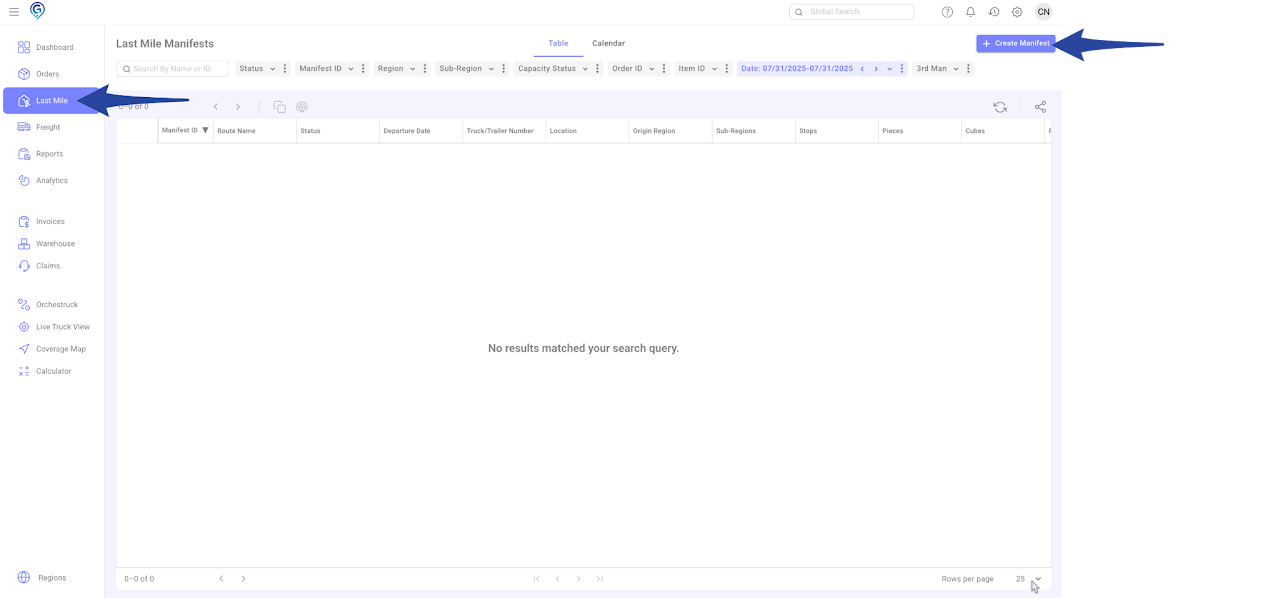
From the left sidebar, click on Last Mile then click + Create Manifest
Step 2
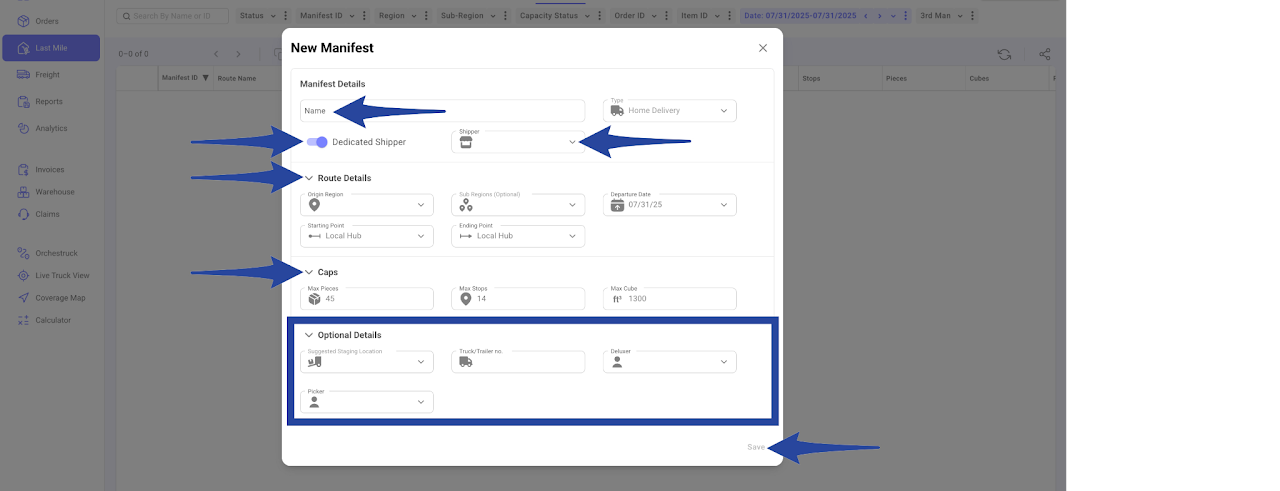
In the pop-up window:
-
- Enter the following required fields.
- Manifest Details
- Name (Manifest Name)
- Toggle on the Dedicated Shipper and select the Shipper Account
- Route Details
- Origin Region
- Sub Regions
- Departure Date
- Starting & Ending Point (if necessary)
- Caps
- Max Pieces
- Max Stops
- Max Cube
- Manifest Details
- Enter the following required fields.
You also have an option to enter the Suggested Staging Location and Truck/Trailer No., Deluxer and Picker.
This is a confirmation that the Manifest has been successfully created. You can click on “Open Manifest” to view or access the Last Mile Manifest you created.