Step 1
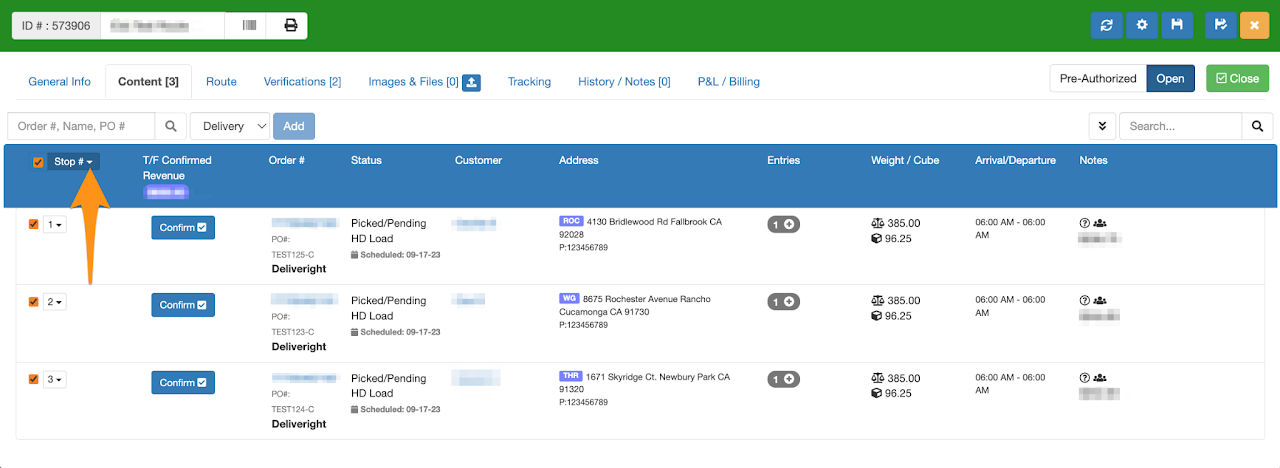
Open the Home Delivery Manifest, select Stops and click on the drop-down arrow
Step 2
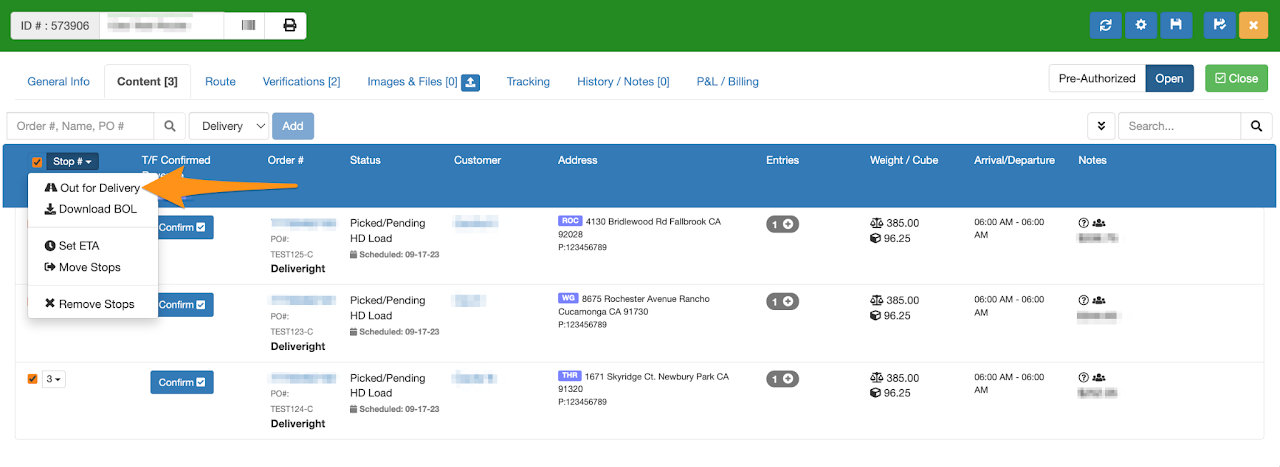
Select Out for Delivery from the list
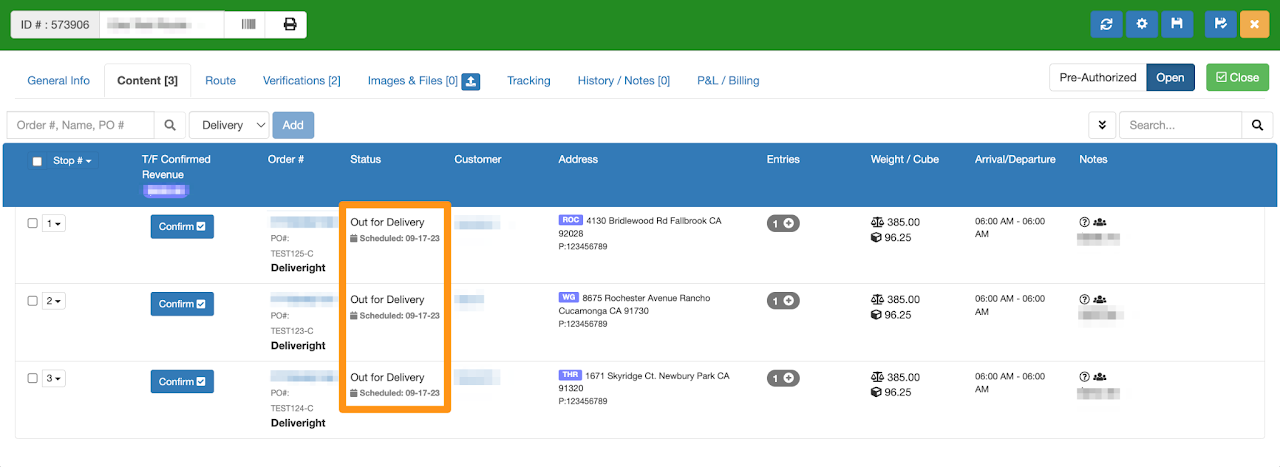
Confirmation that all orders are on Out for Delivery Status

Open the Home Delivery Manifest, select Stops and click on the drop-down arrow
Select Out for Delivery from the list
Confirmation that all orders are on Out for Delivery Status