Help Center Menu
Home Delivery

Adding Multiple Stops to a Last Mile Manifest

Quickly assign multiple delivery stops to last-mile manifests.
Roles: Home Delivery

Step 1

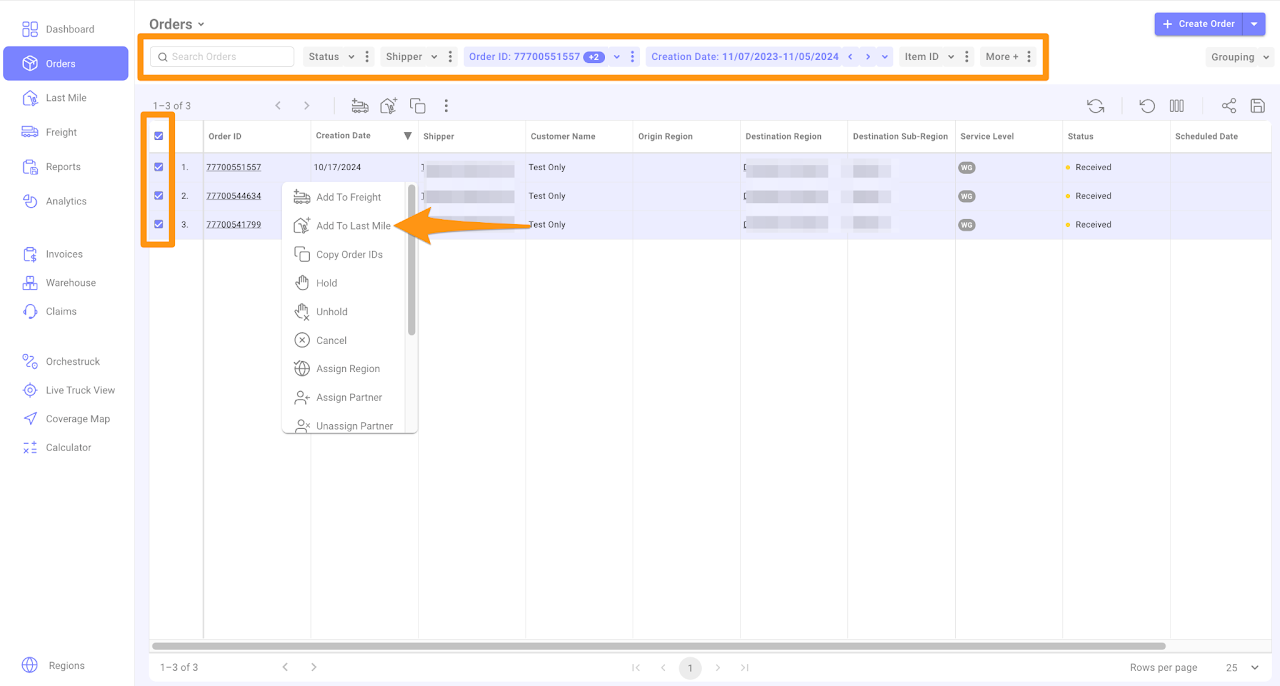
In theΒ Orders Section, utilize the filter option to search for the orders.

Select the orders that need to be added to the manifest, right-click and then chooseΒ Add toΒ Last Mile

Adding Multiple Stops to a  Last Mile Manifest

Β 

Step 2

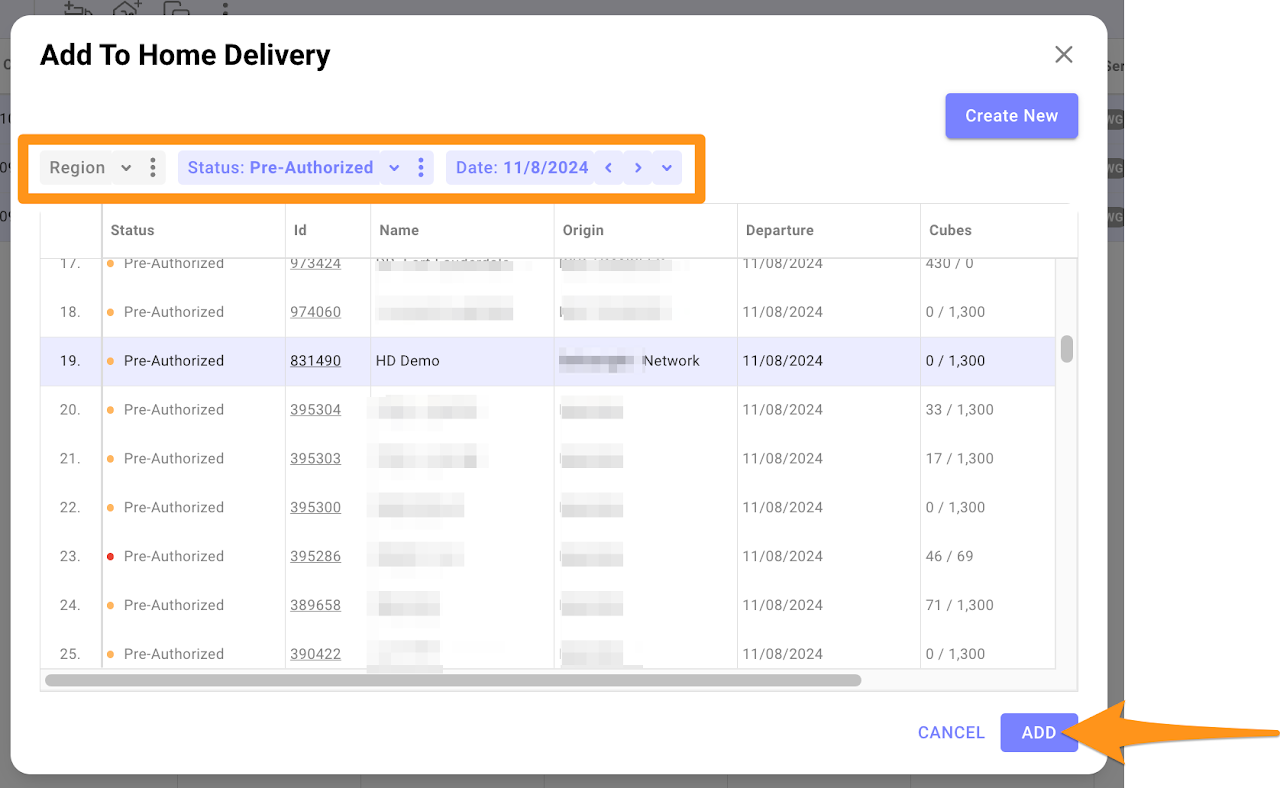
You can filter byΒ Region,Β Status and Date.Β Select the Manifest to which you wish to add the orders then clickΒ Add

Adding Multiple Stops to a  Last Mile Manifest

Β 

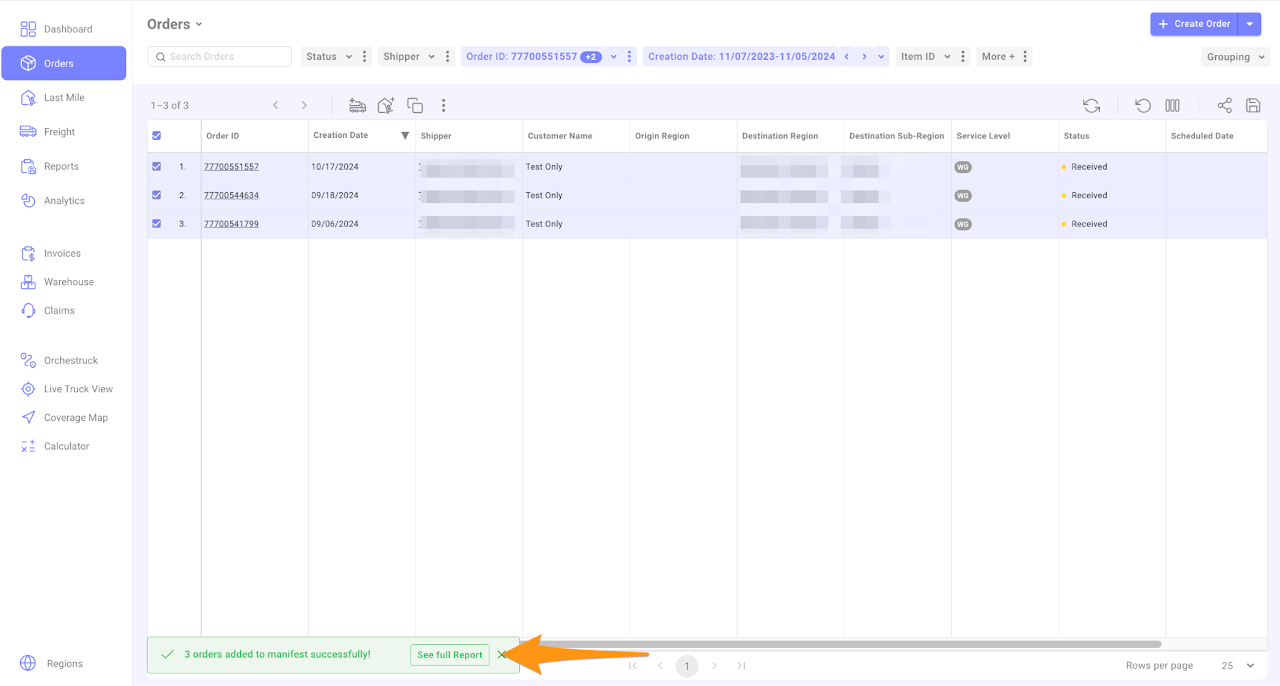
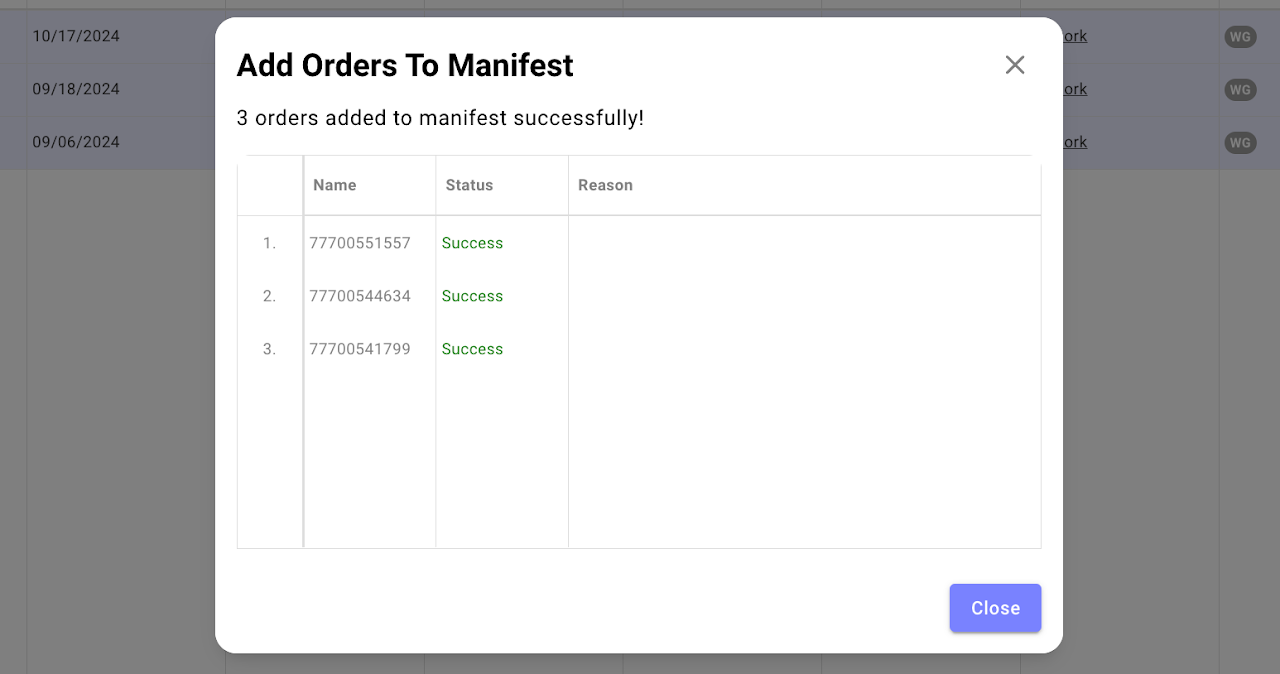
This is a confirmation that orders were added to theΒ Last MileΒ Manifest successfully.Β 

Adding Multiple Stops to a  Last Mile Manifest

Β 

Adding Multiple Stops to a  Last Mile Manifest

Β 

Was this article helpful?

Still stuck? Submit a ticket. and someone on the team will get back to you.