
Help Center Menu
Claims - Grasshopper Labs Help Center

CATEGORIES

Freight
Show DIMS to each item on the BOL (Bill of Lading)
Roles: Freight

Step 1

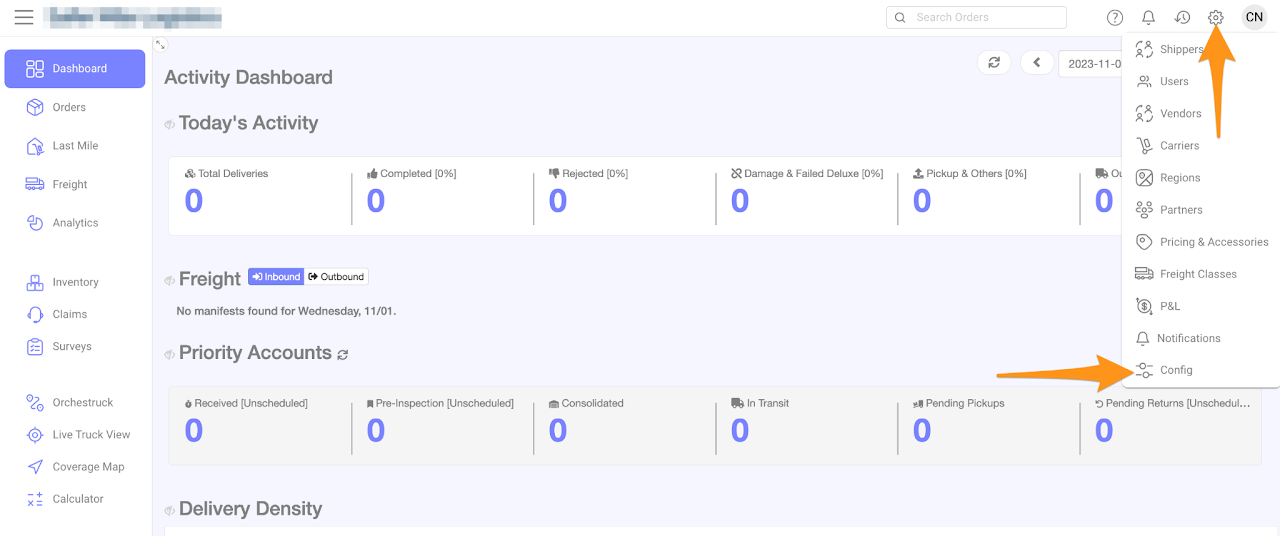
Click on the gear icon and select Config 
Show DIMS to each item on the BOL (Bill of Lading)

Step 2

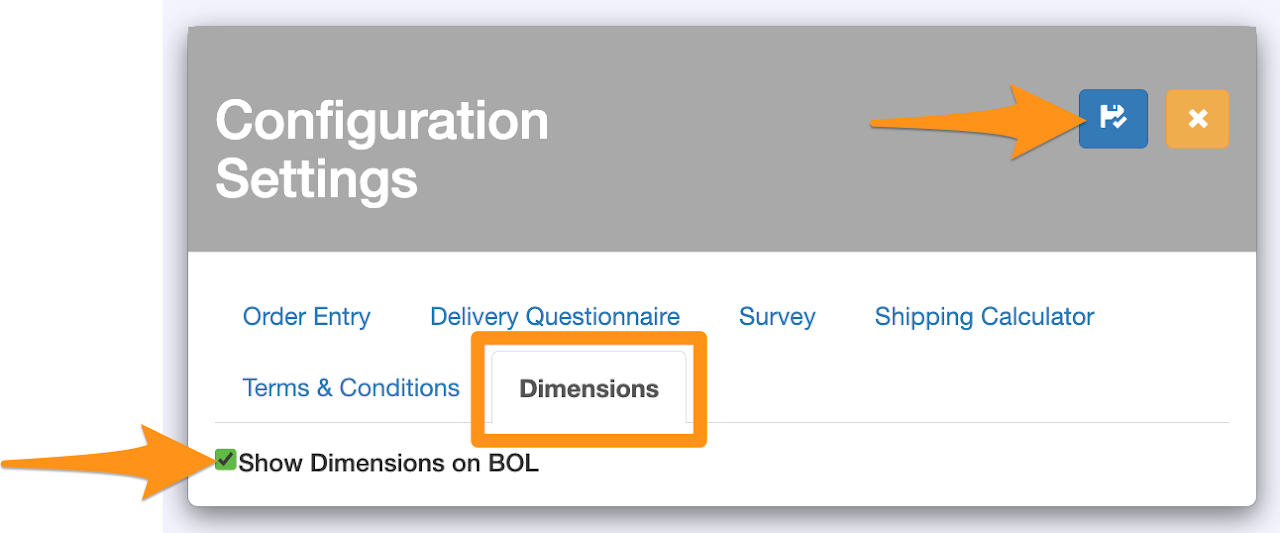
Go to Dimensions tab and check Show Dimensions on BOL then click Save and Close to activate
Show DIMS to each item on the BOL (Bill of Lading)

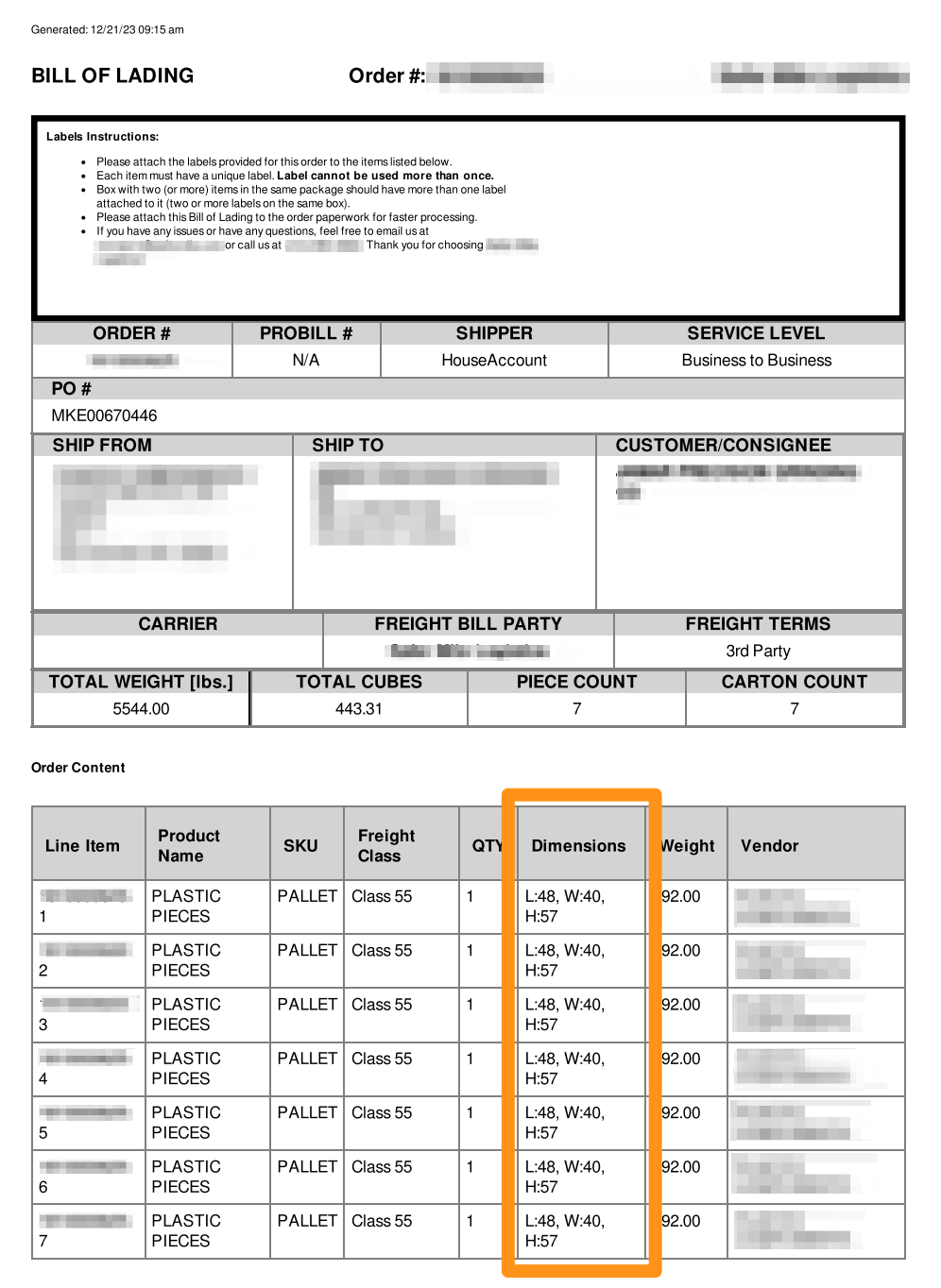
Sample BOL (Bill of Lading) showing the dimensions of each item
Show DIMS to each item on the BOL (Bill of Lading)

If you prefer not to display the dimensions on the BOL, you can return to Step 2, unselect the feature and subsequently click on Save and Close

Was this article helpful?

Still stuck? Submit a ticket. and someone on the team will get back to you.

On This Page