Help Center Menu
Claims - Grasshopper Labs Help Center

CATEGORIES

Freight
Set/Cancel an ETA
Roles: Freight

Step 1

Enter the Purchase Order Number or Grasshopper Order ID then click the order number

Set/Cancel an ETA

Step 2

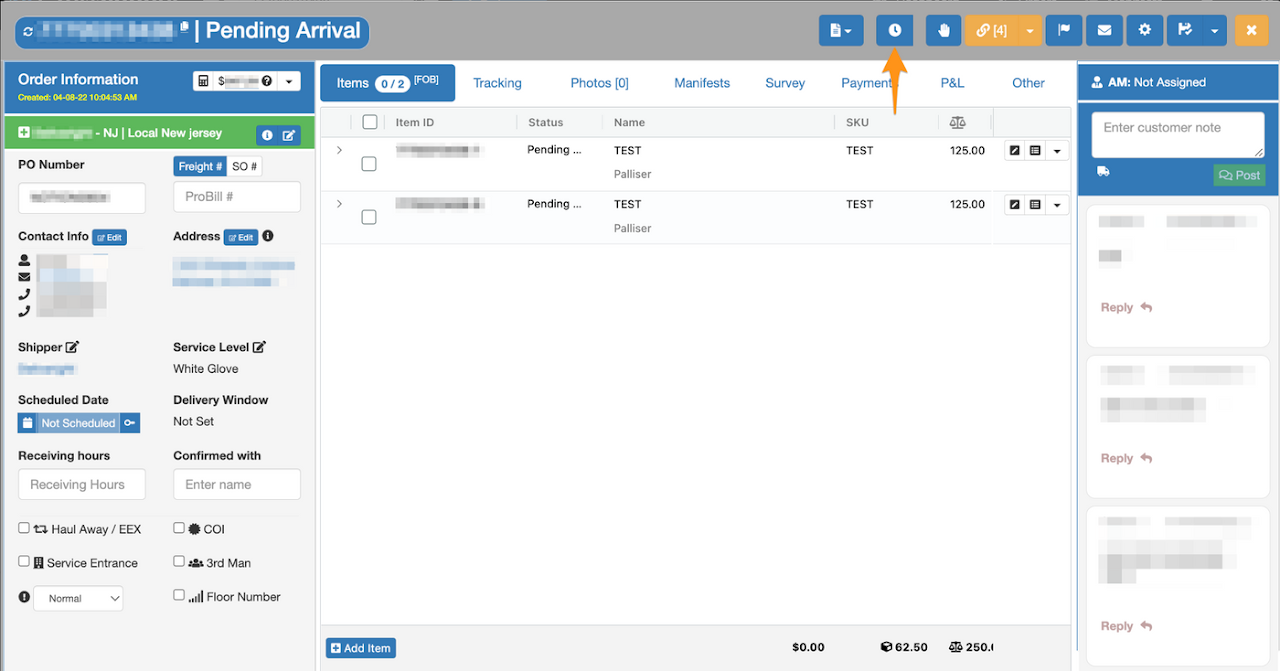
Click the clock icon

Set/Cancel an ETA

Step 3

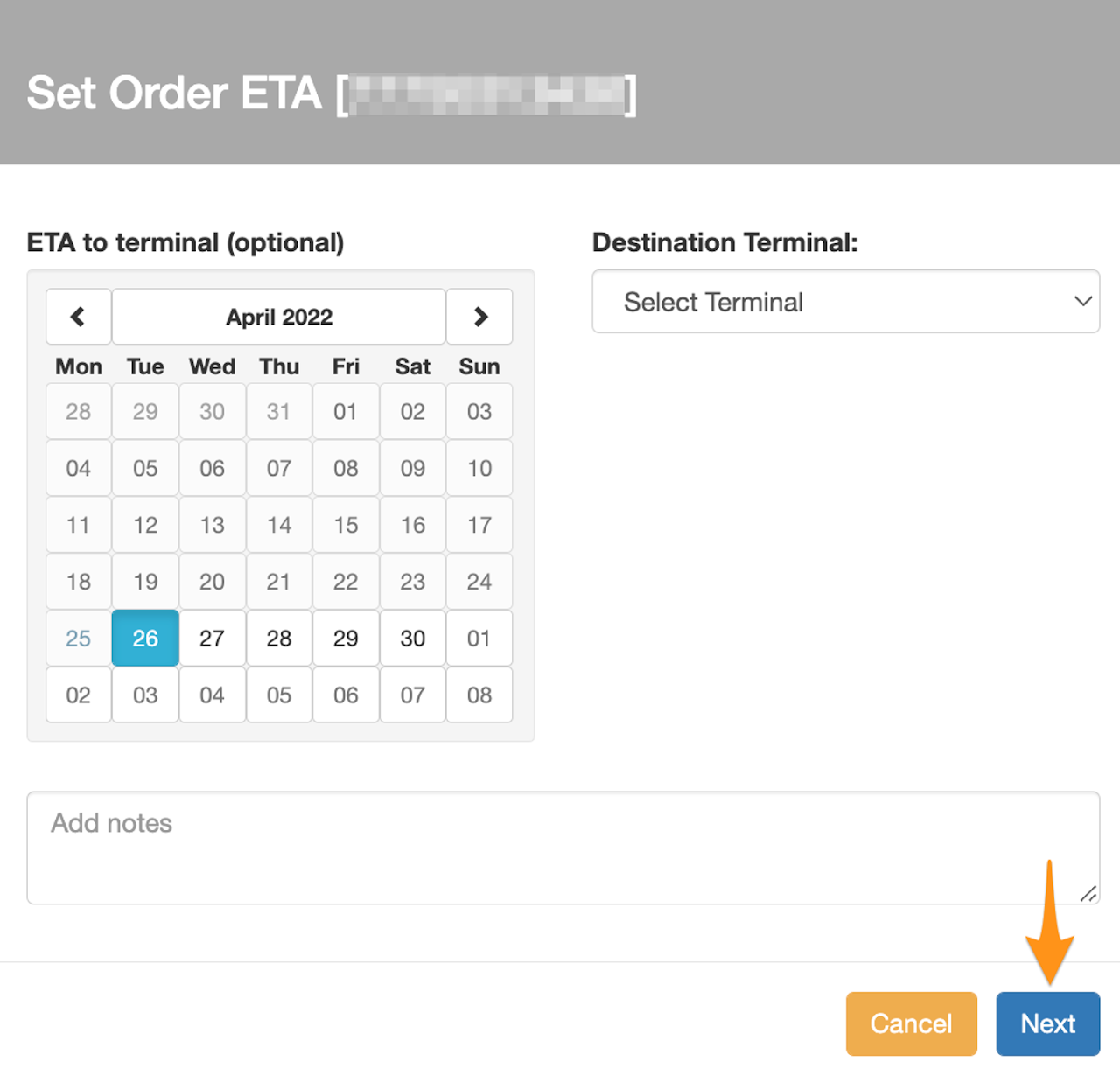
Select the date of estimated arrival and click Next
Set/Cancel an ETA

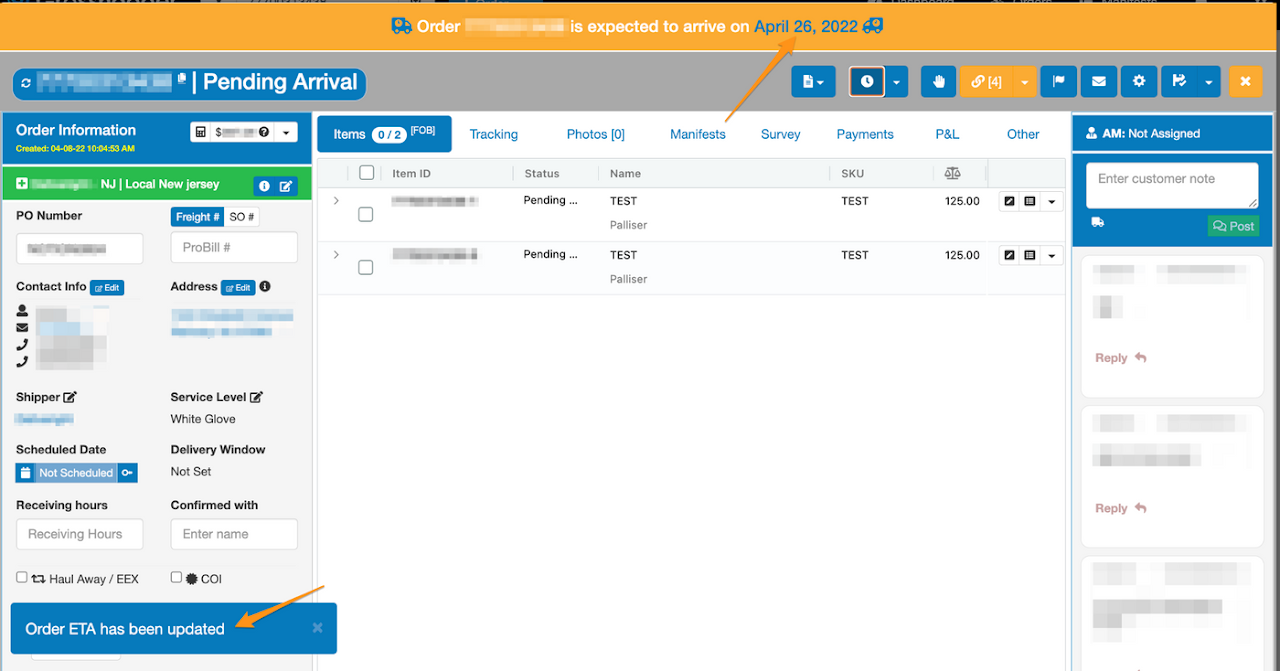
Confirmation that ETA has been set

Set/Cancel an ETA

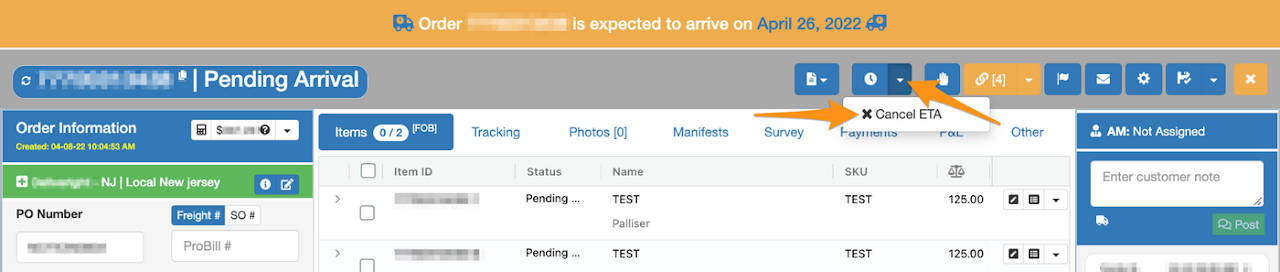
To cancel or remove ETA – click on the drop down list on the clock and select Cancel ETA
Set/Cancel an ETA

Was this article helpful?

Still stuck? Submit a ticket. and someone on the team will get back to you.

On This Page