Step 1
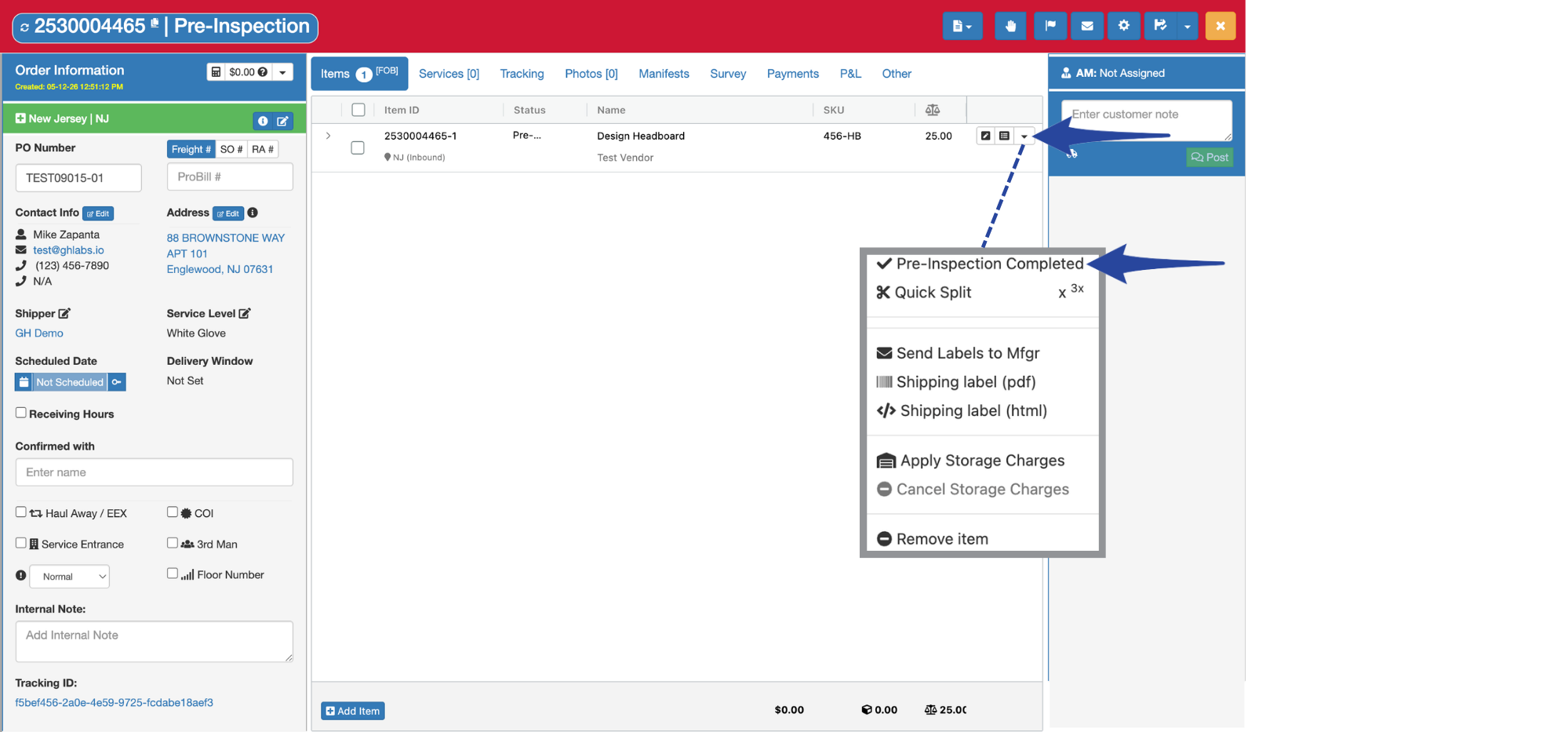
Click the dropdown arrow and select Pre-Inspection Completed
Step 2
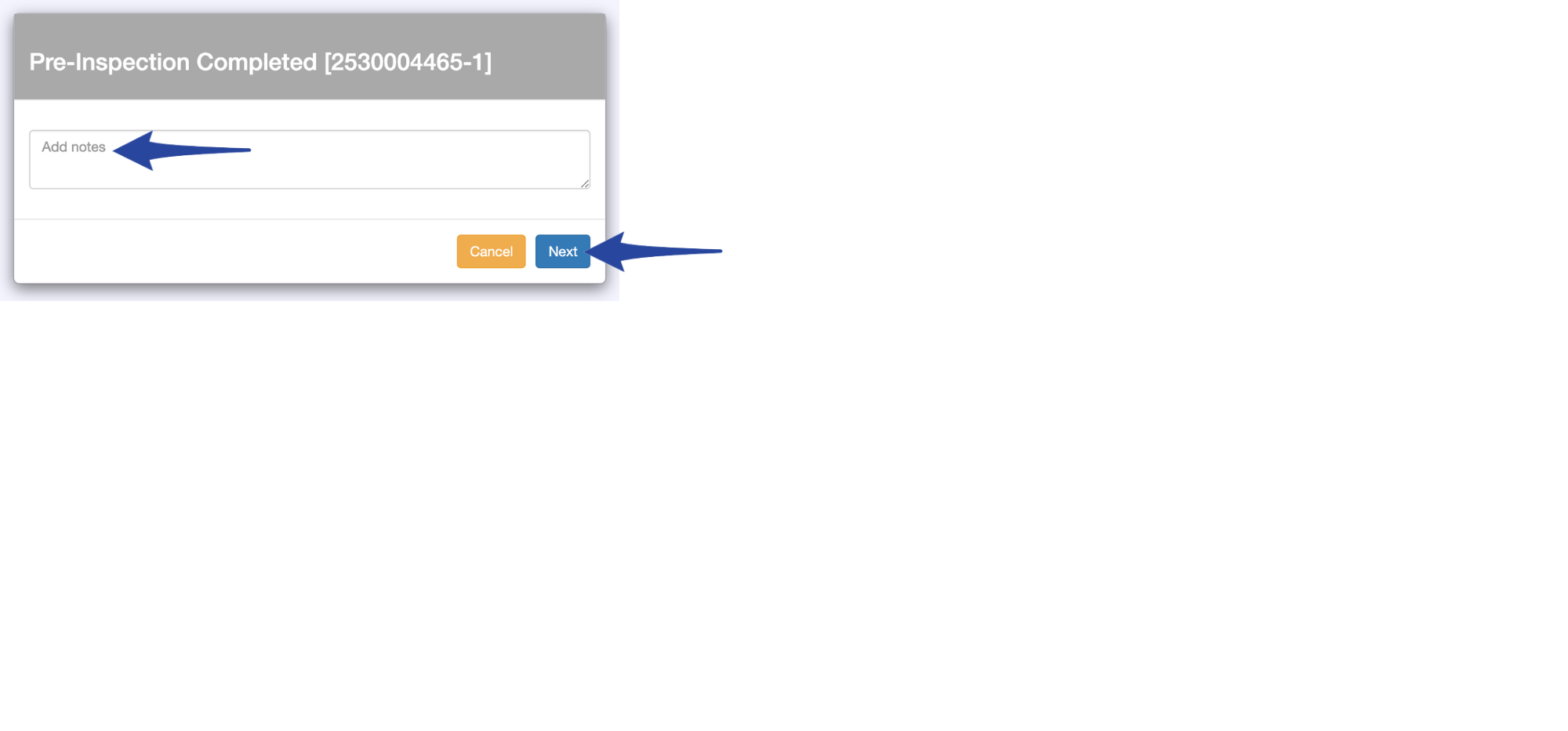
Add notes, then click Next.
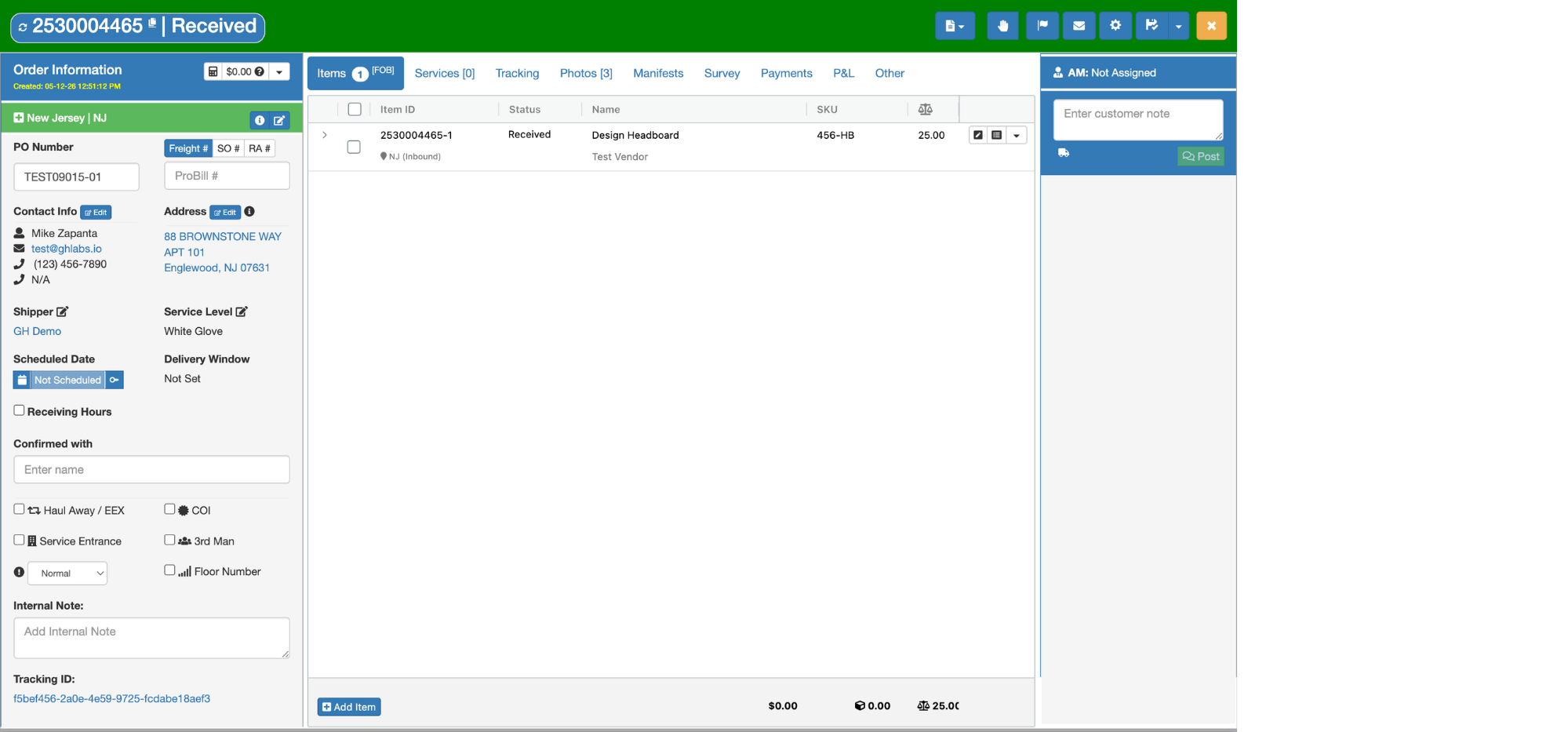
Confirmation that the pre-inspection has been completed. The order status will then update to Received from Pre-Inspection.

Click the dropdown arrow and select Pre-Inspection Completed
Add notes, then click Next.
Confirmation that the pre-inspection has been completed. The order status will then update to Received from Pre-Inspection.