
Help Center Menu
Claims - Grasshopper Labs Help Center

CATEGORIES

Freight
Manually Assign a Sub-Region
Roles: Freight

Step 1

Enter the Purchase Order Number or Grasshopper Order ID then click the order number

Manually Assign a Sub-Region

Step 2

Click the pencil icon next to the Region & Sub-Region
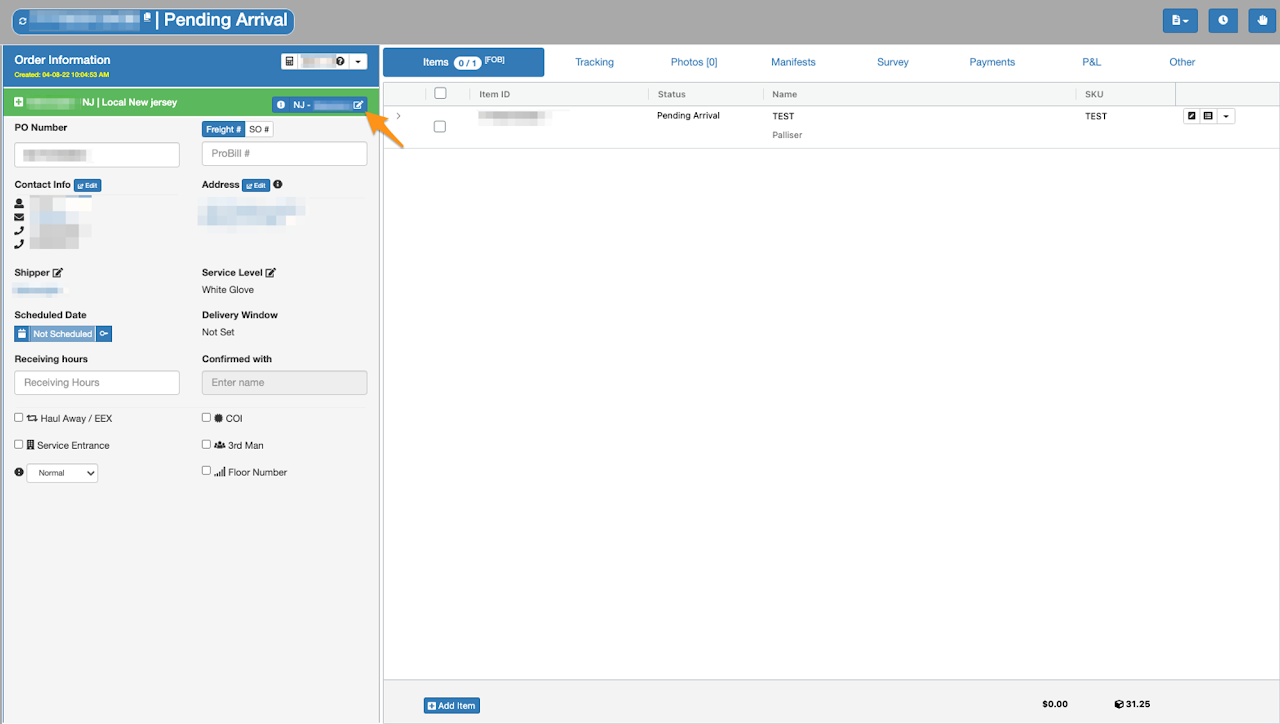
Manually Assign a Sub-Region

Step 3

Click on the drop down list and select Region and Sub-Region.

Select Partner if applicable and click Push Partner and Save
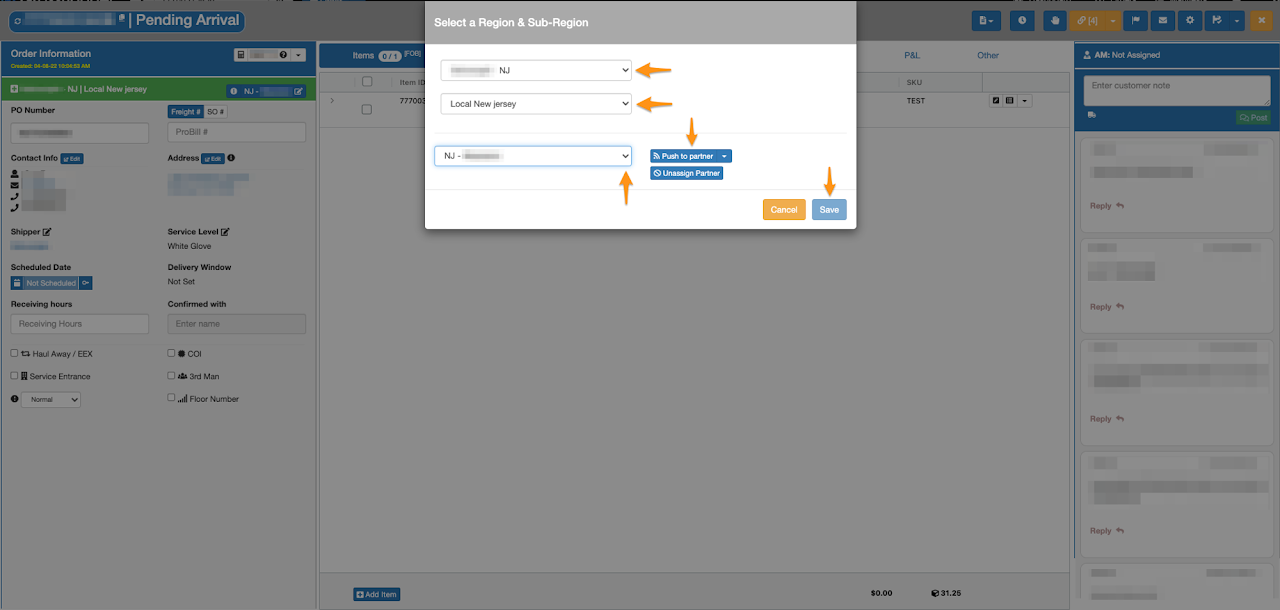
Manually Assign a Sub-Region

Please confirm the Sub-Region before updating

Was this article helpful?

Still stuck? Submit a ticket. and someone on the team will get back to you.

On This Page