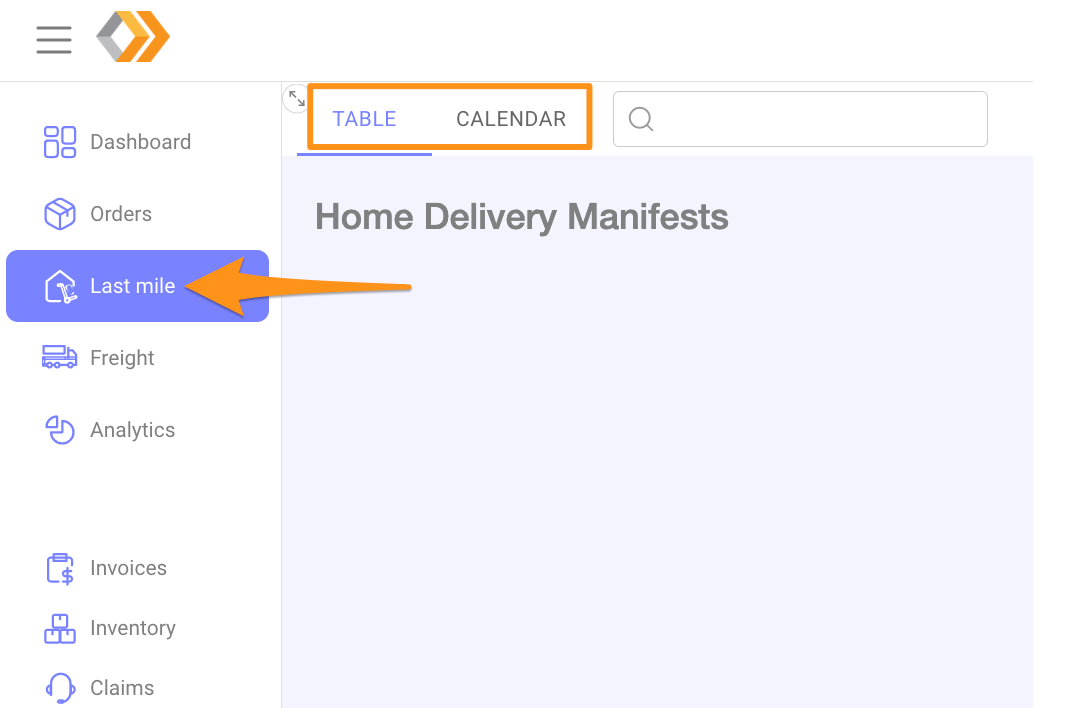
Step 1
Click Last mile and choose table or calendar (monthly) view
Step 2
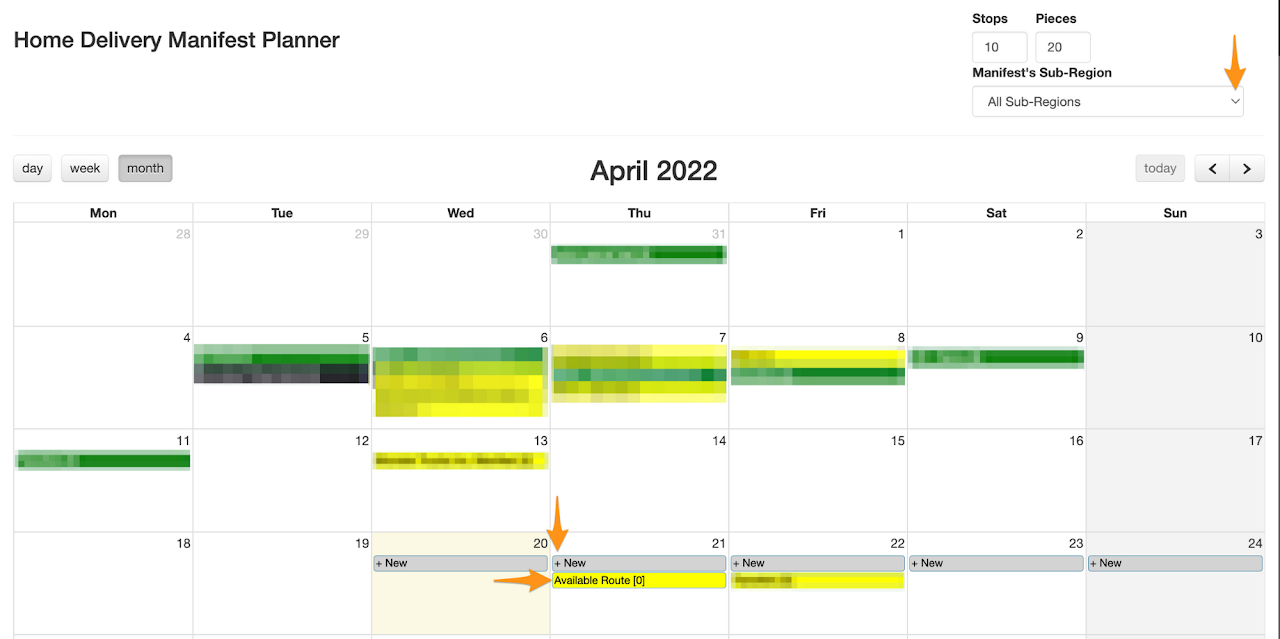
- On a calendar view
Select the Manifest’s Sub-Region from the drop down list .
Click on +New on the date you would like to open the route then click it to open.
Step 3
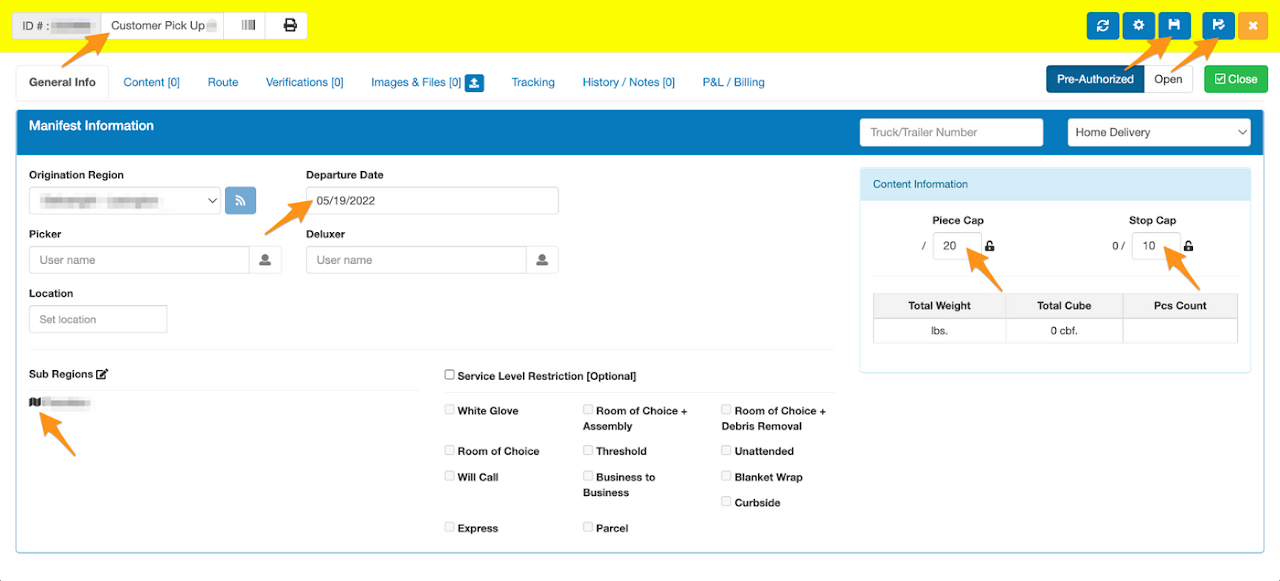
On General Info tab of the route would display the Route Name (should be named as Will Call or Customer Pick up), Origination Region, Sub-Region/s, Piece/s Cap, Stop/s Cap and the delivery date (pick-up date) should be updated.
Click Save or Save & Close
Step 4
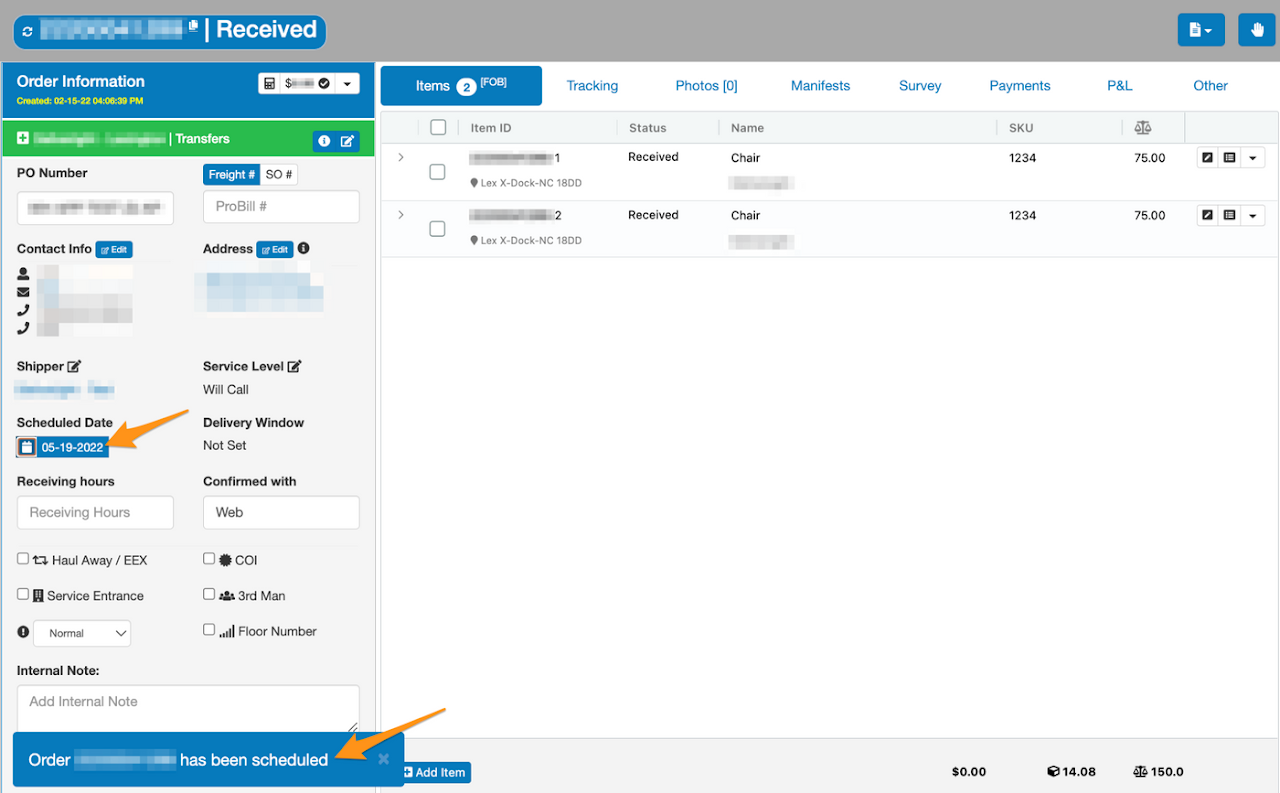
Go to Orders, enter the Grasshopper Order ID, Name or PO Number and click on the order

Step 5
Click the calendar icon on Scheduled Date, select the route created for the Will Call / Customer Pick Up (in yellow), tick the Confirmed with customer, enter the name who confirmed the pickup schedule, Add notes then Schedule
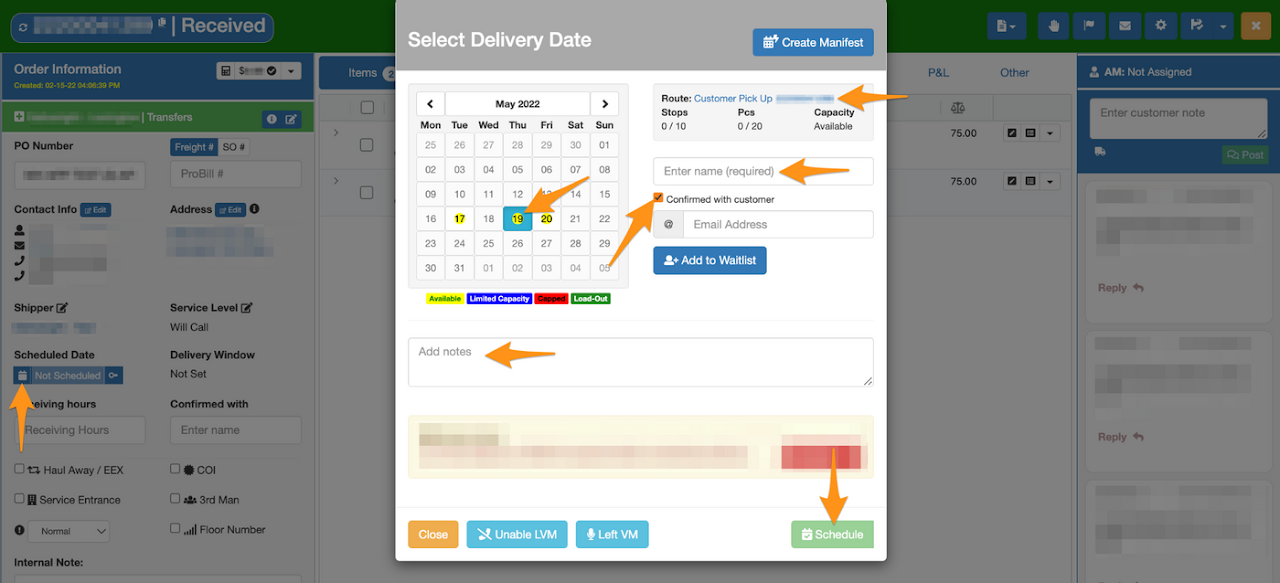
Order has been successfully added in the Will Call / Customer Pick Up Manifest